Kiwibank Mobile Banking

Kiwibank Mobile Banking


Download on App Store
Logo of Kiwibank Mobile Banking

Kiwibank Mobile Banking: Your NZ branch in your pocket, anywhere in the world

Securely manage your home loans, pay tax to the IRD, and stay on top of your KiwiSaver. Experience 100% NZ-owned banking designed for your global lifestyle.

Publisher

Kiwibank Limited

Category

Finance

Downloads

629K+

User Rating

3.4/5

Total Ratings

1K+

Locales

1

Your Branch, Anywhere

Discover the interface used by 629K+ users.
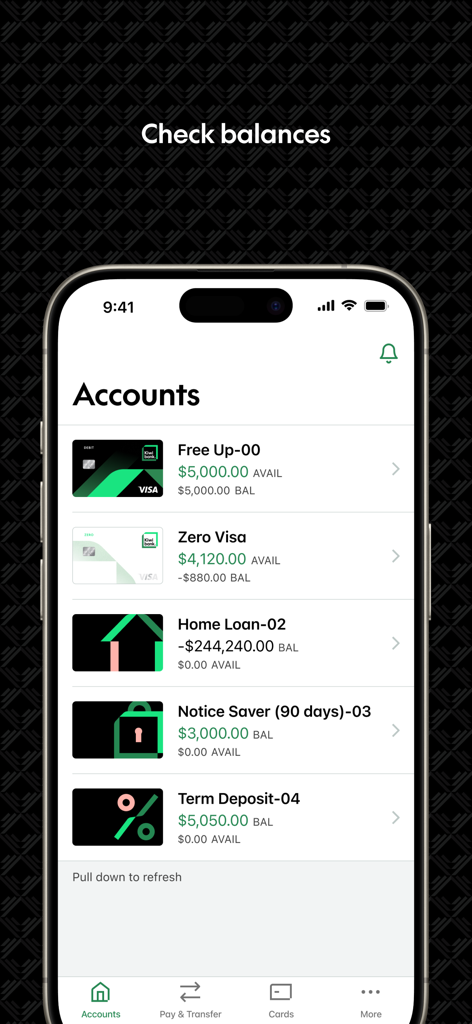
A mobile smartphone displaying the Kiwibank app accounts screen with balances for various financial products like credit cards and home loans.

A mobile smartphone displaying the Kiwibank app accounts screen with balances for various financial products like credit cards and home loans.

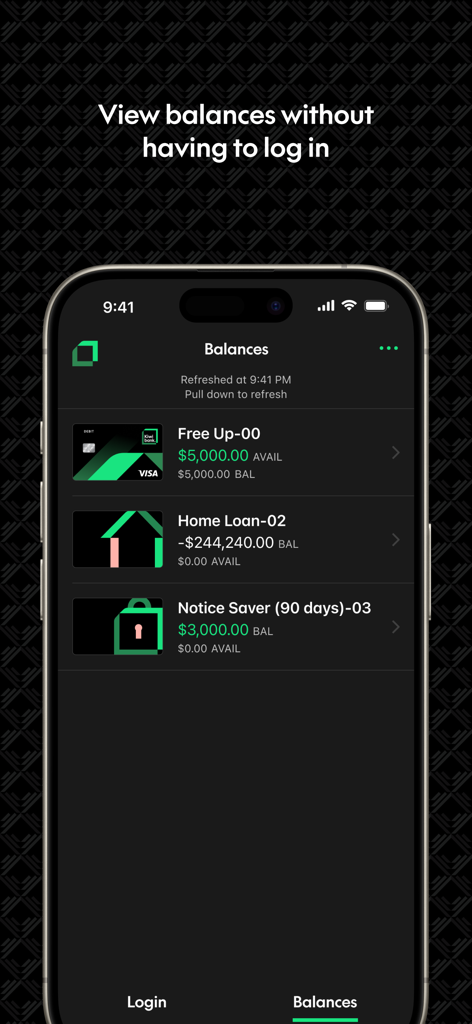
A smartphone screenshot of the Kiwibank app showing account balances for a Free Up account, Home Loan, and Notice Saver without logging in.

A smartphone screenshot of the Kiwibank app showing account balances for a Free Up account, Home Loan, and Notice Saver without logging in.

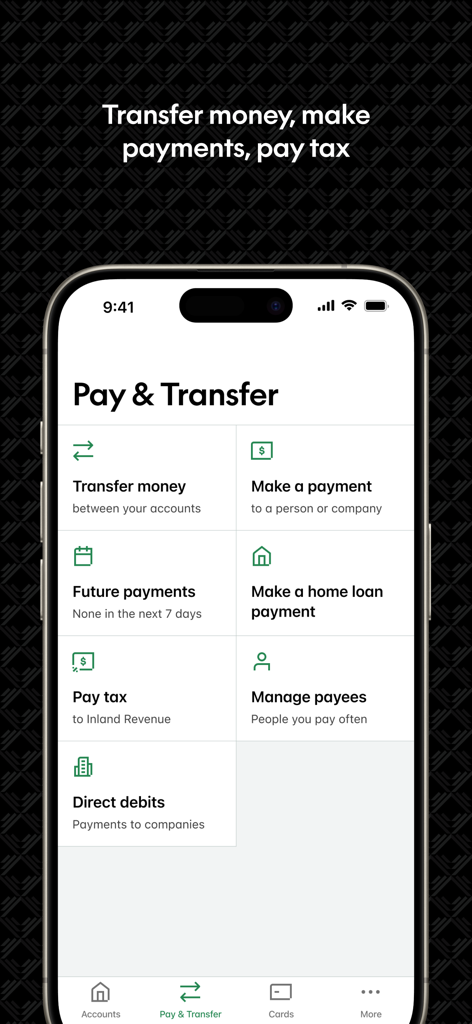
The Pay and Transfer screen of the Kiwibank mobile app showing options for transfers payments and tax

The Pay and Transfer screen of the Kiwibank mobile app showing options for transfers payments and tax

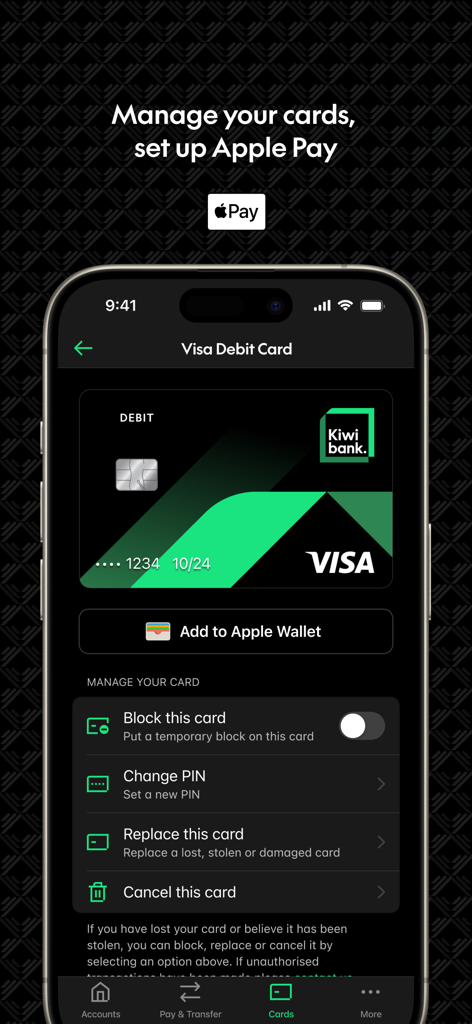
Kiwibank mobile app screen showing Visa Debit Card management options and Apple Pay setup

Kiwibank mobile app screen showing Visa Debit Card management options and Apple Pay setup

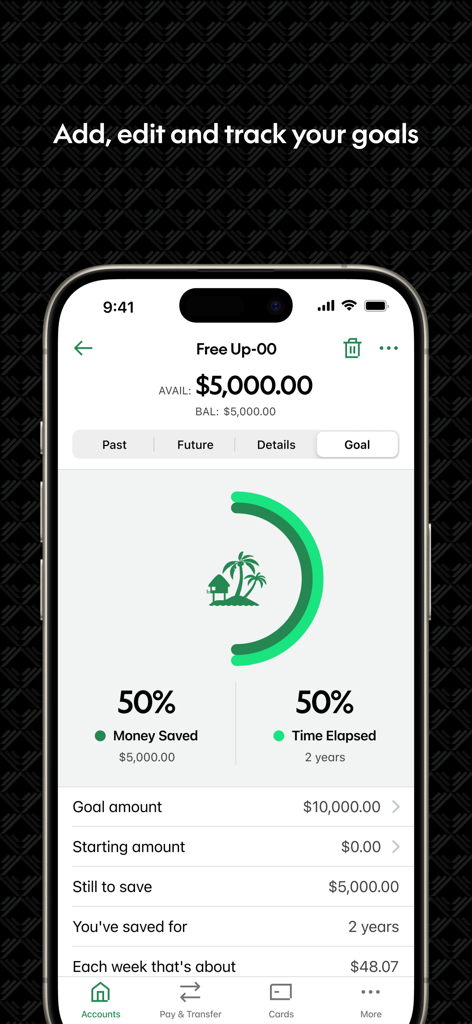
Kiwibank mobile app screen showing a savings goal tracker with progress charts

Kiwibank mobile app screen showing a savings goal tracker with progress charts

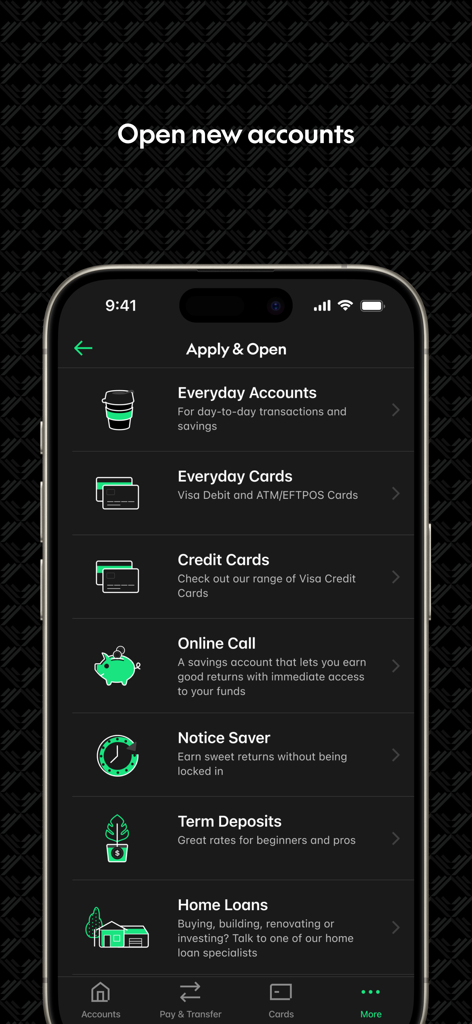
Kiwibank app screen for opening new banking accounts and applying for cards

Kiwibank app screen for opening new banking accounts and applying for cards

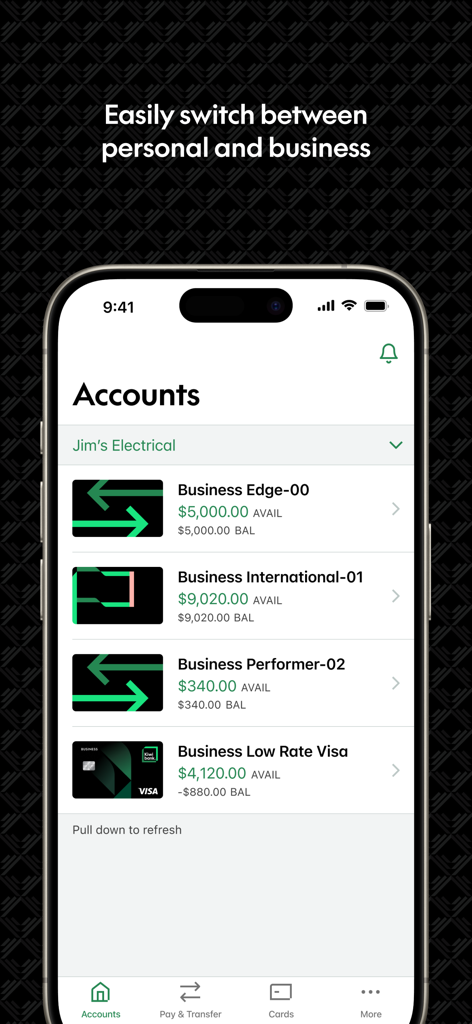
Kiwibank mobile app screen showing business bank accounts for Jim's Electrical.

Kiwibank mobile app screen showing business bank accounts for Jim's Electrical.

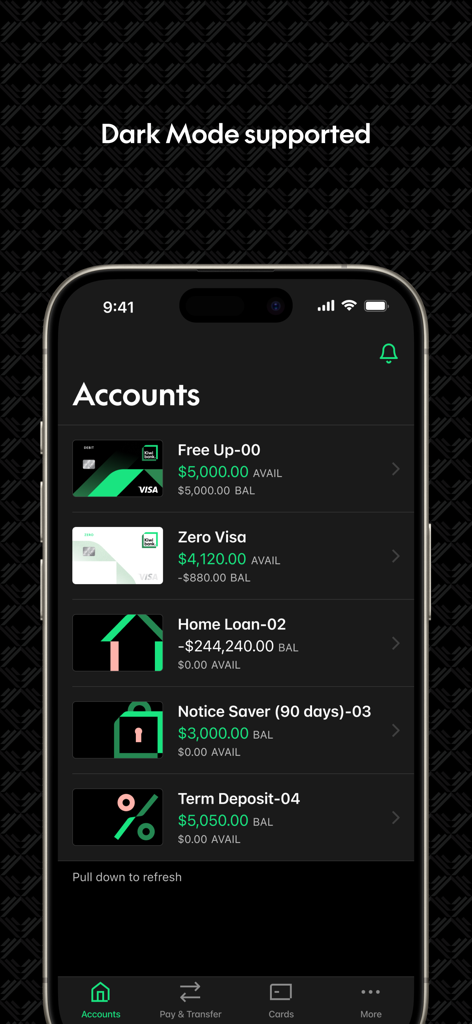
Kiwibank mobile banking app dashboard displaying account balances and loan details in dark mode.

Kiwibank mobile banking app dashboard displaying account balances and loan details in dark mode.

Your Closest Branch Is In Your Pocket

The tools that make this app stand out, trusted by 629K+ users.

🌏

Global Financial Control

Easily manage New Zealand-based assets from abroad by refixing home loans, paying IRD taxes, and monitoring KiwiSaver performance.

Instant Insight Widgets

Stay informed without the friction. Use Quick Balance and home screen widgets to check your accounts in seconds while on the move.

🛡️

Ironclad Biometric Security

Protect your wealth with industry-leading Face ID, Touch ID, and multi-factor authentication, all backed by our internet banking guarantee.

About the app

Everything you need to know about Kiwibank Mobile Banking.

Description

Welcome to your closest branch. Get it done online, no matter where you are, with the Kiwibank mobile app. This is banking at your fingertips. STAY ON TOP OF YOUR FINANCES • View account balances and search your transaction history • Set up Quick Balance and add widgets to your home screen to get your balances at a glance without having to login. • Pay your bills or transfer money to family, friends and others • Manage your payees • Pay tax directly to IRD • If you have a home loan with us, you can refix or switch to a variable rate when it's up for renewal • Set goals using Goal Tracker. • Do your business on the go. View, authorise or delete upcoming payments, including batch and multiple payments MANAGE YOUR ACCOUNT • Change or reset your password • Update your KeepSafe questions • Update your contact and tax details • Send a message using SecureMail • Personalise your accounts with your favourite photos. MANAGE YOUR CARDS • Set up Apple Pay and pay with your phone anywhere contactless is accepted • Set or change a PIN on your cards • Block or unblock your cards • Replace your lost, stolen and damaged cards • Cancel your EFTPOS and debit cards APPLY OR OPEN • Open and manage your everyday or investments accounts • Apply for a credit card • Order an EFTPOS or Visa Debit Card • Join Kiwi Wealth KiwiSaver Scheme. SECURE BANKING • It’s safe, secure, and backed by our internet banking guarantee • Securely access your account with a PIN code or biometric with Touch ID and Face ID on supported devices or • Log in with your Internet Banking password • KeepSafe and two factor authentication provide an extra layer of security GET STARTED Our mobile app is free to download and easy to set up, you just need to be a Kiwibank customer. If you need more information about setting up or using our mobile app, you’ll find answers to frequently asked questions here - https://www.kiwibank.co.nz/contact-us/support-hub/mobile-app/common-questions/ Please let us know what you think about the Kiwibank Mobile Banking app under the Contact Us menu in the app.

Latest Version

4.55.2

Size

258.3 MB

First Released

May 10, 2012

Your closest branch is always in your pocket.

Join 629K+ Kiwis managing their finances with ease. Download the app today for secure, 100% New Zealand-owned banking, wherever you are in the world.

Download on App Store
FAQ

Frequently Asked Questions

Everything you need to know about Kiwibank Mobile Banking

How do I check my account balance in the Kiwibank Mobile Banking app?

Yes, you can view your Kiwibank account balances and search your transaction history directly within the Kiwibank mobile app. The app displays various account types and their available balances.

Can I view my Kiwibank app balance without logging in?

Yes, the Kiwibank mobile app allows you to view balances without logging in. You can set up Quick Balance and add widgets to your home screen for an at-a-glance view.

How do I pay bills and transfer money using the Kiwibank Mobile Banking app?

The Kiwibank Mobile Banking app allows you to pay your bills, transfer money to others, and manage your payees. It also includes an option to pay tax directly to IRD.

Does the Kiwibank Mobile Banking app support Apple Pay?

Yes, the Kiwibank Mobile Banking app supports Apple Pay. You can set up Apple Pay directly within the app and use your phone for contactless payments wherever it is accepted.

How can I manage my Kiwibank cards in the app?

The Kiwibank Mobile Banking app provides card management features. You can set or change a PIN, block or unblock cards, replace lost, stolen, or damaged cards, and cancel EFTPOS and debit cards.

Can I track financial goals with the Kiwibank Mobile Banking app?

Yes, the Kiwibank app includes a Goal Tracker feature. This allows you to set financial goals and monitor your progress towards them, displaying money saved and time elapsed.

What types of accounts can I open or apply for through the Kiwibank Mobile Banking app?

The Kiwibank app allows you to open and manage everyday or investment accounts. You can also apply for a credit card, order an EFTPOS or Visa Debit Card, and join the Kiwi Wealth KiwiSaver Scheme.

Is the Kiwibank Mobile Banking app secure?

Yes, the Kiwibank Mobile Banking app is secure. It is backed by an internet banking guarantee and offers secure access with a PIN code, biometrics (Touch ID, Face ID), and two-factor authentication.

How do I get started with the Kiwibank Mobile Banking app?

To get started with the Kiwibank Mobile Banking app, download it for free. You must be a Kiwibank customer to use its features and set it up.

Can I manage business accounts using the Kiwibank Mobile Banking app?

Yes, the Kiwibank app allows you to manage business finances. You can view, authorise, or delete upcoming payments, including batch and multiple payments, for your business accounts.

Does the Kiwibank Mobile Banking app offer Dark Mode?

Yes, the Kiwibank Mobile Banking app supports Dark Mode. This feature provides an alternative visual theme for the app interface, optimizing viewing in different lighting conditions.

Can I pay tax to IRD using the Kiwibank app?

Yes, you can pay tax directly to IRD using the Kiwibank Mobile Banking app. This feature is available within the 'Pay & Transfer' section of the app.

App information, icons, screenshots, and descriptions displayed on this page are sourced from the Apple App Store and are the property of their respective developers. Download estimates and rankings are based on MWM's proprietary models and may not reflect actual figures. This page is provided for informational and analytical purposes only.

Believe this page infringes your intellectual property? File a dispute