
This page is not an official page of the app or its developer, but an independent editorial publication created for informational and commentary purposes. Unless expressly stated otherwise, neither the app nor its developer is affiliated with, endorsed by, sponsored by, authorized by, or otherwise officially connected with MWM, Apple, Google Play, the app publisher, or the app's developer, and nothing on this page implies that the app was developed using MWM's services. Any trademarks, logos, screenshots, and other content remain the property of their respective owners.


Lens Scan: Identify Anything
Stop guessing. Lens Scan grants instant knowledge, making you the expert of everything around you.
Downloads
1M+User Rating
Total Ratings
22.2KPublisher
Category
UtilitiesLocales
1Latest Version
1.7.36Size
172.9 MBFirst Released
Sep 4, 2024An AI-powered multi-identification tool for the curious explorer.
Lens Scan: In-Depth Feature Analysis
AI-Powered Instant Identification
The app provides lightning-fast and highly accurate identification for a wide array of objects using advanced artificial intelligence.
Comprehensive Object Recognition
This tool allows users to identify a vast spectrum of items, including plants, animals, insects, coins, antiques, and everyday objects, consolidating multiple identification needs into one platform.
Enriched Contextual Insights
It offers users more than just names, delivering detailed background information, relevant care tips for living organisms, and historical context for collectibles and antiques.
Intuitive Camera-Based Workflow
The app features a user-friendly interface that simplifies the identification process, enabling users to get instant answers by simply snapping a photo.
Nature & Organism Identification
It specializes in accurately recognizing and providing information on diverse living organisms such as plants, flowers, trees, various animal breeds, and insects, catering specifically to nature enthusiasts.
Collector's Item & Antique Analysis
The tool aids collectors in identifying and gaining insights into coins, antiques, and historical items, detailing their potential value, rarity, and cultural significance.
Frequently Asked Questions
Everything you need to know about Lens Scan: Identify Anything
What is Lens Scan?
Lens Scan is an AI-powered recognition app that identifies various items like plants, animals, insects, coins, antiques, and everyday objects from a single photo. It provides instant answers and detailed information.
Can Lens Scan identify plants and offer care tips?
Yes, Lens Scan identifies plants, flowers, and trees. It also provides care tips and growth insights for users wondering how to maintain their plants.
Does Lens Scan recognize animal breeds?
Yes, Lens Scan recognizes animals and their breeds. It provides details about pets and other animals seen, fulfilling curiosity about specific types.
Can Lens Scan identify insects and bugs?
Yes, Lens Scan identifies insects and bugs from a photo. It helps users understand what kind of insect it is and if it is harmful.
Does Lens Scan determine if coins or antiques are valuable?
Yes, Lens Scan can scan coins to help users learn if they are valuable or special. It also helps identify antiques, offering background details on their history and significance.
What types of everyday objects can Lens Scan identify?
Lens Scan identifies all kinds of everyday objects, including tools, gadgets, and general items. It provides quick and reliable information.
Can Lens Scan explore shopping items?
Yes, Lens Scan explores shopping items. Users can scan an item, and the app provides details like description, material, and suitable uses, as shown with a "Mini Grab Bag."
Does Lens Scan provide nutritional information for food?
Yes, Lens Scan can identify food items and provide nutritional values. For example, it shows calories, protein, fats, and other details for dishes like "Stuffed Bell Peppers."
Is a subscription required to use Lens Scan?
Yes, Lens Scan requires a subscription for use. The subscription automatically renews unless canceled at least 24 hours before the current period ends.
How do I manage my Lens Scan subscription?
You can manage your Lens Scan subscription and turn off auto-renewal in your account settings after purchase. This must be done at least 24 hours before the current period ends.
Where can I find the privacy policy for Lens Scan?
The privacy policy for Lens Scan is available at the provided URL: https://lensscan.app/privacy.
Where are the Terms of Use for Lens Scan located?
The Terms of Use for Lens Scan are available at the following URL: https://lensscan.app/terms.
How does Lens Scan identify objects?
Lens Scan identifies objects using advanced AI-powered recognition technology. Users simply snap a photo to get instant answers.
Is Lens Scan fast and accurate?
Yes, Lens Scan is designed to be fast and accurate. It provides results in seconds after the user points their camera and snaps a picture.
Is Lens Scan an all-in-one discovery tool?
Yes, Lens Scan serves as an all-in-one discovery tool. It consolidates identification features for plants, animals, insects, and coins into one powerful app.
The following screenshots and description are sourced directly from the app's official store listing and are the property of the app developer.
App Store
Screenshots
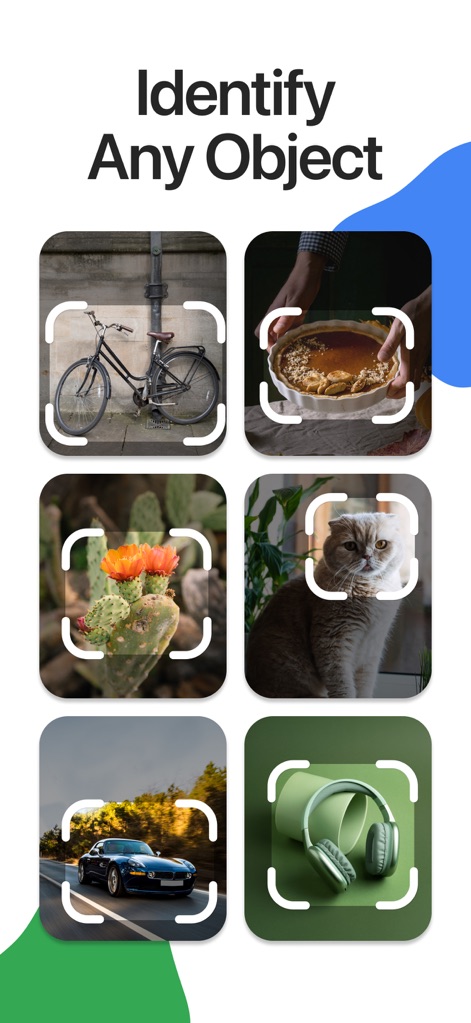
See how the app presents a diverse range of items from a bicycle to headphones, all ready for instant identification.
Universal Object Recognition
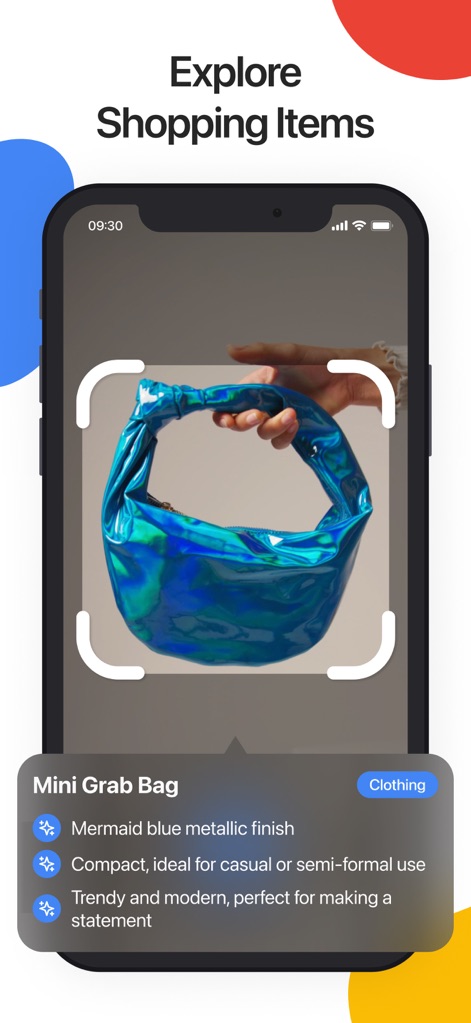
Users can explore detailed shopping items, like this "Mini Grab Bag" with its "Mermaid blue metallic finish" and descriptive features.
Shopping Item Insight
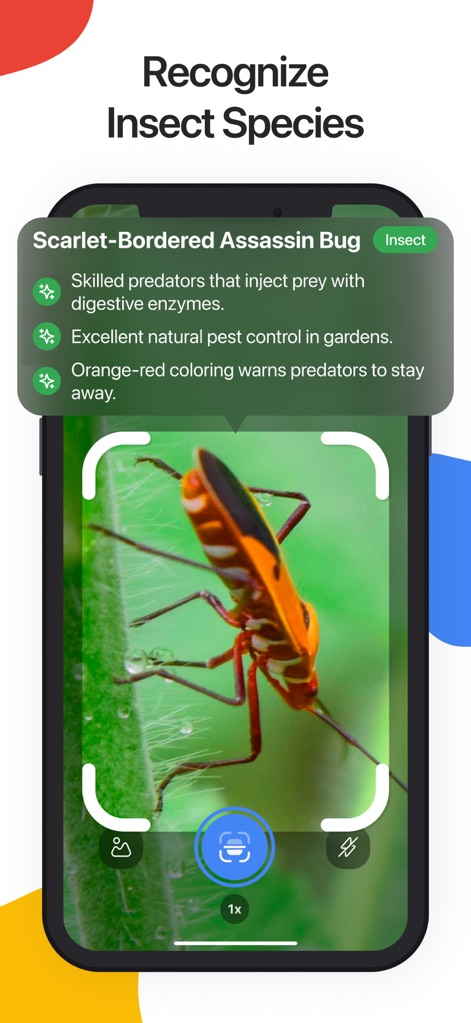
The tool offers precise insect recognition, identifying species like the "Scarlet-Bordered Assassin Bug" and describing its "Orange-red coloring" and predatory skills.
Insect Identification Expert
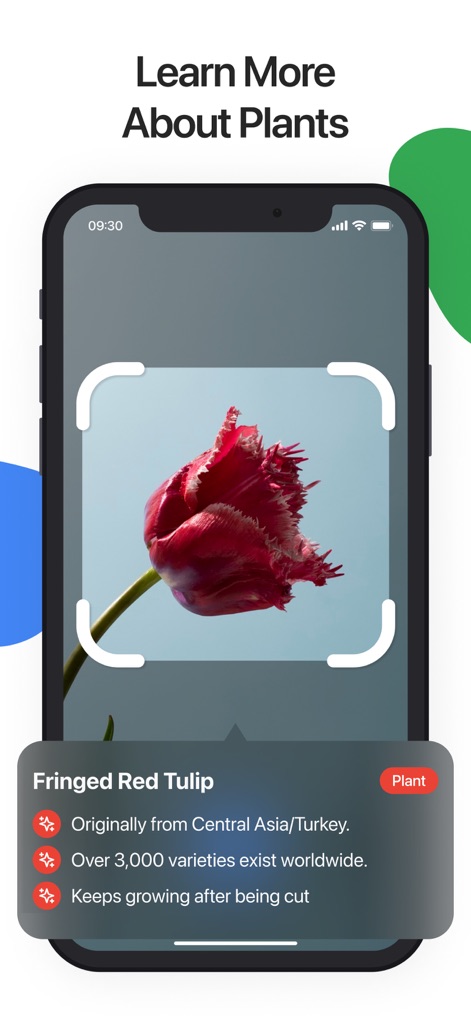
Discover in-depth plant information, such as the origin of a "Fringed Red Tulip" and facts like how it "Keeps growing after being cut".
Botanical Knowledge Unlocked
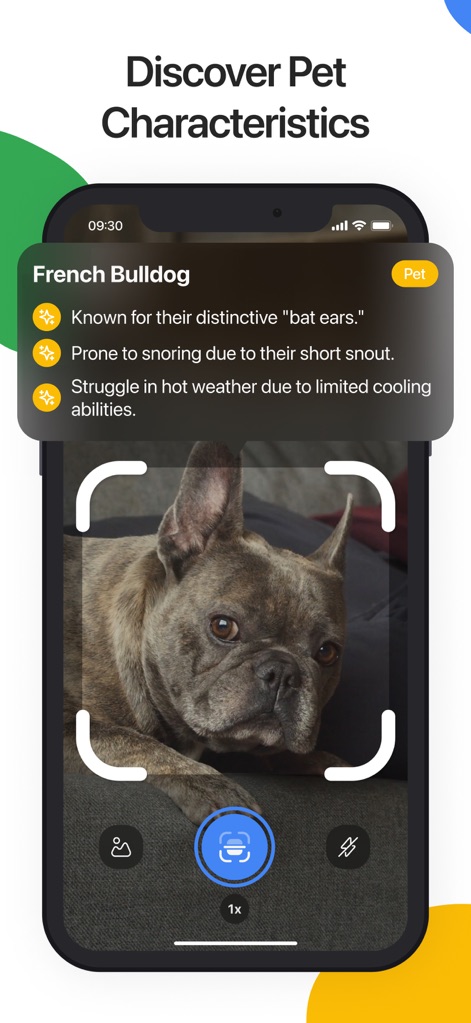
The app reveals specific animal characteristics, detailing a "French Bulldog" by its "distinctive 'bat ears'" and snoring habits.
Animal Breed Details

Gain comprehensive information on food items, displaying nutritional values like "Calories" and "Protein" for dishes such as "Stuffed Bell Peppers."
Nutritional Insight Revealed
Description
Download
More Like This
Apps with similar features and user experience

Lens - Photo Scan, Identifier
Sarvar Khakimov

Lens Scan, Photo Identifier
SANDIP SINGH SUPRA

6Sense AI
Mechideas Teknoloji Anonim Sirketi

Lens: Translate & Image Search
Macro Tap Apps Limited

EveryScan・Identifier & AI Lens
Conlan Limited

Lens AI: Identify Anything
XLABS DIJITAL HIZMETLER ANONIM SIRKETI

Lens Photo Scan・Identifier All
Zipo Apps Ltd.

スマート辞書 - 国語・英語・漢字をカメラで調べる辞書アプリ
COMMAND STYLE

AI QR Code Scan-QR Create
INTERNATIONAL ASSOCIATION OF MANAGEMENT SCIENCE AND ENGINEERING TECHNOLOGY LIMITED
This page is not an official page of the app or its developer, but an independent editorial publication created for informational and commentary purposes. Unless expressly stated otherwise, neither the app nor its developer is affiliated with, endorsed by, sponsored by, authorized by, or otherwise officially connected with MWM, Apple, Google Play, the app publisher, or the app's developer, and nothing on this page implies that the app was developed using MWM's services. Any trademarks, logos, screenshots, and other content remain the property of their respective owners.