
This page is not an official page of the app or its developer, but an independent editorial publication created for informational and commentary purposes. Unless expressly stated otherwise, neither the app nor its developer is affiliated with, endorsed by, sponsored by, authorized by, or otherwise officially connected with MWM, Apple, Google Play, the app publisher, or the app's developer, and nothing on this page implies that the app was developed using MWM's services. Any trademarks, logos, screenshots, and other content remain the property of their respective owners.


Let's Unmix
Effortlessly isolate vocals, drums, and instruments from any song with studio precision. Deconstruct audio, export high-quality stems to your favorite DAW, and master your remixes on the go.
Downloads
48K+User Rating
Total Ratings
200Publisher
Category
MusicLocales
2Latest Version
4.2Size
492.3 MBFirst Released
Mar 9, 2020Master Your Sound with AI Precision
Unleash your creative potential by splitting any song into professional-grade stems. From viral remixes to late-night practice, Let's Unmix gives you the power of a studio in your pocket.
AI-Powered Stem Isolation
Effortlessly extract vocals, drums, bass, and instruments with high-fidelity clarity. Perfect for creating clean samples and custom mashups in seconds.
Seamless DAW Workflow
Export your tracks in studio-quality formats like WAV and AIFF directly to GarageBand, Logic Pro, or your favorite mobile workstation.
Frequently Asked Questions
Everything you need to know about Let's Unmix
What is the primary function of Let's Unmix?
Let's Unmix effortlessly isolates and controls music tracks. It separates any song into individual components like vocals, drums, bass, piano, and other instruments.
Can users export tracks separated by Let's Unmix?
Yes, Let's Unmix allows users to save and export separated tracks. These can be transferred to other applications, including Digital Audio Workstations (DAWs).
What audio controls are available in Let's Unmix?
Let's Unmix provides volume and panning adjustments for each individual track. Users can also modify the overall playback speed to customize their listening experience.
Does Let's Unmix feature a waveform editor?
Yes, Let's Unmix integrates a waveform editor. This tool facilitates selecting specific audio regions for playback or export, granting users complete control over their audio files.
How does Let's Unmix import music files?
Let's Unmix imports music directly from the Media Library, other applications, or cloud services. Supported cloud options include iCloud, Dropbox, and Google Drive for user convenience.
Which audio formats does Let's Unmix accept for import?
Let's Unmix supports a wide array of audio formats for import. These include mp3, m4a, ALAC, AIFF, FLAC, and WAV, ensuring broad compatibility for users.
What export formats are supported by Let's Unmix?
Let's Unmix supports exporting edited tracks in m4a, ALAC, AIFF, MIDI, or WAV formats. All exports maintain a consistent 44.1kHz sample rate for high-quality audio.
Is track separation in Let's Unmix an automated process?
Yes, track separation in Let's Unmix is fully automatic. The application manages the process without requiring any manual operation from the user.
Is exporting separated tracks a free feature in Let's Unmix?
No, exporting separated tracks to other applications within Let's Unmix is an in-app purchase feature. This functionality requires an additional transaction.
What is the recommended sample rate for music files in Let's Unmix?
Let's Unmix recommends using music files with a 44.1kHz sample rate for optimal experience. This sample rate corresponds to CD quality audio.
The following screenshots and description are sourced directly from the app's official store listing and are the property of the app developer.
App Store
Screenshots
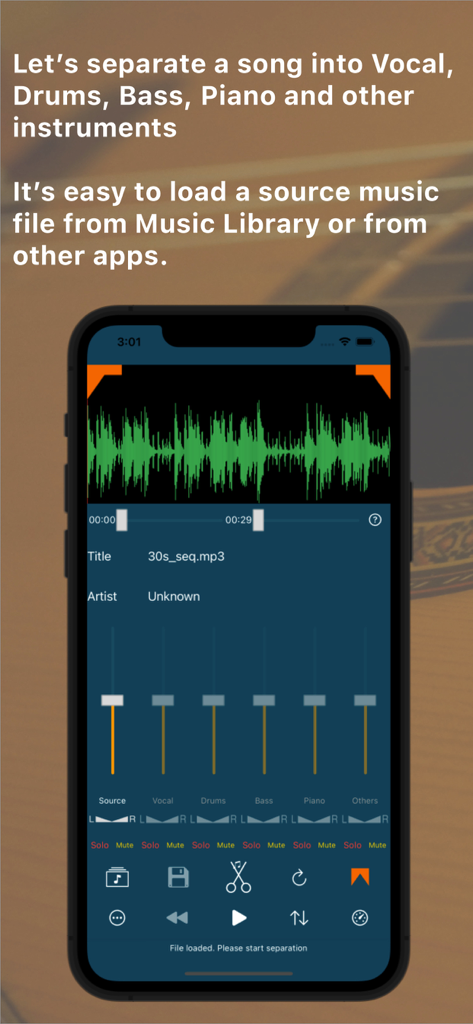
Interface of Let's Unmix app showing a music waveform and sliders for separating vocals, drums, and bass stems.
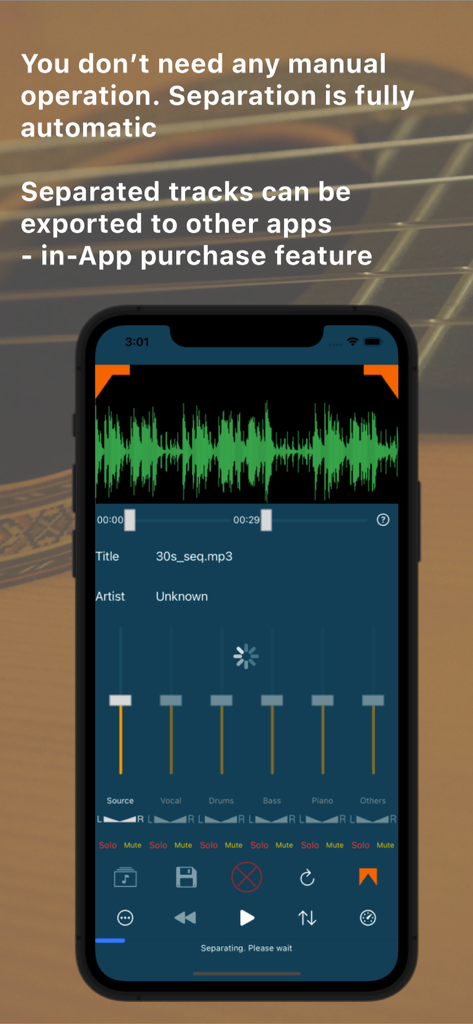
Smartphone screen showing the Let's Unmix app interface with automatic audio track separation for vocals and instruments.
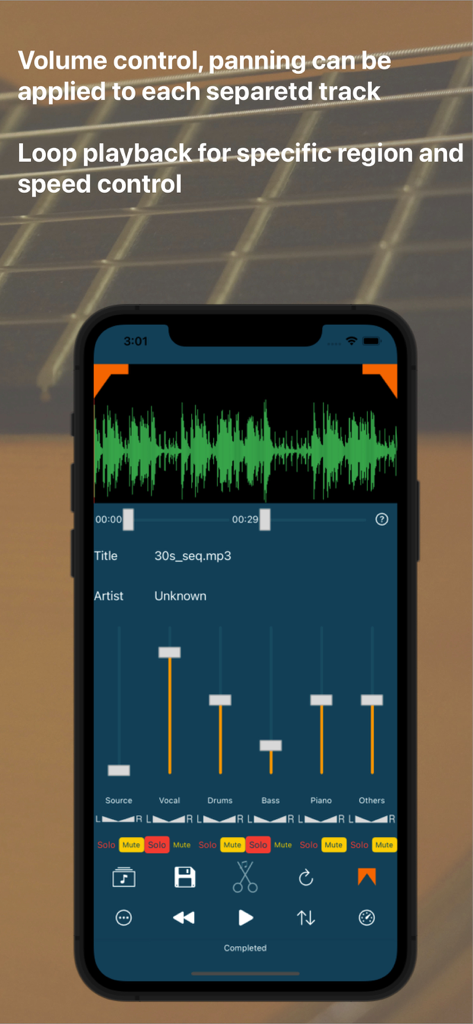
Lets Unmix mobile app interface featuring volume sliders and panning controls for isolated vocals drums and bass tracks
Description
Download
More Like This
Top-ranked apps in the same category

Spotify: Music and Podcasts
Spotify

YouTube Music
Google LLC

Shazam: Find Music & Concerts
Apple Inc.

SoundCloud: The Music You Love
SoundCloud Global Limited & Co KG

Suno - AI Songs & Music
Suno Inc.

QQ音乐 - 听我想听
Tencent Technology (Shenzhen) Company Limited

Audiomack - Play Music Offline
Audiomack, Inc.

BandLab – Music Maker & Beats
BandLab Singapore Pte Ltd

GuitarTuna: Tune & Play Guitar
Yousician Ltd
This page is not an official page of the app or its developer, but an independent editorial publication created for informational and commentary purposes. Unless expressly stated otherwise, neither the app nor its developer is affiliated with, endorsed by, sponsored by, authorized by, or otherwise officially connected with MWM, Apple, Google Play, the app publisher, or the app's developer, and nothing on this page implies that the app was developed using MWM's services. Any trademarks, logos, screenshots, and other content remain the property of their respective owners.