Lets Meet: Find Place to Meet

Lets Meet: Find Place to Meet

Download on App Store
Logo of Lets Meet: Find Place to Meet

Lets Meet: The Fair Way to Find Your Next Hangout Spot

Stop the endless group chat debate. Find the perfect midpoint, vote on local favorites, and coordinate your meetups in seconds.

Download on App Store

Publisher

Mustafa Kasti

Category

Social Networking

Downloads

100

User Rating

5.0/5

Total Ratings

0

Locales

1

Social Planning Simplified

Discover the interface used by 100 users.

Lets Meet app interface displaying a map to find the best place to meet with friends

Lets Meet app interface displaying a map to find the best place to meet with friends

Lets Meet app map showing a midpoint location for a meeting

Lets Meet app map showing a midpoint location for a meeting

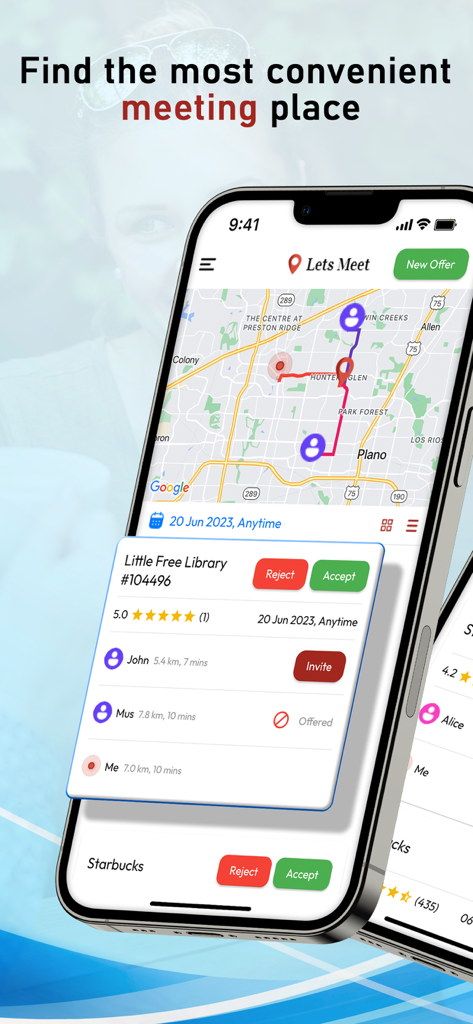
The Lets Meet app interface showing a map with user locations and a proposed meeting place card with distances and ratings

The Lets Meet app interface showing a map with user locations and a proposed meeting place card with distances and ratings

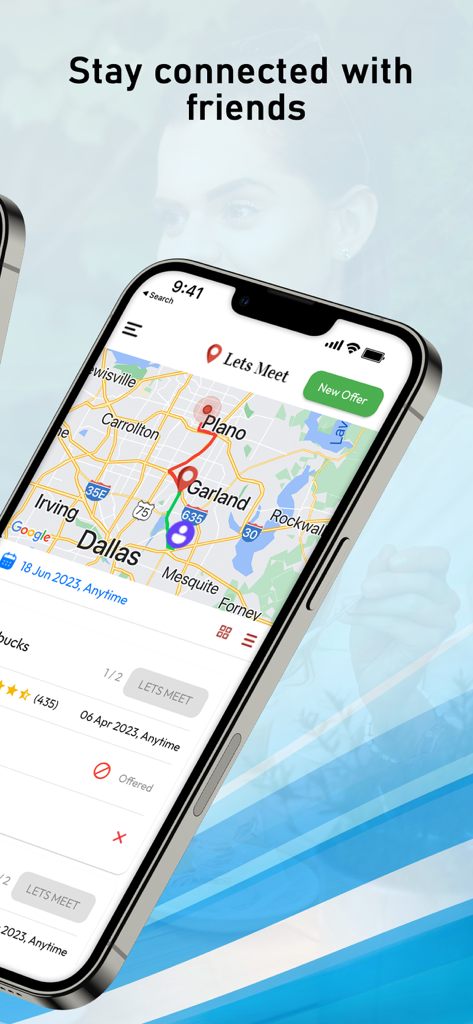
A smartphone screen showing the Lets Meet app interface with a map of the Dallas area highlighting potential meeting points between friends.

A smartphone screen showing the Lets Meet app interface with a map of the Dallas area highlighting potential meeting points between friends.

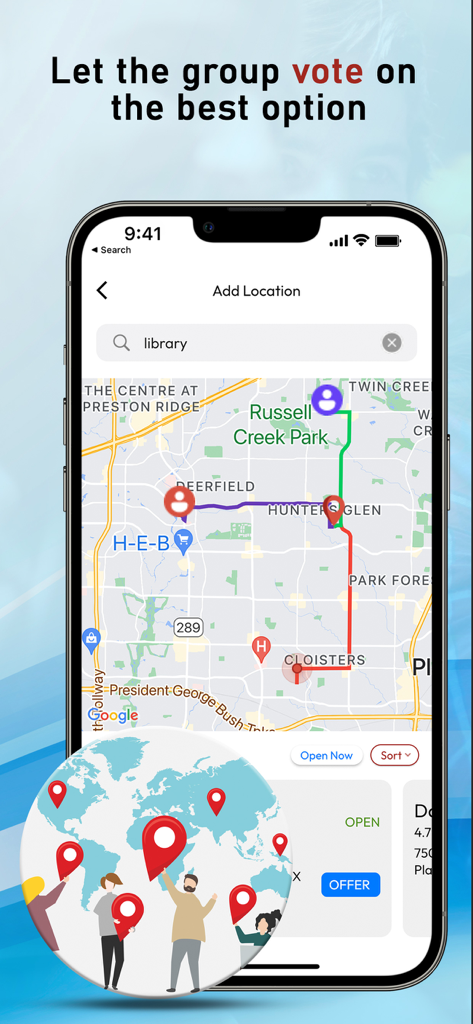
A screenshot of the Lets Meet app map interface showing different user routes to a central meeting point with a header for group voting.

A screenshot of the Lets Meet app map interface showing different user routes to a central meeting point with a header for group voting.

Map view in the Lets Meet app showing travel times and a common meeting point for friends.

Map view in the Lets Meet app showing travel times and a common meeting point for friends.

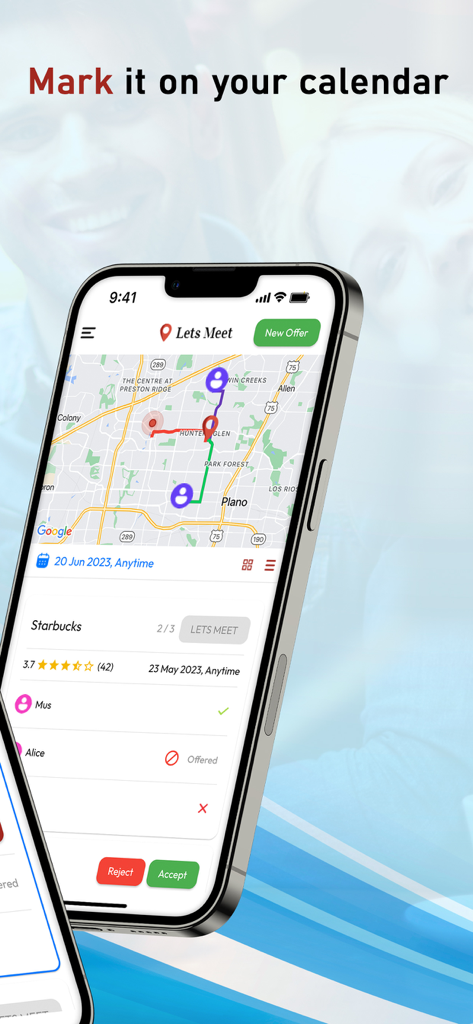
A smartphone showing the Lets Meet app interface with a map and an event reminder to mark it on the calendar

A smartphone showing the Lets Meet app interface with a map and an event reminder to mark it on the calendar

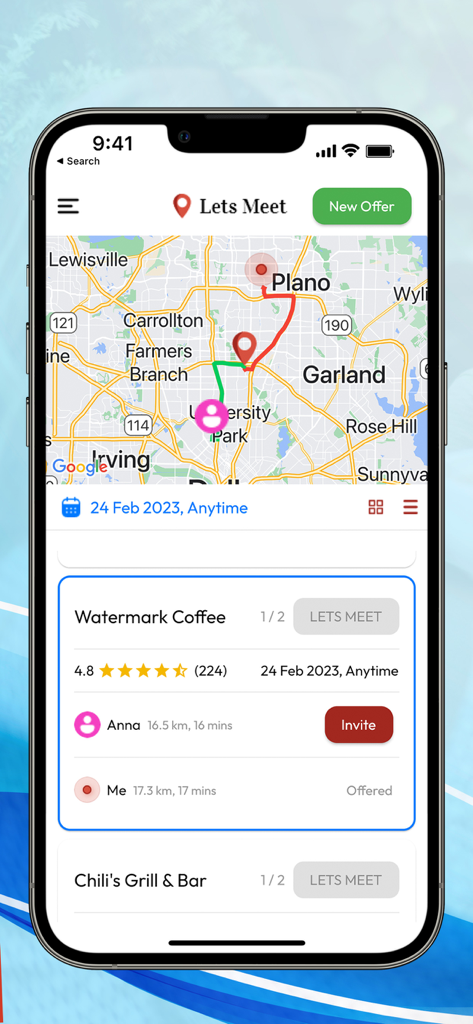
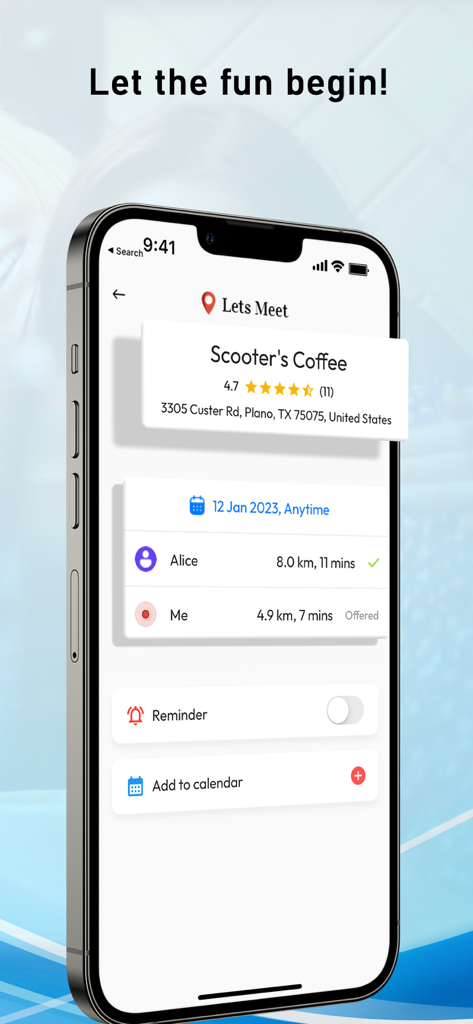
Lets Meet app screen showing travel time and distance for two people meeting at a coffee shop

Lets Meet app screen showing travel time and distance for two people meeting at a coffee shop

Stop the Commute Tug-of-War

The tools that make this app stand out, trusted by 100 users.

📍

Smart Midpoint Discovery

Find top-rated cafes and restaurants located exactly between you and your friends. Save time and gas by meeting in the middle every single time.

🗳️

Democratic Voting

Kill the 'where should we eat?' indecision. Everyone suggests a venue and the group votes. When the card turns green, the choice is made.

📅

One-Tap Sync

Once a location is picked, instantly add the event to your calendar. No more missed plans or double-booking your social life.

About the app

Everything you need to know about Lets Meet: Find Place to Meet.

Description

LetsMeet is an app that lets you connect and meet up with your friends at the most convenient location for everyone. It allows you to pick who you want to meet up with and where, and the app will show you places that are around the same distance from both you and the other person, or you can also customize whose location you want to be closer to and pick the best place to meet at for everyone. Each person can offer a place where they want to meet up, and everyone in the group will get to vote on where they want to go. Connect When you first download the app, sign in using your phone number, give access to your contacts, and pick you you want to meet up with. If you want to meet up with someone who is currently not a Lets Meet user, you can send them a text message invite. Make an offer After you have picked who you want to meet up with, offer a place to meet up with. On the search bar, you can type in where you want to meet up (cafe, restaurant, etc.) and you will see a list of places that are in between both you and the other people in your group. If you want to meet up at a place that is close to a specific person in your group, you can choose whose location you want to be closer to. After you have decided on where to offer, offer the place to your group. You can pick a specific time or day you want to meet up at/ You will also see the locations other people in your group have offered and you can all vote on where you want to meet at. Let's Meet If everyone in the group agreed on the same place, the place card will turn green and you can click let's meet to add the event to your calendar.

Latest Version

1.0

Size

72.6 MB

First Released

Jun 18, 2023

Stop the group chat debate. Start meeting up.

Join thousands of social planners finding the perfect midpoint for every hangout. Download Lets Meet and make 'see you there' the easiest part of your day.

Download on App Store

App information, icons, screenshots, and descriptions displayed on this page are sourced from the Apple App Store and are the property of their respective developers. Download estimates and rankings are based on MWM's proprietary models and may not reflect actual figures. This page is provided for informational and analytical purposes only.

Believe this page infringes your intellectual property? File a dispute