
This page is not an official page of the app or its developer, but an independent editorial publication created for informational and commentary purposes. Unless expressly stated otherwise, neither the app nor its developer is affiliated with, endorsed by, sponsored by, authorized by, or otherwise officially connected with MWM, Apple, Google Play, the app publisher, or the app's developer, and nothing on this page implies that the app was developed using MWM's services. Any trademarks, logos, screenshots, and other content remain the property of their respective owners.

Google Meet
Distance fails to impede; the platform equips users with seamless, versatile digital presence.
Downloads
100M+User Rating
Total Ratings
3.7MPublisher
Category
Social NetworkingLocales
55Latest Version
352.0Size
306.7 MBFirst Released
Sep 2, 2016Google Meet: Key Communication Features Analysis
An evaluation of core functionalities designed for diverse user engagement and productivity.
Cross-Device Accessibility
The app allows users to join meetings from mobile, tablet, web, and smart devices, ensuring broad participation for all users.
Complimentary Access Tier
It provides free one-on-one video calls for up to 24 hours and group meetings for up to 60 minutes with 100 participants at no cost, making it accessible to a wide audience.
Real-time Translated Captions
This tool features real-time translated captions in over 70 languages, promoting inclusive communication and understanding for diverse participants.
Seamless Google Workspace Integration
The app provides seamless integration with other Google Workspace products like Gmail, Docs, and Calendar, streamlining workflows for professionals and educators.
Visual Content Sharing
It allows users to share photos, videos, and presentations during calls for collaborative work or to share personal memories with ease.
High-Quality Video Transmission
This tool supports up to 4K video quality, ensuring clear and professional visual communication across all types of interactions.
Intelligent Noise Cancellation
The app offers noise cancellation to minimize background distractions, providing clearer audio for all participants in various environments.
In-call Chat Functionality
It features an in-call chat to facilitate sharing ideas, asking questions, and providing feedback without disrupting the conversation flow.
Frequently Asked Questions
Everything you need to know about Google Meet
What is Google Meet?
Google Meet is a high-quality video calling application designed for meaningful interactions with friends, family, colleagues, and classmates. It supports spontaneous calls, scheduled meetings, and video messages across various devices.
Is Google Meet free to use?
Yes, Google Meet offers free usage for one-on-one video calls up to 24 hours. Users can also host meetings for up to 60 minutes with up to 100 people at no cost.
How many people can join a Google Meet call?
Google Meet allows up to 100 people to join a meeting for up to 60 minutes at no cost. One-on-one video calls can last up to 24 hours.
Does Google Meet offer real-time captions?
Yes, Google Meet provides real-time translated captions in over 70 languages, allowing users to follow conversations in their preferred language.
Can I use Google Meet on multiple devices?
Yes, Google Meet is accessible on various devices including mobile phones, tablets, web browsers, and smart devices, ensuring broad compatibility.
What integrated features does Google Meet offer for meetings?
Google Meet integrates with Google Workspace apps and offers features like in-call chat, noise cancellation, meeting recordings, and custom effects including backgrounds, filters, and animations.
Is Google Meet secure for conversations?
Yes, Google Meet is secure by design. It implements security measures to ensure conversations are kept safe and private for all participants.
Does Google Meet have custom backgrounds and effects?
Yes, Google Meet provides stackable effects, allowing participants to add multiple backgrounds, filters, and animations to personalize their video call experience.
Can I record meetings in Google Meet?
Yes, meeting recording is available in Google Meet. This feature is offered as a premium option. More details regarding pricing are available on the Workspace website.
What is on-the-go mode in Google Meet?
On-the-go mode in Google Meet provides an audio-only experience with larger call controls. This mode helps reduce distractions when taking calls while walking, driving, or using public transportation.
The following screenshots and description are sourced directly from the app's official store listing and are the property of the app developer.
App Store
Screenshots
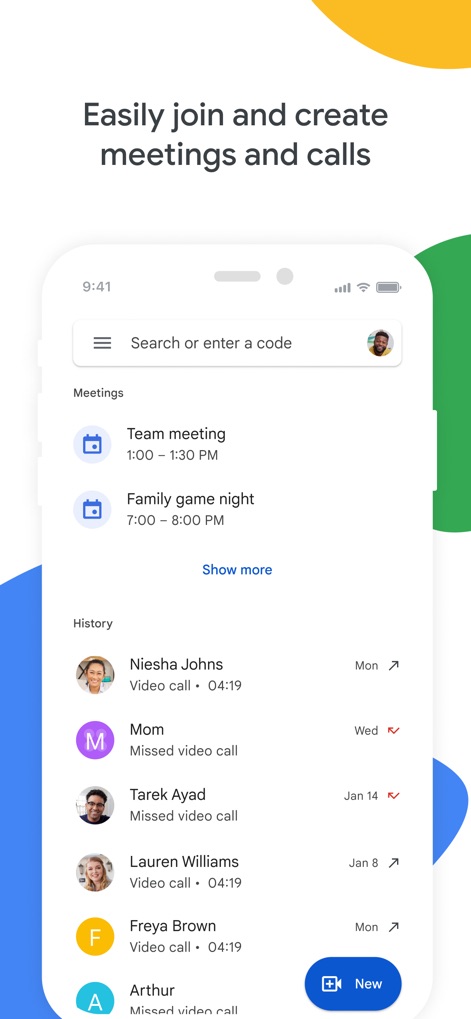
Seamless Meeting Management
Users can easily view upcoming scheduled meetings and access recent call history to streamline their communication workflow.
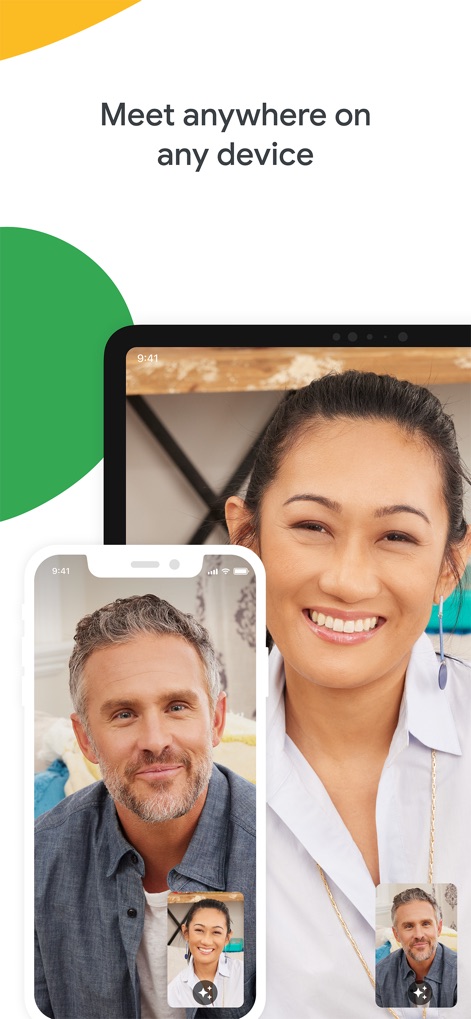
Cross-Device Connectivity
This tool demonstrates its versatility by showcasing a video call seamlessly spanning across both a smartphone and a tablet interface.

Dynamic Visual Effects
The app allows users to personalize calls with engaging features like the futuristic headset effect and the playful cartoon animal filter.

Accessible Communication
The app provides real-time closed captions, displaying speaker names and their dialogue for enhanced comprehension and inclusivity.
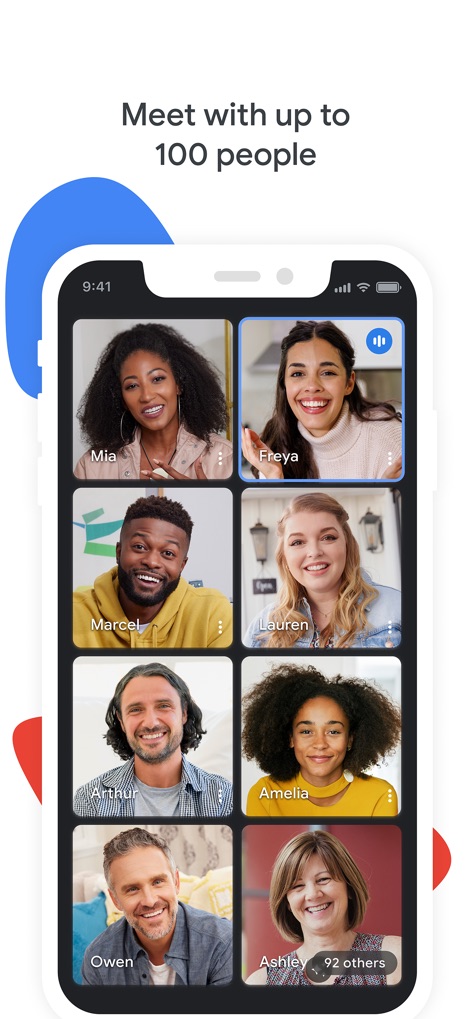
Large Group Meetings
This tool facilitates extensive collaboration by showcasing a grid view of multiple participants and indicating a total of 100 people in a single call.

Enhanced Security Assurance
The app emphasizes robust protection through its visual representation of individual user profiles surrounding a prominent security shield icon.
Description
Download
More Like This
Apps with similar features and user experience

GoTo
GoTo Group, Inc.

Lark - Team Collaboration
LARK TECHNOLOGIES PTE. LTD.

RingCentral
RingCentral, Inc

MTS Link
VEBINAR TEKHNOLOGII, OOO

Pronto Team Communication
Hit Labs, Inc.

Zoho Cliq - Team Communication
Zoho Corporation

Microsoft Teams
Microsoft Corporation

Zoom Workplace
Zoom Communications, Inc.
Google Chat
Google LLC
This page is not an official page of the app or its developer, but an independent editorial publication created for informational and commentary purposes. Unless expressly stated otherwise, neither the app nor its developer is affiliated with, endorsed by, sponsored by, authorized by, or otherwise officially connected with MWM, Apple, Google Play, the app publisher, or the app's developer, and nothing on this page implies that the app was developed using MWM's services. Any trademarks, logos, screenshots, and other content remain the property of their respective owners.