List生词本

List生词本

Download on App Store
Logo of List生词本

List生词本: Master Your Vocabulary with Minimalist Precision

Effortlessly capture, group, and internalize new words. Built for the modern scholar with full iPad split-view, Apple Pencil support, and iCloud sync to turn every encounter into lasting knowledge.

Publisher

文华 肖

Category

Education

Downloads

69K+

User Rating

4.6/5

Total Ratings

3K+

Locales

1

Minimalism Meets Mastery

Discover the interface used by 69K+ users.
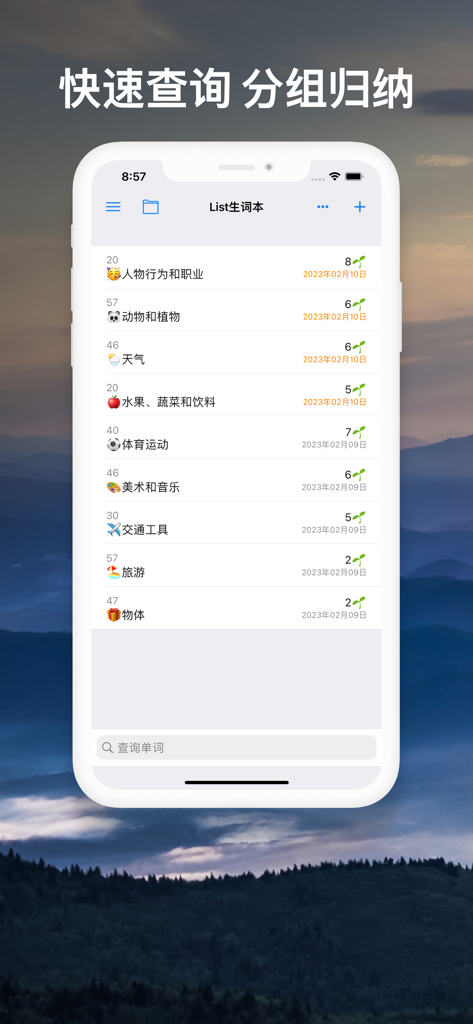
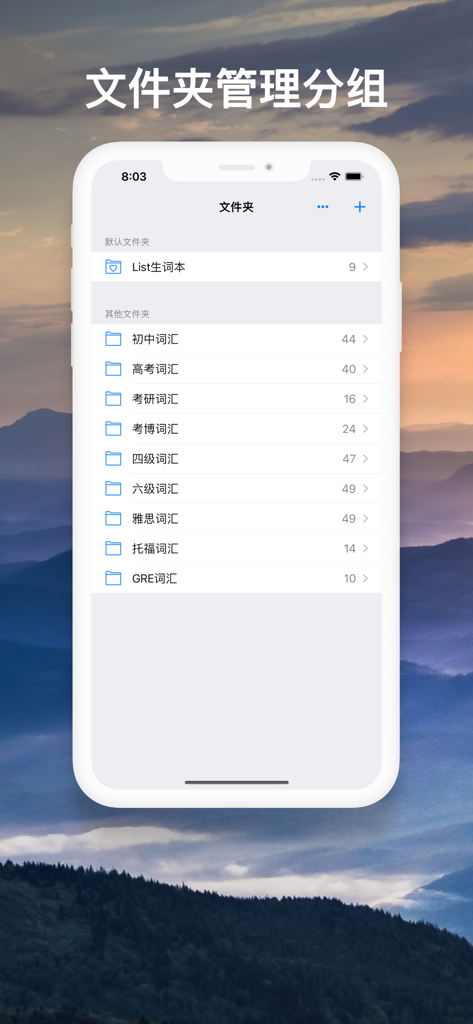
List New Words app interface showing organized vocabulary categories

List New Words app interface showing organized vocabulary categories

A mobile interface showing organized vocabulary folders for GRE and IELTS in the List New Words app.

A mobile interface showing organized vocabulary folders for GRE and IELTS in the List New Words app.

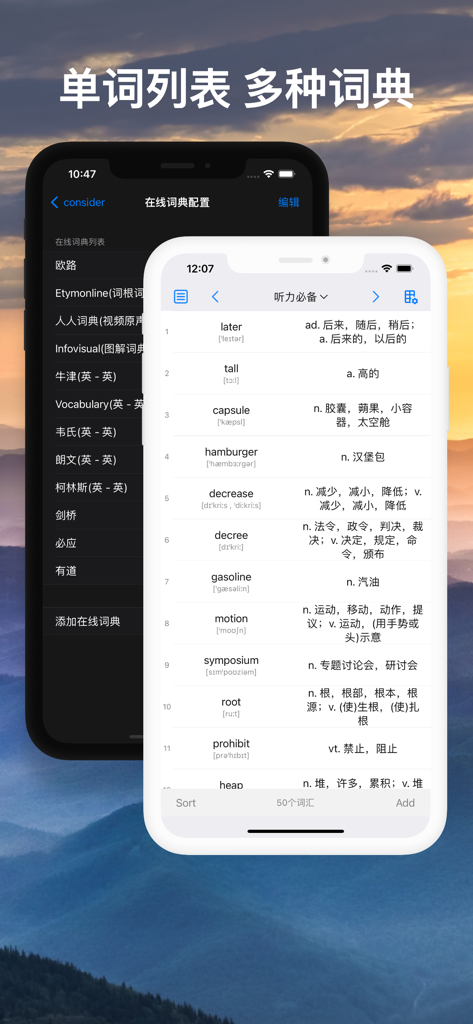
A mobile app interface displaying a list of English vocabulary words with Chinese translations and an online dictionary configuration menu.

A mobile app interface displaying a list of English vocabulary words with Chinese translations and an online dictionary configuration menu.

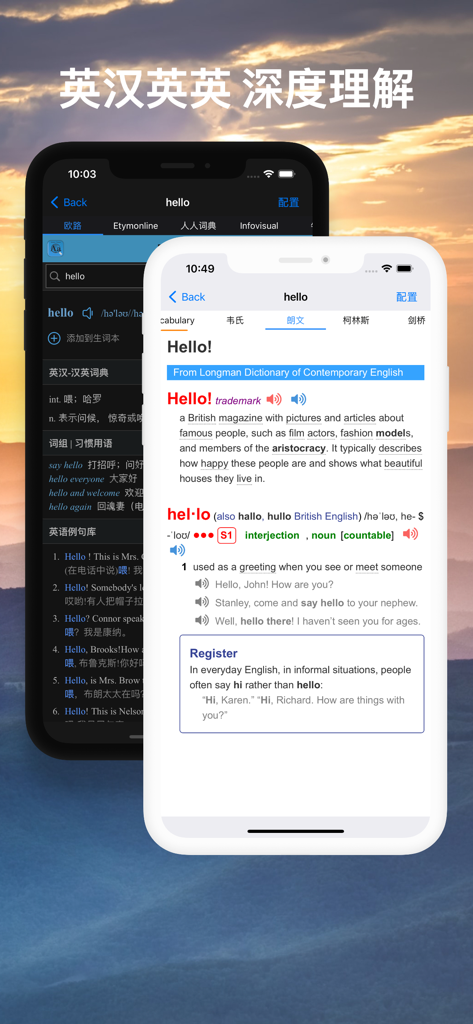
English and Chinese dictionary definitions in the List New Words app

English and Chinese dictionary definitions in the List New Words app

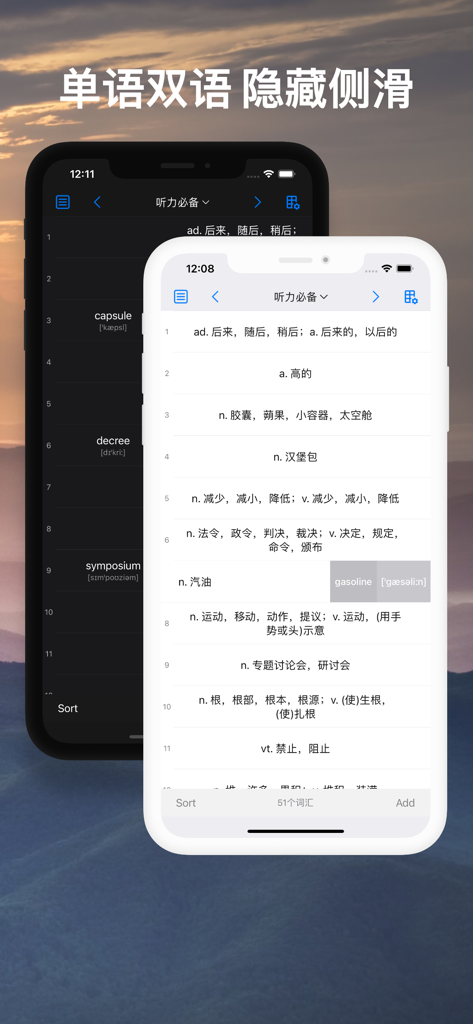
Bilingual and monolingual vocabulary list display in dark and light modes

Bilingual and monolingual vocabulary list display in dark and light modes

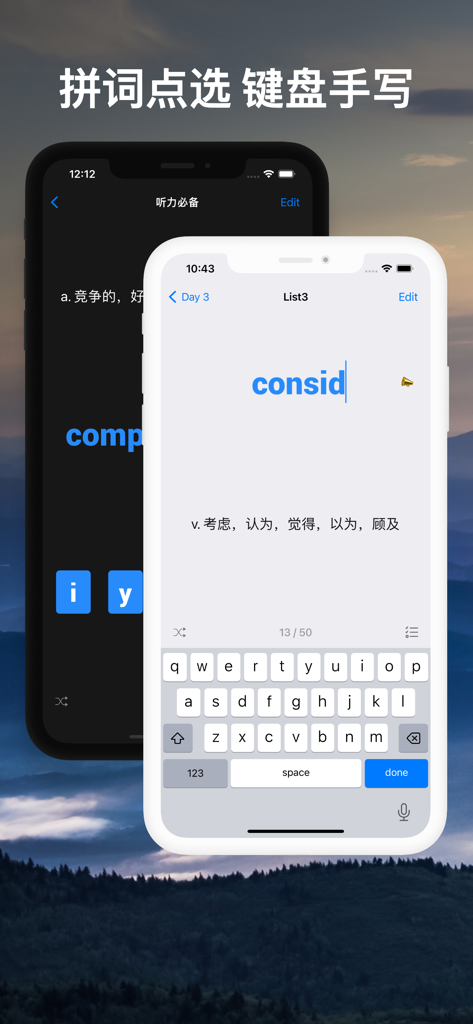
Two iPhone screens displaying the spelling practice mode with keyboard input and Chinese translations in the List New Words app

Two iPhone screens displaying the spelling practice mode with keyboard input and Chinese translations in the List New Words app

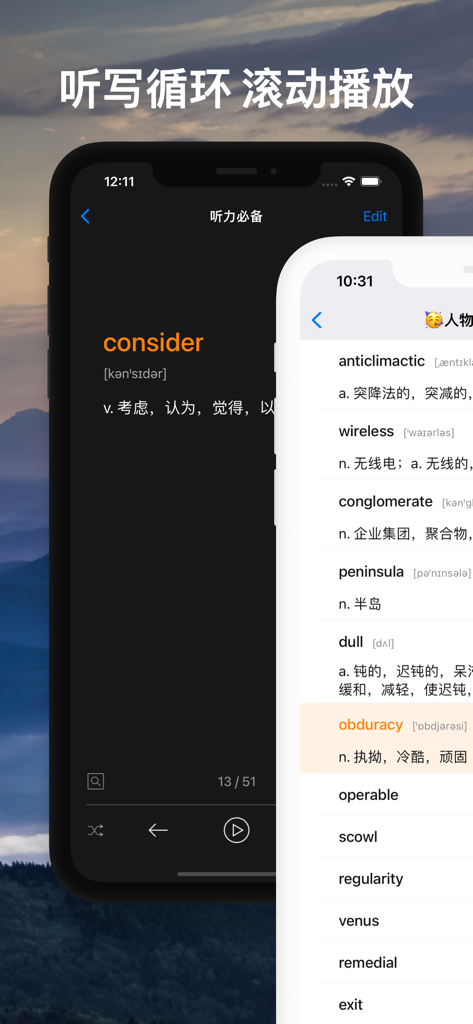
List New Words app showing dictation loop and vocabulary list with English and Chinese definitions

List New Words app showing dictation loop and vocabulary list with English and Chinese definitions

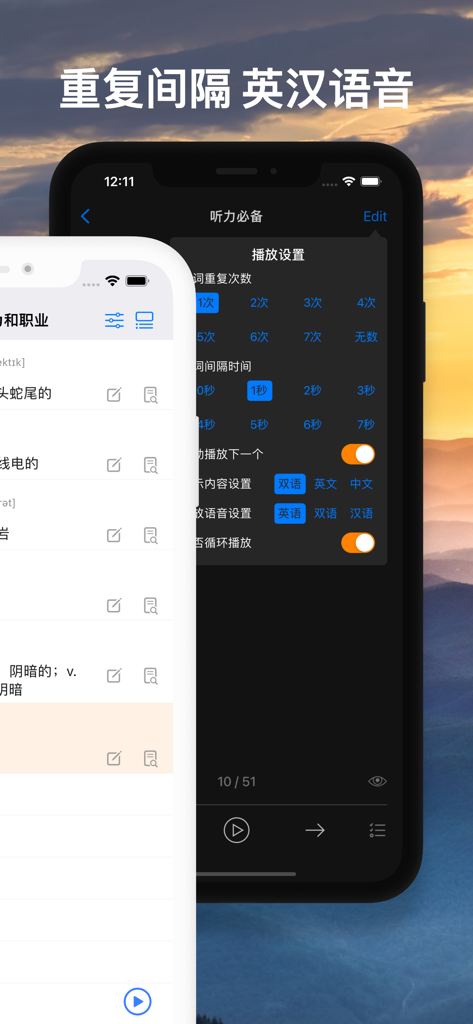
Interface of List New Words app displaying audio playback settings for vocabulary with options for repetition frequency and bilingual pronunciation.

Interface of List New Words app displaying audio playback settings for vocabulary with options for repetition frequency and bilingual pronunciation.

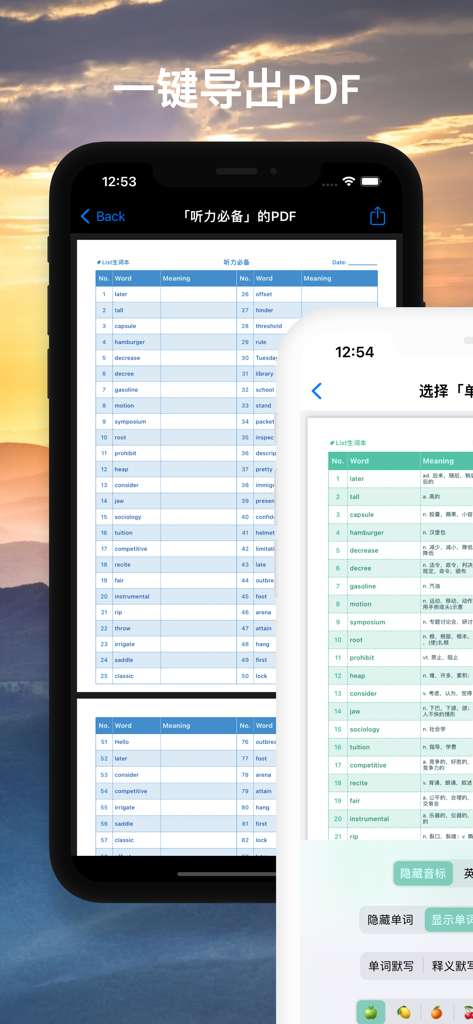
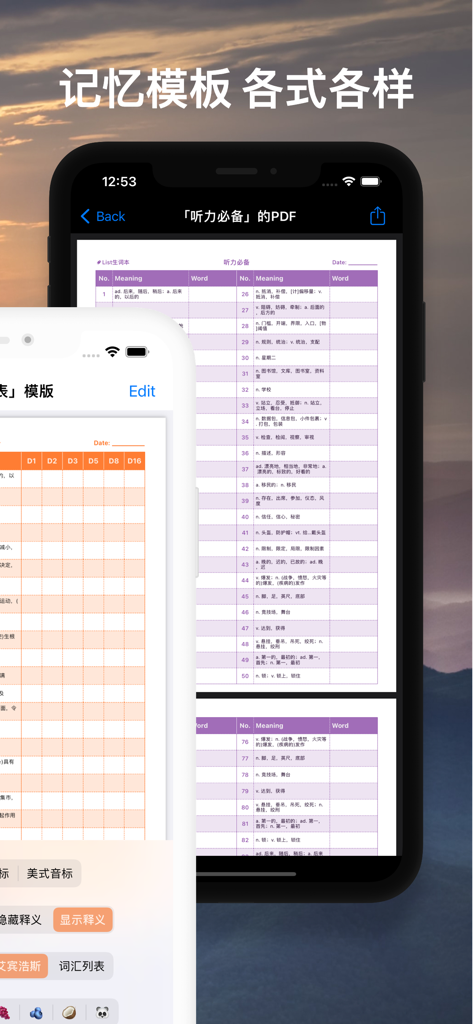
Smartphone screen showing the one-click PDF export feature for vocabulary lists in the List New Words app

Smartphone screen showing the one-click PDF export feature for vocabulary lists in the List New Words app

PDF export feature of the List New Words app showing a vocabulary list template

PDF export feature of the List New Words app showing a vocabulary list template

Master Your Academic Vocabulary

The tools that make this app stand out, trusted by 69K+ users.

🖋️

Optimized for iPad Productivity

Supercharge your study sessions with full support for Split View, Apple Pencil handwriting, and seamless iCloud synchronization across all your devices.

🎧

Flexible Multi-Modal Learning

Internalize new words through customizable dictation, audio mixing with your favorite music, and interactive spelling modes designed for deep retention.

📂

Structured Personal Library

Build an organized knowledge base with a professional folder hierarchy, custom dictionary support, and high-quality PDF exports for offline review.

About the app

Everything you need to know about List生词本.

Description

List生词本,分组归纳不会的词汇,把生词变熟词,致力于打造极简的生词词库。 内容结构是:文件夹 - 组 - 单词。 功能特性: * 「查询保存」:快速查询,保存生词,分组学习; *「文件夹管理」:不同文件夹下,有多个组,每个组内有多个单词; * 「双语/单语」:快速切换双语/单语模式,方便自测自查; * 「iPad分屏」:利用分屏功能,边听边写; * 「词典查询」:内置英汉/英英词典和在线词典,支持“用户自行添加在线词典”; * 「英式/美式」:支持英式/美式发音+音标; * 「iCloud同步」:iPad/iPhone记录同步,学习进度不丢失; * 「拼词模式」:从五个卡片中点选正确的字母,拼成完整的单词,同时还支持键盘输入。iPad上,还支持Pencil手写输入; * 「听写模式」:可重复可间隔可循环可自动,英汉双语音频播放; * 「英英模式」,通过英语释义、同义词和例句,加强记忆,扩展词汇量; * 「滚动模式」:列表样式,自动循环滚动播放; * 「定时关闭」:听写模式和拼词模式,支持多次循环后关闭,或固定时长后关闭; * 「音频混合」:支持其他音频app混音,边听歌边记单词; * 「调整顺序」:支持调整初始的排列,改变单词顺序; * 「批量导入」:支持从「List背单词」App 或 外部文件 导入; * 「文字大小」:支持跟随系统文字大小变化; * 「批量导出」:支持导出到「List背单词」App的自定义词库; * 「PDF导出」:支持文件夹、组、单词表导出PDF文件。 List生词本,支持快速查询,保存生词,通过单语模式、听写模式和拼词模式等,进行不断记忆和复习,为英语学习打好坚实的基础。 --- 常规操作 --- 1.快速查询 2.新建组,修改组名,删除组,调整组顺序 3.保存生词,修改释义,删除,换组,换文件夹 4.文件夹操作 --- 英语口音支持 --- 美国,英国,澳大利亚,爱尔兰,南非,在线美式发音,在线英式发音,离线真人语音 --- 排序方式 --- 1.初始排序 2.按字母升序排序 3.随机打乱顺序 4.不会的词排在前面 --- 单词显示设置 --- 双语显示,只显示英文,只显示中文 1. 只显示中文时,向左滑动单词行,可以看到英文单词; 2. 只显示英文时,向左滑动单词行,可以看到中文释义。 --- 单词行点击设置 --- 1. 默认设置,点击单词行,有发音,蓝色标记颜色加深,‘不会程度’增加一; 2. 点击单词行的左半部分,只有发音,右半部分,保留默认设置; 3. 点击单词行的右半部分,只有发音,左半部分,保留默认设置; 4. 点击单词行,只有发音,蓝色标记颜色不加深,‘不会程度’不增加一。 --- 音标显示设置 --- 隐藏音标,英式音标,美式音标 --- iCloud同步 --- 支持iCloud同步词库 --- 显示模式 --- 白天模式,夜间模式,纯黑模式,纸张模式,iOS 13 /iPad OS 13 支持显示模式跟随系统,在线词典页面支持深色外观 --- 词典设置 --- 1.长按单词行,复制单词到剪切板,默认不开启; 2.长按单词行,使用词典查询更多释义和例子,包括查询关闭、内置词典和多种在线词典; 3.在线词典,支持调整顺序。 --- 拼词模式 --- 1.从五个卡片中点选正确的字母,拼成完整的单词; 2.随机打乱; 3.快速定位; 4.支持键盘输入; 5.在iPad上,支持Pencil手写输入。 --- 听写模式 --- 1.调整播放单词重复次数; 2.调整单词间隔时间; 3.设置是否自动播放下一个; 4.内容显示设置; 5.支持后台播放音频; 6.支持播放中文释义; 7.随机播放; 8.快速定位。 --- 滚动模式 --- 1.列表样式,自动循环滚动播放; 2.更方便的释义编辑、不会程度标记和词典查询等操作。 --- 批量导入 --- 1.从「List背单词」App批量导入词汇; 2.从「List工具箱」App批量导入查询词汇; 3.从外部文件批量导入词汇。 --- PDF导出 --- 1.支持所有组一起导出PDF文件; 2.支持单个组导出PDF文件; 3.支持单个组,批量勾选词汇来导出PDF文件。 --- 其他 --- 若对使用产生任何疑问,请联系shawn736_ios@163.com App icons by icons8 The Preview background photo by Joey Kyber on Unsplash 具体信息请参考网址https://github.com/shawn736ios/ListNewWord-Technical-support

Latest Version

8.9.3

Size

271.7 MB

First Released

Oct 6, 2020

Master Your Vocabulary with Minimalist Precision

Join 69,000+ high-achievers using the ultimate system to capture new words and ace academic life. Perfect for your iPad and iPhone workflow.

Download on App Store

App information, icons, screenshots, and descriptions displayed on this page are sourced from the Apple App Store and are the property of their respective developers. Download estimates and rankings are based on MWM's proprietary models and may not reflect actual figures. This page is provided for informational and analytical purposes only.

Believe this page infringes your intellectual property? File a dispute