
LIVE QR PLUS



Skip the ID checks and protect your tickets with biometric verification and dynamic QR codes. Designed for super-fans who value a stress-free concert experience.
Publisher
Category
EntertainmentDownloads
1M+User Rating
Total Ratings
700Locales
2Discover the interface used by 1M+ users.
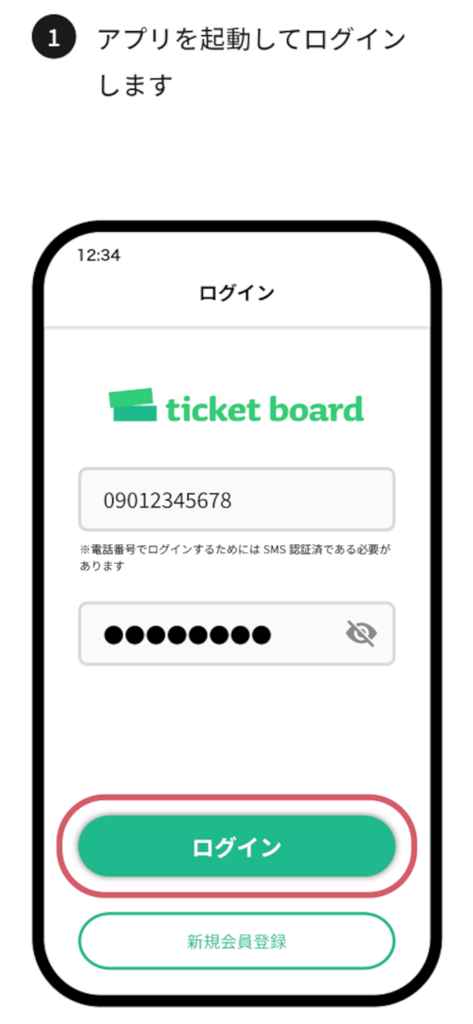
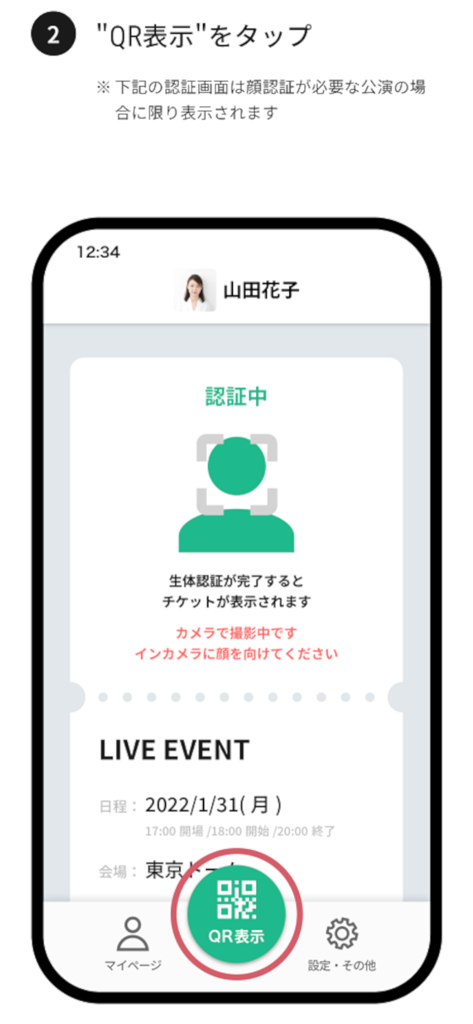
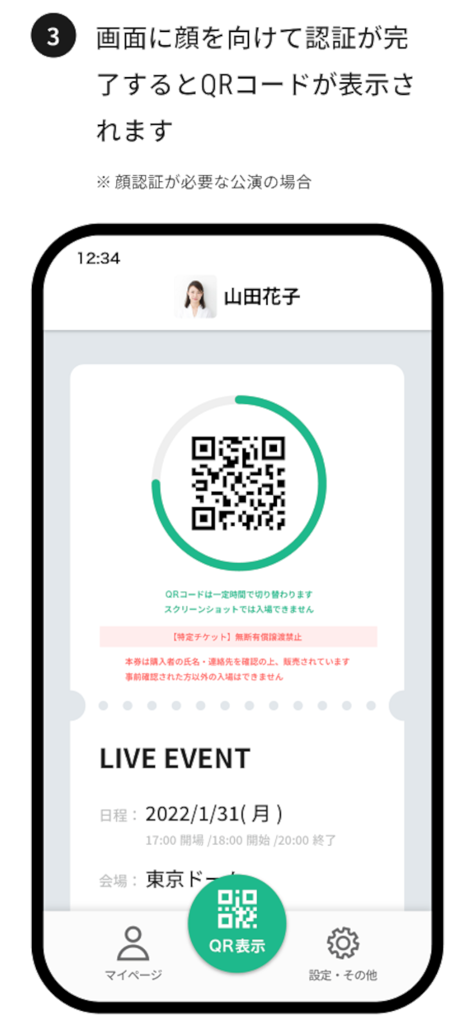
The tools that make this app stand out, trusted by 1M+ users.
Upload your photo in advance to breeze through security checkpoints. Enjoy a streamlined entry without the need to carry or present a physical ID at the gate.
Protect your experience with dynamic QR codes that refresh automatically. Our anti-screenshot technology ensures your ticket stays safe, secure, and exclusively yours.
No more digging through emails or PDFs. Your seat information appears automatically in the app the moment it's issued, so you always know exactly where you belong.
Insights from user reviews.
Sentiment Score
Summary
This mobile app receives overwhelmingly negative feedback, primarily due to critical issues hindering event access. Users frequently report problems with biometric authentication, where face recognition fails repeatedly, and tickets are not displayed, often showing blank QR codes. Significant frustrations also arise from convoluted login processes, including confusing password requirements (e.g., using birthday as a password without clear guidance) and an inability to register new accounts or reset passwords. Additionally, some users experience app instability after updates and device-specific issues, such as QR codes failing to display on iPhones while working on Android, further exacerbated by generally poor customer support.
Common Themes
Everything you need to know about LIVE QR PLUS.
Description
Latest Version
1.0.12
Size
318.3 MB
First Released
Mar 6, 2022
Download the official LIVE QR PLUS app to secure your dynamic ticket. Upload your face photo now to skip the ID lines and breeze straight to your seat.
Everything you need to know about LIVE QR PLUS
The LIVE QR PLUS app provides secure event entry using dynamic QR codes. It enables users to upload a face photo for streamlined ID checks and automatically displays seat information.
Users gain event entry by starting the LIVE QR PLUS app, displaying the dynamic QR code on their smartphone, and presenting it to the reader. Screenshots of QR codes are invalid for entry.
No, a screenshot of the QR code cannot be used for entry via the LIVE QR PLUS app. The QR code changes regularly, making static images invalid for security.
No, uploading a face photo is not always mandatory for all events using LIVE QR PLUS. It offers expedited ID checks, but its requirement depends on the specific event's policies.
The LIVE QR PLUS app automatically displays seat information once a ticket purchased with the service is issued. This ensures users have immediate access to their assigned seats.
No, facial authentication is not always necessary to display the QR code in LIVE QR PLUS. It is only displayed and required for performances specifically needing face authentication.
Apps with similar features and user experience

Lawson Entertainment, Inc.

Alclear, LLC

Tixplus,Inc.

Daon, Inc

See Group Ltd.

Hala Yalla Super App

Fever Labs Inc

VIP-Monkey AB

RasenBallsport Leipzig GmbH
App information, icons, screenshots, and descriptions displayed on this page are sourced from the Apple App Store and are the property of their respective developers. Download estimates and rankings are based on MWM's proprietary models and may not reflect actual figures. This page is provided for informational and analytical purposes only.
Believe this page infringes your intellectual property? File a dispute
