
This page is not an official page of the app or its developer, but an independent editorial publication created for informational and commentary purposes. Unless expressly stated otherwise, neither the app nor its developer is affiliated with, endorsed by, sponsored by, authorized by, or otherwise officially connected with MWM, Apple, Google Play, the app publisher, or the app's developer, and nothing on this page implies that the app was developed using MWM's services. Any trademarks, logos, screenshots, and other content remain the property of their respective owners.


See Tickets Wallet
Join over a million fans who ditch the paper and eliminate ticketing anxiety. Store your tamper-proof digital tickets safely and enjoy seamless, instant entry to your favorite concerts and festivals.
Downloads
1M+User Rating
Total Ratings
11K+Publisher
Category
UtilitiesLocales
1Latest Version
50.1.7Size
37.6 MBFirst Released
Aug 27, 2019Experience Live Events Without the Stress
The See Tickets Digital Wallet is designed for fans who prioritize security and speed, ensuring your entry is always safe and ready for the scan.
Tamper-Proof Security
Rest easy with encrypted barcodes designed to prevent fraud and stop scalpers, ensuring your ticket is unique and valid.
Frictionless Venue Entry
Skip the line with a quick-scan digital interface. No more printing PDFs or fumbling through your camera roll at the gate.
Frequently Asked Questions
Everything you need to know about See Tickets Wallet
What is the See Tickets Wallet app used for?
The See Tickets Wallet app stores digital tickets bought from seetickets.com and associated sites. It links tickets to your customer account, allowing event entry upon scanning. It does not display PDF tickets.
Can I store PDF e-tickets in the See Tickets Wallet app?
No, the See Tickets Wallet app is designed exclusively for storing DIGITAL tickets. It does not support e-ticket PDFs or other order formats.
How do I log in to my See Tickets Wallet account?
To log in, you must enter the email address linked to your user account. Ensure you have purchased digital tickets and created an account during the original booking process.
Are tickets stored in the See Tickets Wallet secure from touts?
Yes, tickets in the See Tickets Wallet are secure. The digital ticket barcode is tamper-proof, designed to deter unauthorized use by touts or other individuals.
Which See Tickets platforms are supported by the See Tickets Wallet app?
The See Tickets Wallet supports digital tickets purchased through seetickets.com and its associated partner sites. This includes partners like Gigs and Tours, United Tickets, and regional See Tickets platforms.
What is required before I can use the See Tickets Wallet app?
Before using the See Tickets Wallet app, you must have purchased digital tickets for an event. You must also have created a user account during that initial booking process.
How does the See Tickets Wallet app grant event entry?
The See Tickets Wallet app grants event entry by displaying a scannable digital ticket, often with a QR code. This ticket links to your See Tickets customer account for verification.
The following screenshots and description are sourced directly from the app's official store listing and are the property of the app developer.
App Store
Screenshots
See Tickets Wallet splash screen featuring a start button and terms and conditions over a concert crowd background
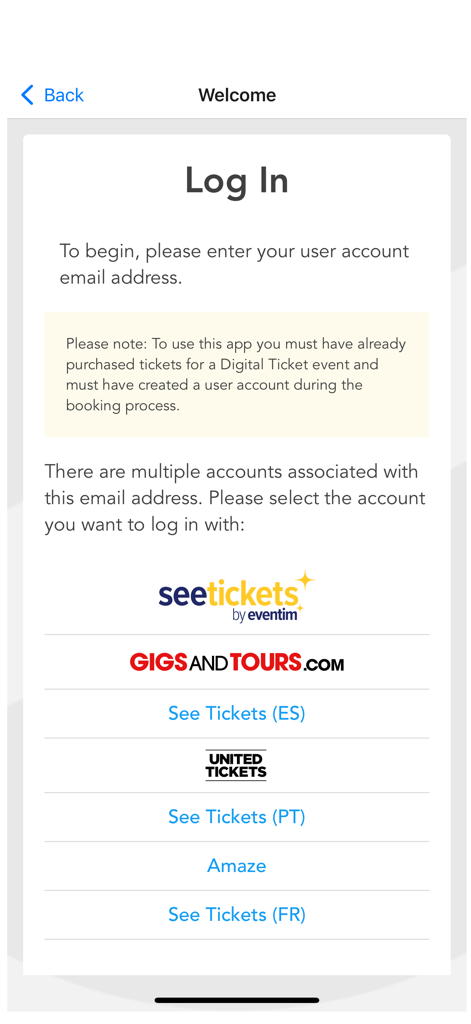
See Tickets Wallet app login screen with account selection options from multiple ticketing providers like Gigs and Tours and United Tickets.
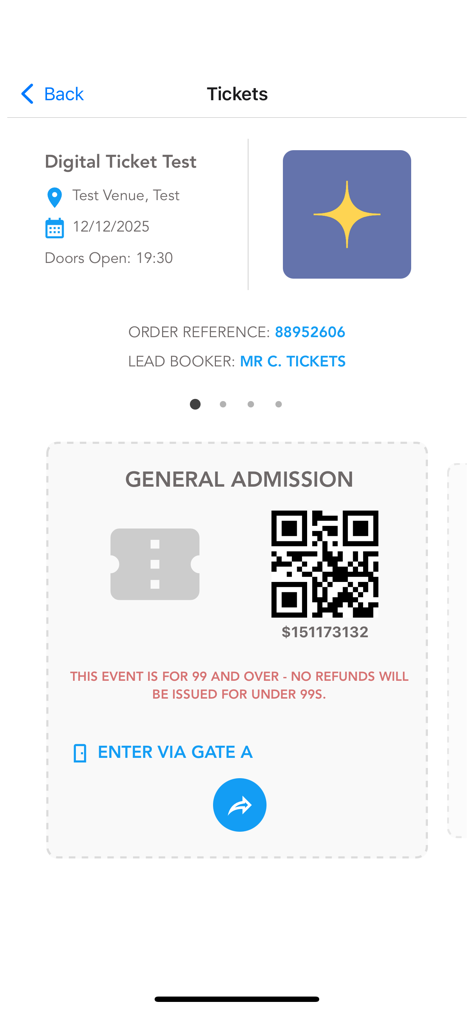
Digital ticket interface in See Tickets Wallet app featuring a QR code for event entry
Description
Download
More Like This
Apps with similar features and user experience

ローチケ電子チケット
Lawson Entertainment, Inc.

CLEAR - Travel & Experiences
Alclear, LLC

Tixplus E-Tickets
Tixplus,Inc.

VeriFLY: Fast Digital Identity
Daon, Inc

FRMF Tickets
Hala Yalla Super App

Road To Qatar Tickets
Fever Labs Inc

Vip Monkey
VIP-Monkey AB

RBL Ticket
RasenBallsport Leipzig GmbH

W Arena
Mario Fernando Munoz Rivera
This page is not an official page of the app or its developer, but an independent editorial publication created for informational and commentary purposes. Unless expressly stated otherwise, neither the app nor its developer is affiliated with, endorsed by, sponsored by, authorized by, or otherwise officially connected with MWM, Apple, Google Play, the app publisher, or the app's developer, and nothing on this page implies that the app was developed using MWM's services. Any trademarks, logos, screenshots, and other content remain the property of their respective owners.