Lock Dock-Widget App Launcher
Download on App Store

This page is not an official page of the app or its developer, but an independent editorial publication created for informational and commentary purposes. Unless expressly stated otherwise, neither the app nor its developer is affiliated with, endorsed by, sponsored by, authorized by, or otherwise officially connected with MWM, Apple, Google Play, the app publisher, or the app's developer, and nothing on this page implies that the app was developed using MWM's services. Any trademarks, logos, screenshots, and other content remain the property of their respective owners.

Logo of Lock Dock-Widget App Launcher
Download on App Store

Lock Dock-Widget App Launcher

Eliminate digital friction. Launch your essential tools, smart home controls, and favorite apps with a single tap—directly from your lock screen without the distractions.

Key Figures

Downloads

0

User Rating

1.0/5

Total Ratings

0

Publisher

iDec Apps S.L.

Category

Utilities

Locales

1

Latest Version

1.0.4

Size

23.3 MB

First Released

Sep 19, 2024
Features

Maximize Your iPhone's Potential

Transform your lock screen into a high-efficiency dashboard designed for the way you live. No more swiping, no more searching—just pure productivity.

One-Tap Launching

Instantly open your most-used apps like Spotify, Maps, or Notion. Minimize UI friction and get straight to what matters without unlocking.

Always-On Efficiency

Designed for the modern iPhone. Turn your Always-On Display into an active control center that is ready the moment you look at it.

The following screenshots and description are sourced directly from the app's official store listing and are the property of the app developer.

App Store

Screenshots
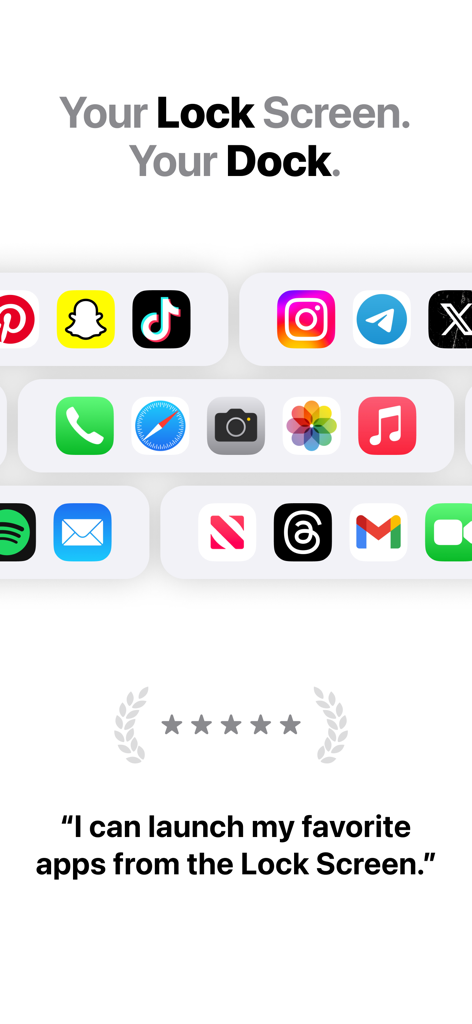
Lock Dock-Widget App Launcher - Promotional image of Lock Dock app showing app shortcuts like TikTok and Instagram for the iOS lock screen
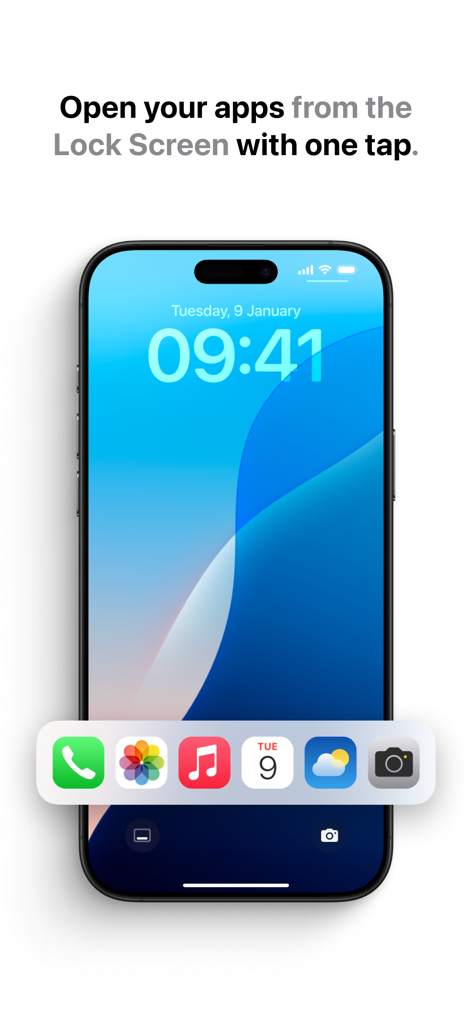
Promotional image of Lock Dock app showing app shortcuts like TikTok and Instagram for the iOS lock screen

Lock Dock-Widget App Launcher - Lock Dock app launcher displaying shortcut icons on an iPhone lock screen for quick access
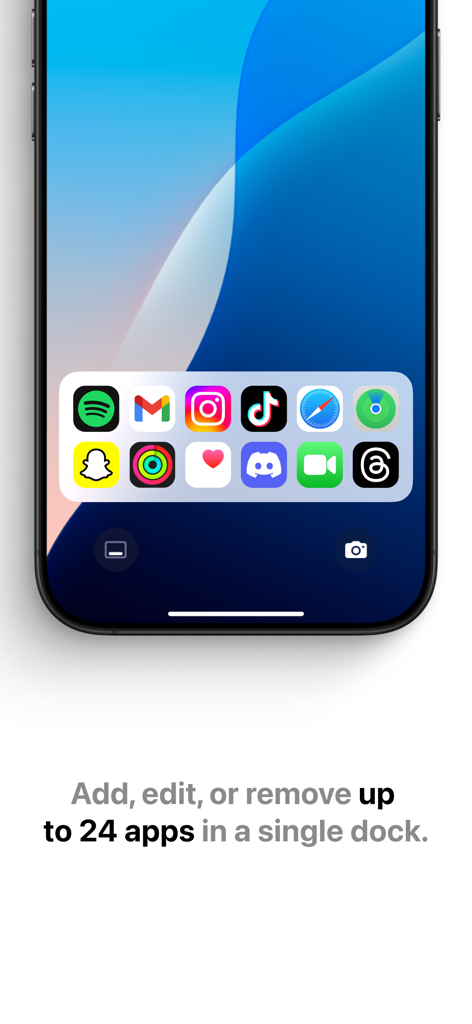
Lock Dock app launcher displaying shortcut icons on an iPhone lock screen for quick access

Lock Dock-Widget App Launcher - iPhone lock screen displaying a custom widget dock with several app shortcuts
iPhone lock screen displaying a custom widget dock with several app shortcuts

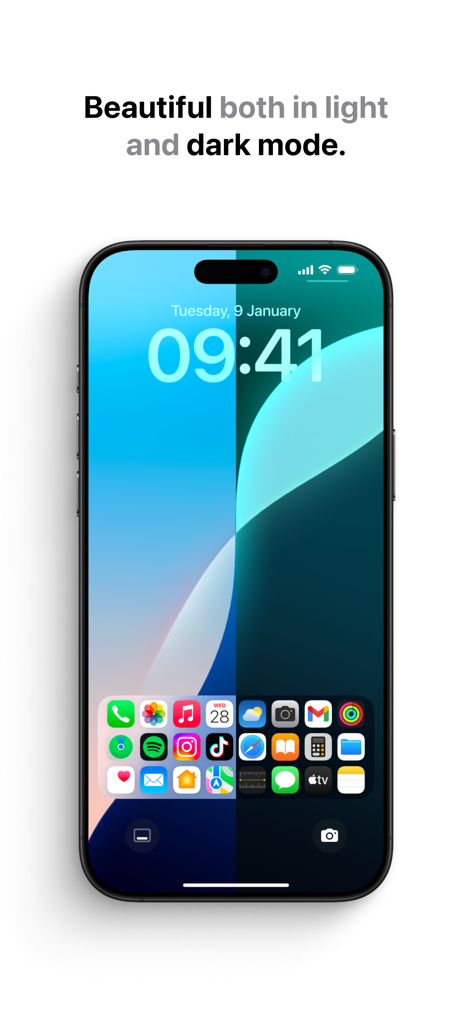
Lock Dock-Widget App Launcher - Lock Dock app launcher widget shown in light and dark mode on a lock screen

Lock Dock app launcher widget shown in light and dark mode on a lock screen

Description

Unlock a whole new level of convenience with Lock Dock! Say goodbye to the hassle of endlessly swiping and searching for your most-used tools. With Lock Dock, you can instantly access your favorite tools and shortcuts directly from your lock screen—quick, easy, and customized just for you. Why Choose Lock Dock? We understand how important it is to have fast access to the tools you use daily. Lock Dock offers you a seamless experience that lets you set up the perfect collection of shortcuts, ready to launch with just one tap. Whether you need to open your calendar, launch your camera, or quickly access your favorite social media app, Lock Dock is here to streamline your day. Key Features: Instant Access from the Lock Screen: Add your most essential tools and apps directly to your lock screen, giving you the power to launch them with a single tap. Fully Customizable: Tailor the app to suit your unique needs. Select the tools that matter most and arrange them however you like—put what you need front and center. Personalized Shortcuts: Create shortcuts to anything you use frequently, whether it's messaging apps, productivity tools, or even your smart home controls. Fast & Efficient: Lock Dock is designed for speed. You’ll love how quickly you can access your tools without navigating through multiple menus or screens. User-Friendly Interface: Simple and intuitive design lets you set up your shortcuts in seconds. The app is easy to navigate and requires minimal setup to get started. Seamless Performance: Lock Dock runs efficiently in the background, ensuring smooth performance without draining your battery. Streamline Your Day Tired of digging through your phone to find the tools and apps you need? Lock Dock helps you cut down on wasted time by providing instant access to your most-used shortcuts. Whether you’re sending a message, checking the weather, or adjusting your smart home devices, everything is just one tap away—right from your lock screen. Perfect for Any Lifestyle Lock Dock is perfect for busy professionals, multitaskers, or anyone who values efficiency. Whether you're running errands, managing tasks, or simply want quick access to your entertainment apps, Lock Dock adapts to your lifestyle. Simplicity Meets Power We’ve focused on creating an app that gives you powerful functionality in the most straightforward way possible. With Lock Dock, the days of opening multiple menus or apps just to perform a basic action are over. You’ll love the speed, simplicity, and convenience it brings to your everyday phone usage. Ready to Get Started? Download Lock Dock now and transform the way you interact with your phone. Customization, speed, and simplicity—all in one app. Unlock your phone, tap your favorite tools, and get more done, faster! Join Thousands of Happy Users! Thousands of users have already made their lives easier with Lock Dock. Don’t miss out—download today and experience the convenience of having all your essential tools just a tap away. Support & Updates We’re constantly working to improve Lock Dock and bring you new features. Have feedback or need assistance? Our support team is ready to help you make the most of your experience. Terms of Service: https://idecapps.com/terms/ Privacy Policy: https://idecapps.com/privacy/

Download

Download on App Store
Recommendations

More Like This

Apps with similar features and user experience
This page is not an official page of the app or its developer, but an independent editorial publication created for informational and commentary purposes. Unless expressly stated otherwise, neither the app nor its developer is affiliated with, endorsed by, sponsored by, authorized by, or otherwise officially connected with MWM, Apple, Google Play, the app publisher, or the app's developer, and nothing on this page implies that the app was developed using MWM's services. Any trademarks, logos, screenshots, and other content remain the property of their respective owners.