
This page is not an official page of the app or its developer, but an independent editorial publication created for informational and commentary purposes. Unless expressly stated otherwise, neither the app nor its developer is affiliated with, endorsed by, sponsored by, authorized by, or otherwise officially connected with MWM, Apple, Google Play, the app publisher, or the app's developer, and nothing on this page implies that the app was developed using MWM's services. Any trademarks, logos, screenshots, and other content remain the property of their respective owners.


Manything
Give your old devices a second life. Monitor your home, pets, or family in minutes with professional motion alerts and cloud recording—no expensive hardware required.
Downloads
417K+User Rating
Total Ratings
1K+Publisher
Category
LifestyleLocales
7Latest Version
12.8.18Size
114.8 MBFirst Released
Jul 11, 2013Smart Security with the Tech You Already Own
Don't let your old iPhones gather dust. Transform them into a professional-grade monitoring system with instant alerts and cloud storage—no new hardware required.
Upcycle Your Spare Devices
Breathe new life into your old iPhone or iPad by turning it into a dedicated, portable security camera in under 60 seconds.
Instant Activity Alerts
Receive real-time motion and sound notifications on your main phone, perfect for monitoring pets, babies, or package deliveries.
The following screenshots and description are sourced directly from the app's official store listing and are the property of the app developer.
App Store
Screenshots
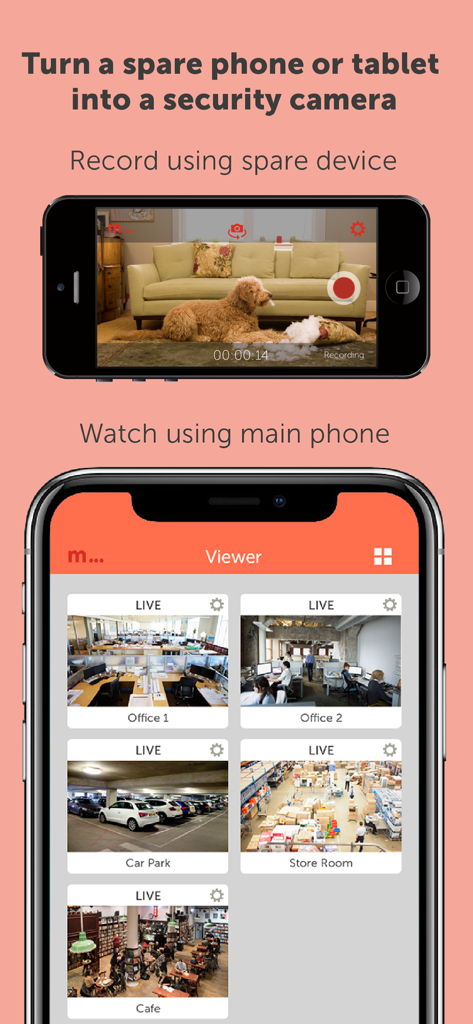
Manything app demonstration showing a spare phone recording a living room and a primary phone viewing multiple live security feeds
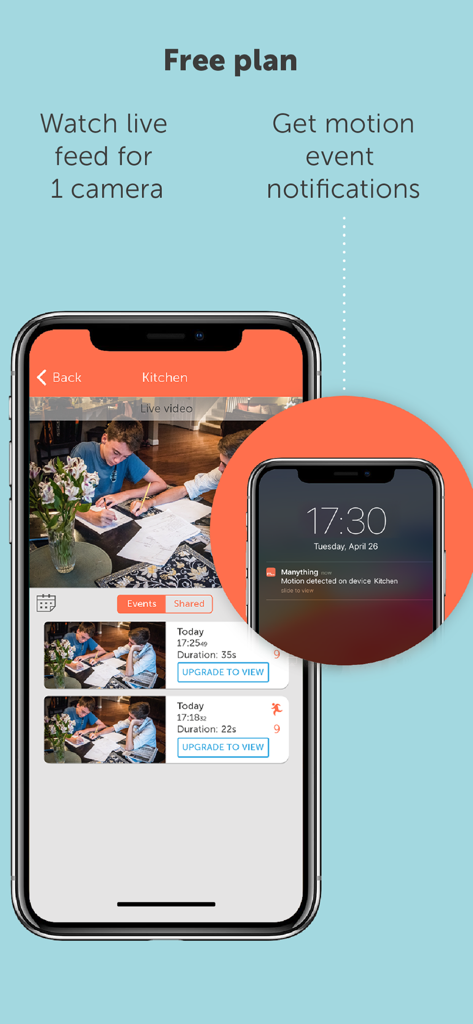
Manything app interface showing a live video feed from a kitchen camera and a motion detection notification on an iPhone screen.
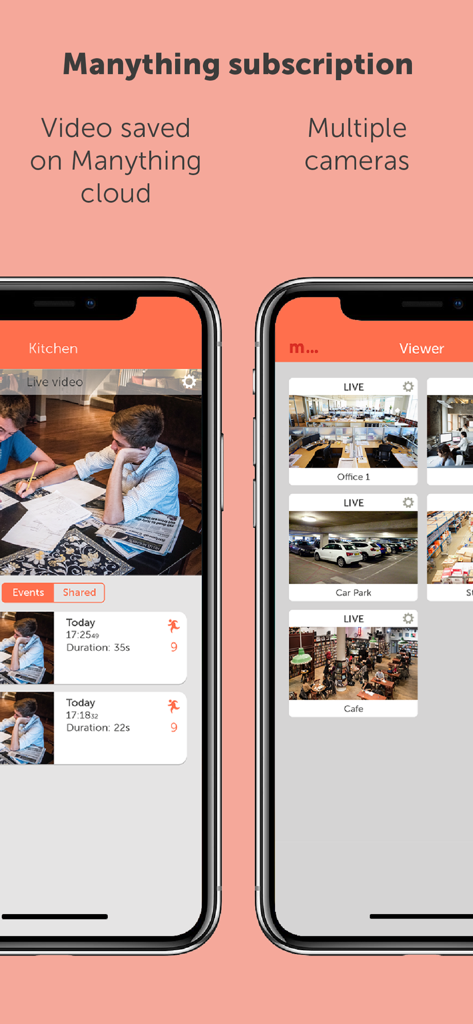
Manything mobile app interface showing a live kitchen video feed and a multi-camera viewer for office and parking monitoring.
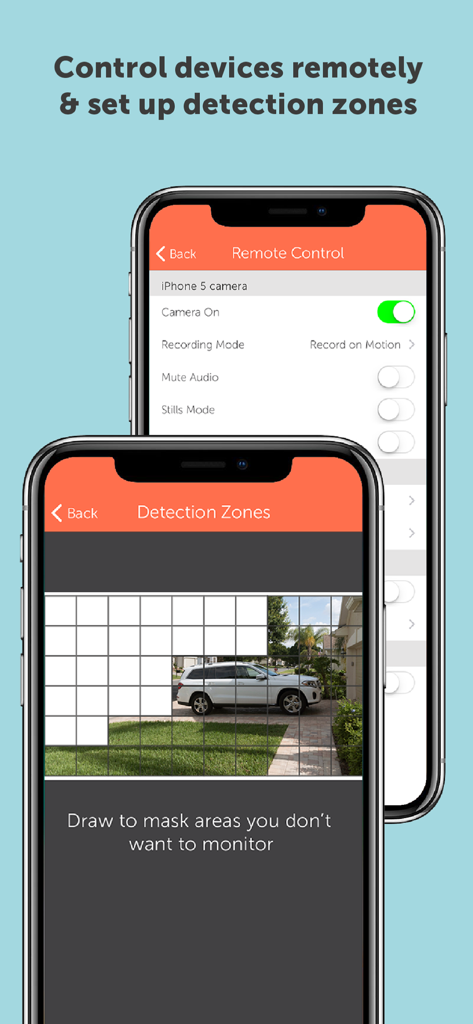
Manything app interface showing remote camera settings and motion detection zones configuration on two iPhones
Description
Download
More Like This
Apps with similar features and user experience

Alfred Camera: Home Security
Alfred Systems Inc.

Nani – Baby Monitor
Bitlink GmbH
Home Security Camera - Visory
Tapnetic LLC

Baby Monitor 3G
TappyTaps s.r.o.

Bibino Baby Monitor: Nanny Cam
TappyTaps s.r.o.

Cloud Baby Monitor
VIGI Limited
Cam V360 - Security Camera PRO
HEALTH, FITNESS, WELNESS, MEDICAL - IT SOLUTIONS LLC

Barkio: Dog Monitor & Pet Cam
TappyTaps s.r.o.

Camy — Live Video Monitoring
Zipo Apps Ltd.
This page is not an official page of the app or its developer, but an independent editorial publication created for informational and commentary purposes. Unless expressly stated otherwise, neither the app nor its developer is affiliated with, endorsed by, sponsored by, authorized by, or otherwise officially connected with MWM, Apple, Google Play, the app publisher, or the app's developer, and nothing on this page implies that the app was developed using MWM's services. Any trademarks, logos, screenshots, and other content remain the property of their respective owners.