MapDraw: Draw on maps

Download on App Store

This page is not an official page of the app or its developer, but an independent editorial publication created for informational and commentary purposes. Unless expressly stated otherwise, neither the app nor its developer is affiliated with, endorsed by, sponsored by, authorized by, or otherwise officially connected with MWM, Apple, Google Play, the app publisher, or the app's developer, and nothing on this page implies that the app was developed using MWM's services. Any trademarks, logos, screenshots, and other content remain the property of their respective owners.

Logo of MapDraw: Draw on maps
Download on App Store

MapDraw: Draw on maps

The ultimate creative tool for visual planners, educators, and explorers. Effortlessly annotate routes, mark insider tips, and bring geography lessons to life with custom symbols and digital drawings.

Key Figures

Downloads

67K+

User Rating

4.5/5

Total Ratings

900

Publisher

Corvin Hartmann

Category

Navigation

Locales

1

Latest Version

2.4

Size

1.0 MB

First Released

Jan 27, 2019
Features

Turn Every Map Into Your Personal Canvas

Designed for visual thinkers and planners, MapDraw strips away the digital noise to give you a creative space for trip planning, education, and personalized discovery.

Plan Your Perfect Adventure

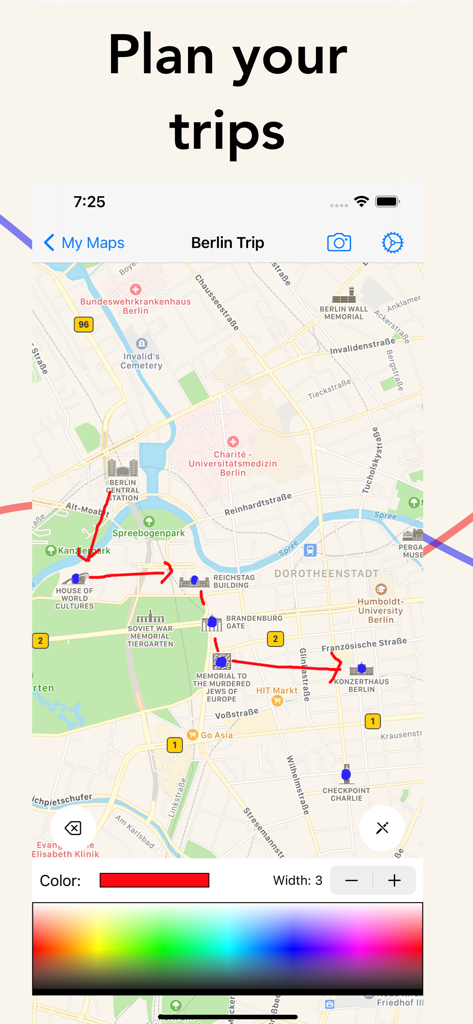
Connect destinations, mark secret spots, and visualize your next road trip or hike with total creative freedom.

Interactive Learning & Teaching

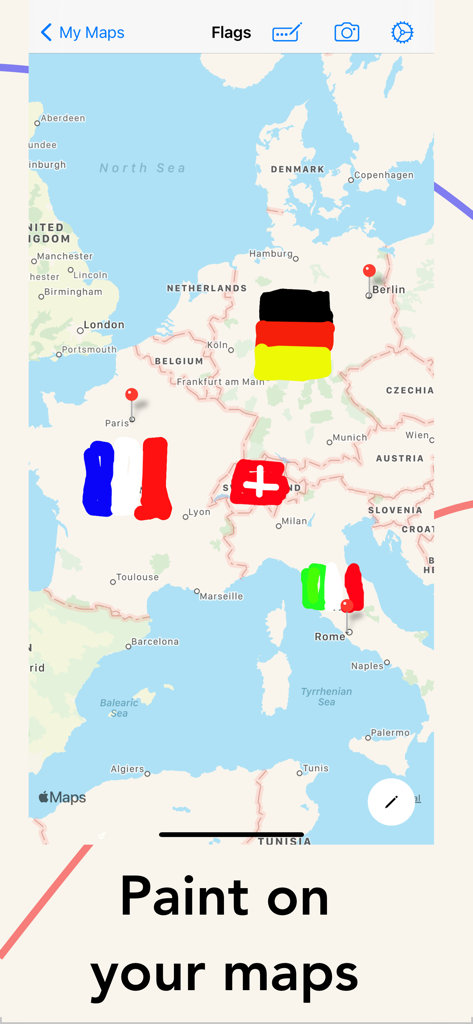
A powerful tool for geography and history lessons—draw flags, highlight regions, and make digital education tactile.

The following screenshots and description are sourced directly from the app's official store listing and are the property of the app developer.

App Store

Screenshots

MapDraw: Draw on maps - A map of Europe with hand drawn national flags for Germany France Switzerland and Italy

A map of Europe with hand drawn national flags for Germany France Switzerland and Italy

MapDraw: Draw on maps - MapDraw app interface showing a hand-drawn travel route between landmarks in Berlin.

MapDraw app interface showing a hand-drawn travel route between landmarks in Berlin.

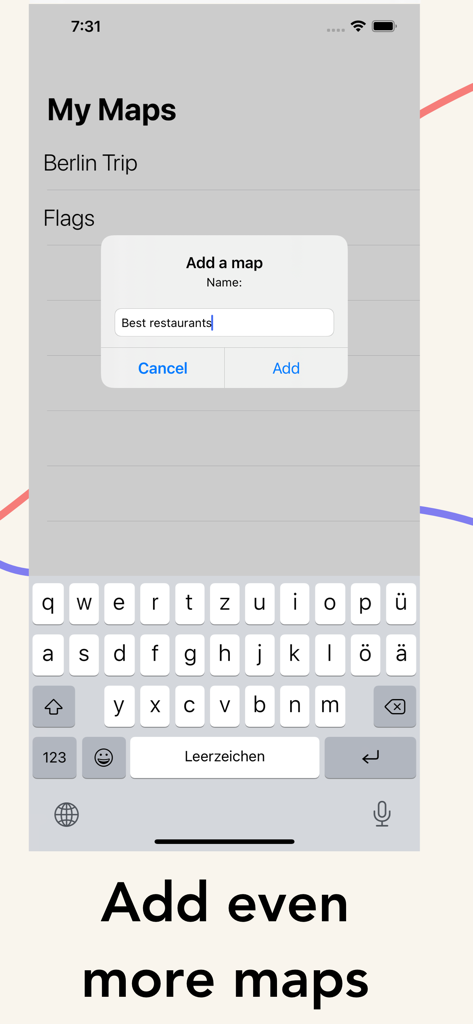
MapDraw: Draw on maps - MapDraw app screen showing a popup to add and name a new custom map

MapDraw app screen showing a popup to add and name a new custom map

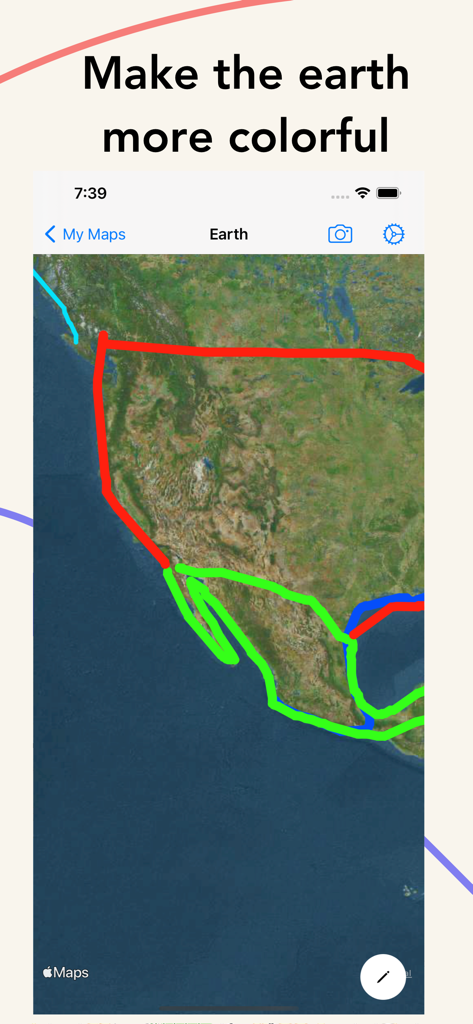
MapDraw: Draw on maps - A satellite map of North America with colorful hand-drawn lines outlining regions using the MapDraw app

A satellite map of North America with colorful hand-drawn lines outlining regions using the MapDraw app

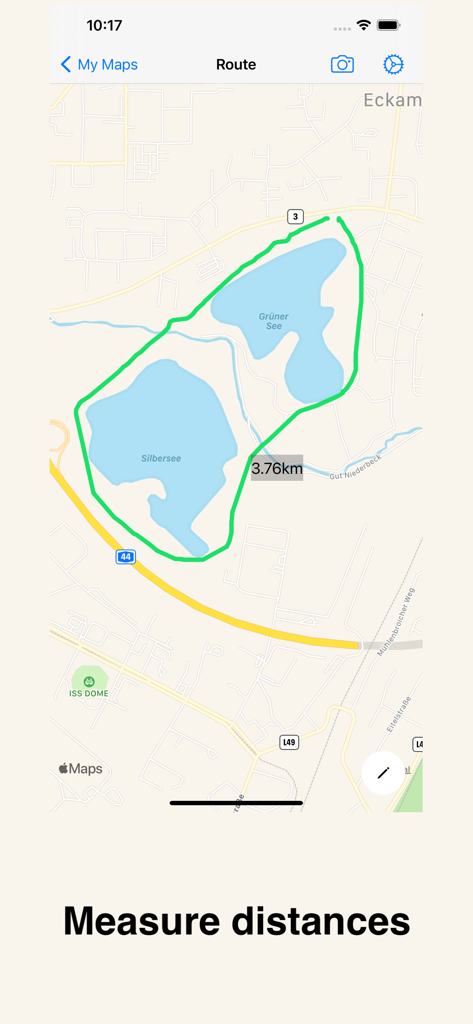
MapDraw: Draw on maps - Hand-drawn green route around two lakes in MapDraw showing a 3.76km distance measurement

Hand-drawn green route around two lakes in MapDraw showing a 3.76km distance measurement

Description

There are endless examples of uses for MapDraw: You can use the map creator in geography classes to draw in flags, mark areas, etc. You can plan trips or excursions, connect many destinations and keep track of them - in digital. Press long on the map to add a annotation or a custom symbol. You can use the map maker to create a map of places they want to travel to. You can use the map maker to create a map with local insider tips. And much more. MapDraw is a tool that creates a lot of room for creativity and new possibilities in digital education and homeschooling.

Download

Download on App Store

This page is not an official page of the app or its developer, but an independent editorial publication created for informational and commentary purposes. Unless expressly stated otherwise, neither the app nor its developer is affiliated with, endorsed by, sponsored by, authorized by, or otherwise officially connected with MWM, Apple, Google Play, the app publisher, or the app's developer, and nothing on this page implies that the app was developed using MWM's services. Any trademarks, logos, screenshots, and other content remain the property of their respective owners.