
This page is not an official page of the app or its developer, but an independent editorial publication created for informational and commentary purposes. Unless expressly stated otherwise, neither the app nor its developer is affiliated with, endorsed by, sponsored by, authorized by, or otherwise officially connected with MWM, Apple, Google Play, the app publisher, or the app's developer, and nothing on this page implies that the app was developed using MWM's services. Any trademarks, logos, screenshots, and other content remain the property of their respective owners.

MapleStory Worlds
Step into a massive social sandbox where you can play, create, and connect. From nostalgic pixel-art quests to limitless player-made games, explore a world built by you and for you across PC and mobile.
Downloads
957K+User Rating
Total Ratings
3K+Publisher
Category
EntertainmentLocales
5Latest Version
1.26.7Size
350.8 MBFirst Released
Jan 15, 2025A Universe of Endless Worlds
Whether you're a nostalgic veteran or a creative explorer, dive into a massive library of 10,000+ community-made experiences and unleash your own imagination.
Explore 10,000+ Free Worlds
From nostalgic RPG adventures to chaotic mini-games, discover something new every day in our ever-expanding library.
Unleash Your Inner Creator
Use iconic MapleStory assets to build your own maps or design a unique avatar that perfectly expresses your style.
Frequently Asked Questions
Everything you need to know about MapleStory Worlds
What is MapleStory Worlds?
MapleStory Worlds is a free platform where users can explore and play over 10,000 unique worlds. It also enables creation of personalized avatars and custom worlds using various assets.
Can I create content in MapleStory Worlds?
Yes, MapleStory Worlds allows users to create their own worlds and customize avatars using various in-game assets. Users can also upload their own created assets.
Is MapleStory Worlds cross-platform compatible?
Yes, MapleStory Worlds supports cross-platform play. Users can play with others on both PC and mobile devices, enabling shared experiences regardless of the platform.
Does MapleStory Worlds have social features?
Yes, MapleStory Worlds includes social functions. Users can add friends, chat with them, and join the same worlds to play together, enhancing cooperative gameplay.
What are some popular worlds available in MapleStory Worlds?
Popular worlds in MapleStory Worlds include Artale, Chu Chu Burger the 1st Branch, Durango: The Lost Island, Maple Slash, Maple Duel, and Maple Soul Hero.
What optional permissions does MapleStory Worlds require?
MapleStory Worlds requests optional permissions for Photos/Media/Files, Camera, Audio Recording, and Security. The app states that the service remains functional even if these are not granted.
Can I use MapleStory Worlds without granting optional permissions?
Yes, users can still utilize MapleStory Worlds even if they choose not to grant the optional permissions for Photos/Media/Files, Camera, Audio Recording, or Security.
Does MapleStory Worlds have in-app currency?
Yes, MapleStory Worlds provides in-app currency, as visible on the avatar customization screen, which users can use to acquire various items and assets within the game.
Can I earn free coins in MapleStory Worlds?
Yes, MapleStory Worlds allows users to earn free in-game coins through events, such as the Attendance Event, which grants rewards for logging in daily.
Can I customize my avatar in MapleStory Worlds?
Yes, MapleStory Worlds supports creating and customizing avatars. The avatar customization screen displays options for hair, clothing, and other items from a closet, shop, or creator section.
The following screenshots and description are sourced directly from the app's official store listing and are the property of the app developer.
App Store
Screenshots
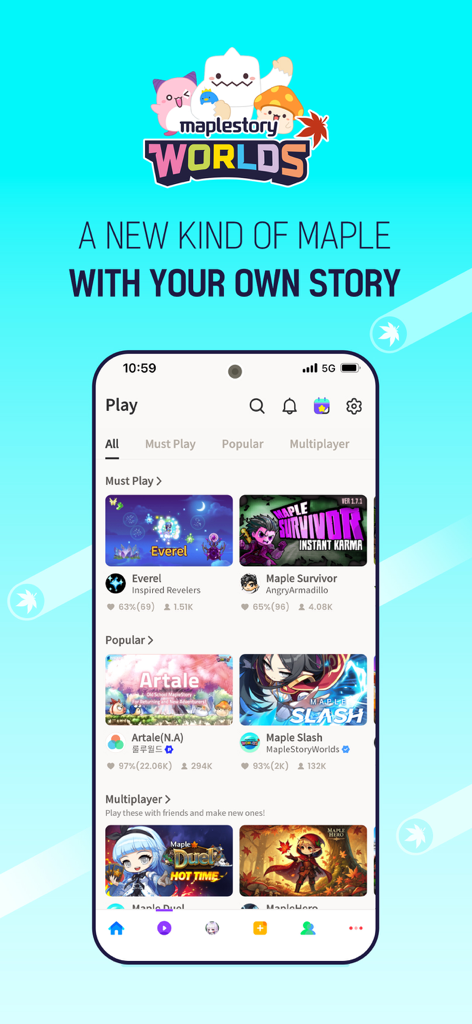
Mobile interface of MapleStory Worlds app displaying a variety of user-generated games like Artale and Maple Survivor
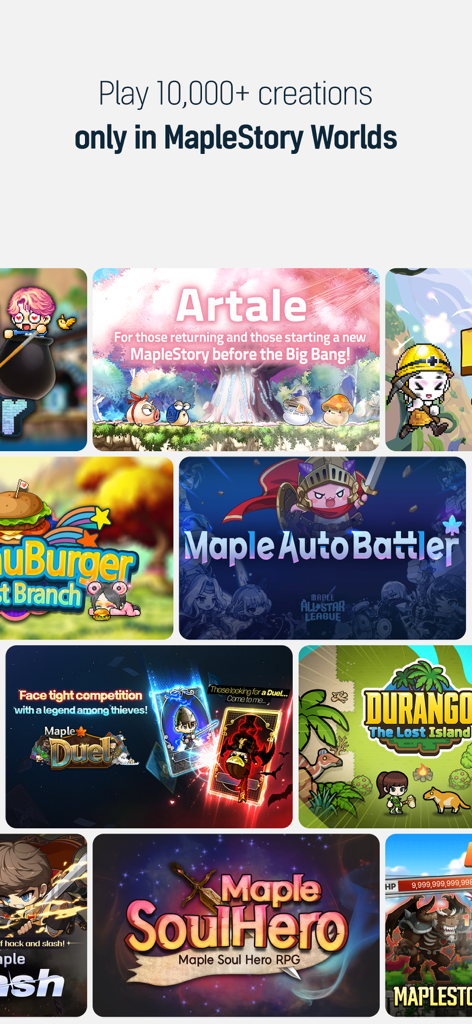
A collage of different games and user creations available in MapleStory Worlds
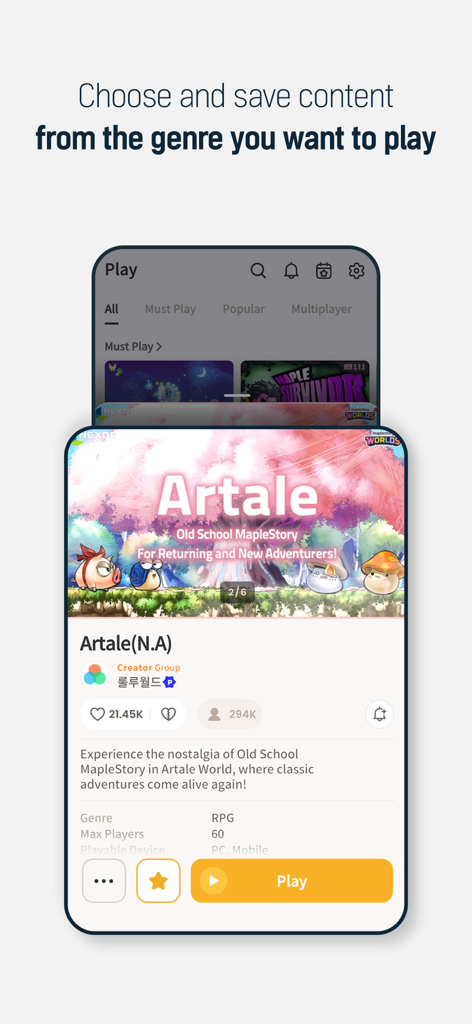
MapleStory Worlds mobile app interface showing the Artale game selection screen with nostalgic pixel art
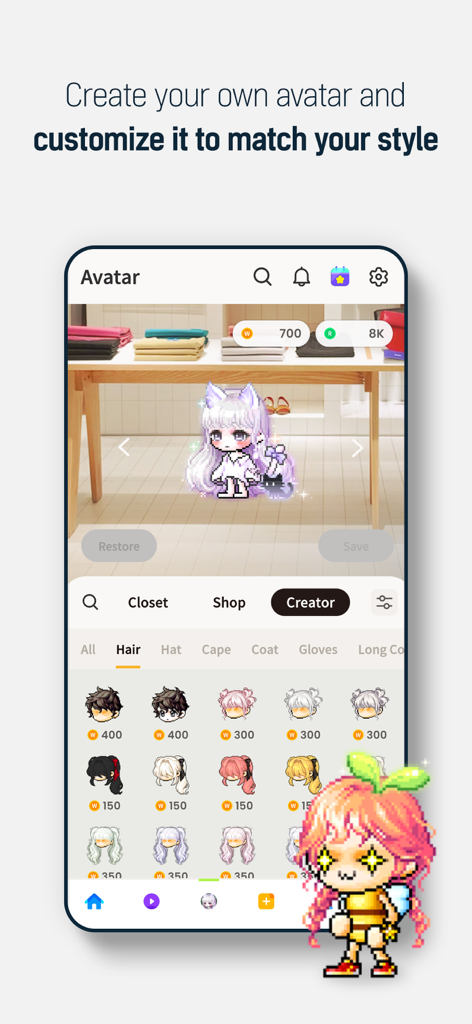
A pixel art character customization screen in the MapleStory Worlds app showing various hair styles and accessories
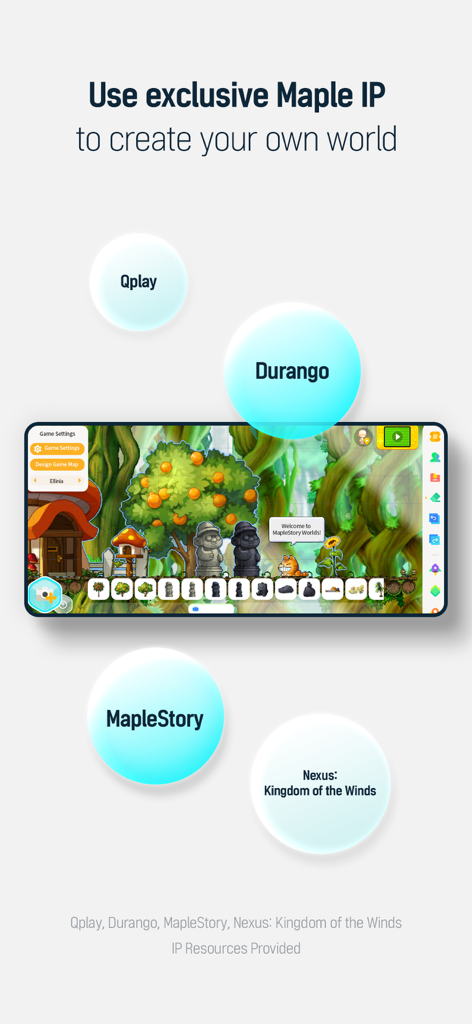
Mobile screen showing the MapleStory Worlds creator interface with 2D pixel art assets and world building tools.
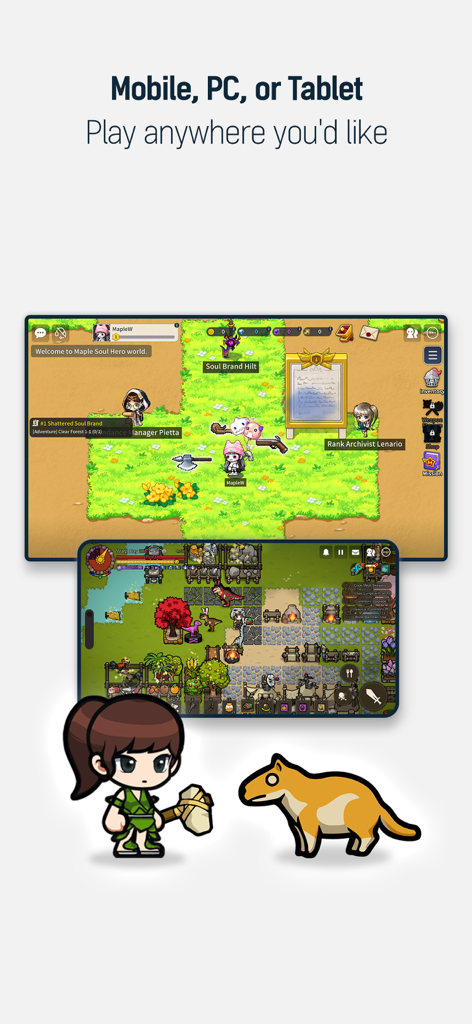
MapleStory Worlds gameplay shown across mobile and PC devices with pixel art characters
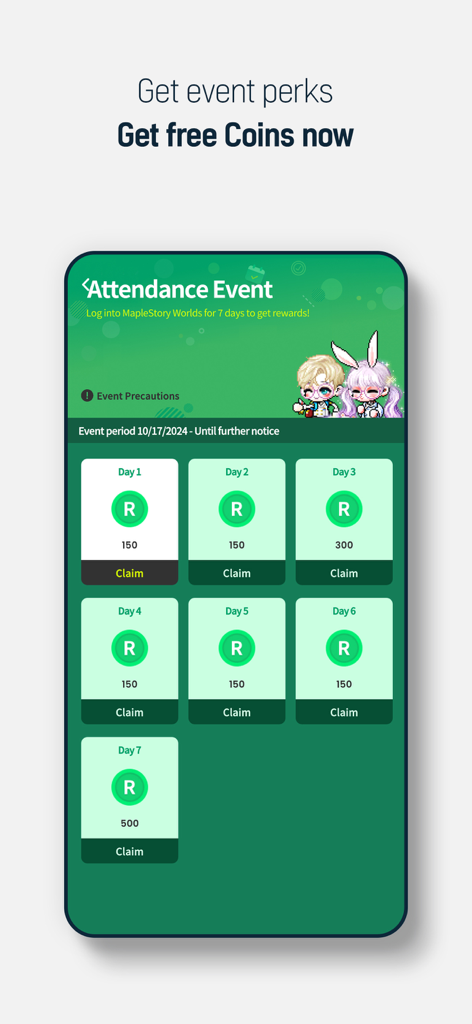
MapleStory Worlds attendance event screen showing a 7 day login reward system for free coins
Description
Download
More Like This
Apps with similar features and user experience

IMVU: Fun 3D Avatar Chat Game
IMVU

Enjoy - AI Town
Enjoy Global, Inc.

Nevermet - VR Dating Metaverse
Cheerio World Inc.

Yolo - 18+ Meet & Video Chat
霄 陆

Soulsky - Discover the fun
菊香 刘

HiChat: Video Chat & Meet
jiaxin luo

Roblox
Roblox Corporation

ZEPETO: Avatar, Connect & Live
NAVER Z Corporation

Soul-Chat, Match, Party
SOUL EGG HOLDINGS LIMITED
This page is not an official page of the app or its developer, but an independent editorial publication created for informational and commentary purposes. Unless expressly stated otherwise, neither the app nor its developer is affiliated with, endorsed by, sponsored by, authorized by, or otherwise officially connected with MWM, Apple, Google Play, the app publisher, or the app's developer, and nothing on this page implies that the app was developed using MWM's services. Any trademarks, logos, screenshots, and other content remain the property of their respective owners.