
Max Player


Transform your playlists into a high-end streaming service. Enjoy a clean, optimized interface for Live TV, VOD, and Series on Apple TV, iPhone, and iPad—perfect for the whole family with support for up to 5 devices.
Publisher
Category
Photo & VideoDownloads
323K+User Rating
Total Ratings
300Locales
1Discover the interface used by 323K+ users.
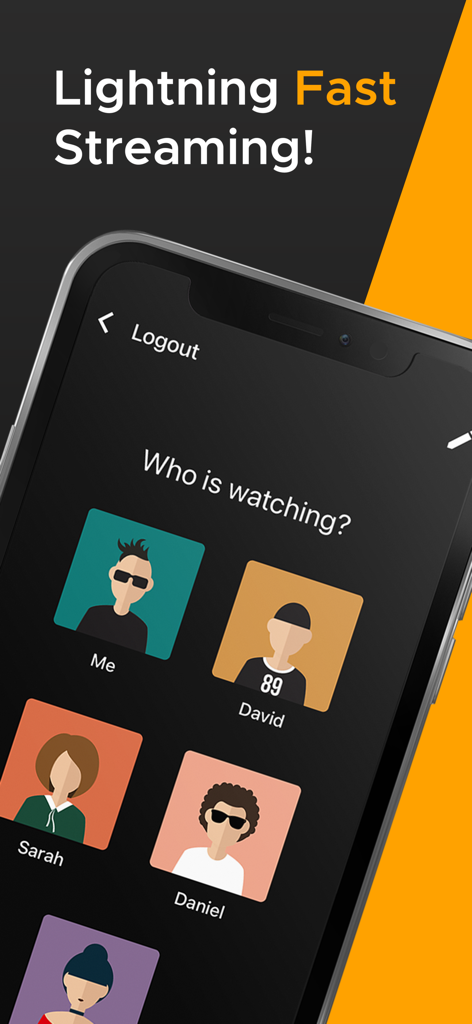
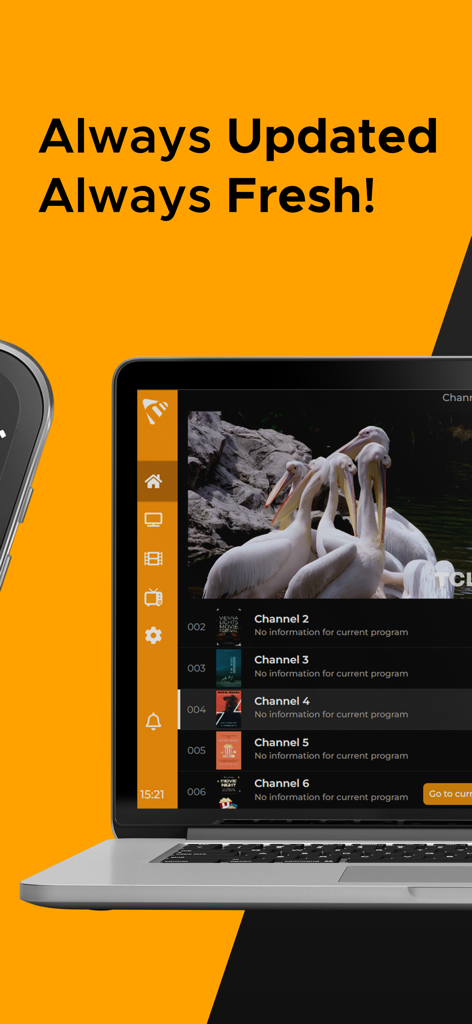

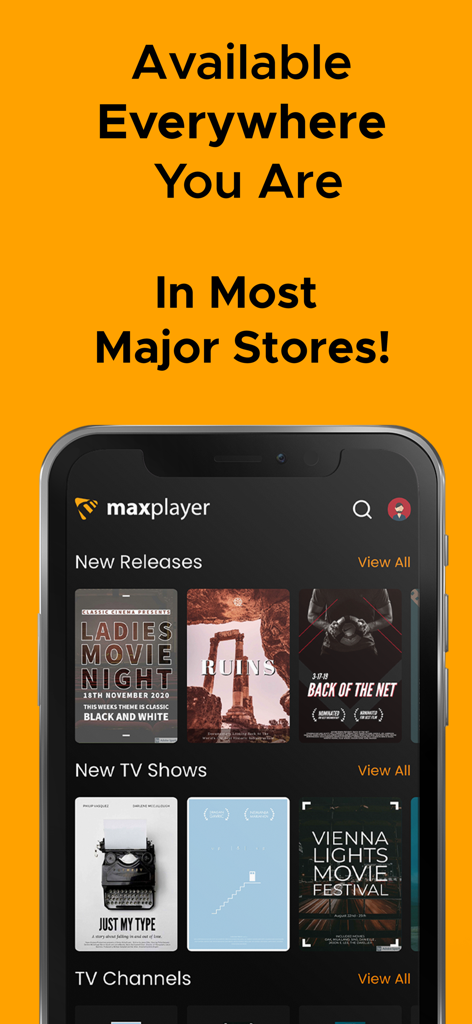


The tools that make this app stand out, trusted by 323K+ users.
One account supports up to 5 devices and 5 unique sub-profiles, giving everyone in the house their own personalized space and parental controls.
Experience a sleek, high-end interface optimized specifically for Apple TV. Say goodbye to cluttered menus and enjoy a native, premium feel.
Take charge with scheduled EPG updates, powerful search, and Catch-up TV support. Compatible with M3U playlists and Xtream Codes API.
Everything you need to know about Max Player.
Description
Latest Version
1.2.6
Size
56.9 MB
First Released
Feb 4, 2023
Join over 323,000 tech-savvy cord-cutters who trust Max Player for a premium IPTV experience. Download now to unify your playlists across iPhone, iPad, and Apple TV for the ultimate home theater setup.
Everything you need to know about Max Player
MaxPlayer™ is an application designed for iOS devices that provides solutions for IPTV, EPG, VOD, Video series, and Catch-up TV. It offers a clean user interface and multi-device support.
MaxPlayer™ supports IPTV, Video on Demand (VOD), TV series, and Catch-up TV. Users can also manage favorite channels and utilize powerful search functionality within the app.
One MaxPlayer™ account supports up to 5 devices simultaneously. Additionally, the app allows for the creation of up to 5 sub-users per account.
No, MaxPlayer™ does not provide any IPTV streams, channels, or subscriptions. Users must add their own content, for example, via M3U playlists or Xtream Codes API.
MaxPlayer™ is available on iPhone, iPad, and Apple TV (tvOS). The description indicates support for additional platforms beyond these specific mentions.
Yes, MaxPlayer™ includes a parental control feature. This allows users to manage and restrict access to certain content within the application.
MaxPlayer™ enables users to integrate their own content using M3U playlists and the Xtream Codes API. The app acts as a player for user-provided media.
Users can find support for MaxPlayer™ by joining its official Discord community. The Discord link is provided within the app description.
Yes, MaxPlayer™ supports multi-user profiles. This feature allows different individuals to have their own viewing experience, as indicated by the 'Who is watching?' screen.
Apps with similar features and user experience

Byte9 Inc

IRBOETECH CO., LIMITED

MUKING OU

WHMCS SMARTERS

belal samir

IRBOETECH CO., LIMITED

Dmitri Iasibis

Oskarina Ramos

Nguyen Van Sy
App information, icons, screenshots, and descriptions displayed on this page are sourced from the Apple App Store and are the property of their respective developers. Download estimates and rankings are based on MWM's proprietary models and may not reflect actual figures. This page is provided for informational and analytical purposes only.
Believe this page infringes your intellectual property? File a dispute