
This page is not an official page of the app or its developer, but an independent editorial publication created for informational and commentary purposes. Unless expressly stated otherwise, neither the app nor its developer is affiliated with, endorsed by, sponsored by, authorized by, or otherwise officially connected with MWM, Apple, Google Play, the app publisher, or the app's developer, and nothing on this page implies that the app was developed using MWM's services. Any trademarks, logos, screenshots, and other content remain the property of their respective owners.


Fuevana IPTV Pro
No more content restrictions. This app makes your digital media library truly yours, playable anywhere.
Downloads
750k+User Rating
Total Ratings
22.7KPublisher
Category
UtilitiesLocales
5Latest Version
2.3Size
87.0 MBFirst Released
May 27, 2024An Analytical Overview for Digital Media Consumers
Key Features of Fuevana IPTV Pro
Wide Video Format Support
The app supports various popular video formats (e.g., .mp4, .avi, .mov, .mkv), ensuring broad compatibility for user content playback.
AirPlay Support
The app supports AirPlay, enabling users to cast their video content to compatible smart TVs for a larger screen viewing experience.
Premium Features (Ad-Free, Passcode, Unlimited Playlists)
Premium membership unlocks benefits such as passcode protection for private playlists, an ad-free experience, and the ability to add unlimited playlists.
Playlist URL Import
The app provides direct import of playlist URLs, automatically integrating user content into a smart UI.
Local Playlist File Import
This tool enables the import of playlist files directly from the device's storage, allowing immediate access to user-created content.
QR Code Playlist Import
It allows users to scan QR codes for playlist URLs, simplifying the process of adding content without manual entry.
Frequently Asked Questions
Everything you need to know about Fuevana IPTV Pro
Does Fuevana IPTV Pro provide content or playlists?
No, Fuevana IPTV Pro does not provide any playlists or content. It functions as a third-party video player for user-supplied content only. Users are responsible for their content's legality.
What video formats does Fuevana IPTV Pro support?
Fuevana IPTV Pro supports various popular video formats, including .mp4, .avi, .mov, m4a, and .mkv, ensuring broad compatibility for user content.
How can users import playlists into Fuevana IPTV Pro?
Users can import playlists into Fuevana IPTV Pro via a playlist URL, by selecting playlist files from phone storage, or by scanning a playlist URL's QR code.
Does Fuevana IPTV Pro support Airplay functionality?
Yes, Fuevana IPTV Pro supports Airplay. Users can send video URLs to Airplay-compatible smart TVs for viewing content on a larger screen.
Does Fuevana IPTV Pro offer a dark mode interface?
Yes, Fuevana IPTV Pro supports both dark mode and light mode user interfaces, allowing users to select their preferred visual theme.
What features are included with Fuevana IPTV Pro Premium Membership?
Fuevana IPTV Pro Premium Membership offers private playlist protection with passcode functions, removal of all advertisements, and the ability to add unlimited playlists without limit.
Can I protect my private playlists in Fuevana IPTV Pro?
Yes, Fuevana IPTV Pro Premium Members can protect their private playlists using a passcode function, enhancing security for personal content.
Does Fuevana IPTV Pro collect personal user information?
No, Fuevana IPTV Pro does not collect any personal information from its users. The application is designed specifically with user privacy in mind.
The following screenshots and description are sourced directly from the app's official store listing and are the property of the app developer.
App Store
Screenshots

Explore the app's intuitive home screen, featuring categorized content groups and personalized video thumbnails for easy discovery.
Curated Content Hub
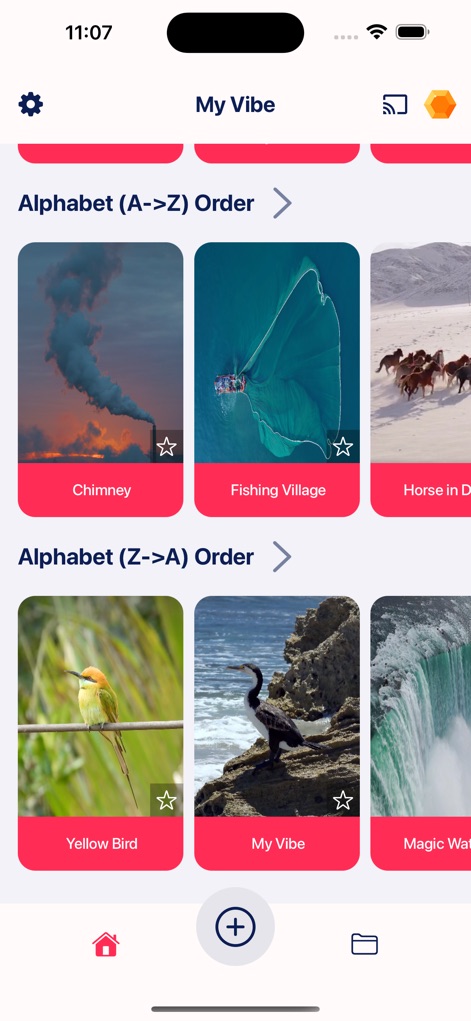
Navigate through content effortlessly using the app's 'Alphabet (A->Z) Order' and 'Alphabet (Z->A) Order' sections, ensuring users can find videos quickly.
Organized Content Browsing
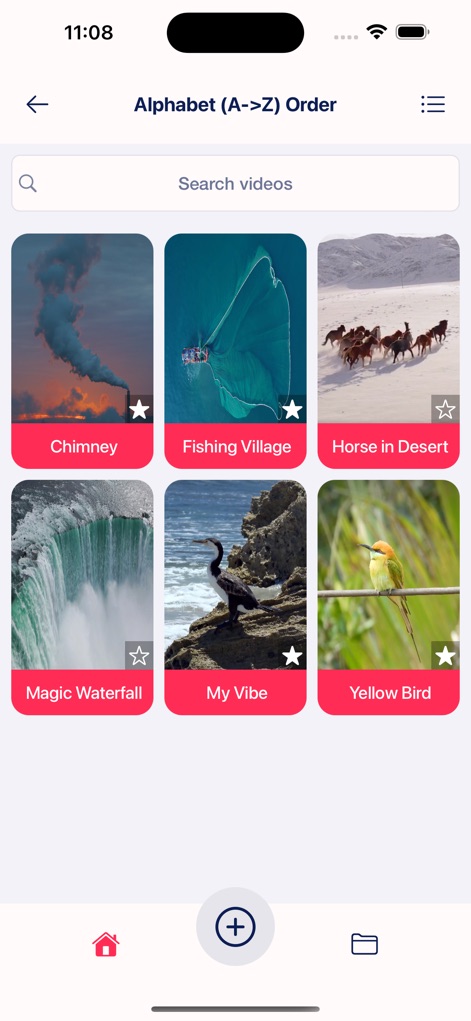
Access a comprehensive list of videos within an ordered category, complete with a dedicated search bar and a clear grid display.
Detailed Content View
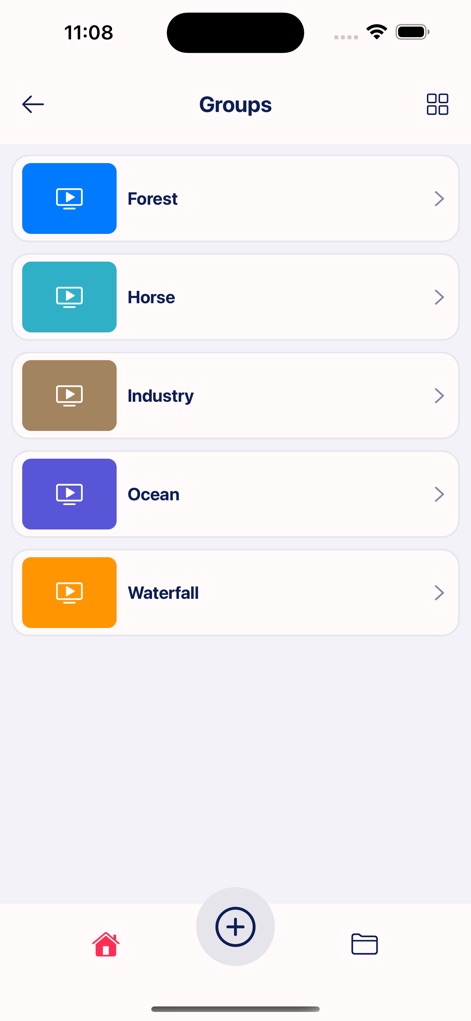
Discover videos organized into thematic 'Groups,' each clearly listed with a play icon and easily accessible for streamlined browsing.
Explore Video Groups
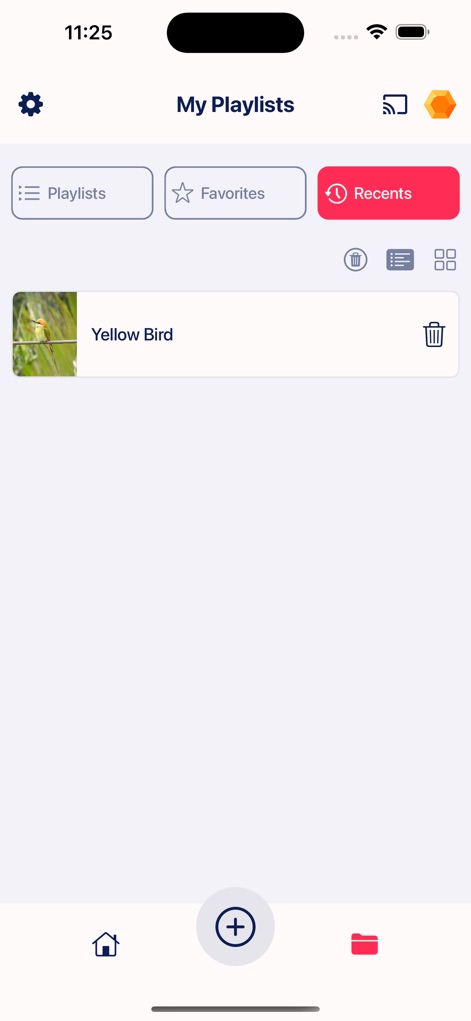
Keep track of recently watched content through the 'Recents' tab, allowing users to quickly access previous videos and manage their viewing history.
Recent Views Log
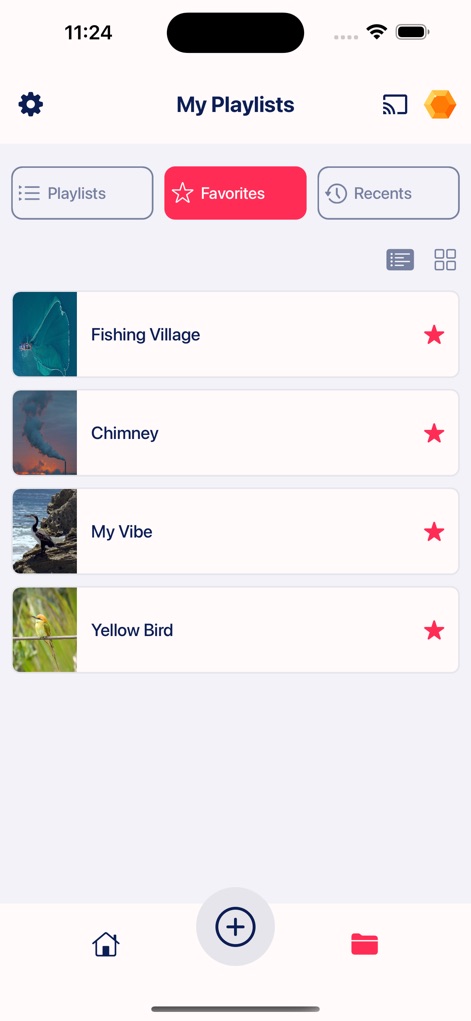
Personalize the viewing experience by adding videos to the 'Favorites' section, making preferred content easily accessible with distinct star icons.
Curate Your Favorites

Experience high-quality video playback with essential controls, including a precise progress bar and intuitive play/pause buttons, for an optimized viewing session.
Seamless Video Playback

Safeguard personal content using the app's advanced security features, allowing users to 'Lock your private playlists via Passcode functions' for ultimate privacy.
Enhanced Playlist Security
Description
Download
More Like This
Apps with similar features and user experience

VU IPTV PLAYER
Byte9 Inc

VU PLAYER PRO
IRBOETECH CO., LIMITED

King Stream Player
MUKING OU

Smarters Player Lite
WHMCS SMARTERS

000 Player
belal samir

ibo Pro Player
IRBOETECH CO., LIMITED

IPTV Smart Player
Dmitri Iasibis

IPTV - Watch TV Online
Nguyen Van Sy

Smarters IPTV Player
SmartersPlayer LLC
This page is not an official page of the app or its developer, but an independent editorial publication created for informational and commentary purposes. Unless expressly stated otherwise, neither the app nor its developer is affiliated with, endorsed by, sponsored by, authorized by, or otherwise officially connected with MWM, Apple, Google Play, the app publisher, or the app's developer, and nothing on this page implies that the app was developed using MWM's services. Any trademarks, logos, screenshots, and other content remain the property of their respective owners.