MBH Bank App
MBH Bank App
Download on App Store

This page is not an official page of the app or its developer, but an independent editorial publication created for informational and commentary purposes. Unless expressly stated otherwise, neither the app nor its developer is affiliated with, endorsed by, sponsored by, authorized by, or otherwise officially connected with MWM, Apple, Google Play, the app publisher, or the app's developer, and nothing on this page implies that the app was developed using MWM's services. Any trademarks, logos, screenshots, and other content remain the property of their respective owners.

Logo of MBH Bank App
Download on App Store

MBH Bank App

The ultimate financial bridge for global citizens. Manage your accounts, transfer HUF, and control your cards in English or Hungarian—all with biometric security.

Key Figures

Downloads

299K+

User Rating

4.2/5

Total Ratings

48K+

Publisher

MKB Bank Zrt.

Category

Finance

Locales

2

Latest Version

3.8.0

Size

234.8 MB

First Released

Feb 8, 2017
Features

Your Hungarian Finances, Managed from the US

The MBH Bank App bridges the distance, giving you total control over your Hungarian accounts with the speed, security, and convenience that your global lifestyle demands.

Seamless Cross-Border Transfers

Execute HUF transfers to partners or between your own accounts instantly. Monitor your balances in real-time and track history without worrying about time zones.

Instant Card & Security Control

Skip the international calls. Adjust withdrawal limits, activate cards, or suspend them immediately. Secure every transaction with 3DSecure push notifications.

The following screenshots and description are sourced directly from the app's official store listing and are the property of the app developer.

App Store

Screenshots
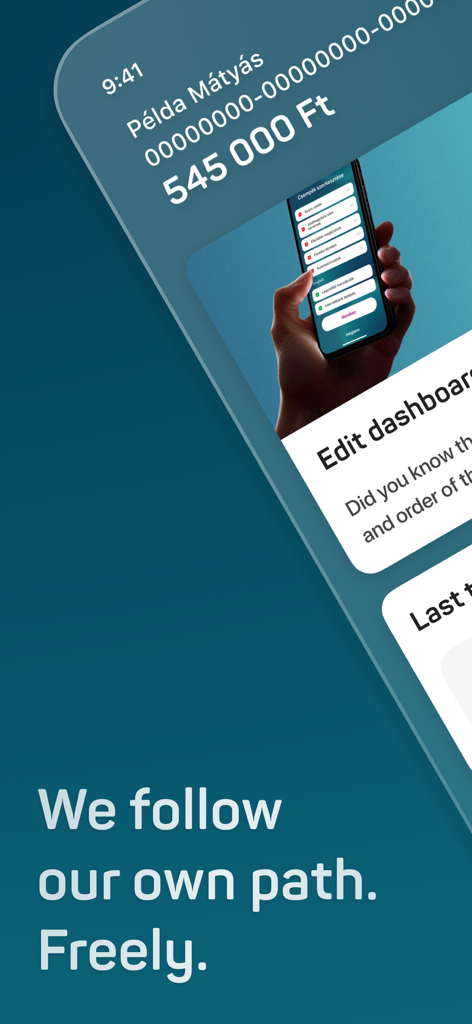
MBH Bank App - MBH Bank mobile app home screen showing account balance and dashboard customization options
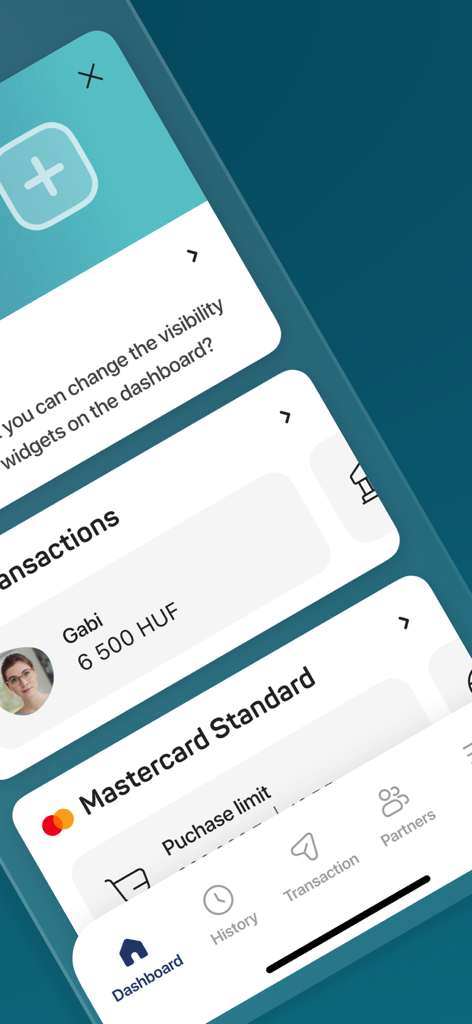
MBH Bank mobile app home screen showing account balance and dashboard customization options

MBH Bank App - Interface of MBH Bank App displaying dashboard widgets, transaction history in HUF, and Mastercard purchase limits.
Interface of MBH Bank App displaying dashboard widgets, transaction history in HUF, and Mastercard purchase limits.

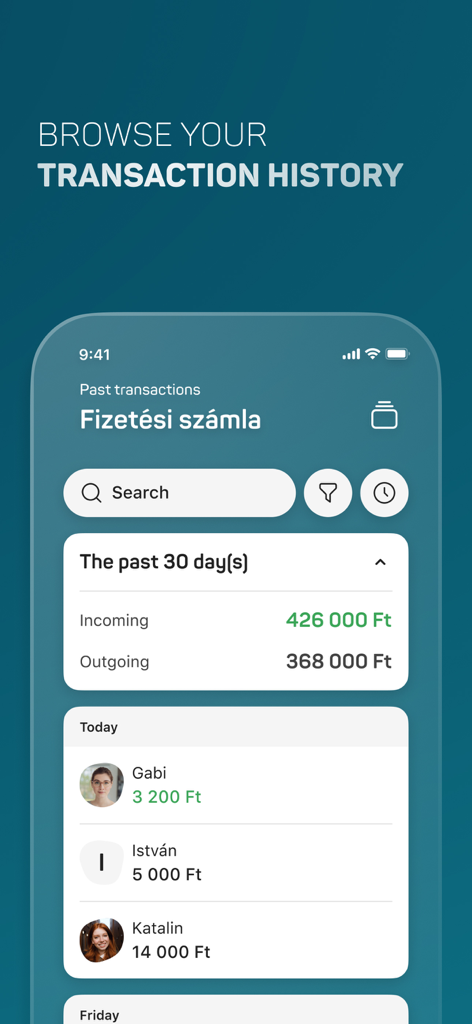
MBH Bank App - Transaction history screen of the MBH Bank App showing recent payments and account summary.
Transaction history screen of the MBH Bank App showing recent payments and account summary.

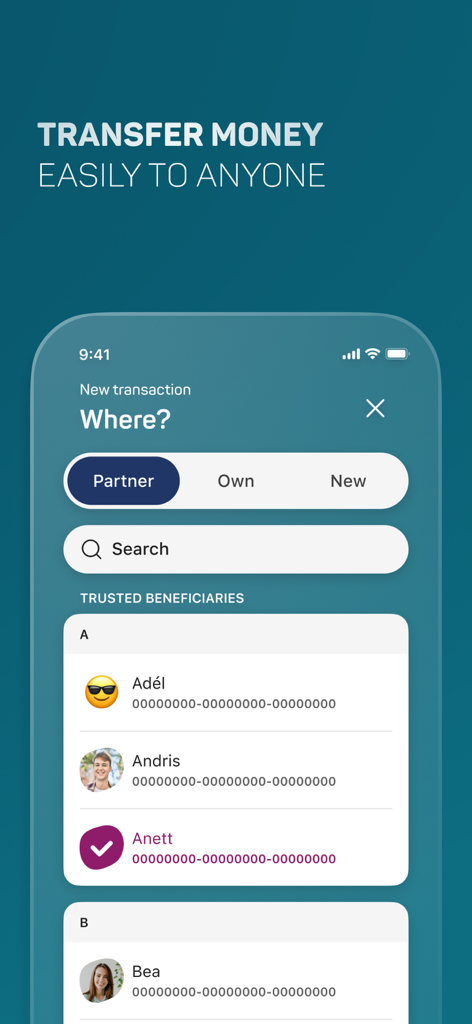
MBH Bank App - MBH Bank App mobile interface showing the money transfer screen with a list of trusted beneficiaries
MBH Bank App mobile interface showing the money transfer screen with a list of trusted beneficiaries

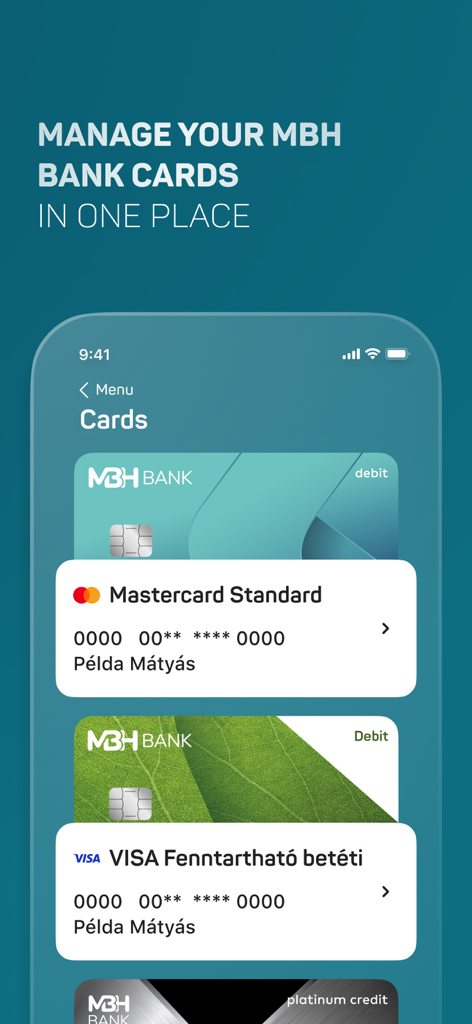
MBH Bank App - Interface of the MBH Bank App showing a list of managed debit and credit cards
Interface of the MBH Bank App showing a list of managed debit and credit cards

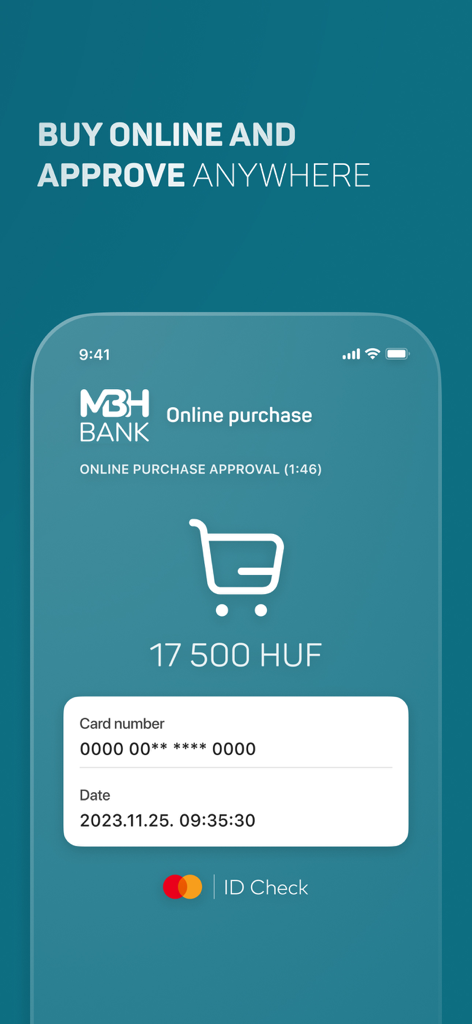
MBH Bank App - MBH Bank App mobile interface for 3DSecure online purchase approval showing 17,500 HUF transaction details
MBH Bank App mobile interface for 3DSecure online purchase approval showing 17,500 HUF transaction details

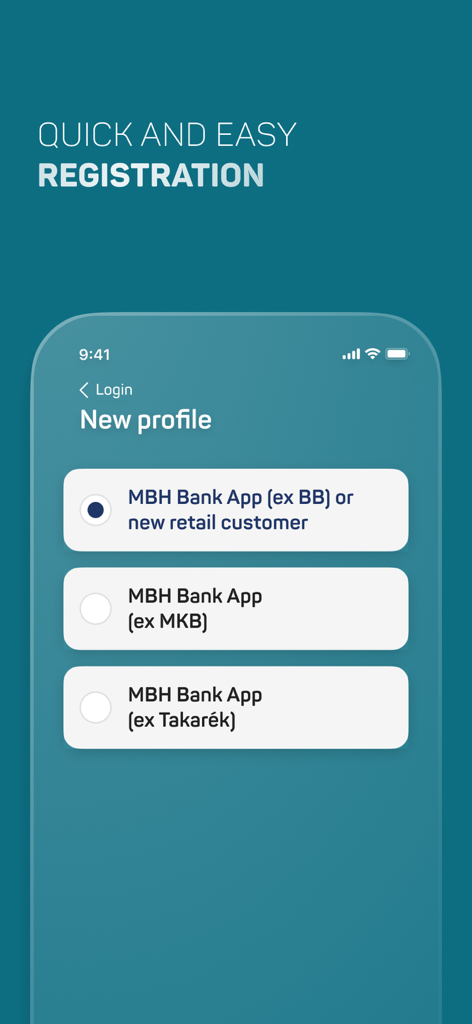
MBH Bank App - MBH Bank app registration screen showing profile selection for new and existing customers

MBH Bank app registration screen showing profile selection for new and existing customers

Description

If you have any predecessor MBH Netbank contract, manage your daily finances from anywhere, at any time, comfortably on the unified mobile application service, the MBH Bank App. Please never share your bank login details and passwords with anyone, and never access the netbank via a link or from an internet search engine. Main functions: • Add Customers and switch between them • View account balance • HUF transfer to partners and new partners • Transfer between HUF accounts • Biometric authentication • Travel insurance • Add card to Apple Wallet • View account history (with history filter) • Account information • Hidden account balances • Change of account user • Credit and debit card information, activation and suspension • Adjustment of credit and debit card cash withdrawal limits, purchases limits and online limits • Set of online payment password • Change of language (English, Hungarian) • List of direct debits and standing orders • Login to the internetbank with QR code or Push • Manage secondary account identifiers • Account statements • Cancellation of future HUF transfers • Third parties (OpenAPI) Mobil App push notifications: • Internetbank transactions, • Online purchases (3DSecure), • Transfers received from third parties (OpenAPI) Important! The availability of the listed features is different in the customer profiles. You can view the grouping of the functions in our user manual, which is available from our website. ----------------------- How to activate the application? • Download and launch the application. • As a first step, please provide the first 8 digits of your card or account number to identify which customer you would like to log into the application • Next, please provide your ID and password used in the MBH Netbank. • You will receive a one-time password to your phone number set in the MBH Netbank. You will need this password when the application requires you to provide the password sent in text message. 101 Bank ID: if you are a new user and have not loged in the Internetbank before, you will need to change your initial password on the next screen. • When logging in to the application, please provide a unique ID (mPIN) consisting of six digits. You will use this mPIN to access the application thereafter. • The activation of the application ends upon the confirmation of your mPIN and you will enter the application for the first time. • During the sign in process, you have the option to enable the Touch ID / Face ID authentication. ------------------------ Your opinion is important to us. We will constantly extend the available services based on the received feedback. Please help us and share your opinion and suggestions at app@mbhbank.hu. Please note that the maximum amount of HUF transfer per day in the appliaction for retail customers differs from which Customer you use in the application, for details, please check the user manual, which is available from our website. We here by inform you, that the comments written in the Apple Store are not handled as official complaints. In case of complaints, please contact us at app@mbhbank.hu e-mail address or call our customer support on + 36-1-373-3399 phone number. ------------------------ Technical conditions: • At least iOS 13.0 version • The use of the application on devices with Jailbreaked operating systems is not supported in order to protect our clients, as, in this case, the risks of accessing data regarding their bank accounts escalate. • The existence of one of MBH Netbank service is a prerequisite for the use of MBH Bank App.

Download

Download on App Store

This page is not an official page of the app or its developer, but an independent editorial publication created for informational and commentary purposes. Unless expressly stated otherwise, neither the app nor its developer is affiliated with, endorsed by, sponsored by, authorized by, or otherwise officially connected with MWM, Apple, Google Play, the app publisher, or the app's developer, and nothing on this page implies that the app was developed using MWM's services. Any trademarks, logos, screenshots, and other content remain the property of their respective owners.








