
MBNA Mobile App


Take total control of your finances with secure biometric login, instant card freezing, and personalized rewards designed for your lifestyle.
Publisher
Category
FinanceDownloads
1M+User Rating
Total Ratings
198K+Locales
1Discover the interface used by 1M+ users.
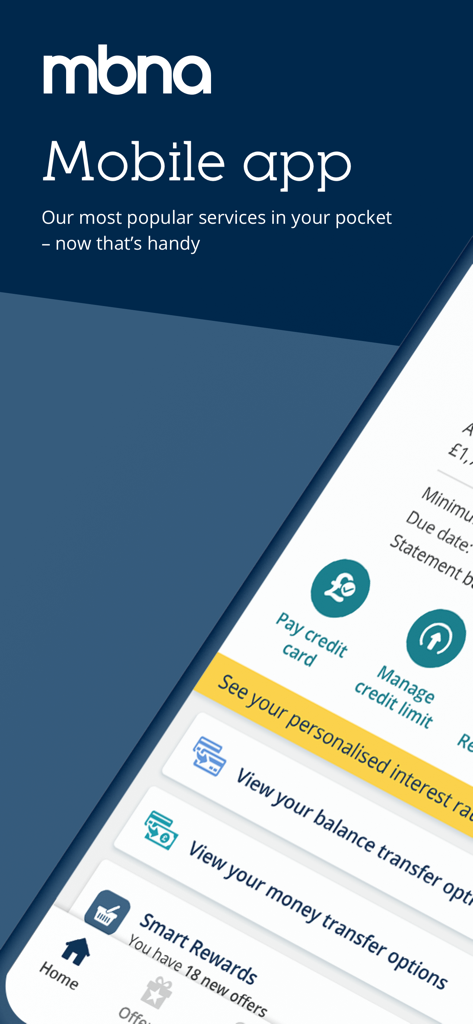
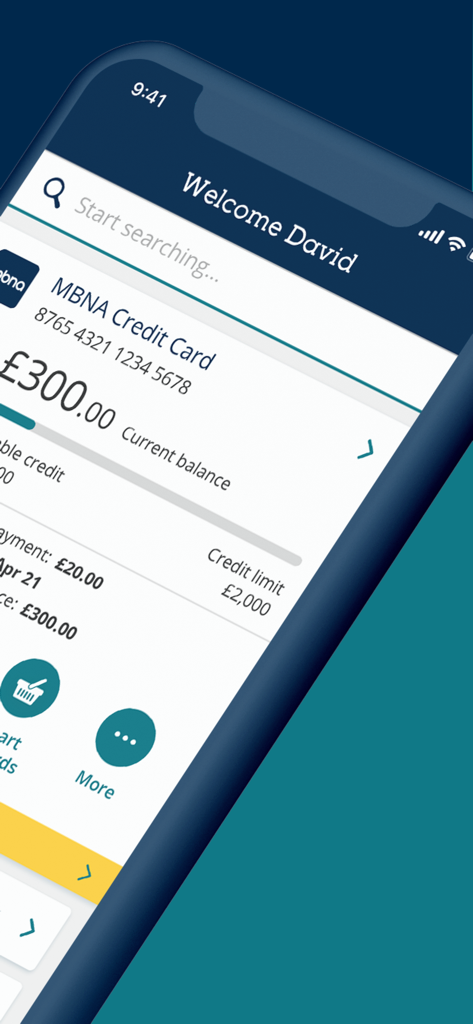
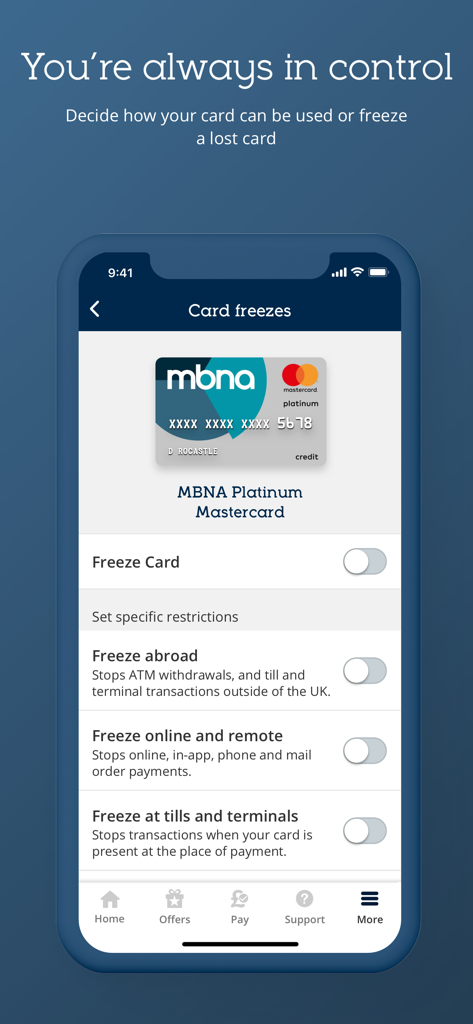
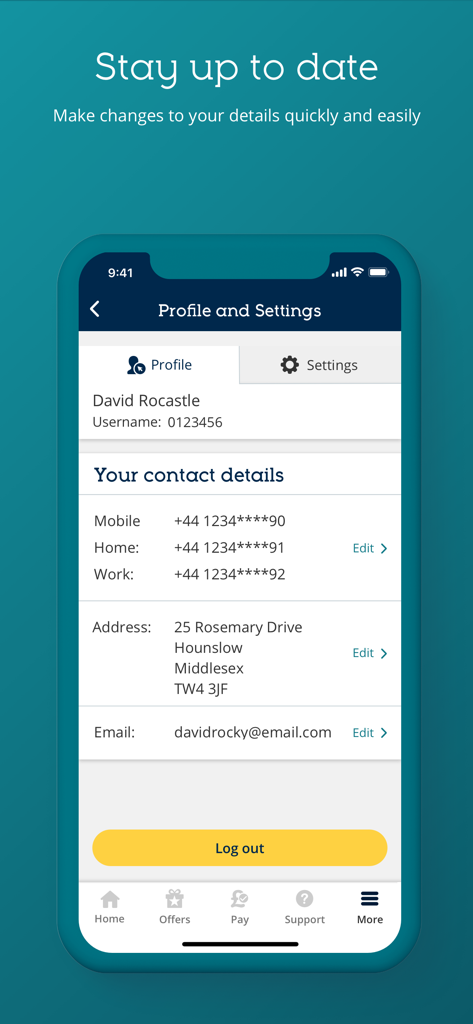
The tools that make this app stand out, trusted by 1M+ users.
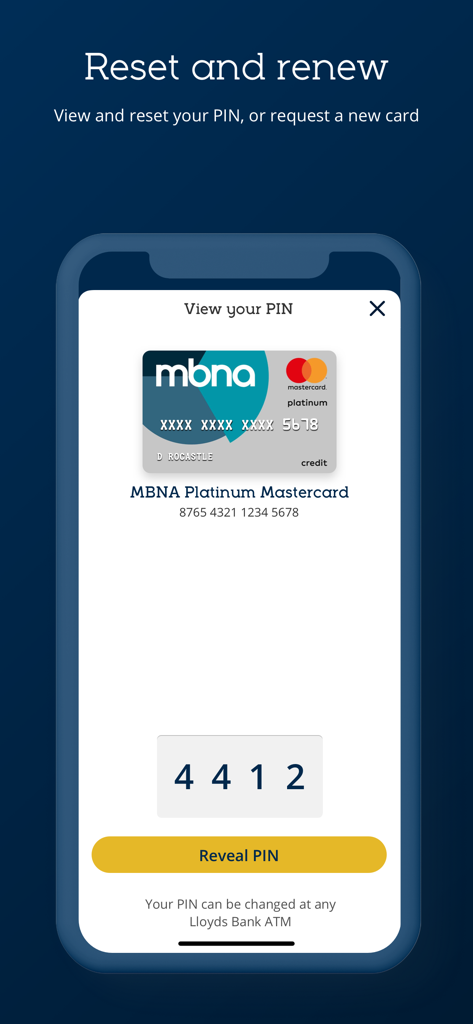
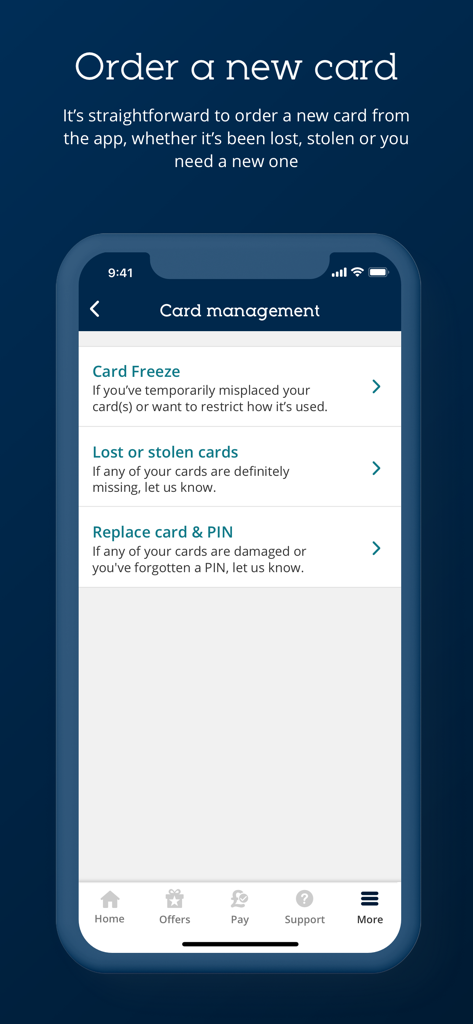
Freeze your card, view your PIN, or report a loss in seconds without ever needing to pick up the phone.
Access your account instantly and safely using Face ID or Touch ID—frictionless banking at your fingertips.
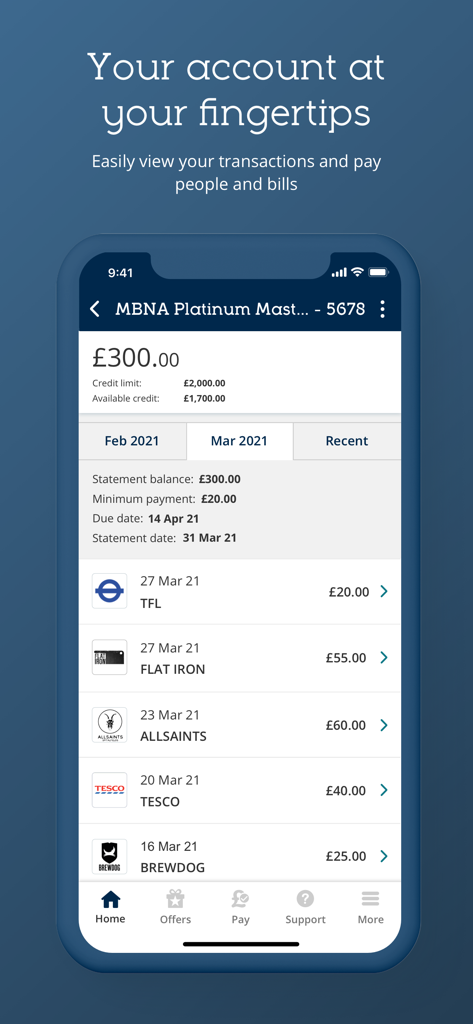
Track your spending, check pending payments, and unlock exclusive Everyday Offers to maximize your rewards.
Everything you need to know about MBNA Mobile App.
Description
Latest Version
178.07
Size
343.6 MB
First Released
Feb 23, 2017
Join over 1 million users who manage their credit with total control. Download the app today for secure, friction-free banking and exclusive everyday offers.
Everything you need to know about MBNA Mobile App
You can log in to the MBNA Mobile App quickly and securely using Touch ID, Face ID, or three characters from your memorable information.
Yes, the MBNA Mobile App allows you to check your account balances and view any pending payments directly.
You can view your current PIN or easily request a new one directly within the MBNA Mobile App.
Yes, the MBNA Mobile App enables you to request a new card, report lost or stolen cards, freeze them, and order replacements.
The MBNA Mobile App allows you to quickly find and view your transactions and account statements.
Yes, you can update your contact details directly through the MBNA Mobile App's Profile and Settings section.
Yes, the MBNA Mobile App includes a 'Search' tool and a 'Help hub' for finding additional information and support within the app.
To get started with the MBNA Mobile App, you need the phone number registered with MBNA and an MBNA credit card.
Yes, the MBNA Mobile App protects users online by preventing connections from devices that it identifies as tampered with, enhancing security.
MBNA emails address you by title and surname, including part of your account number or postcode. Texts come from Halifax, ensuring authenticity.
Yes, the MBNA Mobile App collects anonymous location data to combat fraud, fix bugs, and improve future services.
Touch ID needs iPhone 6s/iOS 14.0+ or specific iPad models. Face ID needs iPhone X+ or iPad Pro (2018 onwards) with Face ID capability.
Credit cards managed by the MBNA Mobile App are issued by MBNA Limited, a company registered in England and Wales, authorized and regulated by the Financial Conduct Authority.
Credit is available to UK residents aged 18 or over, subject to status, for MBNA credit cards.
Yes, calls and online sessions may be monitored and/or recorded for quality evaluation, training purposes, and to ensure compliance with laws and regulations.
No, the MBNA Mobile App is designed for MBNA UK customers to access and service UK personal products only.
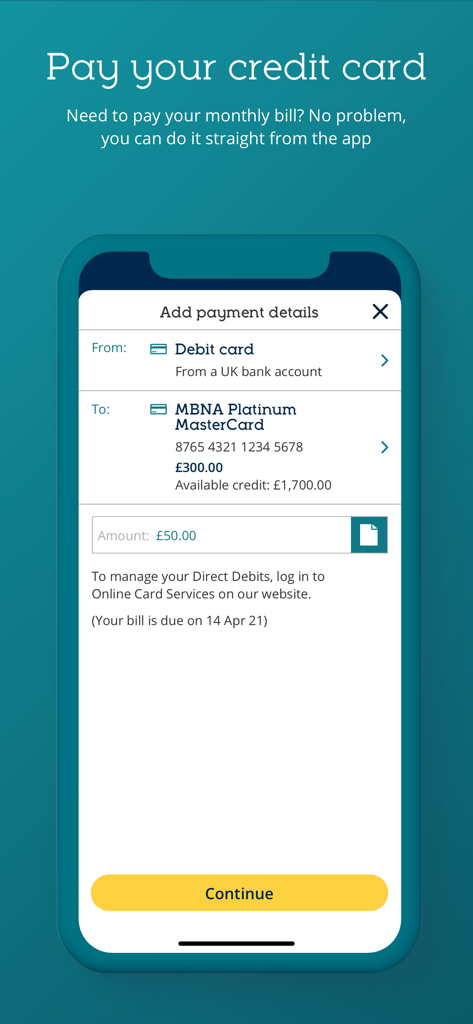
Yes, the MBNA Mobile App allows you to pay your credit card bill directly from the home screen.
The MBNA Mobile App provides an option to manage your credit limit directly from the home screen, labelled "Manage credit limit."
Yes, the MBNA Mobile App allows users to view their personalized interest rates.
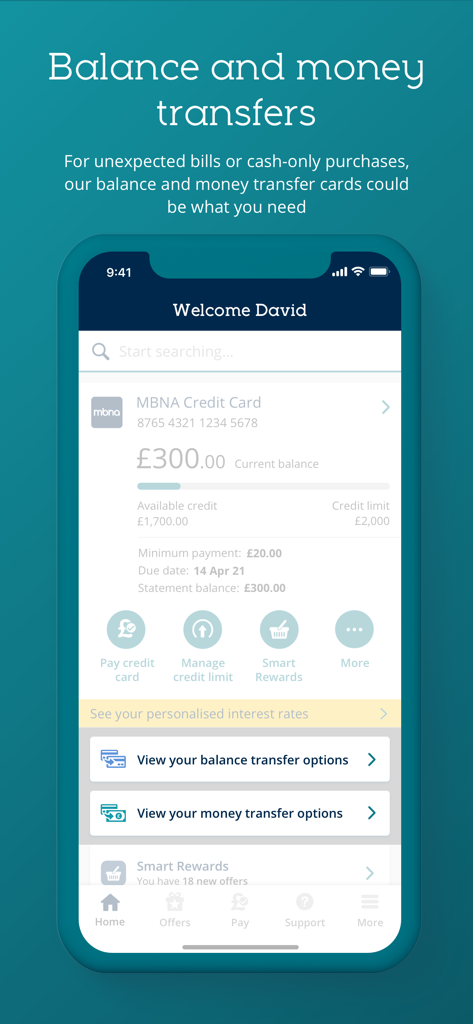
Yes, the MBNA Mobile App includes options to view and initiate both balance transfer and money transfer operations.
The MBNA Mobile App's home screen displays your MBNA Credit Card number, current balance, available credit, credit limit, minimum payment, due date, and statement balance.
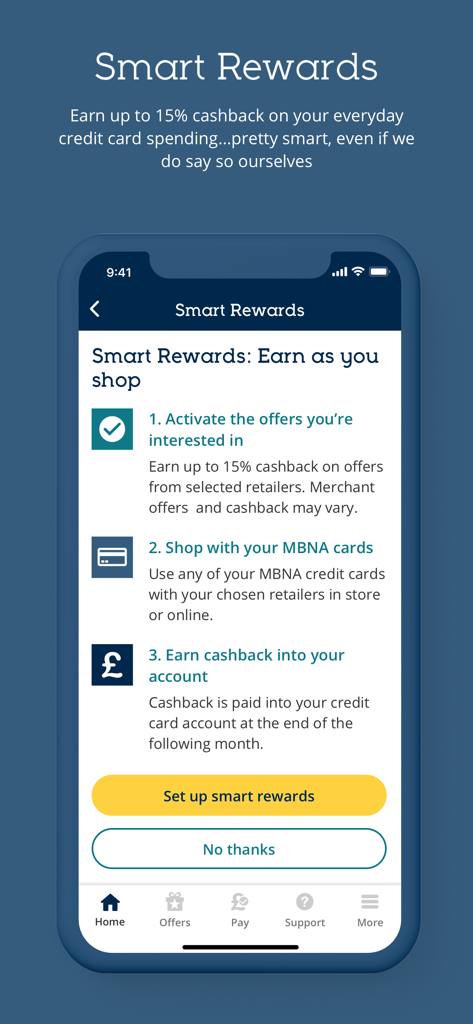
Smart Rewards in the MBNA Mobile App enable users to earn up to 15% cashback on everyday credit card spending by activating offers and shopping with MBNA cards.
You can view your MBNA credit card PIN in the app by navigating to the "View your PIN" screen and tapping the "Reveal PIN" button.
Yes, the MBNA Mobile App provides a detailed transaction history, showing recent purchases with dates and amounts, along with statement details.
To make a payment, navigate to "Pay your credit card," select your debit card, confirm the MBNA credit card, enter the amount, and confirm payment.
The MBNA Mobile App allows you to report lost or stolen cards directly through the "Card management" section.
Yes, you can temporarily freeze your MBNA credit card using the "Card Freeze" option within the app's "Card management" section.
The MBNA Mobile App offers options to freeze the entire card, or specifically freeze transactions abroad, online and remote payments, or at tills and terminals.
Apps with similar features and user experience

CHINA MERCHANTS BANK CO.,LTD.

PingAn Bank

Credit One Bank, National Association

Synchrony Financial

Bank of Communications

Shanghai Pudong Development Bank Co.Ltd

Bread Financial Holdings, Inc.

Zhejiang Rural Commercial United Bank

Synchrony Financial
App information, icons, screenshots, and descriptions displayed on this page are sourced from the Apple App Store and are the property of their respective developers. Download estimates and rankings are based on MWM's proprietary models and may not reflect actual figures. This page is provided for informational and analytical purposes only.
Believe this page infringes your intellectual property? File a dispute