
This page is not an official page of the app or its developer, but an independent editorial publication created for informational and commentary purposes. Unless expressly stated otherwise, neither the app nor its developer is affiliated with, endorsed by, sponsored by, authorized by, or otherwise officially connected with MWM, Apple, Google Play, the app publisher, or the app's developer, and nothing on this page implies that the app was developed using MWM's services. Any trademarks, logos, screenshots, and other content remain the property of their respective owners.


McDonald's Japan
The essential app for locals and travelers. Order in English, pay seamlessly with Apple Pay, and access daily coupons for your favorite Japan-exclusive menu items.
Downloads
29M+User Rating
Total Ratings
247K+Publisher
Category
Food & DrinkLocales
2Latest Version
5.4.21Size
125.7 MBFirst Released
Jun 17, 2011Unlock the Best of McDonald's Japan
The ultimate companion for effortless ordering, exclusive savings, and exploring unique local flavors without the language barrier.
Skip the Line, Order in English
Avoid the language barrier and long queues. Browse the full English menu, customize your meal, and pay securely right from your phone.
Exclusive App-Only Savings
Never pay full price. Get instant access to daily digital coupons and special deals on Japan-exclusive items and seasonal favorites.
Frequently Asked Questions
Everything you need to know about McDonald's Japan
Does the McDonald's Japan app provide coupons?
Yes, the McDonald's Japan app provides exclusive coupons. Users can apply these coupons for in-store purchases or through mobile orders.
How do users place an order using the McDonald's Japan app?
The McDonald's Japan app allows users to place mobile orders by logging in, selecting a restaurant, choosing menu items, and selecting a pickup method. Payment occurs through the app.
What payment methods does the McDonald's Japan app accept for mobile orders?
The McDonald's Japan app accepts credit cards (VISA, Master, JCB, Diners, American Express), d-Barai, PayPay, Rakuten Pay, au PAY, LINE Pay, and Apple Pay for mobile orders.
Can users order delivery through the McDonald's Japan app?
Yes, users can order delivery via the McDelivery® Service within the McDonald's Japan app. This allows ordering from home with various payment options.
What is the delivery fee and minimum order value for McDelivery® via the McDonald's Japan app?
A ¥300 delivery fee applies to McDelivery® orders. The minimum order value is ¥1,500, or ¥1,000 for breakfast menu items.
Is login required to use features in the McDonald's Japan app?
Yes, users must register and log in to use coupons, place mobile orders, or utilize the McDelivery® Service within the McDonald's Japan app.
Does the McDonald's Japan app provide menu information?
The McDonald's Japan app offers detailed information about products, including ingredients, allergy information, and nutritional content.
Can users earn rewards with the McDonald's Japan app?
Yes, the McDonald's Japan app allows users to earn points, which can then be redeemed for reward coupons or original goods.
What pickup options are available for mobile orders in the McDonald's Japan app?
The McDonald's Japan app provides table delivery, counter pickup, takeout, park & go, and Drive-Thru options. Availability varies by restaurant and time.
What payment methods are accepted for McDelivery® orders in the McDonald's Japan app?
McDelivery® accepts cash, credit cards (VISA, Master, JCB, Diners, American Express), d-barai, PayPay, Rakuten Pay, au PAY, LINE Pay, and Apple Pay.
What features does the McDonald's Japan app offer?
The McDonald's Japan app offers coupons, menu information, mobile ordering, McDelivery service, tailored news updates, and a points-based rewards system.
The following screenshots and description are sourced directly from the app's official store listing and are the property of the app developer.
App Store
Screenshots
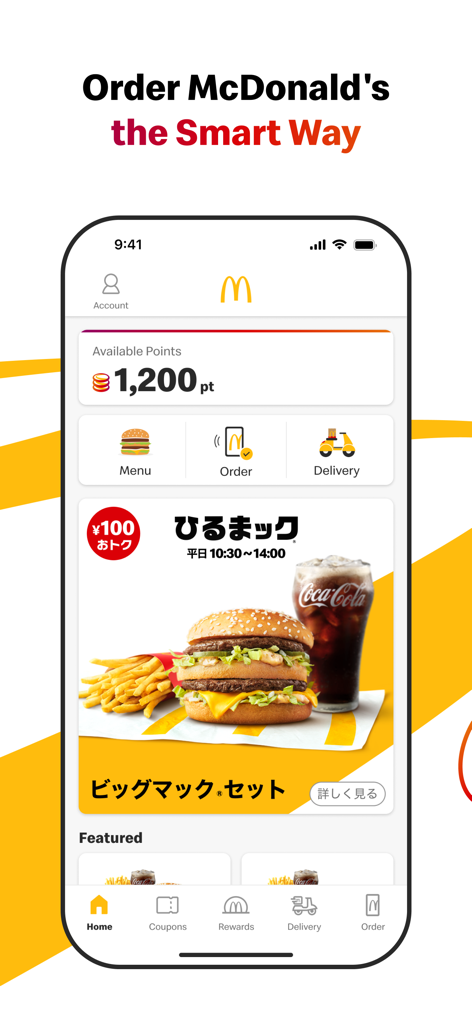
McDonald's Japan app home screen showing available rewards points and mobile ordering shortcuts
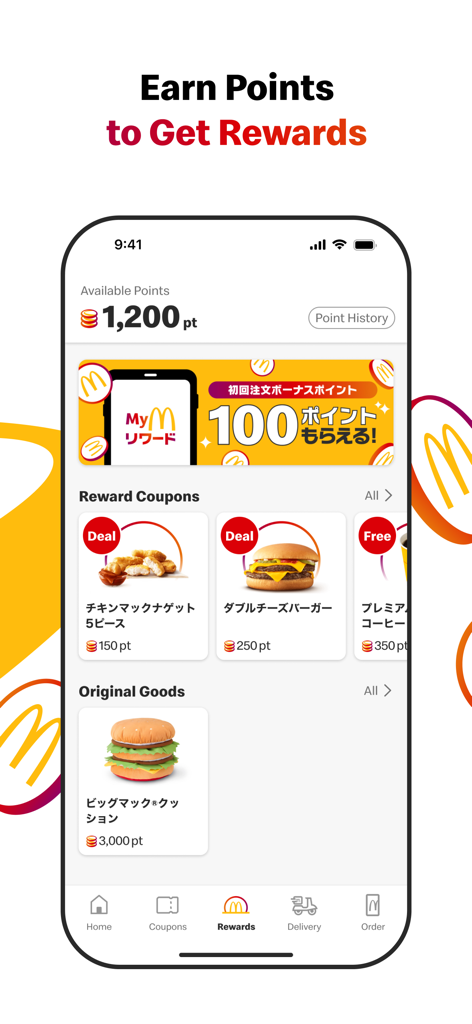
Screenshot of the McDonald's Japan app rewards section showing available points, reward coupons for nuggets and burgers, and original merchandise like a Big Mac cushion.
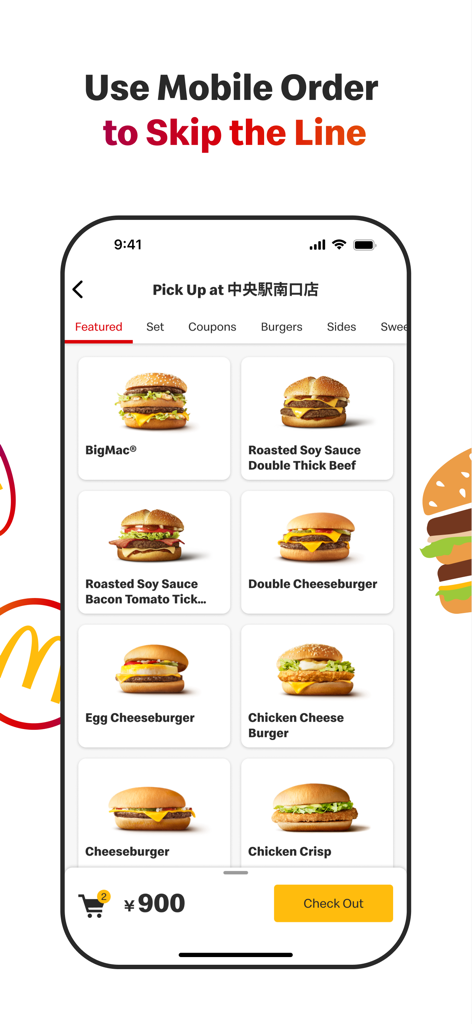
McDonalds Japan app mobile order interface showing burger menu and skip the line feature
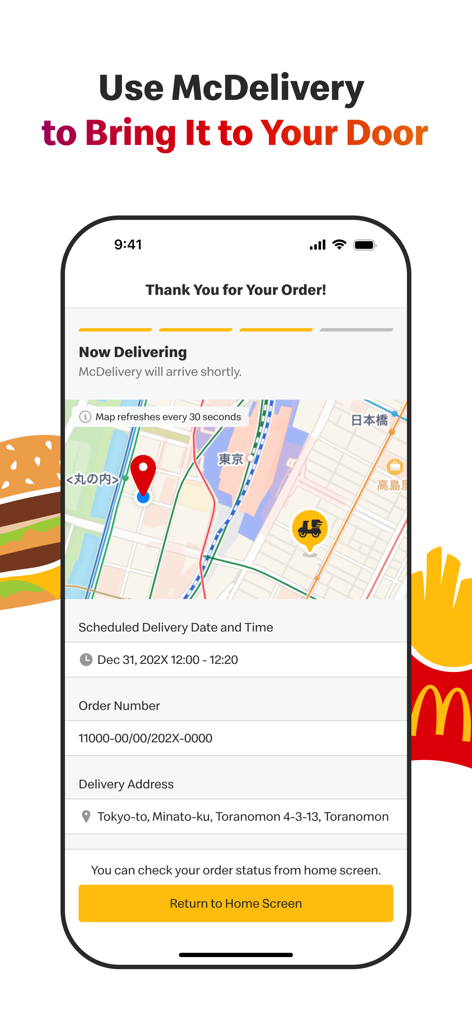
McDonald's Japan app McDelivery tracking screen with a map and order status details
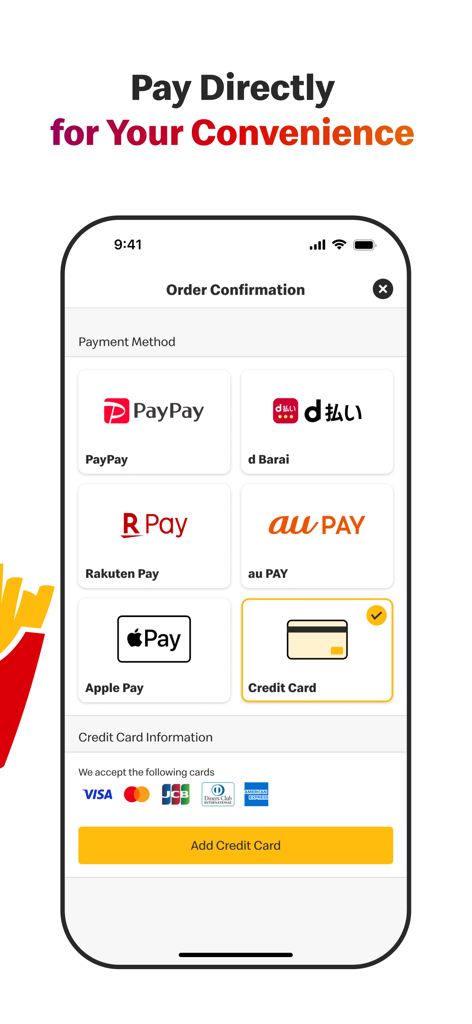
A screenshot of the McDonald's Japan app showing various mobile payment options including Apple Pay, PayPay, and credit cards.
Description
Download
More Like This
Apps with similar features and user experience

BAHROMA – рестораны и бонусы
FAST SOFT, OOO

麦当劳McDonald's - 到店取餐 麦咖啡 麦乐送
McDonald's (China) Co., Ltd.

McDonald's
McDonalds USA LLC

Chick-fil-A
Chick-fil-A, Inc.

Little Caesars Pizza
Little Caesar Enterprises, Inc.

Starbucks
Starbucks Coffee Company

Domino's Pizza USA
Domino's Pizza LLC

Subway®
Doctors Associates Inc

McDonald's Offers and Delivery
ARCOS DORADOS ARGENTINA S.A.
This page is not an official page of the app or its developer, but an independent editorial publication created for informational and commentary purposes. Unless expressly stated otherwise, neither the app nor its developer is affiliated with, endorsed by, sponsored by, authorized by, or otherwise officially connected with MWM, Apple, Google Play, the app publisher, or the app's developer, and nothing on this page implies that the app was developed using MWM's services. Any trademarks, logos, screenshots, and other content remain the property of their respective owners.