McGraw Hill K-12 Portal

McGraw Hill K-12 Portal


Download on App Store
Logo of McGraw Hill K-12 Portal

McGraw Hill K-12 Portal: Your Entire Classroom, Anywhere You Go

Ditch the heavy textbooks and master your courses with interactive eBooks, powerful search tools, and seamless offline access designed for the modern student.

Download on App Store

Publisher

McGraw-Hill School Education Group

Category

Education

Downloads

0

User Rating

4.2/5

Total Ratings

0

Locales

1

Learning at Your Fingertips

Discover the interface used by 0 users.

A smiling student using the McGraw Hill K-12 Portal app on a tablet device

A smiling student using the McGraw Hill K-12 Portal app on a tablet device

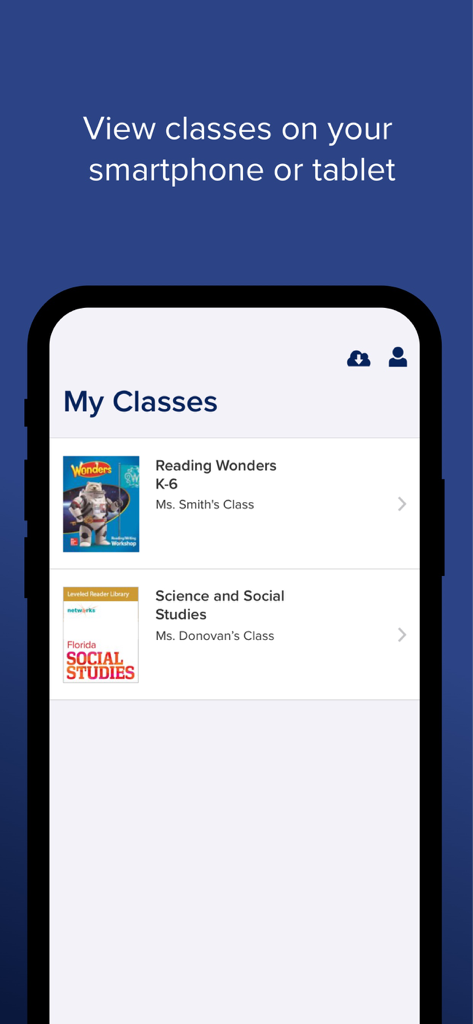
My Classes dashboard in the McGraw Hill K-12 Portal app showing a list of student courses.

My Classes dashboard in the McGraw Hill K-12 Portal app showing a list of student courses.

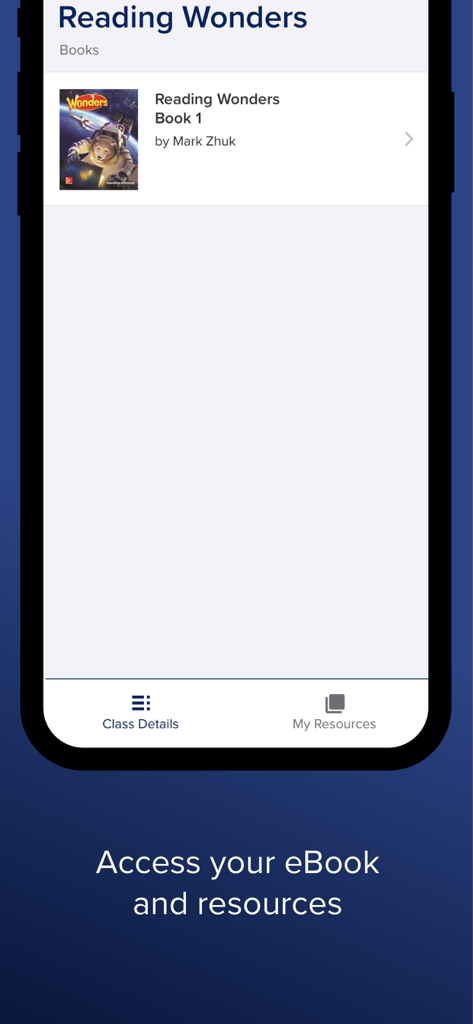
McGraw Hill K-12 Portal app interface showing a Reading Wonders eBook and resource access screen

McGraw Hill K-12 Portal app interface showing a Reading Wonders eBook and resource access screen

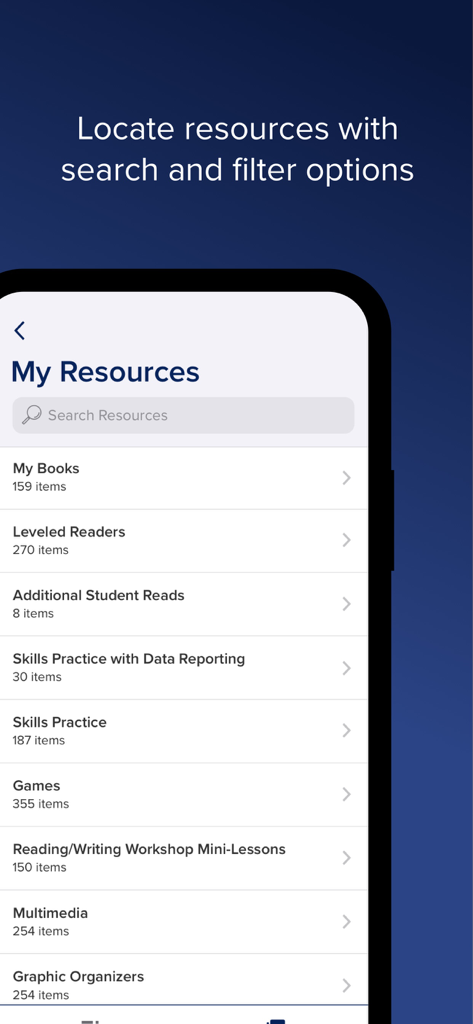
Interface of McGraw Hill K12 Portal showing the My Resources section with search bar and educational categories

Interface of McGraw Hill K12 Portal showing the My Resources section with search bar and educational categories

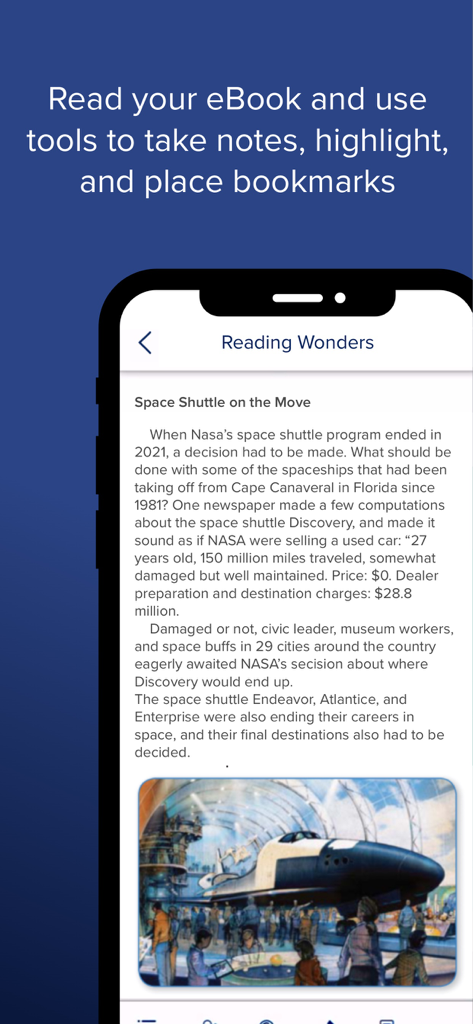
A mobile screenshot showing an eBook page within the McGraw Hill K-12 Portal app featuring annotation tools like notes and bookmarks

A mobile screenshot showing an eBook page within the McGraw Hill K-12 Portal app featuring annotation tools like notes and bookmarks

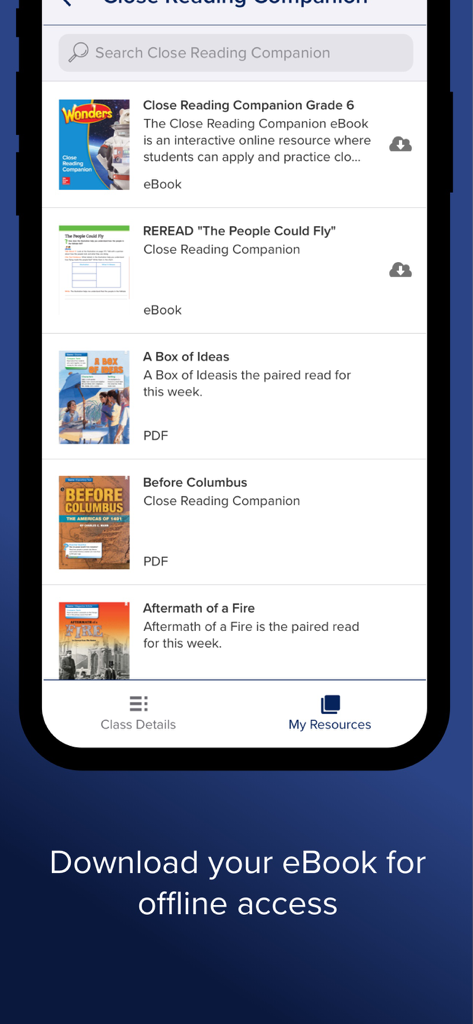
McGraw Hill K-12 Portal app showing a list of educational eBooks and resources available for offline download

McGraw Hill K-12 Portal app showing a list of educational eBooks and resources available for offline download

Master Your Classes Anywhere

The tools that make this app stand out, trusted by 0 users.

🎒

Ditch the Heavy Backpack

Access all your McGraw Hill courses and eBooks instantly on your iPad or iPhone, making your entire curriculum available with just one tap.

📶

True Offline Learning

Study on the bus or at home without Wi-Fi. Download units to read and take notes offline; your progress syncs automatically when you're back online.

✍️

Interactive Study Tools

Engage with your lessons using digital highlighters, sticky notes, and a pen tool to solve problems directly on your screen for better retention.

About the app

Everything you need to know about McGraw Hill K-12 Portal.

Description

The McGraw Hill K-12 Portal app lets students easily access McGraw Hill courses, eBooks, and resources anytime, anywhere. To get started, simply log in with your username and password. You will see all your McGraw Hill courses and can select a course to view the eBook and resources. Enjoy a mobile-friendly reading experience in your eBook with easy navigation and helpful viewing tools like pinch, zoom, and text search. Select on-page links to view interactive resources and use the embedded tools (notes, bookmark, highlighter, and even a pen to write on the screen) to stay organized. Looking for a specific resource? Quickly locate what you need with search and filter options. Need to work offline? No problem! K-12 Portal supports offline access – you can even take notes, highlight, and place bookmarks while you are offline. Everything will sync when you reconnect to wi-fi or data.

Latest Version

1.1.14

Size

127.8 MB

First Released

Jul 29, 2022

Take Your Learning Anywhere

Download the McGraw Hill K-12 Portal today to access all your courses, study offline, and ditch the heavy textbooks for good.

Download on App Store

App information, icons, screenshots, and descriptions displayed on this page are sourced from the Apple App Store and are the property of their respective developers. Download estimates and rankings are based on MWM's proprietary models and may not reflect actual figures. This page is provided for informational and analytical purposes only.

Believe this page infringes your intellectual property? File a dispute