Medicine Tracker and Scheduler

Medicine Tracker and Scheduler


Download on App Store
Logo of Medicine Tracker and Scheduler

Medicine Tracker and Scheduler: Your Daily Peace of Mind

Never miss a dose or wonder if you already took it. Easily manage medications for yourself, your family, and even your pets with smart reminders and doctor-ready reports.

Download on App Store

Publisher

web coast apps llc

Category

Medical

Downloads

30K+

User Rating

3.4/5

Total Ratings

0

Locales

1

Peace of Mind at a Glance

Discover the interface used by 30K+ users.
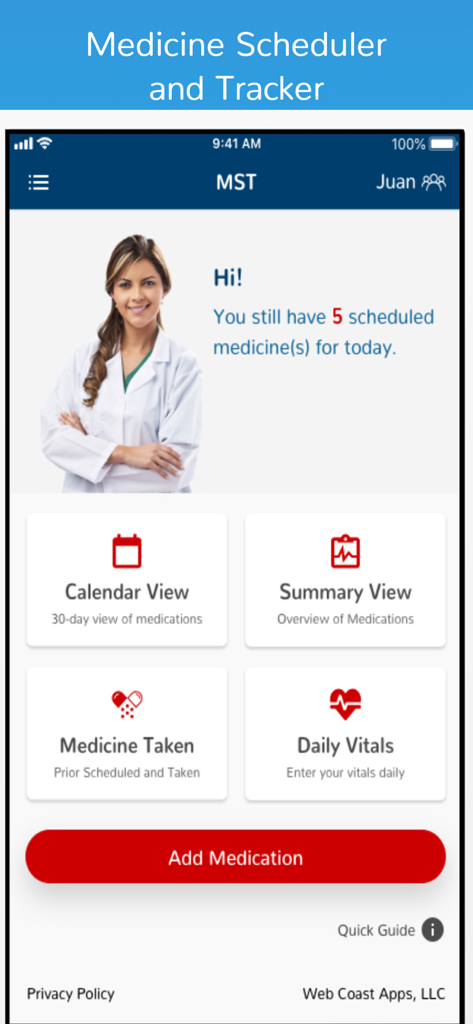
Home screen of the Medicine Tracker and Scheduler app showing daily medication reminders and main navigation buttons

Home screen of the Medicine Tracker and Scheduler app showing daily medication reminders and main navigation buttons

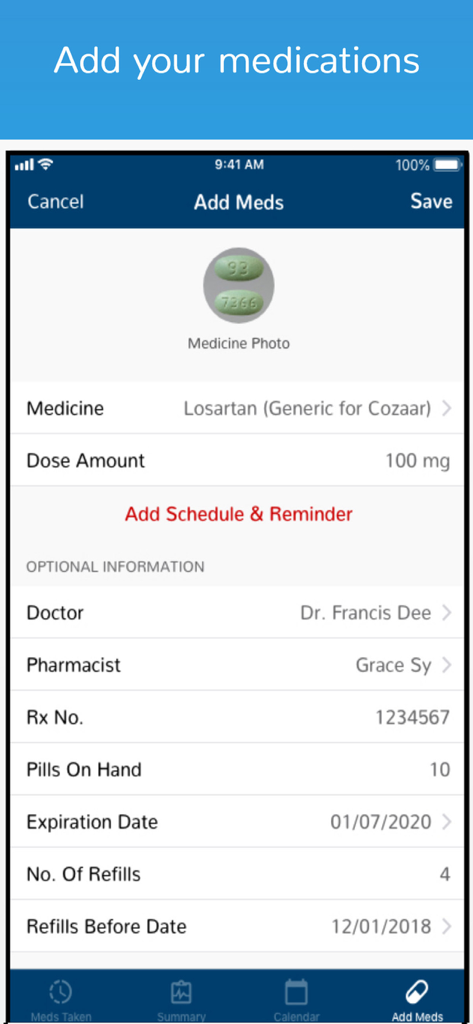
Screen for adding medications with fields for medicine name, dosage, doctor, and refill tracking.

Screen for adding medications with fields for medicine name, dosage, doctor, and refill tracking.

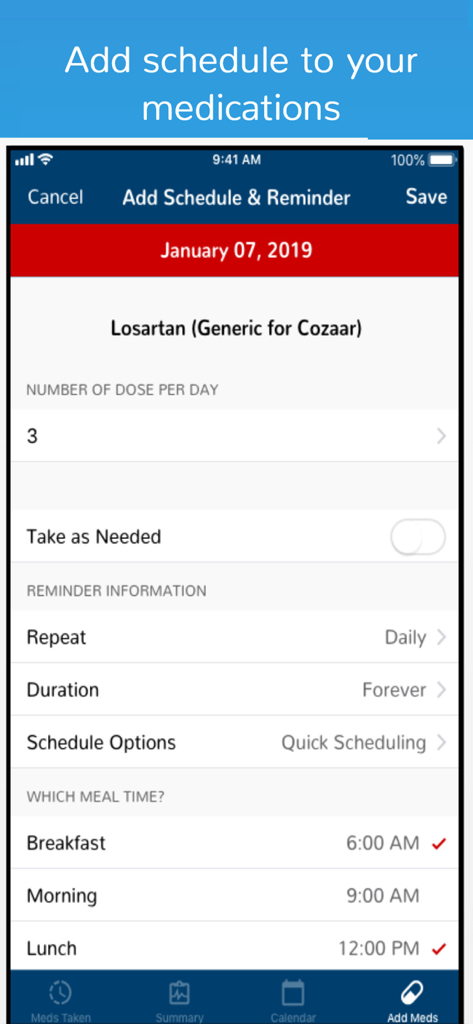
Mobile app interface for adding medication schedules and daily reminders for Losartan

Mobile app interface for adding medication schedules and daily reminders for Losartan

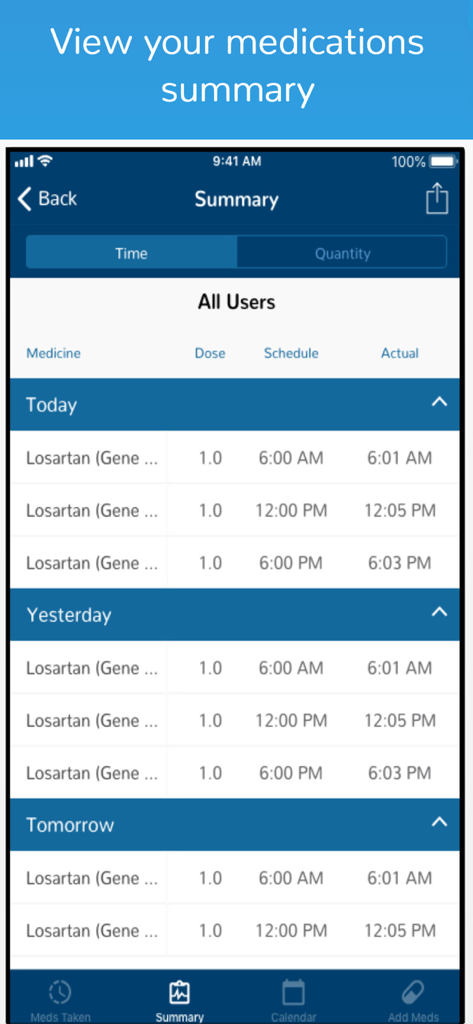
Medication summary report showing daily schedules and actual intake times for multiple users.

Medication summary report showing daily schedules and actual intake times for multiple users.

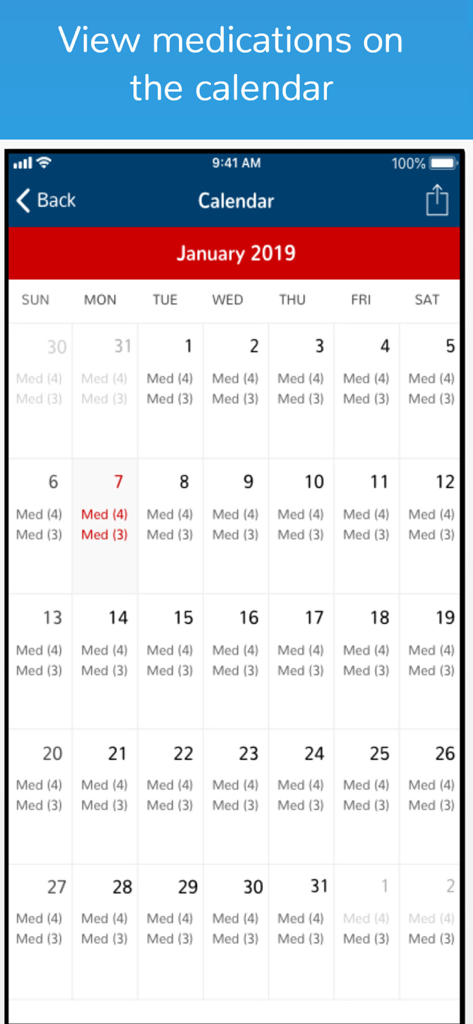
Monthly medication calendar showing daily scheduled doses

Monthly medication calendar showing daily scheduled doses

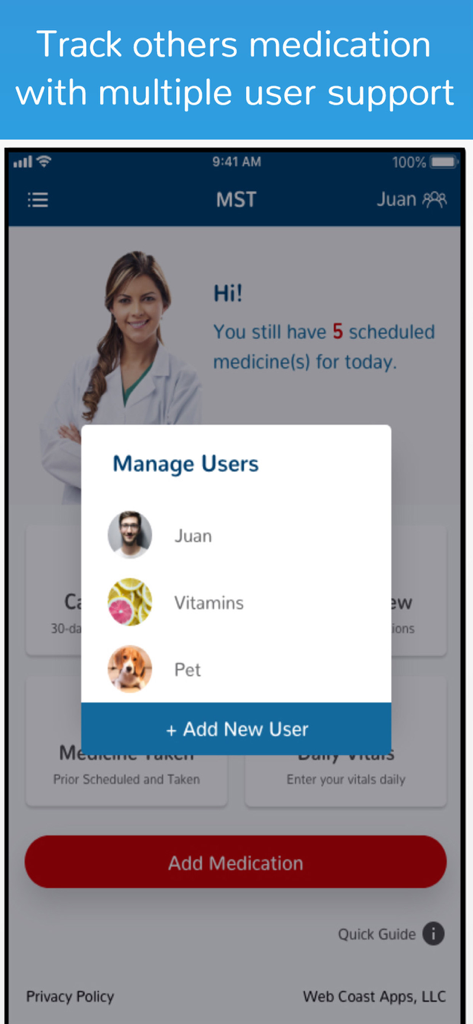
Medicine Tracker app interface showing the manage users popup with profiles for a person, vitamins, and a pet.

Medicine Tracker app interface showing the manage users popup with profiles for a person, vitamins, and a pet.

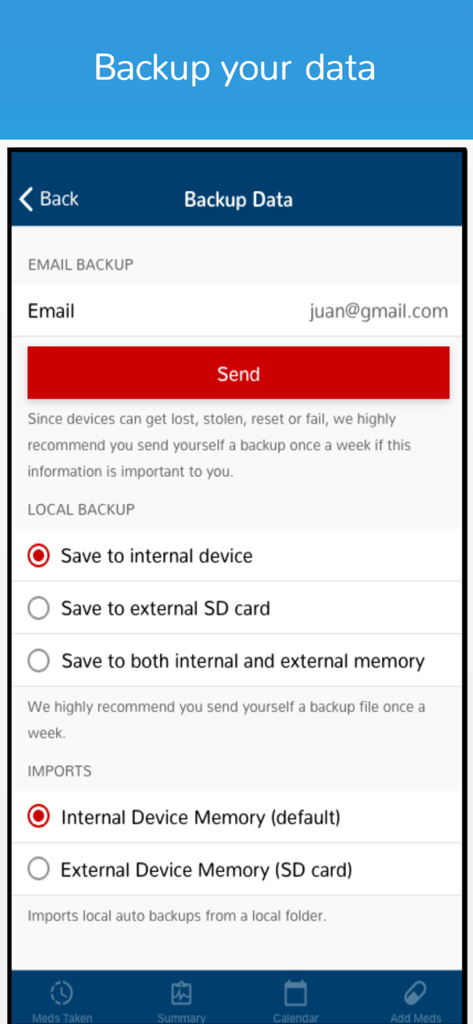
Medicine Tracker app interface showing data backup options via email and local storage

Medicine Tracker app interface showing data backup options via email and local storage

Stay on Track with Your Health

The tools that make this app stand out, trusted by 30K+ users.

🔔

Intelligent Reminders

Get notified exactly when it's time to take your medicine, whether it's with meals or at specific intervals throughout the day.

🐾

Care for the Whole Household

Easily manage multiple profiles to track prescriptions for your children, aging parents, or even the family pet in one simple app.

📈

Doctor-Ready History

Generate detailed medication logs to share with your physician, ensuring they have accurate data during your next check-up.

About the app

Everything you need to know about Medicine Tracker and Scheduler.

Description

Medicine Tracker and Scheduler (MST) handles two major functions. 1. Notifies you when medicines should be taken 2. Records the medicines you have taken When your medicines or dosage change over time, creates a historical record when you need to provide it to others, eg your primary physician.   As you get older, sometimes it gets harder to remember if you took your medicine just hours earlier. This tracker makes it simple to record the medicine taken immediately after it’s been taken. Customer Service at MedicineTracker@webcoastapps.com provides answers to your all your Medicine Tracker questions. The app is easy to use, and is similar to other successful apps developed by Web Coast Apps. A calendar displays your history all in one place along with your schedule. It is easy to forget, did I take my medicine or I didn’t. With MST (Medicine Scheduler and Tracker), you can quickly record what you took and when. The app reminds you when it is time to take which medicine. System Notification can be turned off, allowing you to check your schedule any time. The Medicine Scheduler and Tracker App is made up of 5 parts: 1. Record the time medicines are taken. 2. Reporting is on a summary page, to allow you to select a range of dates to see the history (time and quantities) that medicines are taken. 3. A Calendar page is used to display historical data, and future schedules. 4. Add-Edit page to make changes to schedules that have been entered. 5. Setup pages. This is where a reminder notification can be configured, or the start of the work week can be configured for the calendar, and to setup Schedules. Medicine Scheduler and Tracker, has many important features, such as local backup, and a calendar to show what was taken and what is scheduled to be taken. There is no restriction on the quantity of Meds that can be tracked. Choose from several methods to set up schedules for taking multiple doses for a Medication. For example: 1. every so many hours, 2. number of times between start and end times, or 3. at one of 4 times of the day, eg breakfast, lunch, dinner or bedtime. Setting up your Medicine schedule is easy and fast. A summary page shows your actual time verses your schedule times, for the current day and previous day and your schedule for the next day. You can even see what Medications you have taken and the quantities, for the different time intervals, eg current week, current month, current year, etc. The best feature of Medicine Scheduler and Tracker, MST is its calendar. The calendar shows both past, current and future medicine schedules. The calendar is integrated with a log record. The log record will show each and every Medicine you have taken by the date. You can sequence back to see records from previous months. In SETUP, you can turn off or on reminder notifications, change Header colors, or setup other users to track. The Medicine Tracker can be used to track meds for you pets, children or other family members. Medicine Tracker, can be setup for multiple users or to track multiple categories, eg Prescriptions, non Prescriptions, Vitamins, or supplements, etc.

Latest Version

1.11.91

Size

49.7 MB

First Released

Jan 24, 2018

Take Control of Your Health with Peace of Mind

Join over 30,000 users who rely on MST to manage medications for themselves, their families, and their pets. Download now and never miss a dose again.

Download on App Store

App information, icons, screenshots, and descriptions displayed on this page are sourced from the Apple App Store and are the property of their respective developers. Download estimates and rankings are based on MWM's proprietary models and may not reflect actual figures. This page is provided for informational and analytical purposes only.

Believe this page infringes your intellectual property? File a dispute