Metronome & Tuner: Tap Tempo

This page is not an official page of the app or its developer, but an independent editorial publication created for informational and commentary purposes. Unless expressly stated otherwise, neither the app nor its developer is affiliated with, endorsed by, sponsored by, authorized by, or otherwise officially connected with MWM, Apple, Google Play, the app publisher, or the app's developer, and nothing on this page implies that the app was developed using MWM's services. Any trademarks, logos, screenshots, and other content remain the property of their respective owners.
Logo of Metronome & Tuner: Tap Tempo

Metronome & Tuner: Tap Tempo

The minimalist, sample-accurate tool built for serious musicians. No ads, no friction—just rock-solid rhythm and a chromatic tuner ready to go in under three seconds.

Key Figures

Downloads

100+

User Rating

1.0/5

Total Ratings

0

Publisher

Amenti Labs LLC

Category

Music

Locales

1

Latest Version

1.0.1

Size

15.1 MB

First Released

Feb 5, 2026
Features

Master Your Timing with Professional Precision

The zero-friction metronome designed for serious musicians who demand rock-solid reliability and seamless iOS integration.

Sample-Accurate Timing

Experience zero-drift performance powered by AVAudioEngine, providing rock-solid stability from slow grooves up to 300 BPM.

Elite Apple Integration

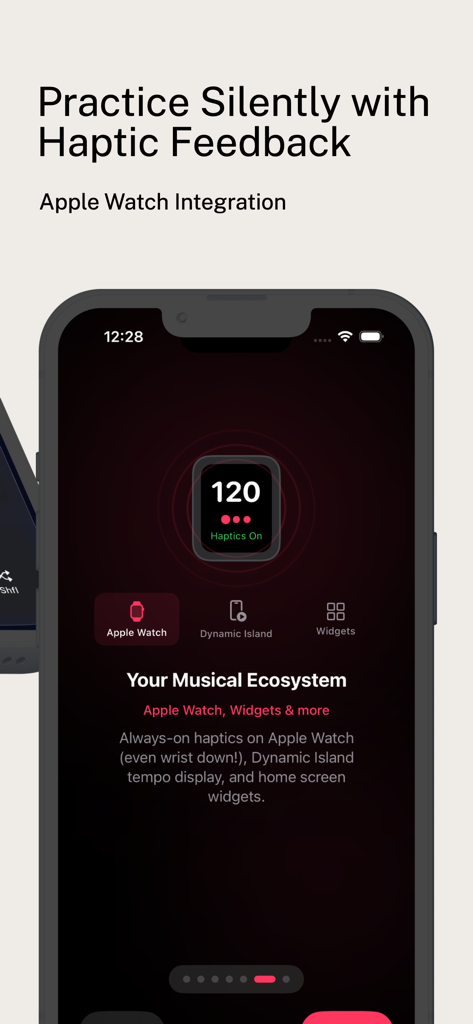
Feel the beat through persistent Apple Watch haptics and track your tempo via Dynamic Island while using other apps.

The following screenshots and description are sourced directly from the app's official store listing and are the property of the app developer.

App Store

Screenshots
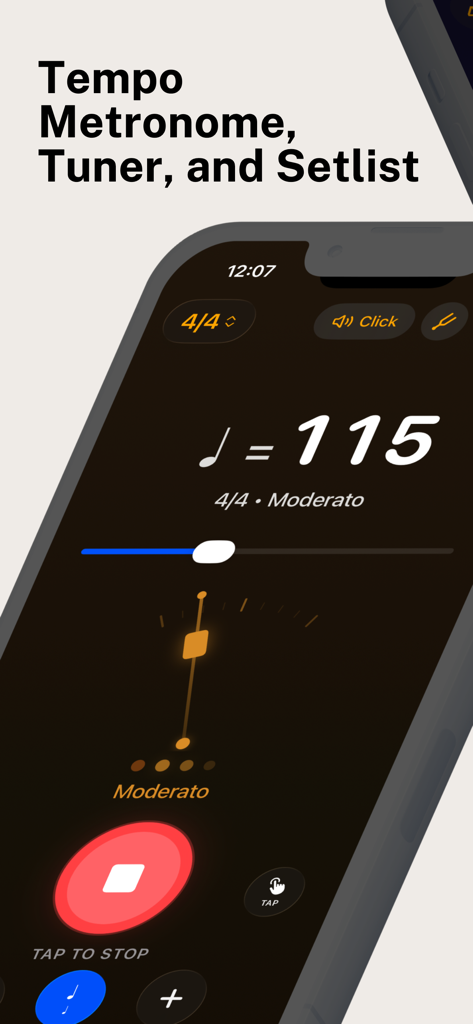
Metronome & Tuner: Tap Tempo - Metronome and tuner app interface on a smartphone showing 115 BPM with moderato tempo and tap to stop button
Metronome and tuner app interface on a smartphone showing 115 BPM with moderato tempo and tap to stop button

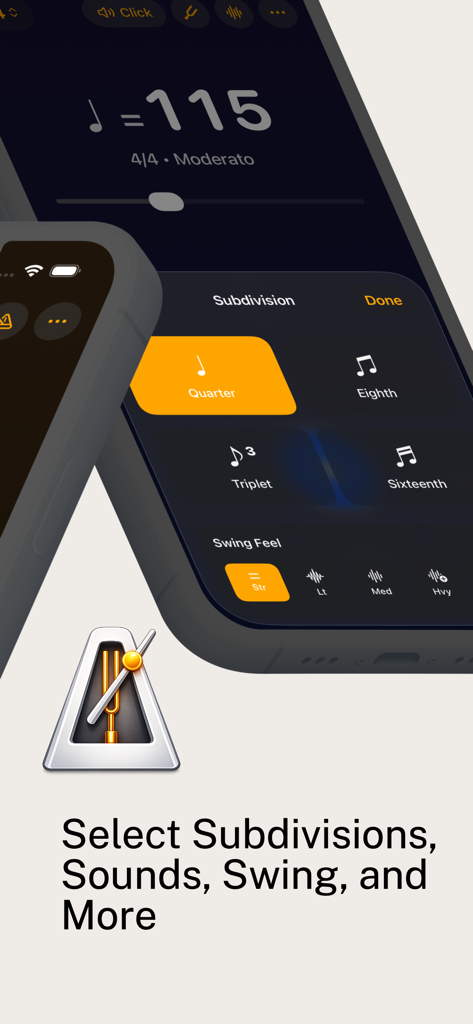
Metronome & Tuner: Tap Tempo - Interface of the Metronome and Tuner app showing options for musical subdivisions and swing feel
Interface of the Metronome and Tuner app showing options for musical subdivisions and swing feel

Metronome & Tuner: Tap Tempo - A mobile app screenshot showing Apple Watch integration for silent practice with haptic feedback and Dynamic Island support.
A mobile app screenshot showing Apple Watch integration for silent practice with haptic feedback and Dynamic Island support.

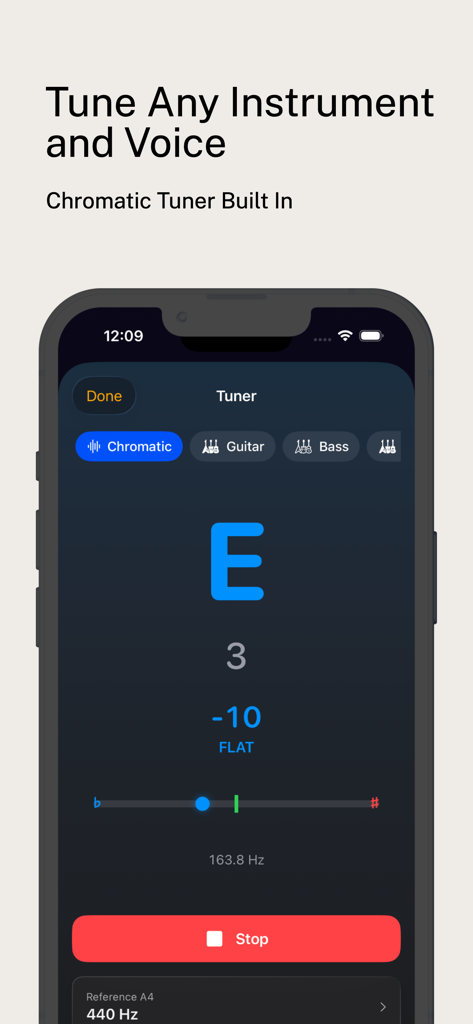
Metronome & Tuner: Tap Tempo - Chromatic tuner screen showing tuning for instruments and voice
Chromatic tuner screen showing tuning for instruments and voice

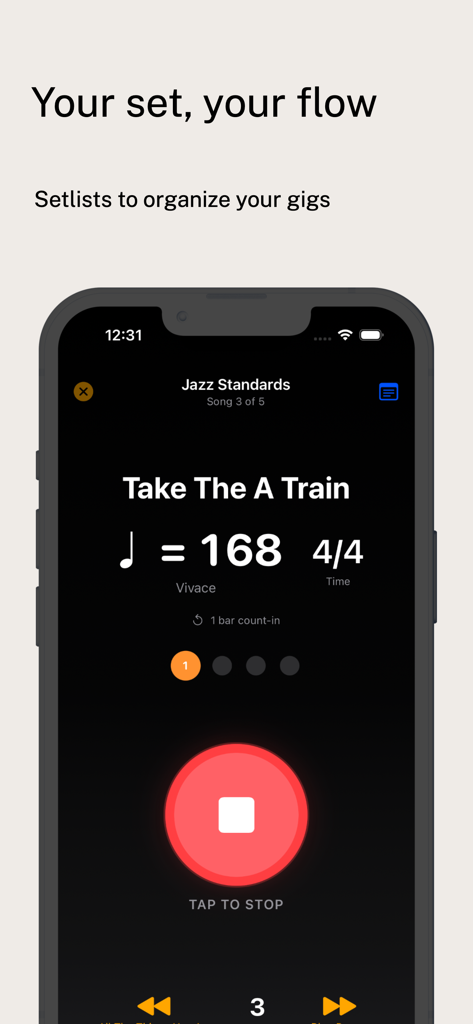
Metronome & Tuner: Tap Tempo - Metronome app screen showing a setlist for jazz standards with tempo and time signature settings

Metronome app screen showing a setlist for jazz standards with tempo and time signature settings

Description

Practice with precision. The metronome that musicians love. INSTANT START Open the app, tap play. That's it. No tutorials, no setup, no friction. Start practicing in under 3 seconds. ROCK-SOLID TIMING Built on AVAudioEngine with sample-accurate scheduling. No drift, no stutter, even at 300 BPM. Your timing tool should be more reliable than you are. FIVE BEAUTIFUL DISPLAY MODES - Modern: Clean, minimal, focused - Classic: Traditional pendulum motion - Stage: High-visibility for performances - Circular: Arc visualization like a clock - Minimal: Zen-like simplicity ALL SUBDIVISIONS FREE Quarter, eighth, triplet, sixteenth. Every subdivision included in the free version. Because basic features shouldn't be paywalled. 10 STUNNING SOUNDS Click, woodblock, rim shot, hi-hat, cowbell, electronic, soft pulse, digital blip, drumstick, beep. Find the sound that doesn't drive you crazy after 10,000 repetitions. APPLE WATCH Silent practice with wrist haptics. The haptics actually continue when your wrist turns down - unlike other metronome apps. PRACTICE TOOLS - Tempo Trainer: Automatically increase BPM as you improve - Gap Click: Bars of silence to test your internal clock - Tap Tempo: Find the tempo by feel - Presets: Save your favorite settings - Setlists: Organize songs for practice or performance LIVE ACTIVITIES Current tempo visible in Dynamic Island and Lock Screen while using other apps. WIDGETS Quick access from your Home Screen. Tap to start practicing instantly. WHY MUSICIANS CHOOSE US - No subscription nagging - respectful, fair pricing - Subdivisions FREE - unlike our competitors - Sample-accurate timing - built properly - One-handed operation - designed for holding instruments - Background play - keeps going when you lock your phone - AirPods reliable - tested extensively with Bluetooth CHROMATIC TUNER Built-in tuner for guitar, bass, ukulele, violin, and more. Multiple tunings, reference pitch adjustment, and real-time visual feedback. No separate app needed. PRO FEATURES Unlock the full experience with Pro: - Start with a 3-day free trial - $3.99/month or $19.99/year - Unlimited presets and setlists - All 10 sound themes - Tempo Trainer and Gap Click - Polyrhythms - Apple Watch app with always-on haptics - Live Activities and widgets - Chromatic tuner with alternate tunings Payment will be charged to your Apple ID account at confirmation of purchase. Subscription automatically renews unless canceled at least 24 hours before the end of the current period. You can manage and cancel your subscriptions in your App Store account settings. PRIVACY - No account required - All data stored locally on your device Terms of Use: https://www.apple.com/legal/internet-services/itunes/dev/stdeula/ Privacy Policy: https://b1edbf4f.metronome-app-ekn.pages.dev/privacy/ Built for musicians, by musicians. Practice better.

Download

This page is not an official page of the app or its developer, but an independent editorial publication created for informational and commentary purposes. Unless expressly stated otherwise, neither the app nor its developer is affiliated with, endorsed by, sponsored by, authorized by, or otherwise officially connected with MWM, Apple, Google Play, the app publisher, or the app's developer, and nothing on this page implies that the app was developed using MWM's services. Any trademarks, logos, screenshots, and other content remain the property of their respective owners.