Metronomics Metronome
Download on App Store

This page is not an official page of the app or its developer, but an independent editorial publication created for informational and commentary purposes. Unless expressly stated otherwise, neither the app nor its developer is affiliated with, endorsed by, sponsored by, authorized by, or otherwise officially connected with MWM, Apple, Google Play, the app publisher, or the app's developer, and nothing on this page implies that the app was developed using MWM's services. Any trademarks, logos, screenshots, and other content remain the property of their respective owners.


Logo of Metronomics Metronome
Download on App Store

Metronomics Metronome

The professional metronome for rhythmic architects. Generate sequenced grooves, master mixed meters, and build a flawless internal clock with advanced subdivision control.

Key Figures

Downloads

156K+

User Rating

4.8/5

Total Ratings

100

Publisher

John Nastos

Category

Music

Locales

1

Latest Version

2024.2

Size

14.7 MB

First Released

May 16, 2011
Features

Master Your Internal Clock

Metronomics is more than just a click track. It is a comprehensive rhythmic training environment designed for high-level practitioners who demand technical precision and creative flexibility.

Independence Training Mode

Build rock-solid rhythmic security by setting the metronome to go silent for specific bars, challenging you to maintain perfect time without a guide.

Complex Meter Mastery

Seamlessly program mixed meters and custom subdivisions like 5/7 or 23/4, providing the mathematical precision required for modern and technical compositions.

The following screenshots and description are sourced directly from the app's official store listing and are the property of the app developer.

App Store

Screenshots
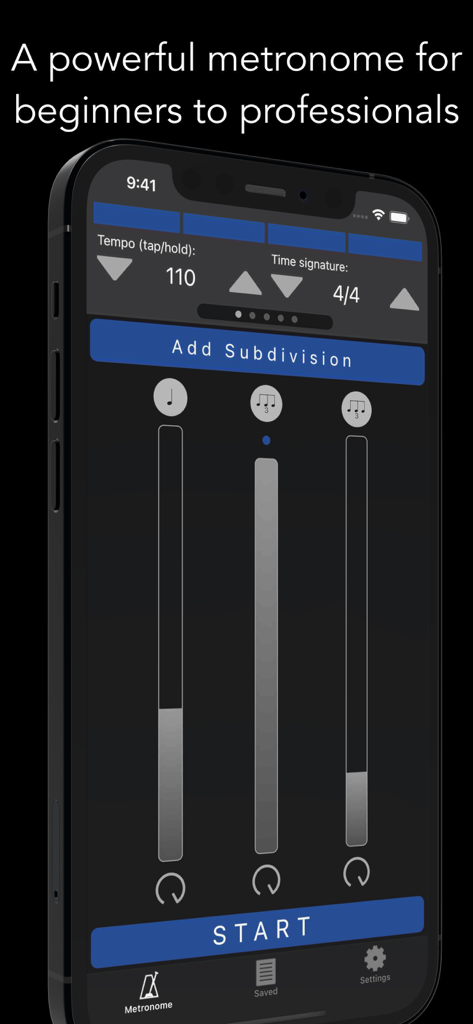
Metronomics Metronome - Metronomics Metronome app interface showing tempo and rhythmic subdivision controls on an iPhone
Metronomics Metronome app interface showing tempo and rhythmic subdivision controls on an iPhone

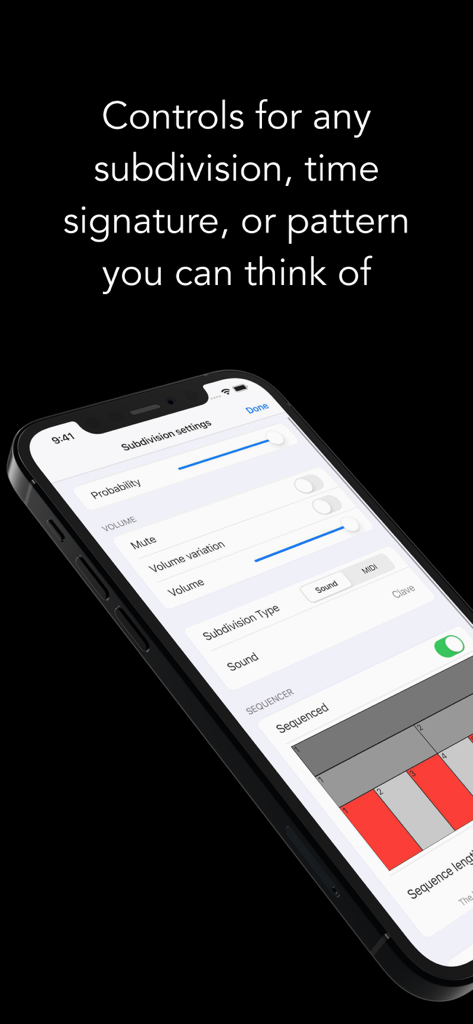
Metronomics Metronome - The Metronomics app subdivision settings screen displaying rhythmic control options like volume and probability
The Metronomics app subdivision settings screen displaying rhythmic control options like volume and probability

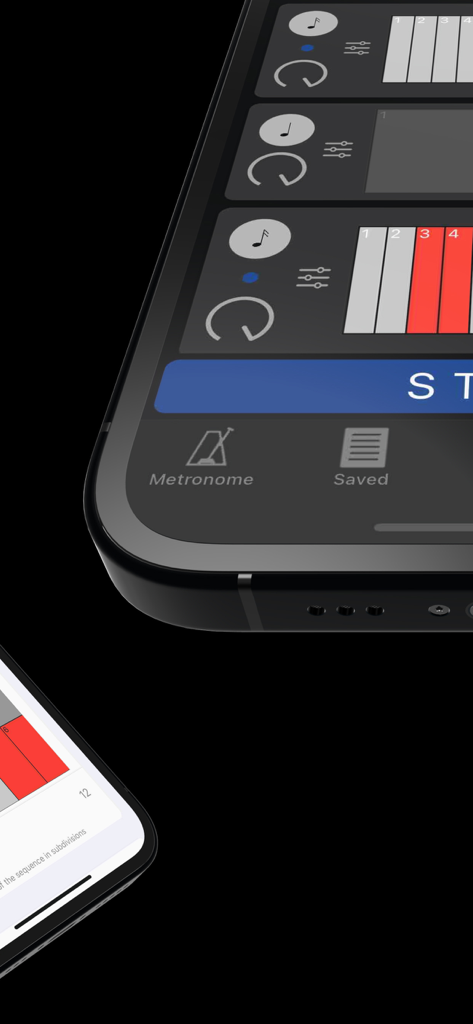
Metronomics Metronome - Close up of the Metronomics Metronome app grid sequencer interface showing rhythmic patterns.
Close up of the Metronomics Metronome app grid sequencer interface showing rhythmic patterns.

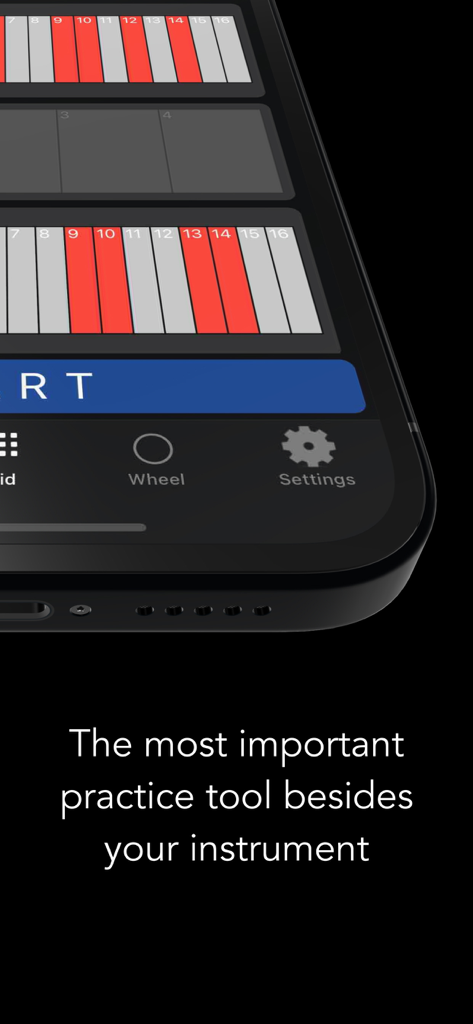
Metronomics Metronome - Metronomics app displaying a rhythmic grid on a smartphone screen with the text The most important practice tool besides your instrument
Metronomics app displaying a rhythmic grid on a smartphone screen with the text The most important practice tool besides your instrument

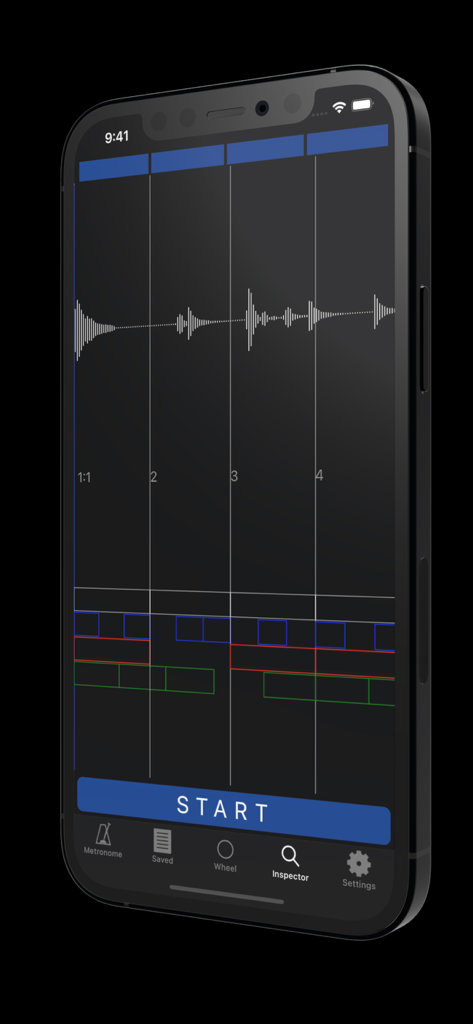
Metronomics Metronome - iPhone displaying the Metronomics Metronome app Inspector mode with an audio waveform and rhythmic grid analysis.
iPhone displaying the Metronomics Metronome app Inspector mode with an audio waveform and rhythmic grid analysis.

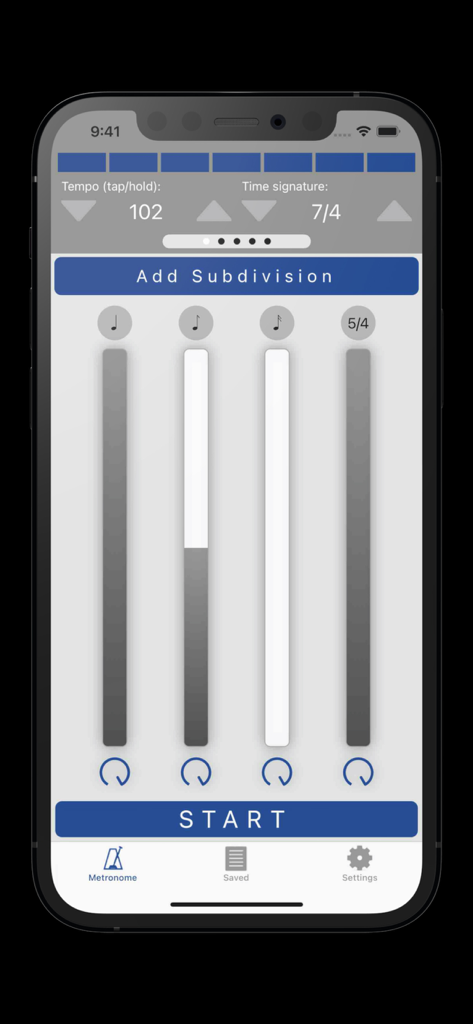
Metronomics Metronome - Metronomics Metronome app interface showing tempo settings and rhythmic subdivisions
Metronomics Metronome app interface showing tempo settings and rhythmic subdivisions

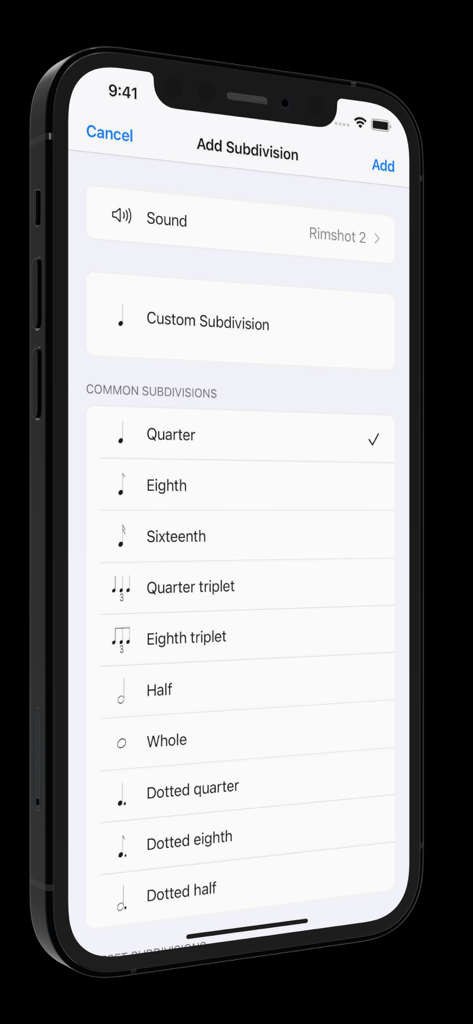
Metronomics Metronome - Interface of Metronomics app showing common rhythm subdivision options like quarter and eighth notes

Interface of Metronomics app showing common rhythm subdivision options like quarter and eighth notes

Description

Metronomics is not only a metronome, but a tool designed to help build a solid sense of time and rhythmic security. It's a new kind of metronome -- use Metronomics to generate random patterns, sequenced grooves, or a combination of both to help you practice with more than just your typical click track. Enough features to keep a professional busy for years or start a beginner on the right track. The only metronome that gives you complete control over how subdivisions are played -- add subdivisions of any type (including custom subdivisions like 5/7) and have them played all the time, at random intervals, or in a sequenced pattern. Now available across platforms for both iOS and macOS -- the most powerful metronome, available for all of your devices. Features: - Choose from 40 different samples for each subdivision - Generate patterns using random or sequenced variations of different subdivisions - Include built-in preset patterns such as claves or ride cymbal patterns - Choose any number of beats per measure (with any denominator) you like or practice mixed meters such as 4/4 + 3/8 + 5/4 where the segments of the bar get accented automatically - Use any type of subdivision. Common types like quarter notes, sixteenth notes, eighth triplets, etc, or create your own. 5/7, 23/4, no problem! - Take a rhythm and use the "offset" feature to move it to different parts of the measure to practice with. - Set the metronome to speed up or slow down by a given amount after a set number of measures - Have Metronomics start with a count off - Set the metronome to run for a certain amount of time - Share saved metronomes back and forth with other Metronomics users - Track your metronome usage. App shows how much you've practiced with it each day and total (optionally turn off time tracking) - Train yourself with "independence" mode where you can set some bars to be inaudible -- keep the time going yourself until the click starts again - Variable swing feel -- choose how much each subdivision swings - Speech sounds for counting up to 10 that can be assigned to any subdivision (English language only) - Play in the background - Normalized sounds for good volume - Manual (plus videos) describing how to use all the features and hints about how they might be useful Pro subscription features: - Wheel view that allows you to visualize the passage of subdivisions with geometric shapes - Grid view that lets you easily sequence patterns on a grid much like a drum machine, but with the more-powerful features of Metronomics - Inspector mode -- graph your own playing with microphone or MIDI input and see how you line up with the metronome - iCloud sync -- sync your saved metronomes via iCloud drive - MIDI output -- set subdivisions to send MIDI data to outside MIDI synths or use an on-board synthesizer Within Metronomics, there is an option to upgrade to Metronomics Pro, which is an auto-renewing yearly subscription service. It enables the following features: Subscription details: - Service: Metronomics Pro - Time period: one year, auto-renewing subscription - Payment will be charged to iTunes Account at confirmation of purchase - Subscription automatically renews unless auto-renew is turned off at least 24-hours before the end of the current period - Account will be charged for renewal within 24-hours prior to the end of the current period, and identify the cost of the renewal - Subscriptions may be managed by the user and auto-renewal may be turned off by going to the user’s Account Settings after purchase - Privacy policy: https://metronomicsapp.com/privacy.html / Terms of use: https://metronomicsapp.com/terms.html - Any unused portion of a free trial period, if offered, will be forfeited when the user purchases a subscription to that publication, where applicable.

Download

Download on App Store

This page is not an official page of the app or its developer, but an independent editorial publication created for informational and commentary purposes. Unless expressly stated otherwise, neither the app nor its developer is affiliated with, endorsed by, sponsored by, authorized by, or otherwise officially connected with MWM, Apple, Google Play, the app publisher, or the app's developer, and nothing on this page implies that the app was developed using MWM's services. Any trademarks, logos, screenshots, and other content remain the property of their respective owners.







