Mi Portafirmas
Mi Portafirmas
Download on App Store

This page is not an official page of the app or its developer, but an independent editorial publication created for informational and commentary purposes. Unless expressly stated otherwise, neither the app nor its developer is affiliated with, endorsed by, sponsored by, authorized by, or otherwise officially connected with MWM, Apple, Google Play, the app publisher, or the app's developer, and nothing on this page implies that the app was developed using MWM's services. Any trademarks, logos, screenshots, and other content remain the property of their respective owners.


Logo of Mi Portafirmas
Download on App Store

Mi Portafirmas

Securely sign, approve, and manage administrative requests from your mobile device. Designed for public employees to streamline workflows with official government-grade security anywhere in the world.

Key Figures

Downloads

0

User Rating

1.9/5

Total Ratings

0

Publisher

Ministerio de Asuntos Economicos y Transformacion Digital

Category

Business

Locales

1

Latest Version

3.8.0

Size

56.6 MB

First Released

Apr 4, 2015
Features

Master Your Administrative Workflow

Accelerate official Spanish government procedures with a secure, mobile-first signing experience designed for public officials and authorized representatives.

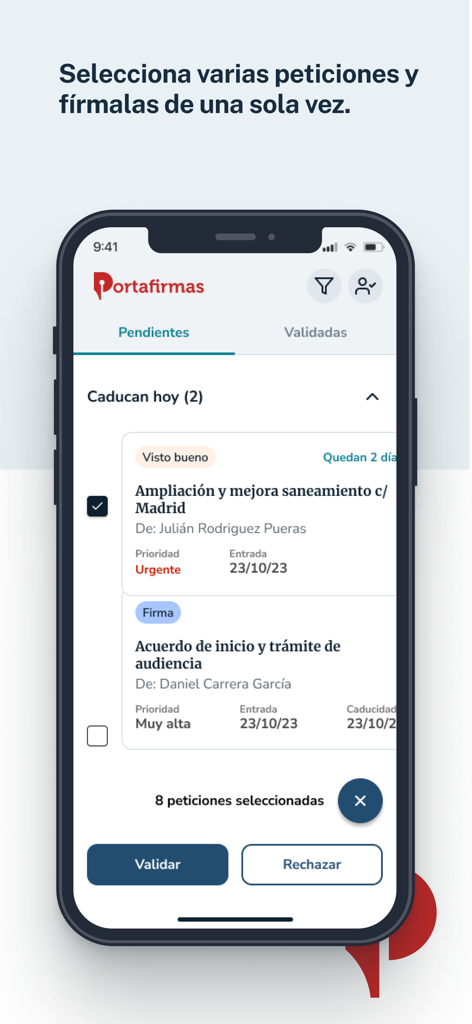
Batch Sign & Approve

Eliminate administrative bottlenecks by signing or rejecting multiple requests at once directly from your mobile device.

Smart Delegation

Assign trusted validators to pre-screen documents so you only focus on the files that are ready for your final authorization.

The following screenshots and description are sourced directly from the app's official store listing and are the property of the app developer.

App Store

Screenshots
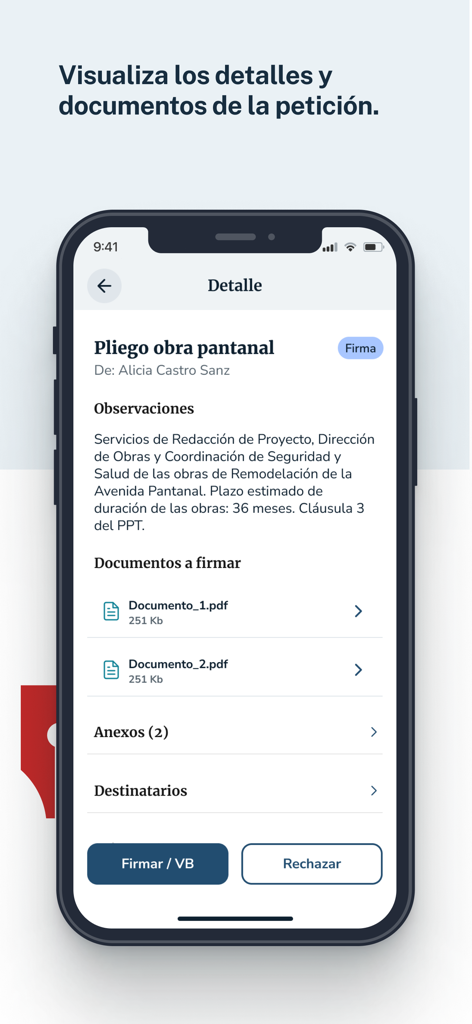
Mi Portafirmas - Detail view of a signature request in the Mi Portafirmas app showing document info and buttons to sign or reject.
Detail view of a signature request in the Mi Portafirmas app showing document info and buttons to sign or reject.

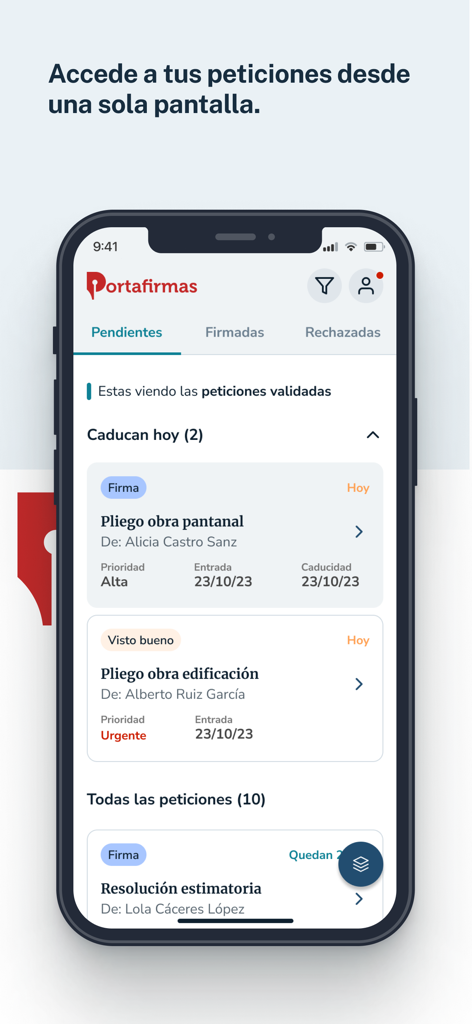
Mi Portafirmas - Mi Portafirmas mobile app interface showing a list of pending digital signature requests
Mi Portafirmas mobile app interface showing a list of pending digital signature requests

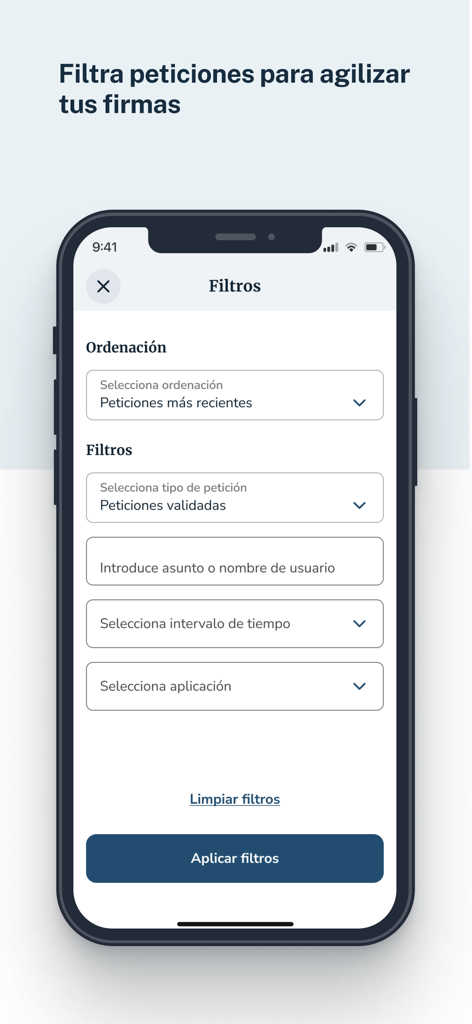
Mi Portafirmas - Filtering interface in the Mi Portafirmas app for sorting and managing digital signature requests.

Filtering interface in the Mi Portafirmas app for sorting and managing digital signature requests.
Mi Portafirmas - Welcome screen of the Mi Portafirmas app featuring the Spanish Government logo and digital signature slogan.
Welcome screen of the Mi Portafirmas app featuring the Spanish Government logo and digital signature slogan.

Mi Portafirmas - Interface of Mi Portafirmas app displaying a list of pending document signature requests for public officials.

Interface of Mi Portafirmas app displaying a list of pending document signature requests for public officials.

Description

Port@firmas es el aplicativo móvil del Ministerio de Asuntos Económicos y Transformación Digital para acceder a sus servicios de portafirmas. Deberá ser usuario de Port@firmas para hacer uso de esta aplicación. Mi Portafirmas is a mobile app from the Ministry for Digital Transformation and Public Administration that allows public employees to access Portafirmas services, where you can sign and approve signature requests using your mobile phone. To use the app, you must have previously registered in one of the Portafirmas servers. You'll find the following main features and functionalities in the My Portafirmas app: Sign, approve or reject requests. From the application's home page, you can access the Pending Requests tray and view the main contents of the requests: description of the request, who made the request, date the request was entered, expiration date, type of action required by the request, and the request's signature priority. From this screen, you can sign or approve/reject multiple requests at once. Tapping on the petition will take you to its details, including the documents to be signed. You can also sign or reject the petition from the petition details. Consult signed or rejected petitions. From the home screen you will be able to consult the signed petitions tray and the rejected petitions tray. From the signed petitions tray, you can also access the signed documents and the signature report generated when you sign the petition. Determine order and filter requests. From the home screen, you can access the filter option to sort and filter requests by specific criteria: Order by: • Most recent requests • Older requests • Requests close to expiring Filter by: • Request type (all, validated, not validated, signature, approval) • Keyword or user name (using a free text field) • Time interval (all, last 24 hours, last week, last month) • Apply Once you apply the filters, they will appear in the request tray based on the filters selected. Add validators. From your profile section you can add validators by entering the name or tax ID of the person you want to validate the requests. The validators will receive the requests sent to you and will be able to validate the request. In this way, you can sign or approve the petition knowing that it has already passed a first filter of approval by your validator. Log in as a validator and validate requests. If you are another user's validator, you can log in with a validator profile and validate the other user's requests. In addition to viewing the general details of the request (sender, date the request was entered, expiry date, type of action required by the request, signing priority of the request), you can also view the details of these requests (remarks, documents to be signed, attachments, history of recipients of the request and other details). Authorise people to sign your petitions. From your profile section, you can register people to sign your petitions in your absence. Authorised persons will receive your petitions and will be able to sign or reject a petition on your behalf.

Download

Download on App Store

This page is not an official page of the app or its developer, but an independent editorial publication created for informational and commentary purposes. Unless expressly stated otherwise, neither the app nor its developer is affiliated with, endorsed by, sponsored by, authorized by, or otherwise officially connected with MWM, Apple, Google Play, the app publisher, or the app's developer, and nothing on this page implies that the app was developed using MWM's services. Any trademarks, logos, screenshots, and other content remain the property of their respective owners.








