MicSwap Pro:  Microphone Sound
MicSwap Pro: Microphone Sound
Download on App Store

This page is not an official page of the app or its developer, but an independent editorial publication created for informational and commentary purposes. Unless expressly stated otherwise, neither the app nor its developer is affiliated with, endorsed by, sponsored by, authorized by, or otherwise officially connected with MWM, Apple, Google Play, the app publisher, or the app's developer, and nothing on this page implies that the app was developed using MWM's services. Any trademarks, logos, screenshots, and other content remain the property of their respective owners.

Logo of MicSwap Pro:  Microphone Sound
Download on App Store

MicSwap Pro: Microphone Sound

Access the legendary sound of 17 iconic microphones like the Neumann U87 and Shure SM7b. Perfect for podcasters, musicians, and creators who demand a professional-grade sonic palette without the $2,000 price tag.

Key Figures

Downloads

1K+

User Rating

4.2/5

Total Ratings

0

Publisher

Future Moments LLC

Category

Music

Locales

23

Latest Version

3.16

Size

334.1 MB

First Released

Nov 28, 2023
Features

Professional Sound, Simplified

Unlock a collection of legendary studio microphones and professional tools. Whether you are podcasting, recording music, or creating social content, MicSwap Pro delivers the high-fidelity tone of a multi-million dollar studio right from your mobile device.

Iconic Microphone Modeling

Instantly swap between 17 legendary studio microphones like the Neumann U87 and Shure SM7b. Get the perfect tonal character for your voice without spending thousands on physical gear.

Post-Production Flexibility

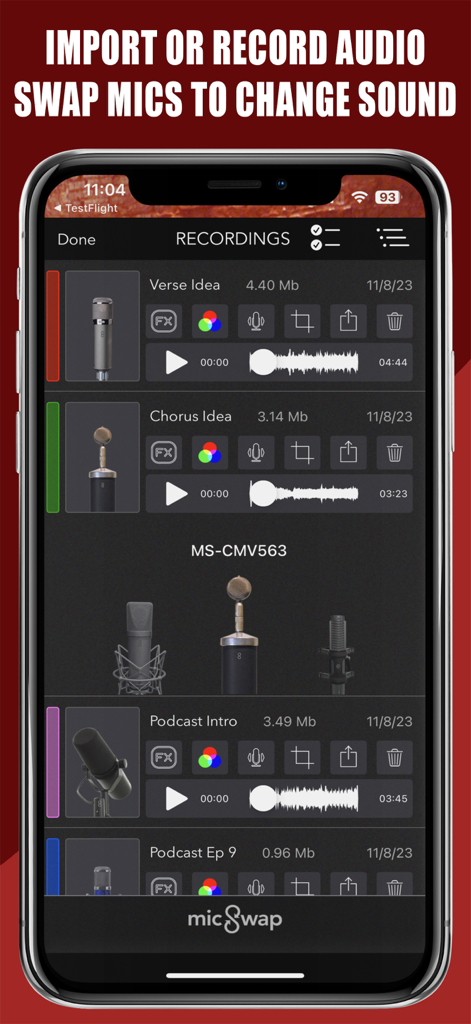
Change the 'vibe' of your recording even after it is finished. Import any audio file and swap mic models or studio environments to find the best sound for your final mix.

The following screenshots and description are sourced directly from the app's official store listing and are the property of the app developer.

App Store

Screenshots
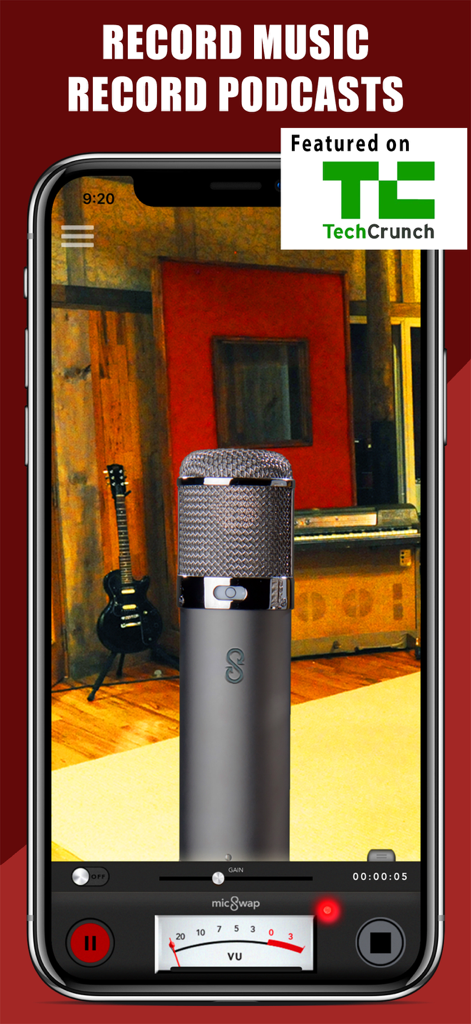
MicSwap Pro:  Microphone Sound - MicSwap Pro app interface showing a studio microphone model and recording controls for music and podcasts
MicSwap Pro app interface showing a studio microphone model and recording controls for music and podcasts

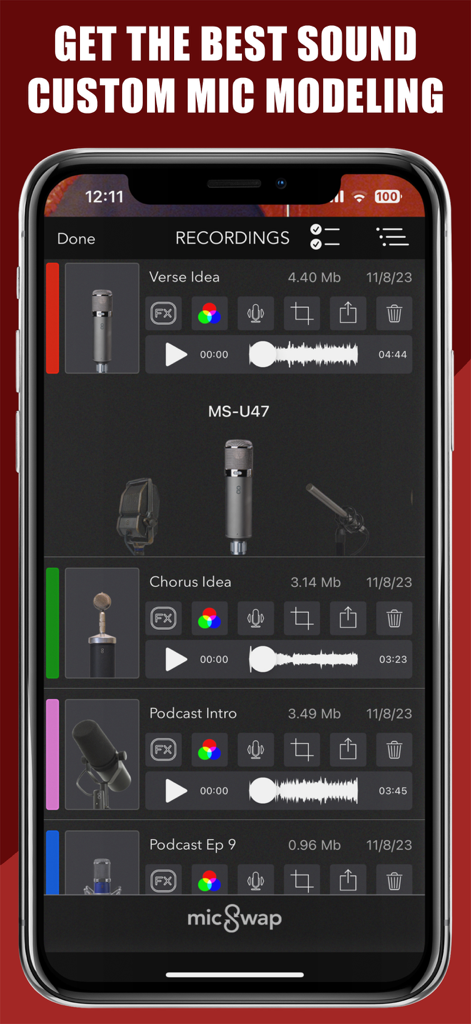
MicSwap Pro:  Microphone Sound - A list of audio recordings in the MicSwap Pro app showing different microphone models and playback options
A list of audio recordings in the MicSwap Pro app showing different microphone models and playback options

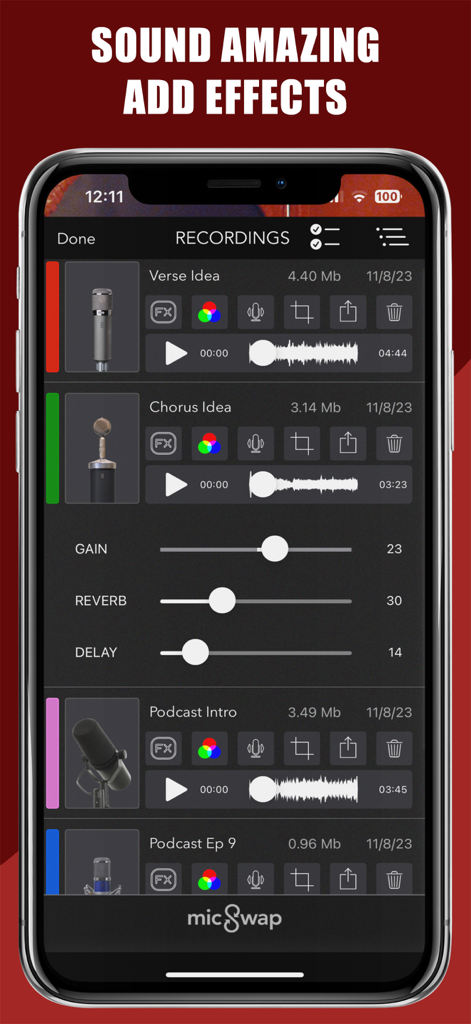
MicSwap Pro:  Microphone Sound - Interface of MicSwap Pro showing a list of audio recordings and sliders for gain reverb and delay effects
Interface of MicSwap Pro showing a list of audio recordings and sliders for gain reverb and delay effects

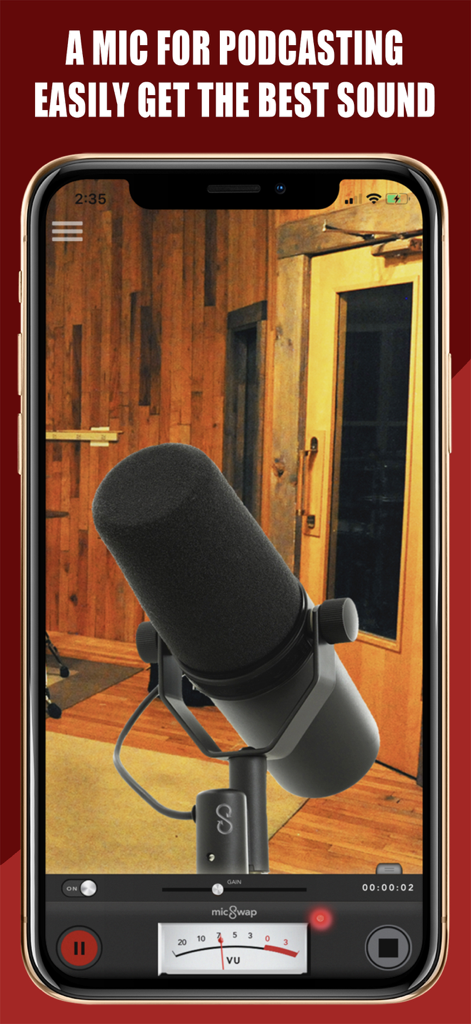
MicSwap Pro:  Microphone Sound - Interface of MicSwap Pro app featuring a professional podcasting microphone in a studio environment
Interface of MicSwap Pro app featuring a professional podcasting microphone in a studio environment

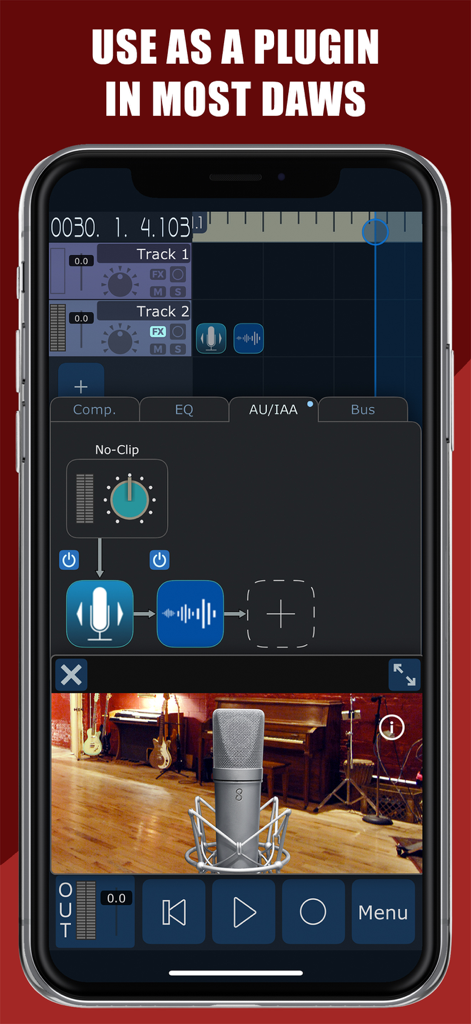
MicSwap Pro:  Microphone Sound - MicSwap Pro app interface showing audio tracks and microphone modeling being used as a plugin in a digital audio workstation
MicSwap Pro app interface showing audio tracks and microphone modeling being used as a plugin in a digital audio workstation

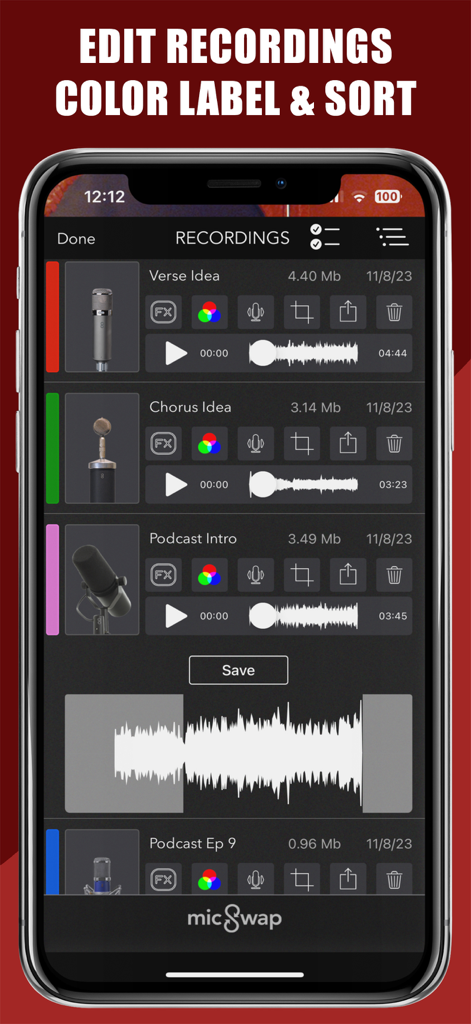
MicSwap Pro:  Microphone Sound - MicSwap Pro app interface showing a list of audio recordings with color labels and editing tools
MicSwap Pro app interface showing a list of audio recordings with color labels and editing tools

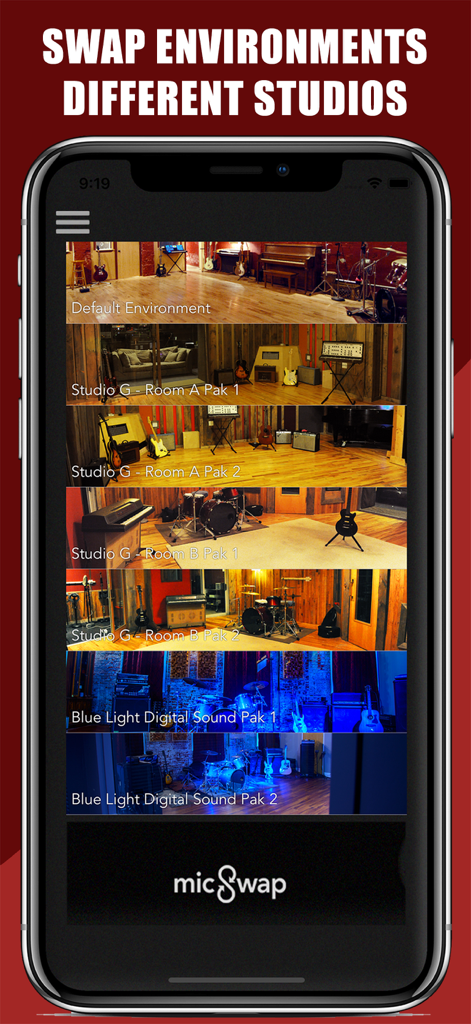
MicSwap Pro:  Microphone Sound - MicSwap Pro app interface showing various professional recording studio environments.
MicSwap Pro app interface showing various professional recording studio environments.

MicSwap Pro:  Microphone Sound - MicSwap Pro app interface showing a list of audio recordings with options to swap microphones and edit files
MicSwap Pro app interface showing a list of audio recordings with options to swap microphones and edit files

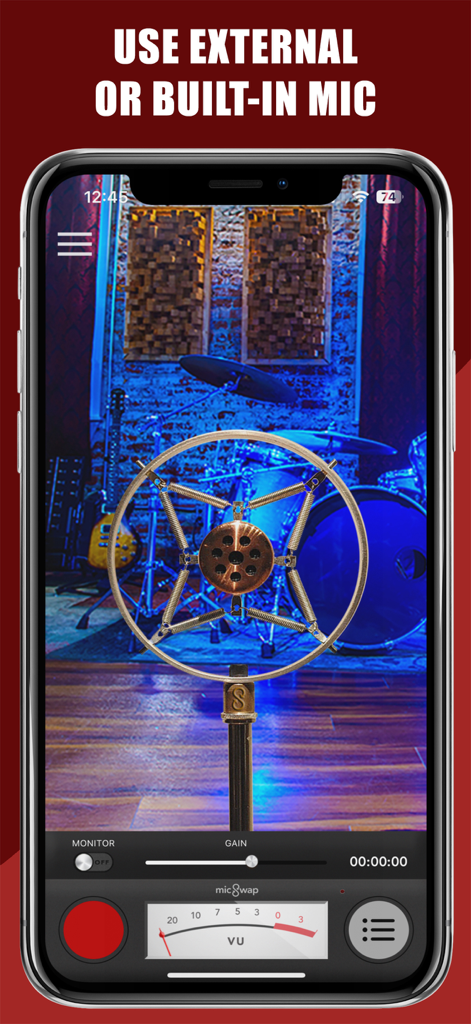
MicSwap Pro:  Microphone Sound - Smartphone screen displaying MicSwap Pro app with a vintage microphone model in a studio environment.
Smartphone screen displaying MicSwap Pro app with a vintage microphone model in a studio environment.

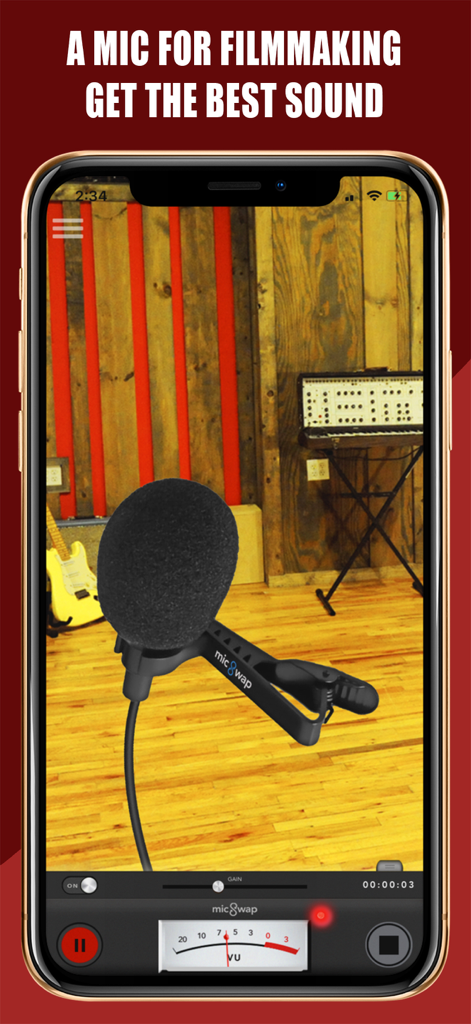
MicSwap Pro:  Microphone Sound - MicSwap Pro app interface showing a lavalier microphone model for filmmaking.

MicSwap Pro app interface showing a lavalier microphone model for filmmaking.

Description

A mobile recording studio. Record or import audio, swap microphones for different sounds, change studios, edit, color label, sort, share and store your recordings anywhere. Use standalone or connect an external microphone or interface and get the hifi sound of 17 different studio microphones with a swap of the screen. MicSwap Pro works with any external mic or interface compatible with your iDevice to deliver high fidelity professional sounding recordings. You can also use your Bluetooth mic to record. Great for podcasting, voiceover, music creation and more. MicSwap Pro comes with all microphones, studio environments, unlimited recording and can be used as a plugin with other apps like Garageband, etc (Audiobus, AUv3, IAA). MicSwap can also transform your iPhone or iPad into a microphone when you connect it to external speakers. If you're using a computer without a microphone, MicSwap is am easy way to add a mic to your setup so you can add voiceover to videos, record podcasts, add commentary to games and more Check out our 'Audio Recording and Mastering Bundle' which includes MicSwap Pro and AudioMaster Pro. Comes with full tech support. No sign up required, so you get to creating. "If you’re yearning to broaden your sonic palette but don’t happen to have a spare $2K to spend, you’ll like MicSwap Pro a whole lot." - MacLife "MicSwap Turns Your iPhone Into Rock And Roll" - TechCrunch "Great! If you’re yearning to broaden your sonic palette but don’t happen to have a spare $2K to spend, you’ll like MicSwap Pro a whole lot." - MacLife. "One of the best recording apps for iOS" - iPadMusic Check out our new 'Audio Recording and Mastering Bundle' which includes AudioMaster Pro and MicSwap Pro. FEATURES • Use standalone or with an external mic or interface • All microphones and studio environments included • Record using different microphones for different sounds • Swap mics to change the sound of any pre-existing audio • Adjust the gain on any microphone • Edit or trim recordings • Enable / disable live monitoring • Audiobus, AU and IAA compatible • AudioCopy enabled • Change backgrounds by swapping studio environments • Color label recordings • Sort recordings by date, title, duration, mic & color • Record in Wav or M4a • Read descriptions by tapping 'S' on each mic • Reorder microphones. Put your favorites first. • Share your recordings anywhere 17 MICROPHONES MODELED • Shure SM7b (Podcasting) • Rode NTG3 (Boom Mic) • Shure SM58 • RCA 77 • Sony Lavalier • Megaphone • Amperite SR80 • Neumann U47 • Neumann U87 • Neumann KM140 • Neumann CMV563 • AKG 414 • AKG C12VR • Royer Ribbon R121 • Old Timey Radio Mic • Ribbon Fathead 1 • Ribbon Fathead 2 ALSO BY FUTURE MOMENTS: Video Audio Splitter MSV Remix Remix the Audio of Your Video MicSwap Remix AI Audio Stem Separator Crystal Audio AI Audio Cleanup Magic MAIVE Ai Video Generator VideoVerb Add Reverb to Your Videos Hear Boost Get Super Hearing & Recording MicSwap Mic Modeler & Recorder MicSwap MultiTrack Multitrack Mic Modeler & Recorder MicSwap Video Edit Video Audio with Mic Models & FX MicSwap Camera The Best Sounding Video Camera AudioFix Denoise & Clean the Sound of Your Video VideoMaster Instant Audio Post-Production for Videos AudioVerb Add Reverb & Delay to Your Audio AudioMaster Audio Mastering for Podcasts & Music Volume Booster Easily Boost the Sound of Your Audio or Video For an optimal audio experience, please use headphones. SHARE & SYNC iCloud, Facebook, SoundCloud, Twitter, SMS, Email, Dropbox, Google Drive, Airdrop, etc. Import/Export audio over USB or WiFi using iTunes File Sharing

Download

Download on App Store

This page is not an official page of the app or its developer, but an independent editorial publication created for informational and commentary purposes. Unless expressly stated otherwise, neither the app nor its developer is affiliated with, endorsed by, sponsored by, authorized by, or otherwise officially connected with MWM, Apple, Google Play, the app publisher, or the app's developer, and nothing on this page implies that the app was developed using MWM's services. Any trademarks, logos, screenshots, and other content remain the property of their respective owners.







