Mighty AAC: The All-in-One Speech and Learning Platform for Every Voice
Empower communication with a professional-grade 7-in-1 toolkit. Designed for therapists, educators, and parents to provide a personalized voice through visual scenes, schedules, and fully customizable grids.
Publisher
DANIEL M DUARTE JR
Category
Education
Downloads
0
User Rating
1.0/5
Total Ratings
0
Locales
1
See Your Voice in Action
Discover the interface used by 0 users.
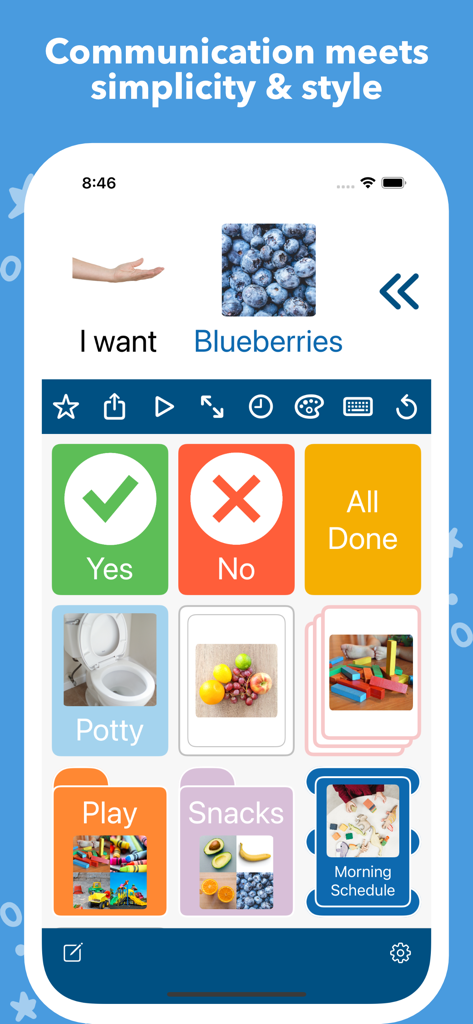
Mighty AAC app interface showing a communication grid with speech builder buttons and visual schedule cards
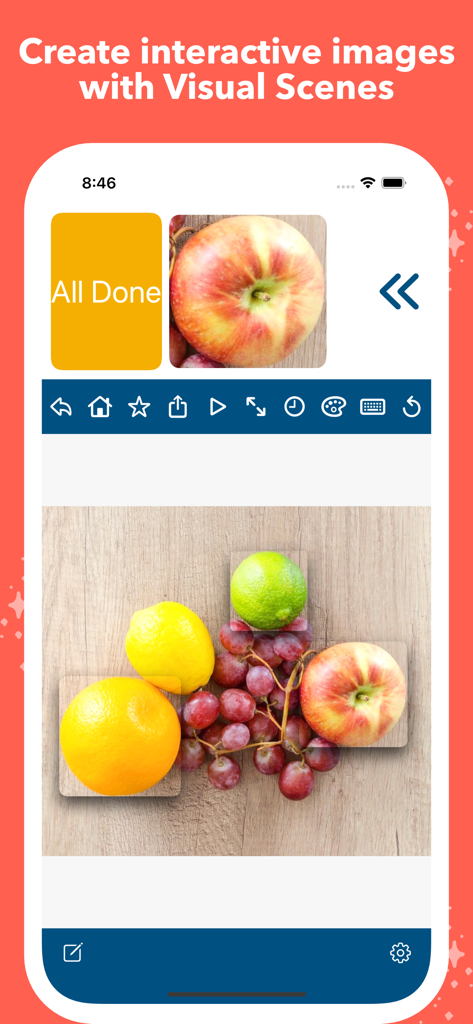
Mighty AAC app interface showing the Visual Scenes feature with interactive real fruit images for communication
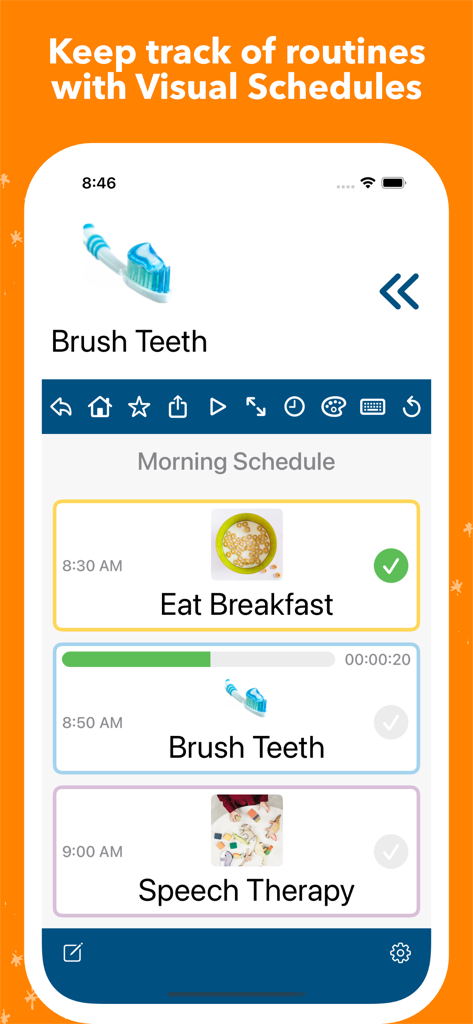
Mighty AAC app showing a morning routine visual schedule with tasks like breakfast and brushing teeth
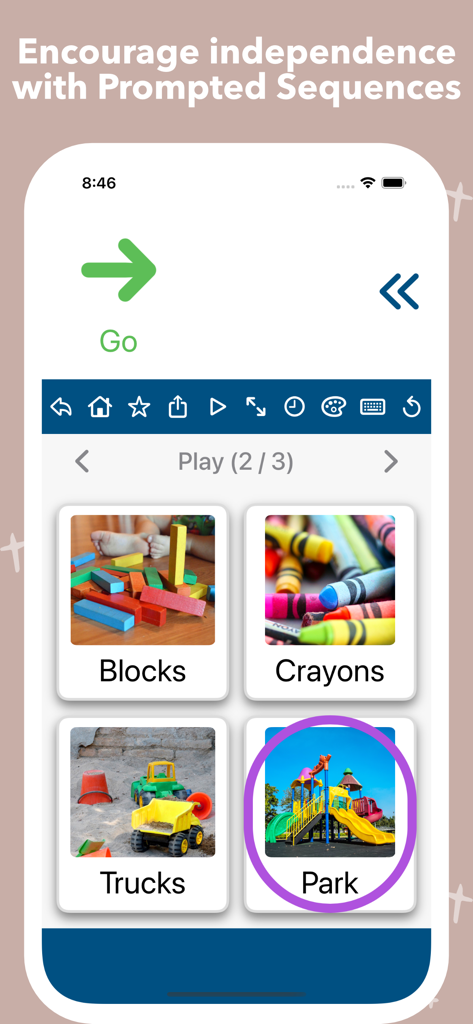
A screenshot of the Mighty AAC app showing the Prompted Sequences feature with options for play activities including blocks, crayons, trucks, and a park
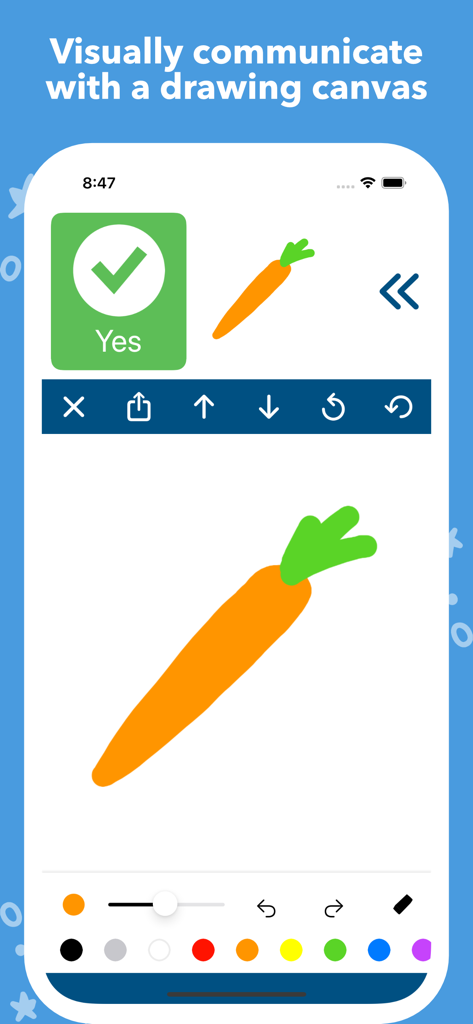
Interface of Mighty AAC app showing a drawing canvas with a hand-drawn carrot and communication tools
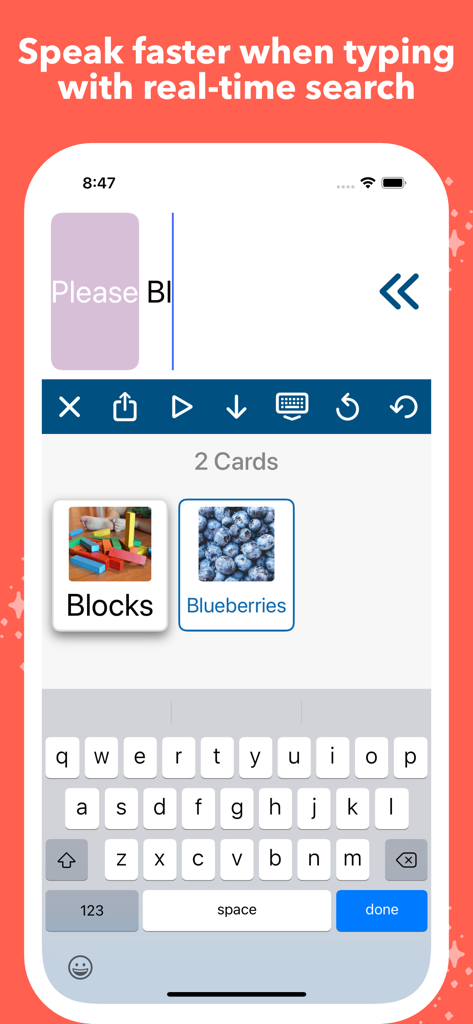
Real-time search feature in Mighty AAC showing image cards for blocks and blueberries while typing
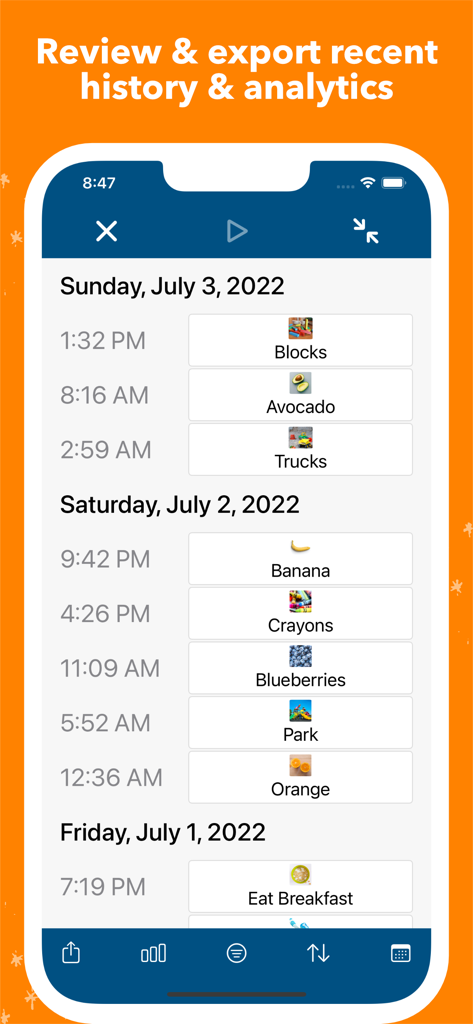
Mighty AAC history and analytics screen showing a dated log of communication entries with icons and timestamps.
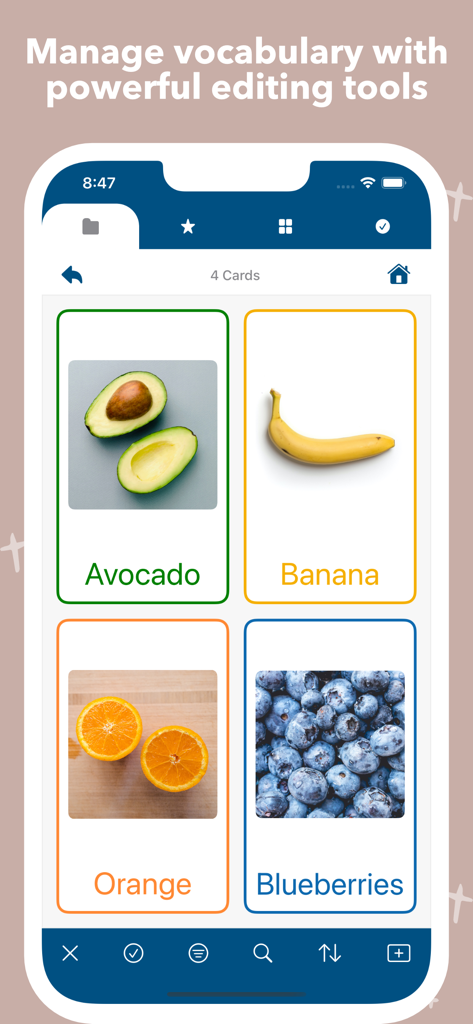
Mighty AAC app interface showing a grid of communication cards with real photos of fruit
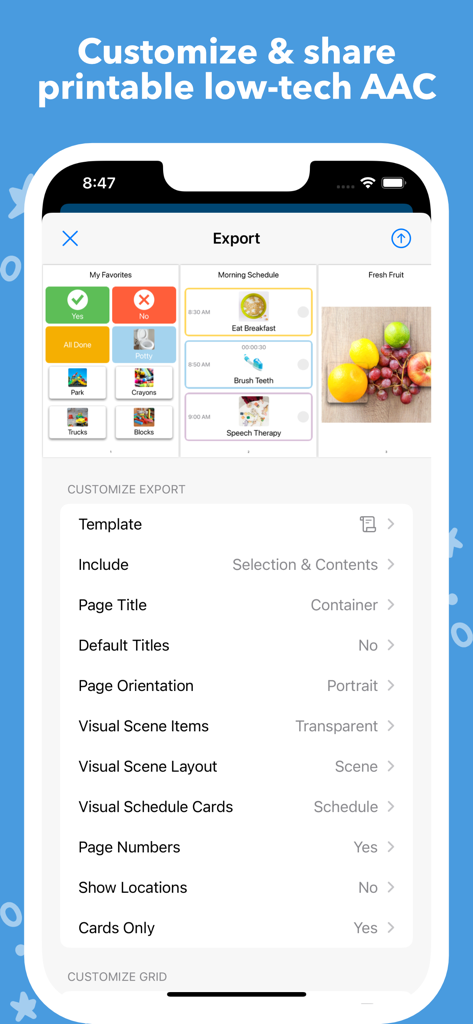
Mighty AAC app interface showing export options for creating printable communication boards and visual schedules
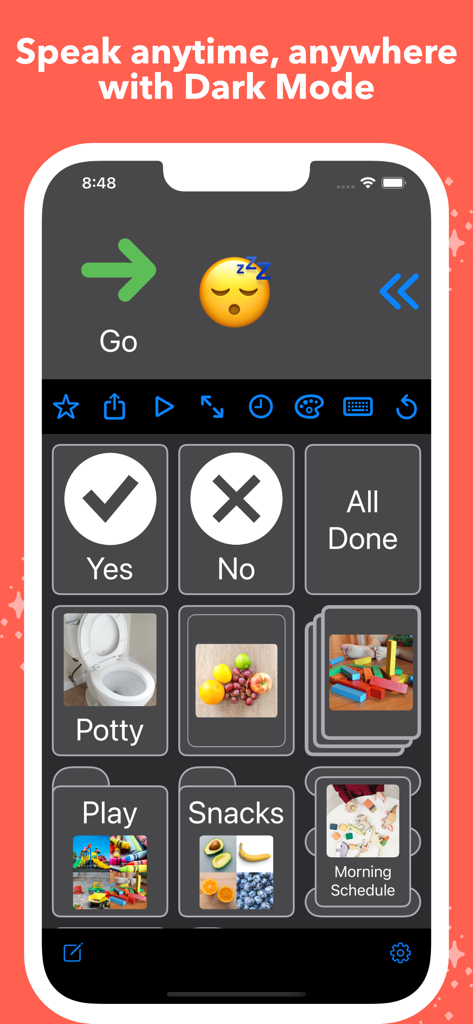
Mighty AAC app interface in dark mode showing a customizable communication grid with symbols and photos for speech assistance.
Empower Every Voice with a Comprehensive 7-in-1 Toolkit
The tools that make this app stand out, trusted by 0 users.
📸
Deeply Personalized Communication
Go beyond generic cartoons. Use your own photos, videos, and voice recordings to create a familiar and dignified communication experience that reflects the user's real world.
🛠️
Seamless All-in-One Integration
Replace app fatigue with a single workspace. Seamlessly switch between communication grids, visual scenes, and schedules to support every aspect of daily life and learning.
📊
Clinical-Grade Insights & Backups
Track progress with built-in analytics for IEP meetings and instantly export printable low-tech communication boards for use at the playground or the pool.
About the app
Everything you need to know about Mighty AAC.
Description
Mighty AAC is a powerful 7-in-1 seamlessly integrated speech & learning platform designed to be a voice for people of all ages.
• Grids
• Visual Scenes
• Visual Schedules
• Prompted Sequences
• Drawing Canvas
• Typing
• Low-tech AAC creator
Helpful features for easy communication:
• Personalize your voice, dialect, & delay between words.
• Communicate using text, images, audio, & video.
• Create interactive speakable images with Visual Scenes.
• Visually communicate using a drawing canvas.
• Create & quickly access core vocabulary.
• Go to custom locations & actions using card links.
• Navigate through your vocabulary via scroll or pages.
• Use the built-in iOS/PadOS keyboard with the Speech Builder.
• Use real-time search when typing to quickly find items.
• Speak words and/or letters as you type.
• Share your Speech Builder message with other apps.
• Display & speak items as letters to compose novel speech.
• Supports Multitasking on the iPad so you never have to leave your voice to use other apps.
Customize your vocabulary to fit your style:
• Customize item styles (display, color, font, layout, alignment, border, & shadow).
• Customize toolbar styles (color, buttons, order, & size).
• Organize your items into customizable folders, sequences, Visual Scenes, & Visual Schedules.
• Sort items alphabetically, by date created, randomly, or via drag & drop.
• Save & load selections in "Edit" mode.
• Search, filter, move, & copy items.
• Speak the name of a container when entered.
• Import & export items in multiple formats (CSV, PDF, images, audio, video, Mighty AAC) to backup or share with others.
• Drag & drop images directly onto the app to quickly create cards (via iPad Multitasking).
• Supports both portrait & landscape orientations.
• Customizable support for Dark Mode.
An invaluable tool for parents, educators & therapists:
• Switch between multiple users, each with their own content & settings.
• Access, filter, & export recent history & analytics.
• Create & customize printable low-tech AAC.
• Demonstrate on-going tasks with Visual Schedules.
• Encourage independent learning with Prompted Sequences.
• Use Dynamic Display to automatically change images based on a set of criteria.
• Use Dynamic Shuffle to automatically shuffle grids based on a set of criteria.
• Create & manage templates (style, grid, Dynamic Display, Dynamic Shuffle, schedule layout, sequence prompt, translations, PDF export).
• Animate speaking each word in the Speech Builder.
• Lock scrolling to the visible grid or page.
• Enable sensitive touch to buttons & items.
• Prevent tapping on items while speaking.
• Hide or make items non-speakable.
This app does not come with any preloaded images but supports quickly & easily importing images, videos, and audio from Files, Photos, or your camera.
Please send any questions or feedback to mighty.aac@gmail.com.
Stay Mighty!
Latest Version
6.3.0
Size
3.1 MB
First Released
Mar 23, 2017
Ready to Empower Their Voice?
Join the therapists and families using our clinical-grade 7-in-1 platform to build independence through personalized communication and visual learning.
App information, icons, screenshots, and descriptions displayed on this page are sourced from the Apple App Store and are the property of their respective developers. Download estimates and rankings are based on MWM's proprietary models and may not reflect actual figures. This page is provided for informational and analytical purposes only.
Believe this page infringes your intellectual property? File a dispute