MileTracker Pro
MileTracker Pro
Download on App Store

This page is not an official page of the app or its developer, but an independent editorial publication created for informational and commentary purposes. Unless expressly stated otherwise, neither the app nor its developer is affiliated with, endorsed by, sponsored by, authorized by, or otherwise officially connected with MWM, Apple, Google Play, the app publisher, or the app's developer, and nothing on this page implies that the app was developed using MWM's services. Any trademarks, logos, screenshots, and other content remain the property of their respective owners.

Logo of MileTracker Pro
Download on App Store

MileTracker Pro

Automate your driving logs and generate IRS-compliant reports with the most flexible tracker for realtors, sales reps, and the self-employed. Never miss a deductible mile again.

Key Figures

Downloads

100

User Rating

4.6/5

Total Ratings

200

Publisher

Silverware Software, LLC

Category

Finance

Locales

5

Latest Version

1.8.5

Size

59.8 MB

First Released

Mar 3, 2021
Features

Maximize Your Tax Deductions with Ease

Join thousands of professionals who save time and money with our IRS-compliant tracking, automatic logs, and professional reporting tools.

Set-and-Forget Automation

Enable AutoTrack to automatically log every drive in the background. Never leave money on the table by forgetting to record a business trip again.

IRS-Compliant Reporting

Generate professional PDF or CSV reports with a single tap. Designed to meet strict IRS standards and make tax season effortless for you and your accountant.

The following screenshots and description are sourced directly from the app's official store listing and are the property of the app developer.

App Store

Screenshots
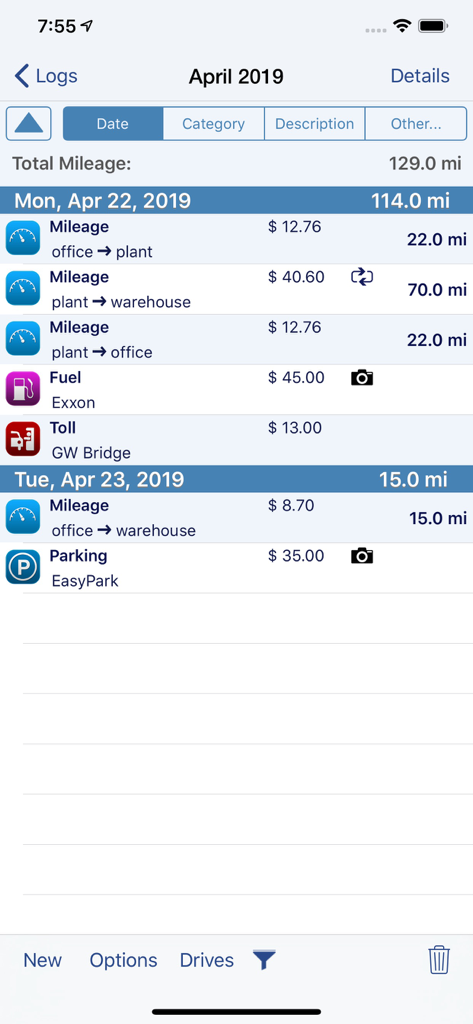
MileTracker Pro - MileTracker Pro app interface showing a daily log of mileage fuel tolls and parking expenses for tax reporting
MileTracker Pro app interface showing a daily log of mileage fuel tolls and parking expenses for tax reporting

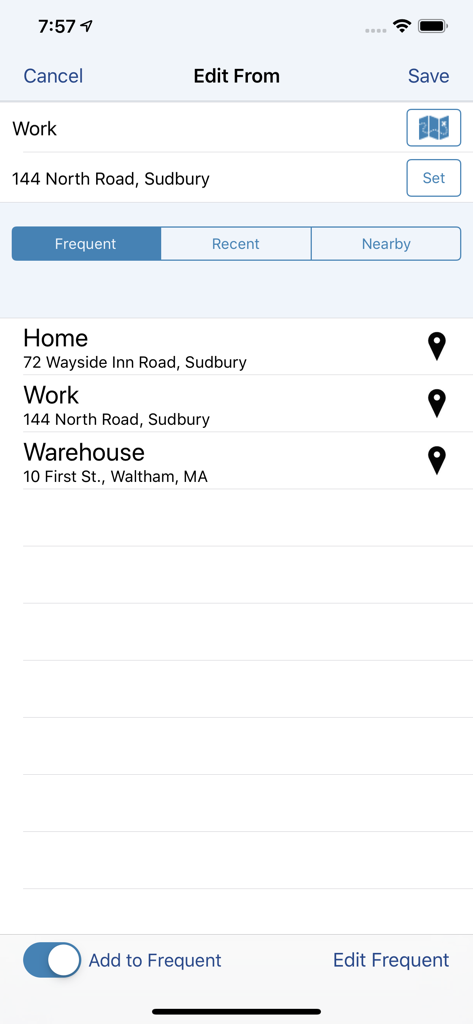
MileTracker Pro - MileTracker Pro app screen for selecting frequent trip locations like home and work for tax compliant mileage tracking.
MileTracker Pro app screen for selecting frequent trip locations like home and work for tax compliant mileage tracking.

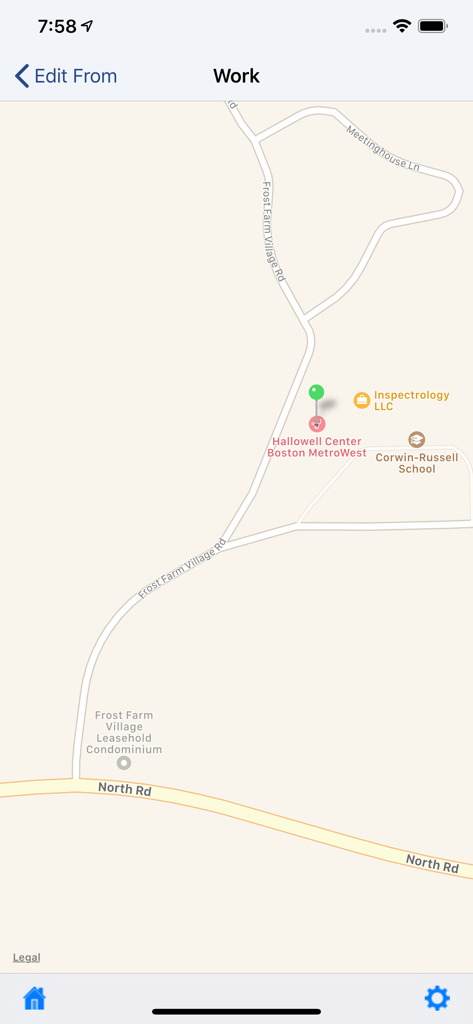
MileTracker Pro - MileTracker Pro mobile app interface showing a GPS map for tracking business mileage and location selection
MileTracker Pro mobile app interface showing a GPS map for tracking business mileage and location selection

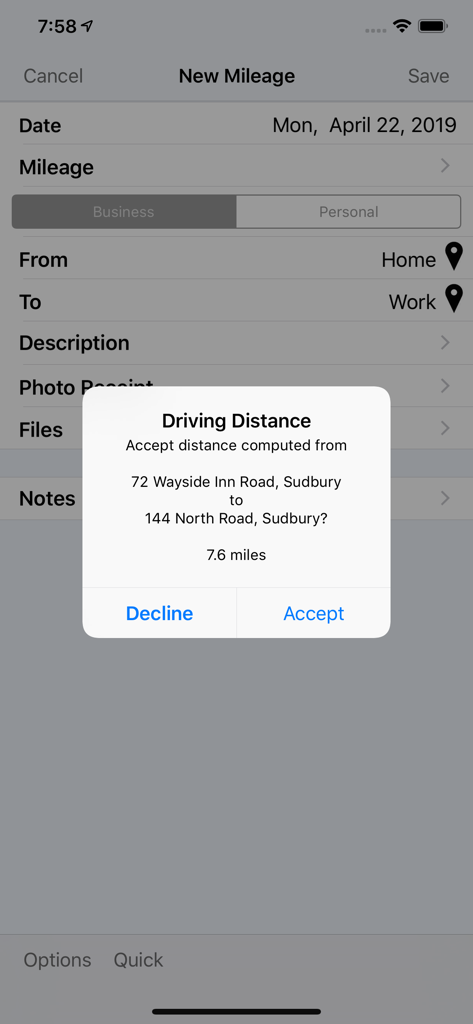
MileTracker Pro - MileTracker Pro automatic driving distance calculation pop up between home and work addresses
MileTracker Pro automatic driving distance calculation pop up between home and work addresses

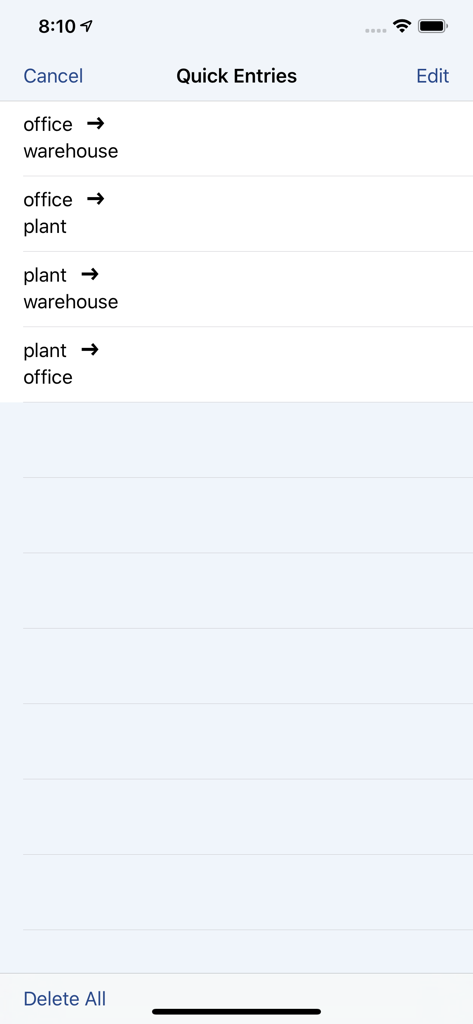
MileTracker Pro - List of frequent business trip shortcuts in MileTracker Pro for fast manual mileage entry
List of frequent business trip shortcuts in MileTracker Pro for fast manual mileage entry

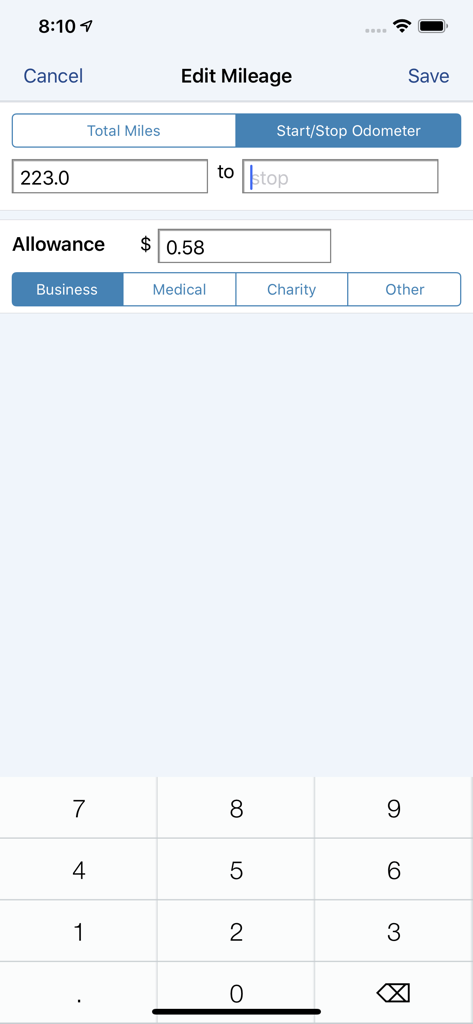
MileTracker Pro - Manual odometer entry screen for business mileage in the MileTracker Pro app
Manual odometer entry screen for business mileage in the MileTracker Pro app

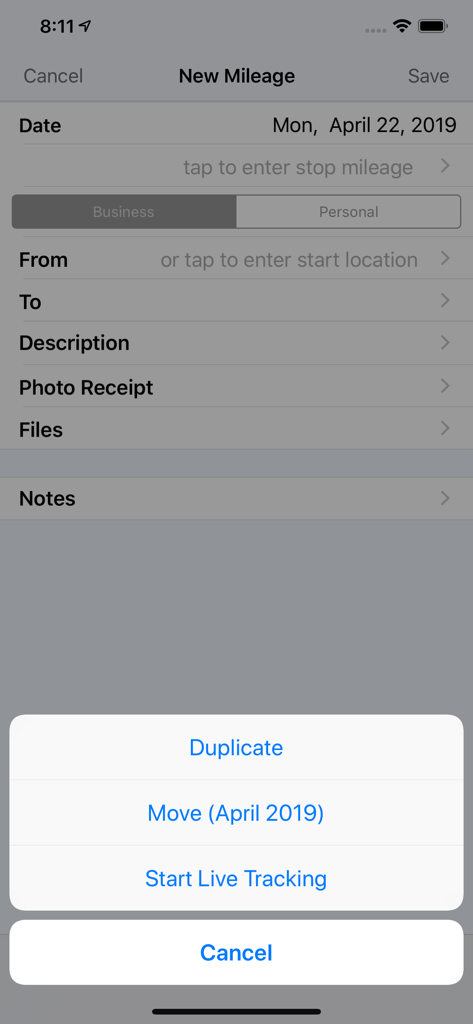
MileTracker Pro - Interface of MileTracker Pro app showing the new mileage entry screen with options for live tracking and manual logs
Interface of MileTracker Pro app showing the new mileage entry screen with options for live tracking and manual logs

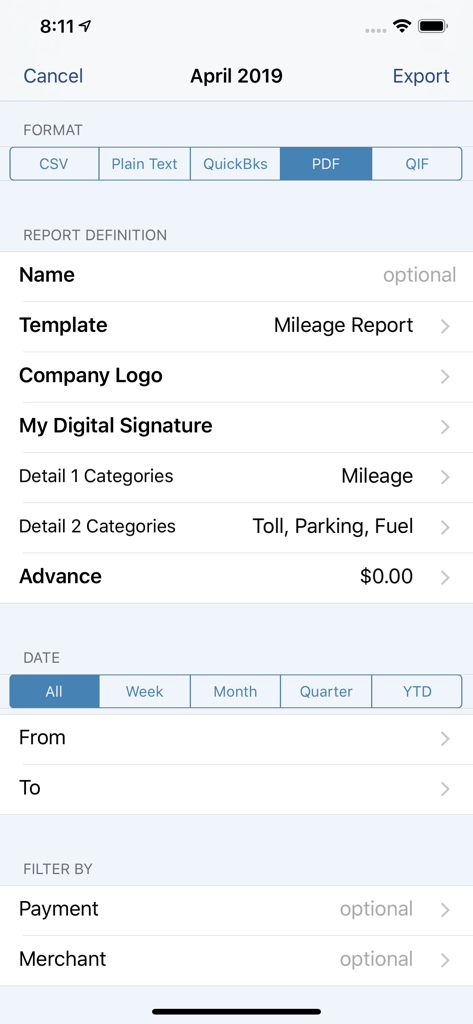
MileTracker Pro - MileTracker Pro report configuration screen showing export formats like PDF and CSV with customizable filters
MileTracker Pro report configuration screen showing export formats like PDF and CSV with customizable filters

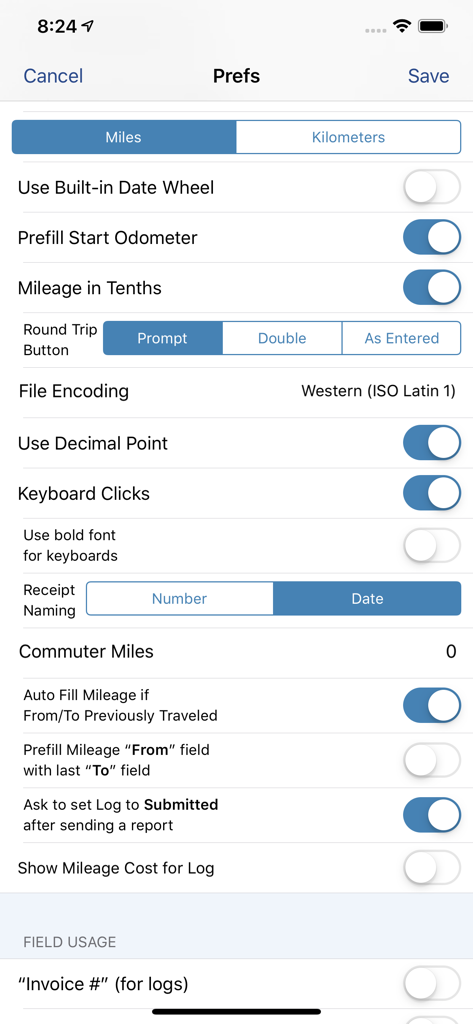
MileTracker Pro - Settings interface of MileTracker Pro showing detailed customization options for mileage and expense tracking.
Settings interface of MileTracker Pro showing detailed customization options for mileage and expense tracking.

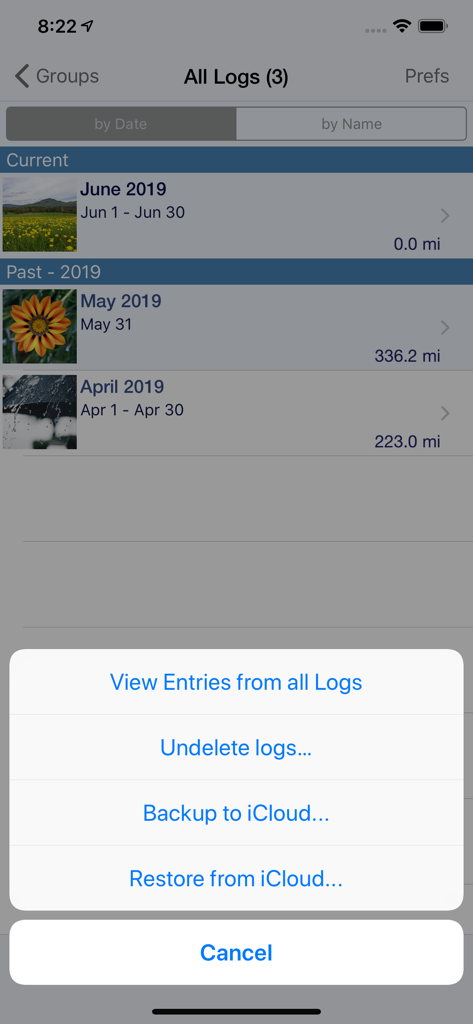
MileTracker Pro - MileTracker Pro app screen showing mileage logs and iCloud backup options

MileTracker Pro app screen showing mileage logs and iCloud backup options

Description

MileTracker Pro is the easiest and most feature rich app to track your mileage & driving expenses. Get ready for 2021 and start saving money now! MileTracker allows you to track mileage the way YOU want offering several different methods. Then when tax time arrives or expense reports are needed, you can easily create beautiful reports (accountants love our reports). MileTracker Pro is finely tuned and exceptionally reliable. MileTracker Pro replaces our MileTracker app which has been helping users track their time worked since 2010. WHY MileTracker IS BETTER * Elegant user interface * The most powerful and flexible Reporting features available * Offers considerably more features than other mileage tracking apps * Quick and easy on-screen filtering to view your tracked data * Organize your entries into Logs for maximum ease * Distinguish between Personal and Business EASE OF USE * The MOST extensive set of preferences available allowing you to customize the app and truly make it your own * Hide fields you do not use for concise entry forms * Remembers frequently used choices * Quick menu with list of frequent trips for super fast entry TRACK MILEAGE - Requires subscription to Unlimited Usage * Track mileage the way you want: 1. LIVE mileage tracking - the app will track your every move via GPS. This feature requires you to tell the app when you start and stop. 2. Enter Start/Stop odometer reading 3. Enter the start address and end address-the app will determine the travel distance 4. Special “real-estate agent” feature which allows one entry to contain multiple legs. * If using odometer, remembers last stop mileage and pre-fills start for next entry * Mark an entry as round trip to double the distance * Supports Multiple Vehicles * Miles or Km * Customizable mileage allowance AUTOTRACK - Requires subscription to AutoTrack (includes everything that Unlimited Usage includes too). See more details below. DRIVING EXPENSES * Track Fuel, Tolls and Parking expenses PHOTO RECEIPTS * Take photos of receipts * Crop images easily REPORTING * IRS compliant reporting * The most flexible and powerful reporting available * On-screen preview * Choose the attractive PDF format or CSV for importing into Excel * Email your reports and photo receipts * Export your reports to iCloud, Dropbox or your computer * Accountants LOVE our reports because they provide all the key information needed ON-SCREEN FILTERING * Sort entries by Date, Category or Client * Extensive on-screen filtering to find out EXACTLY what you need to know BACKUP AND SAFE KEEPING * Backup your data to iCloud, Dropbox or directly to your computer * Set backup to “Automatic” so your data is always safe SYNC * Keep your data synced between multiple devices (ie your iPhone and iPad) SUBSCRIPTION DETAILS * When first installed allows up to 25 manual entries * After using the 25 entries you will need to subscribe * There are two subscription options, Unlimited Usage or AutoTrack (available monthly or yearly) * Unlimited Usage is for those who prefer to track their mileage manually. * AutoTrack is for those who want a FULLY automatic tracking solution. All you need to do is carry your device with you. Then at your leisure “approve” those drives you wish to keep. * A new subscription includes 2 free weeks of unlimited usage. You can cancel prior to the end of the trial without any cost to you. * Payment charged to iTunes account at confirmation of purchase * Automatic renews unless auto-renew is turned off at least 24-hours before the end of the current period * Account will be charged for renewal within 24-hours prior to the end of the current period Demo Video on AutoTrack at: tinyurl.com/MileTracker silverwaresoftware.com/privacy silverwaresoftware.com/terms ------ Continued use of GPS running in the background can dramatically decrease battery life Questions/comments? Just choose the Email the Author link in the Prefs screen in the app

Download

Download on App Store

This page is not an official page of the app or its developer, but an independent editorial publication created for informational and commentary purposes. Unless expressly stated otherwise, neither the app nor its developer is affiliated with, endorsed by, sponsored by, authorized by, or otherwise officially connected with MWM, Apple, Google Play, the app publisher, or the app's developer, and nothing on this page implies that the app was developed using MWM's services. Any trademarks, logos, screenshots, and other content remain the property of their respective owners.