MinuteTaker - Meeting Notes
Download on App Store

This page is not an official page of the app or its developer, but an independent editorial publication created for informational and commentary purposes. Unless expressly stated otherwise, neither the app nor its developer is affiliated with, endorsed by, sponsored by, authorized by, or otherwise officially connected with MWM, Apple, Google Play, the app publisher, or the app's developer, and nothing on this page implies that the app was developed using MWM's services. Any trademarks, logos, screenshots, and other content remain the property of their respective owners.

Logo of MinuteTaker - Meeting Notes
Download on App Store

MinuteTaker - Meeting Notes

Eliminate meeting amnesia with structured notes and professional PDF reports. Capture decisions, assign tasks, and keep your team accountable—all before the meeting even ends.

Key Figures

Downloads

49K+

User Rating

4.2/5

Total Ratings

1K+

Publisher

Florian Mielke

Category

Business

Locales

2

Latest Version

3.12.6

Size

21.6 MB

First Released

Apr 21, 2012
Features

The Professional Standard for Meeting Documentation

Transform your discussions into structured, professional minutes. Capture decisions, assign tasks, and keep your projects moving forward without the double-work.

Instant Professional Reports

Generate polished PDF summaries the moment your meeting ends. Share them instantly with all attendees to maintain momentum and a professional brand.

Action-Oriented Tracking

Eliminate meeting amnesia. Use the structured 'Action Item' format to assign responsibilities, set due dates, and monitor task status in real-time.

The following screenshots and description are sourced directly from the app's official store listing and are the property of the app developer.

App Store

Screenshots
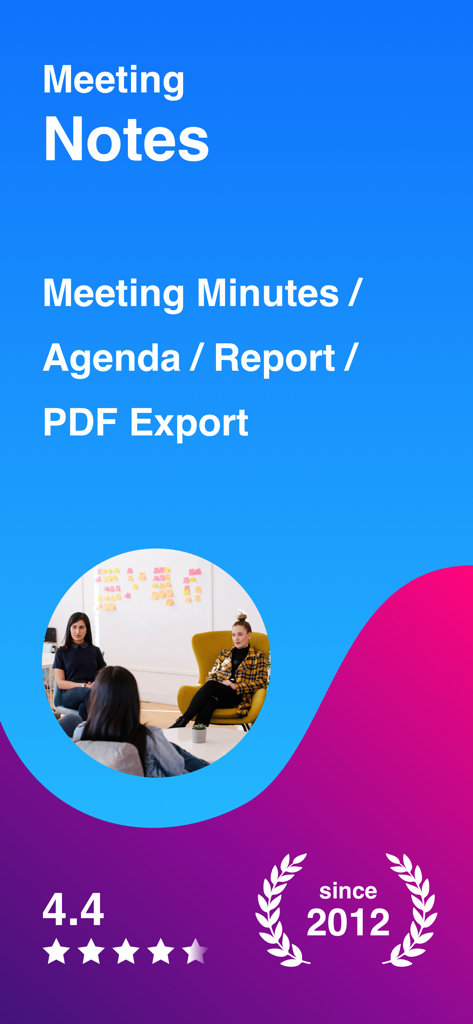
MinuteTaker - Meeting Notes - MinuteTaker app overview for professional meeting minutes and PDF reports since 2012
MinuteTaker app overview for professional meeting minutes and PDF reports since 2012

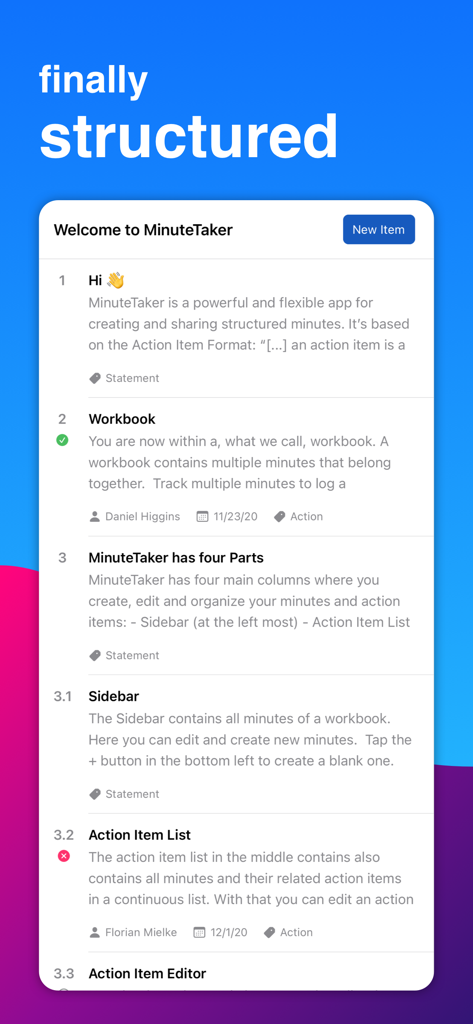
MinuteTaker - Meeting Notes - Interface of MinuteTaker app displaying structured meeting notes and action items
Interface of MinuteTaker app displaying structured meeting notes and action items

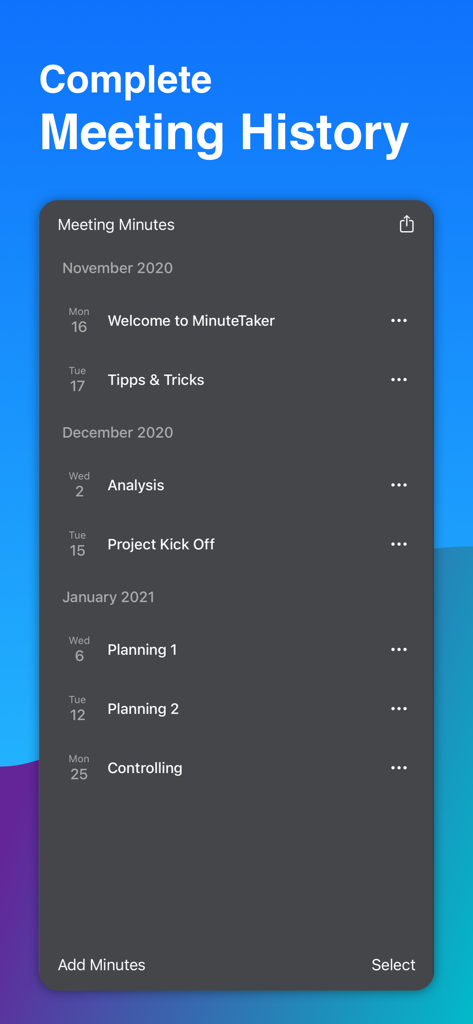
MinuteTaker - Meeting Notes - A chronological list of meeting minutes organized by month in the MinuteTaker app showing various project phases.
A chronological list of meeting minutes organized by month in the MinuteTaker app showing various project phases.

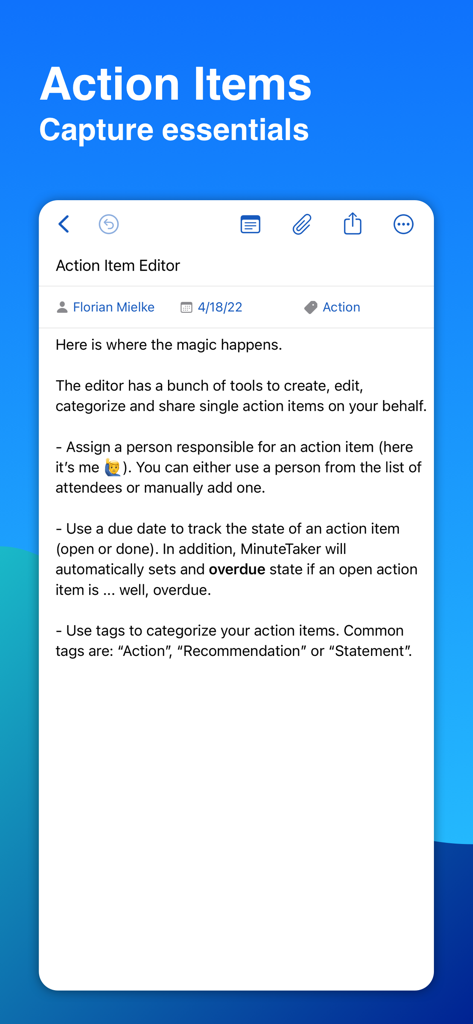
MinuteTaker - Meeting Notes - Screenshot of the MinuteTaker action item editor showing options for assigning responsibilities due dates and category tags
Screenshot of the MinuteTaker action item editor showing options for assigning responsibilities due dates and category tags

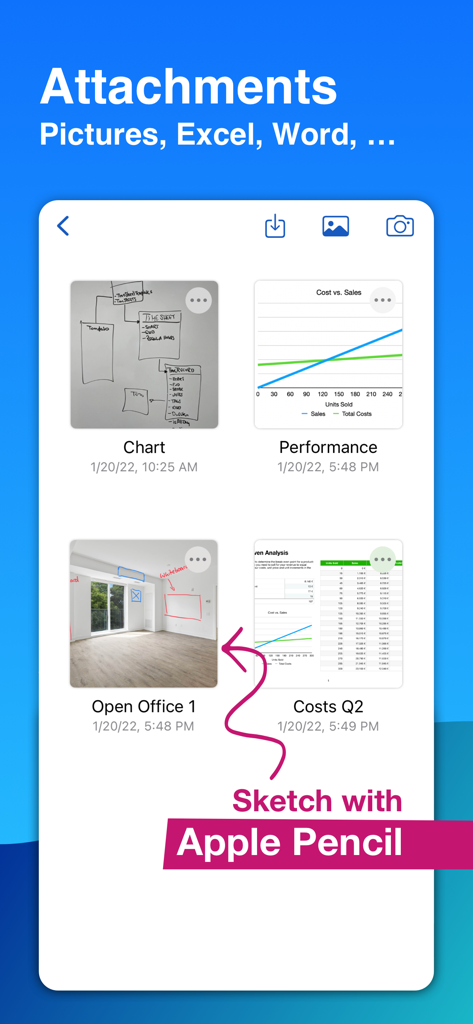
MinuteTaker - Meeting Notes - MinuteTaker app interface showing meeting note attachments and Apple Pencil sketches on photos.
MinuteTaker app interface showing meeting note attachments and Apple Pencil sketches on photos.

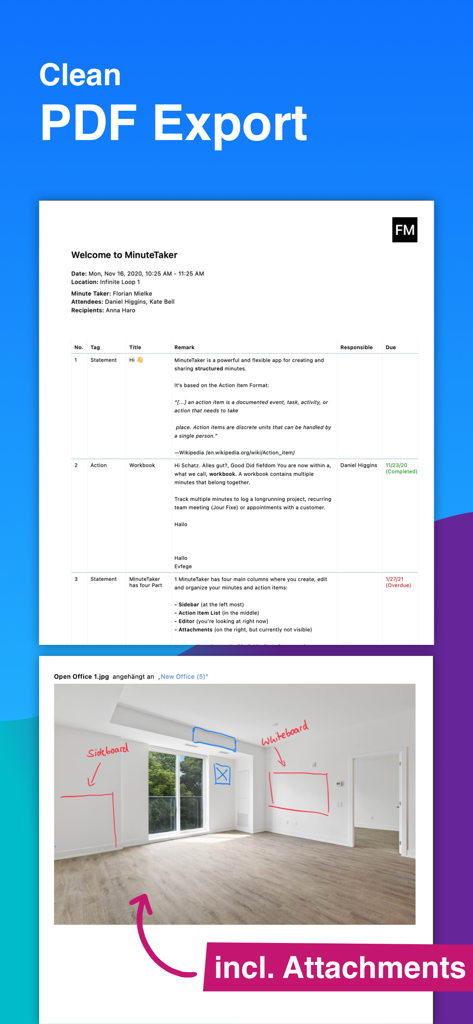
MinuteTaker - Meeting Notes - A professional PDF meeting minutes report with structured notes and annotated photo attachments.

A professional PDF meeting minutes report with structured notes and annotated photo attachments.
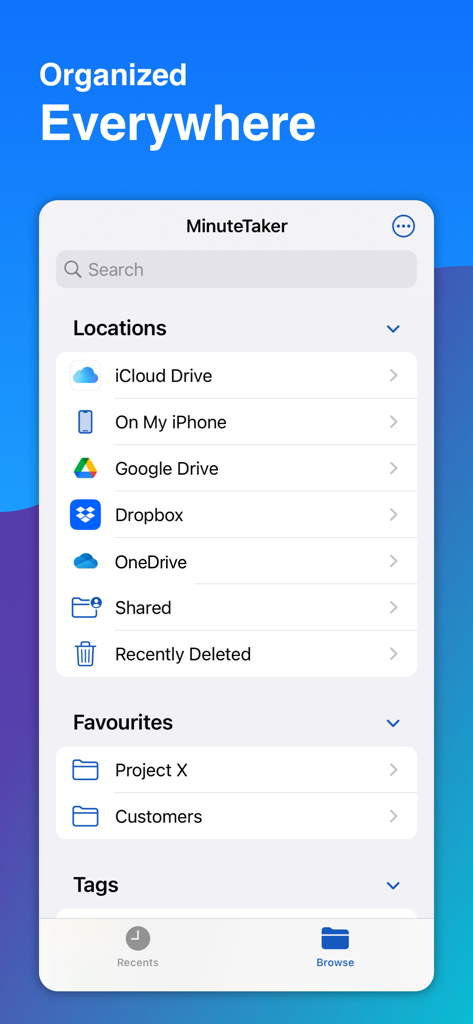
MinuteTaker - Meeting Notes - MinuteTaker app interface showing cloud storage options including iCloud, Google Drive, and Dropbox with project folders
MinuteTaker app interface showing cloud storage options including iCloud, Google Drive, and Dropbox with project folders

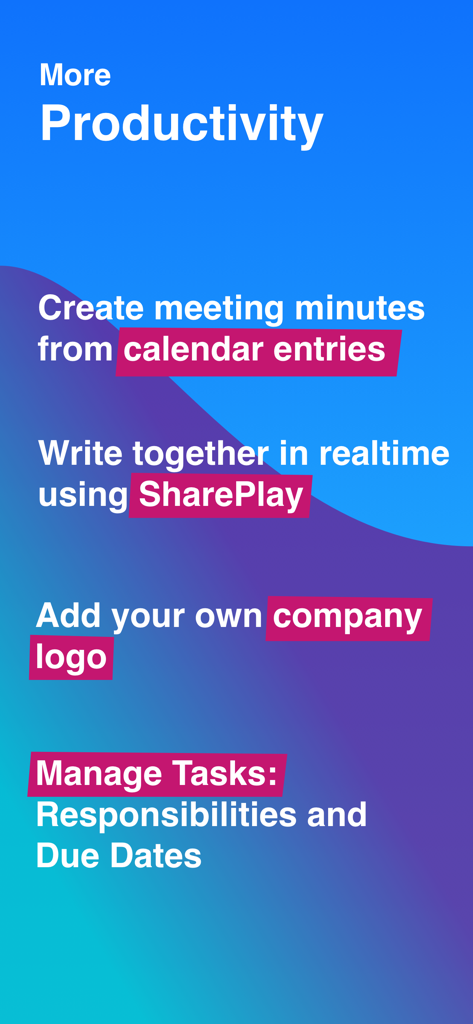
MinuteTaker - Meeting Notes - List of productivity features for MinuteTaker including calendar integration and real-time collaboration

List of productivity features for MinuteTaker including calendar integration and real-time collaboration

MinuteTaker - Meeting Notes - MinuteTaker app showing professional use cases for construction office and health industries

MinuteTaker app showing professional use cases for construction office and health industries

Description

Create structured meeting minutes, summaries, and notes. Share them as clean and professional looking PDF-file with all attendees. MinuteTaker is aimed at all professionals who need to capture and manage notes, minutes, reports, and transcripts in a structured way. Available since 2012 and in use by users and companies worldwide. ESSENTIALS MinuteTaker is based on the Action Item Format. Every decision, statement, or recommendation is described as a short and concise point that keeps your protocols short and precise. PROFESSIONALS • Architect • Site Manager, Construction Manager • Therapist (Physiotherapist, Psychotherapist, ...) • Lawyer • Project Manager • Team Manager • Student • Assistant KEEP TRACK MinuteTaker groups related minutes within the workbook, e.g., to track a project, recurring team meeting, or appointments for a specific customer. With that, you always get the big picture of what’s happening. In addition, MinuteTaker offers various search and filter capabilities: • Full-text search • Filter by state (open, done, or overdue) • Filter by a responsible person • Filter by tags ACTION ITEMS In addition to the text of the item, you can add additional information: • Responsible person • Due date (day or week) • Custom tags, e.g., action, statement, recommendation, ... • State: open, done, overdue (overdue is set automatically) • Structure your action items using subitems, e.g., 1.1, 1.2, 1.3, ... ATTACHMENTS Related attachments can supplement every action item: • Documents (Word, Excel, Pages, ...) • Images from your library • Pictures taken from a flip chart or whiteboard with the device’s camera • Add scribbles and notes to images SHARING • Share your minutes as professional looking PDF-files (incl. all attachments) via email to all attendees and recipients. • Share action items with assigned people • Create your calendar events based on an action item • Create a todo in your app, e.g., Reminder of Things SYNCHRONISATION AND COLLABORATION • Sync your minutes via iCloud on all your devices • Collaborate with others via “Share in iCloud” SUBSCRIPTION To get full access to all MinuteTaker features, you have to subscribe. We offer a monthly or annual subscription that unlocks all features on all your devices. Try out all features with a 14-day trial. QUESTIONS? If you have questions or suggestions, contact us at feedback@minutetaker.app or via Twitter (@MinuteTakerApp). Terms: https://minutetaker.app/terms Privacy: https://minutetaker.app/privacy

Download

Download on App Store
Recommendations

More Like This

Apps with similar features and user experience

This page is not an official page of the app or its developer, but an independent editorial publication created for informational and commentary purposes. Unless expressly stated otherwise, neither the app nor its developer is affiliated with, endorsed by, sponsored by, authorized by, or otherwise officially connected with MWM, Apple, Google Play, the app publisher, or the app's developer, and nothing on this page implies that the app was developed using MWM's services. Any trademarks, logos, screenshots, and other content remain the property of their respective owners.