Money Manager: Budget Tracking
Download on App Store

This page is not an official page of the app or its developer, but an independent editorial publication created for informational and commentary purposes. Unless expressly stated otherwise, neither the app nor its developer is affiliated with, endorsed by, sponsored by, authorized by, or otherwise officially connected with MWM, Apple, Google Play, the app publisher, or the app's developer, and nothing on this page implies that the app was developed using MWM's services. Any trademarks, logos, screenshots, and other content remain the property of their respective owners.


Logo of Money Manager: Budget Tracking
Download on App Store

Money Manager: Budget Tracking

Take total control of your finances with advanced analytics, multi-profile tracking for your side hustle, and personalized AI coaching designed for the proactive optimizer.

Key Figures

Downloads

2K+

User Rating

4.6/5

Total Ratings

100

Publisher

Nirav Zalavadiya

Category

Finance

Locales

24

Latest Version

3.6

Size

94.9 MB

First Released

Mar 16, 2023
Features

Master Your Money with Precision

Powerful tools designed for high-performers who want more than just a balance check—take total control of your financial future with data-driven insights.

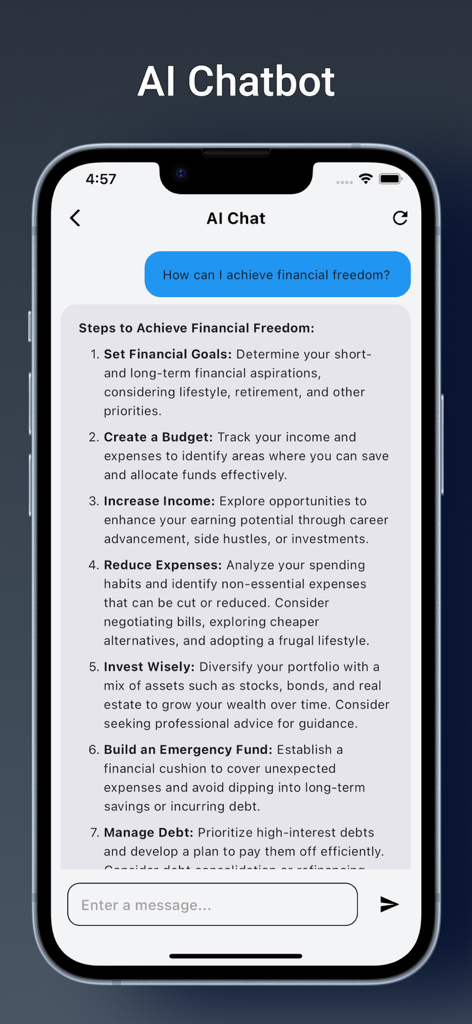
AI-Powered Financial Coaching

Go beyond tracking with a personal AI assistant that offers tailored saving strategies and identifies spending leaks before they happen.

Multi-Profile Side Hustle Support

Perfect for entrepreneurs and freelancers. Keep your personal life and business income separate but organized in one centralized hub.

The following screenshots and description are sourced directly from the app's official store listing and are the property of the app developer.

App Store

Screenshots
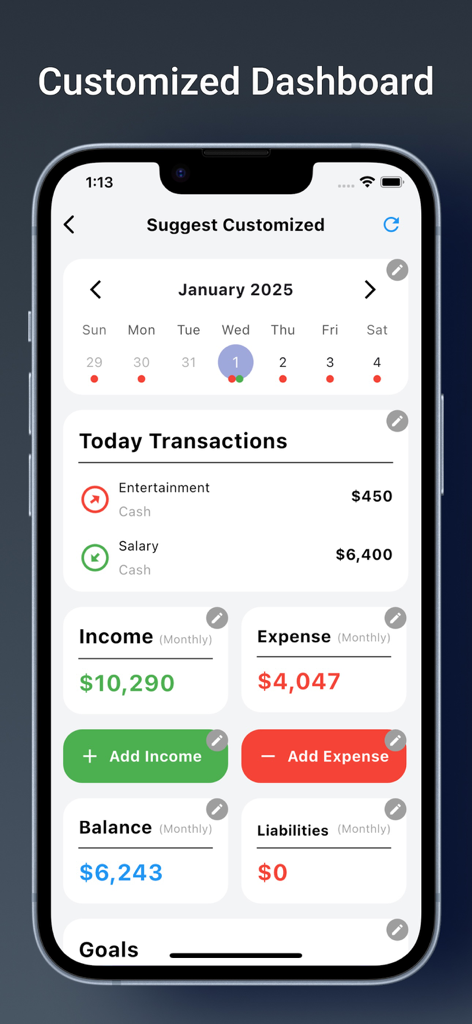
Money Manager: Budget Tracking - Money Manager app dashboard showing monthly income expense tracking and balance summary
Money Manager app dashboard showing monthly income expense tracking and balance summary

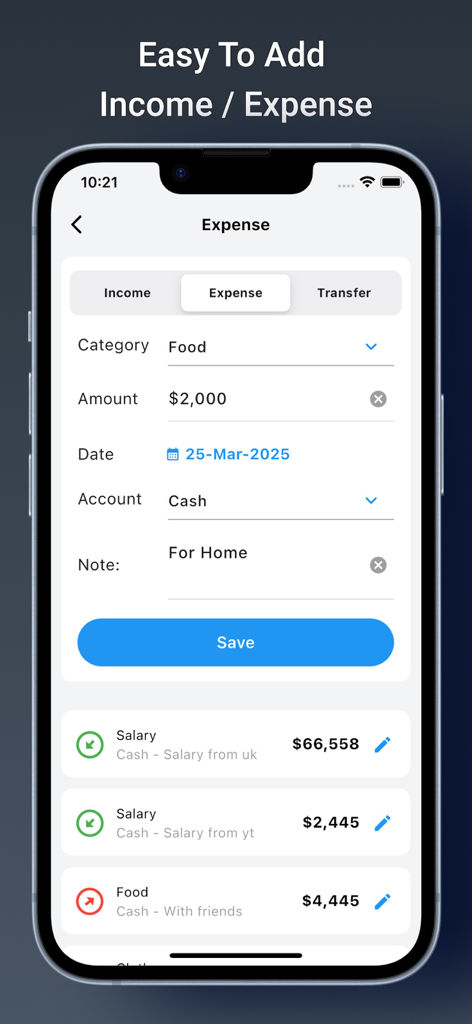
Money Manager: Budget Tracking - Money Manager app interface showing how to add income and expenses
Money Manager app interface showing how to add income and expenses

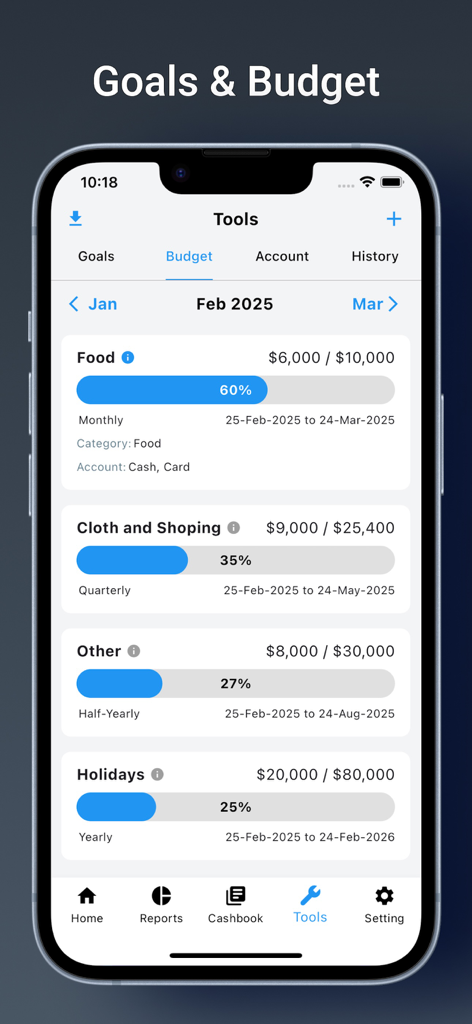
Money Manager: Budget Tracking - Mobile screen showing budget tracking with progress bars for categories like food and shopping
Mobile screen showing budget tracking with progress bars for categories like food and shopping

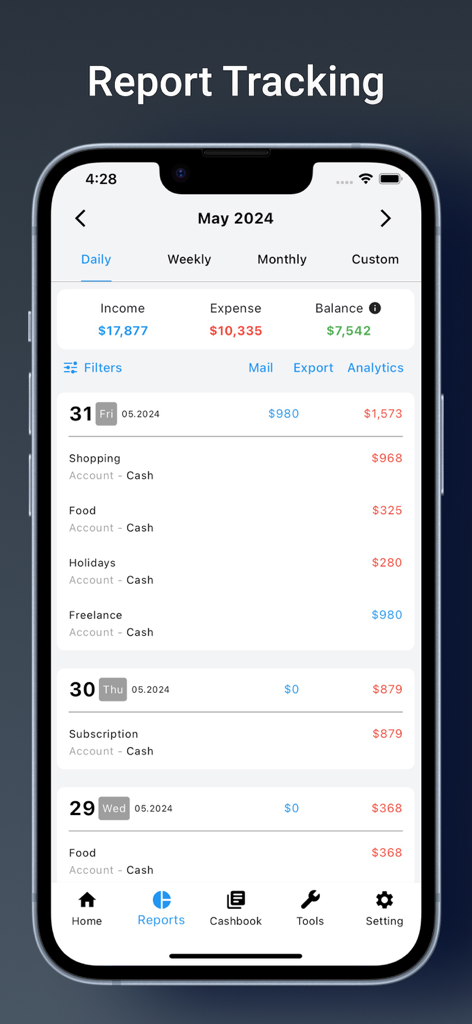
Money Manager: Budget Tracking - A detailed daily financial report interface showing income, expenses, and a list of categorized transactions like food and freelance income.
A detailed daily financial report interface showing income, expenses, and a list of categorized transactions like food and freelance income.

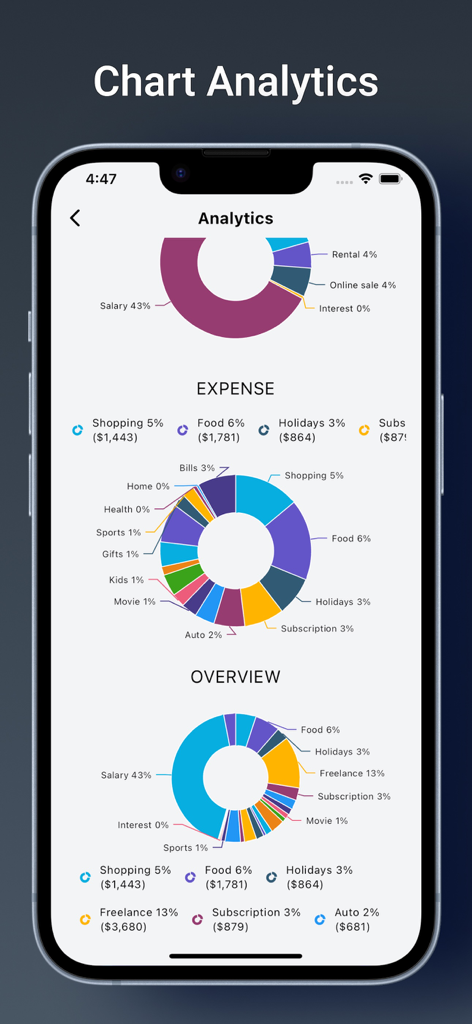
Money Manager: Budget Tracking - Financial analytics dashboard with income and expense charts
Financial analytics dashboard with income and expense charts

Money Manager: Budget Tracking - AI chatbot in the Money Manager app providing steps to achieve financial freedom
AI chatbot in the Money Manager app providing steps to achieve financial freedom

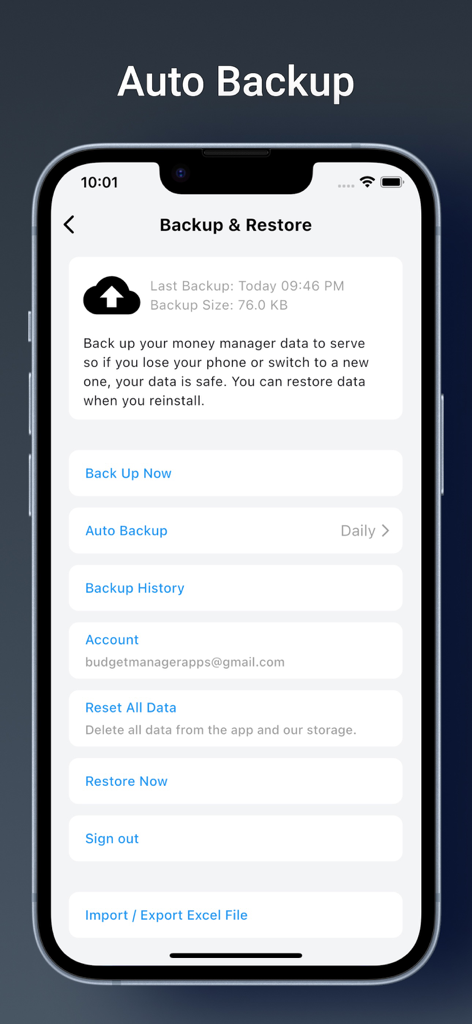
Money Manager: Budget Tracking - Interface for the Money Manager app showing options for auto backup, data restoration, and Excel export.
Interface for the Money Manager app showing options for auto backup, data restoration, and Excel export.

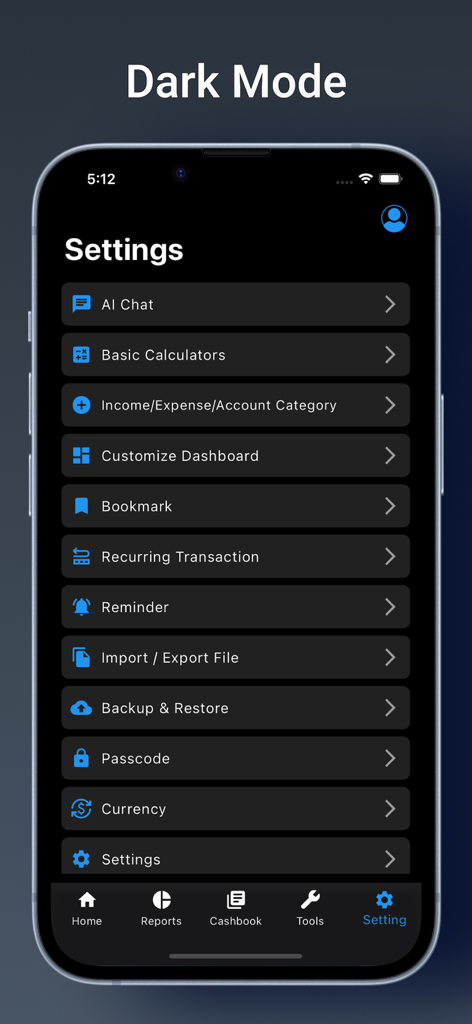
Money Manager: Budget Tracking - Settings screen of the Money Manager app in dark mode showing various financial tracking tools

Settings screen of the Money Manager app in dark mode showing various financial tracking tools

Description

Take Control of Your Finances with Money Manager Money Manager is the ultimate personal finance app designed to help you track expenses, manage budgets, set financial goals, and organize your accounts—all in one place. Whether saving for a big purchase, managing daily spending, or planning for the future, Money Manager makes it simple, secure, and hassle-free. Why Choose Money Manager? • Income & Expense Tracking – Add transactions with just one tap—quick and easy! Perfect for tracking daily spending and cash expenses. • Customizable Dashboard – Personalize your dashboard with widgets that fit your financial needs. • Advanced Reports & Analytics – Get detailed insights into your weekly, monthly, and annual spending. Export reports in PDF or Excel format for better analysis. • Goal Planner – Set financial goals, track progress, and easily achieve them. • Budget Planning – Create weekly, monthly, or annual budgets and monitor your spending.a • AI Financial Assistant – Get personalized advice and tips from Money Manager’s AI assistant. Whether it’s budgeting tips or saving strategies, AI has you covered. • Cashbook Borrowed Money Tracker – Keep track of the money you owe or are owed by friends and family, with timely reminders. • Smart Reminders – Never miss a transaction with reminders for daily, weekly, monthly, or custom dates. • Multi-Account & Liability Management – Organize multiple accounts and track liabilities in one place. • Recurring Transactions – Automate entries for salaries, EMIs, or subscriptions with daily, weekly, monthly, or yearly options. • Auto Backup & Restore – Securely back up your data daily, weekly, monthly, or manually and restore it anytime. • Import & Export Data – Easily import or export financial data in PDF, Excel, or database formats. • Passcode Protection – Keep your financial data safe with advanced encryption and passcode security. • Bookmarks – Quickly access important transactions or data with the bookmark feature. • Multi-Profile Support – Manage personal, family, or business finances separately within the same app. • Multi-Currency & Language Support – Track finances in multiple currencies and languages for global use. • Real-Time Support – Need help? Contact us anytime at budgetmanagerapps@gmail.com. Security You Can Trust Your financial data is fully encrypted and protected with advanced security features to ensure privacy and safety. PAYMENT: This app offers a 7-day FREE trial with full access to all content. After the trial period, users will transition to a subscription plan, available on a monthly, quarterly, or annual basis, to continue unlocking all content. • Payment will be charged to your iTunes Account upon confirmation of purchase. • Auto-Renewal: Your subscription will automatically renew unless auto-renew is turned off at least 24 hours before the end of the current subscription period. • Your account will be charged for renewal within 24 hours prior to the end of the current period, based on your selected subscription plan. • You can manage your subscription and disable auto-renewal at any time by accessing your iTunes Account Settings after purchase. Term & Conditions: https://money-management-5fda0.firebaseapp.com/policy/terms.html Privacy Policy: https://money-management-5fda0.firebaseapp.com/policy/privacy.html Terms of Use (EULA): https://www.apple.com/legal/internet-services/itunes/dev/stdeula Download Money Manager today and start managing your finances with ease!


Download

Download on App Store

This page is not an official page of the app or its developer, but an independent editorial publication created for informational and commentary purposes. Unless expressly stated otherwise, neither the app nor its developer is affiliated with, endorsed by, sponsored by, authorized by, or otherwise officially connected with MWM, Apple, Google Play, the app publisher, or the app's developer, and nothing on this page implies that the app was developed using MWM's services. Any trademarks, logos, screenshots, and other content remain the property of their respective owners.








