
This page is not an official page of the app or its developer, but an independent editorial publication created for informational and commentary purposes. Unless expressly stated otherwise, neither the app nor its developer is affiliated with, endorsed by, sponsored by, authorized by, or otherwise officially connected with MWM, Apple, Google Play, the app publisher, or the app's developer, and nothing on this page implies that the app was developed using MWM's services. Any trademarks, logos, screenshots, and other content remain the property of their respective owners.


Money Monitor: Expense Tracker
The comprehensive all-in-one tracker for those who demand total control. Organize accounts, manage budgets, and stay on top of bills with powerful visual reports and secure, manual data logging.
Downloads
312K+User Rating
Total Ratings
2K+Publisher
Category
FinanceLocales
28Latest Version
9.0Size
55.7 MBFirst Released
Jul 2, 2012Master Your Financial Universe
The ultimate manual expense tracker for those who demand total control, privacy, and granular detail in their personal and business finances.
Manual Precision
Record every transaction with custom categories and attachments. Avoid bank-sync errors and maintain absolute privacy with 100% manual control.
Intelligent Budgeting
Set unlimited budgets with rollover capabilities. Monitor cash flow across multiple accounts to ensure your long-term savings goals stay on track.
Frequently Asked Questions
Everything you need to know about Money Monitor: Expense Tracker
What is Money Monitor: Expense Tracker?
Money Monitor is a comprehensive personal finance application. It tracks and organizes transactions, accounts, budgets, bills, cash flow, and payees to help users control expenses and pay bills on time.
Can I manage both personal and business finances separately in Money Monitor?
Yes, Money Monitor allows users to manage personal and business finances separately. The app provides group functionalities to organize different financial categories.
How does Money Monitor help track transactions?
Money Monitor allows quick addition of income, expense, or transfer transactions. Users can include details like payee, account, category, and notes, and mark transactions as cleared.
Does Money Monitor support recurring transactions?
Yes, Money Monitor supports recurring income, expense, or transfer transactions. Users can set the recurrence when adding a new transaction.
How many account types does Money Monitor support?
Money Monitor offers eight default account types. Users can also customize and create their own account types to fit specific financial needs.
Can I transfer funds between accounts using Money Monitor?
Yes, Money Monitor allows users to transfer amounts from one account to another directly within the application. This helps manage funds across different financial holdings.
Does Money Monitor allow customization of categories?
Yes, Money Monitor enables users to customize categories and subcategories. It offers over 10 icons for categories and more than 40 icons for subcategories.
Can I create budgets with cycles in Money Monitor?
Yes, Money Monitor allows users to create unlimited income or expense budgets, either with or without cycles. Users can also set specific date ranges for budgets.
Does Money Monitor include a rollover feature for budgets?
Yes, Money Monitor includes a rollover feature for budgets. Users can choose to roll over any remaining budget amount to the next cycled budget period.
How does Money Monitor help track bills and reminders?
Money Monitor tracks both income and expense bills, allowing custom reminders for time, date, and sound. It also features a calendar view for bills and snooze options.
Can I backup my Money Monitor data?
Yes, Money Monitor supports multiple backup options. Users can backup and restore their data via WiFi, Dropbox, or migrate data to the full version.
What kind of reports does Money Monitor offer?
Money Monitor offers powerful reports presented by pie charts, visually showing accounts balance, cash flow, expense vs. income, and categories. This provides a clear overview of finances.
Can I export my financial data from Money Monitor?
Yes, Money Monitor allows users to export data by email in CSV, HTML, or PDF formats. The app also supports AirPrint for direct printing.
Does Money Monitor support Apple Watch?
Yes, Money Monitor supports an Apple Watch version. This extends the app's functionality and accessibility to Apple Watch users for financial tracking.
Can Money Monitor notify me about overdue bills?
Yes, Money Monitor displays a badge showing the number of overdue unpaid bills and bills whose remind dates are due. It provides custom reminders and snooze options.
Does Money Monitor allow setting a passcode for security?
Yes, Money Monitor includes a passcode feature. This allows users to secure their financial data within the app.
Is it possible to use different currencies in Money Monitor?
Yes, Money Monitor supports world-wide currency. Users can set their preferred currency for financial tracking and reporting.
The following screenshots and description are sourced directly from the app's official store listing and are the property of the app developer.
App Store
Screenshots
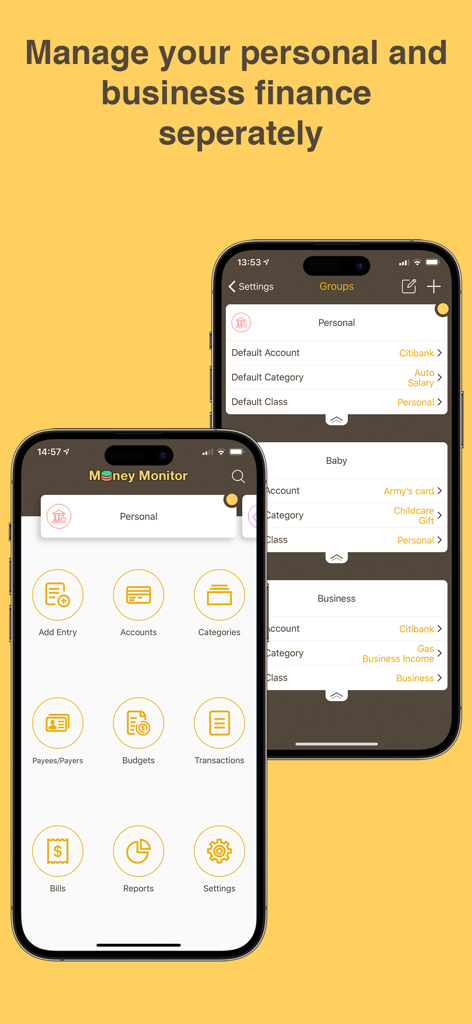
Money Monitor app interface showing separate screens for managing personal and business finances
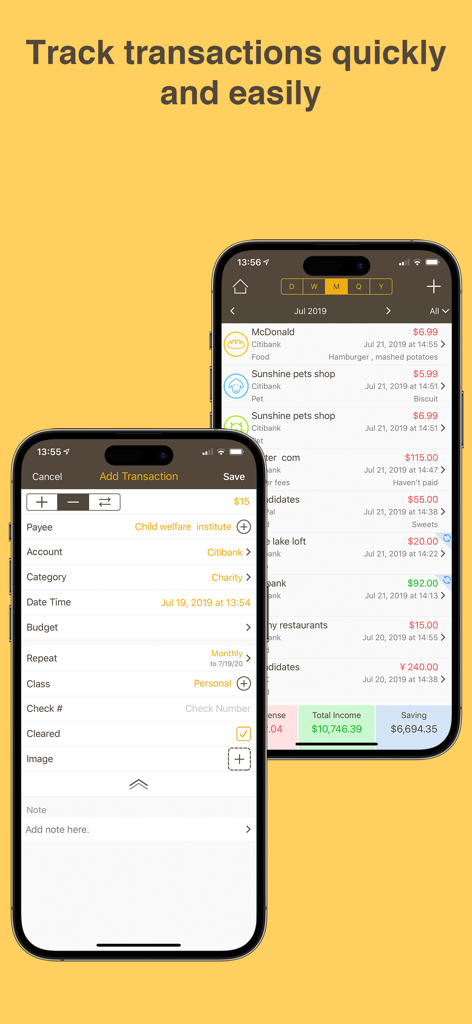
Money Monitor mobile app screens showing a detailed transaction list and the add transaction form for manual entry.
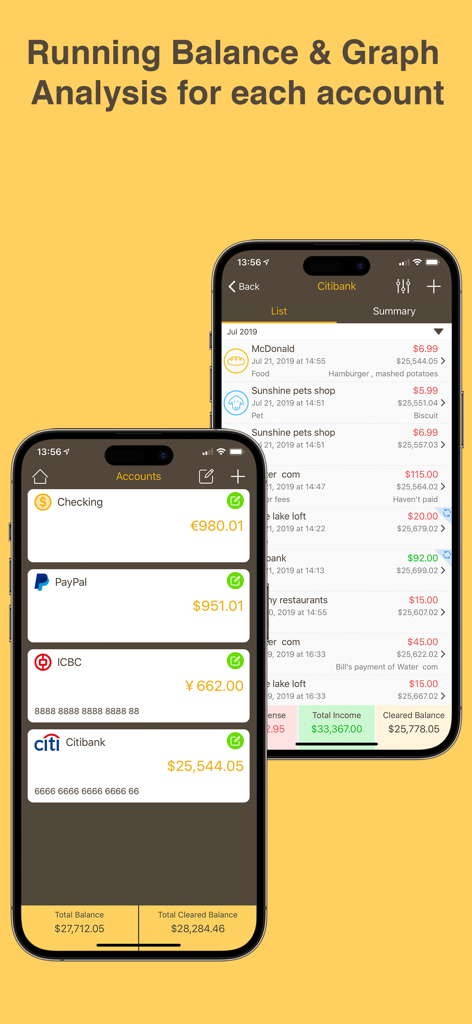
Account summary and transaction list with running balances in the Money Monitor expense tracker app.
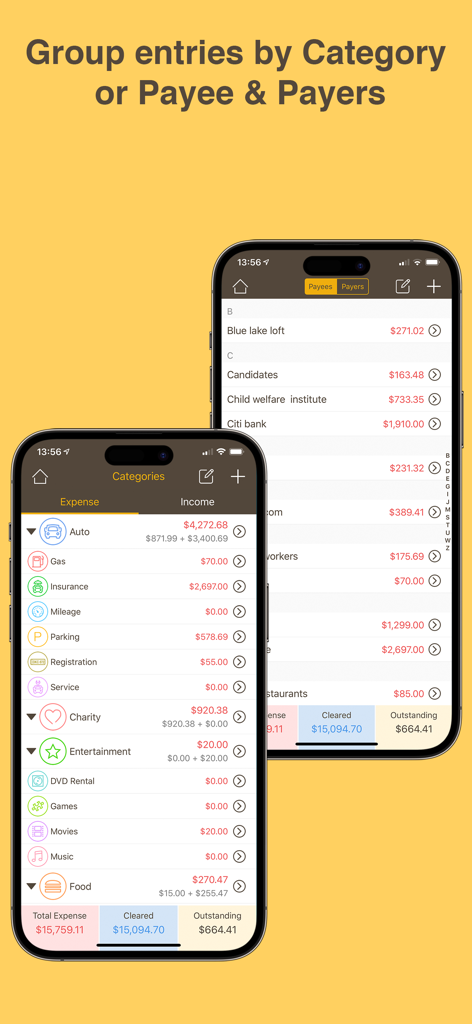
Expense tracker interface showing transaction grouping by category and payee
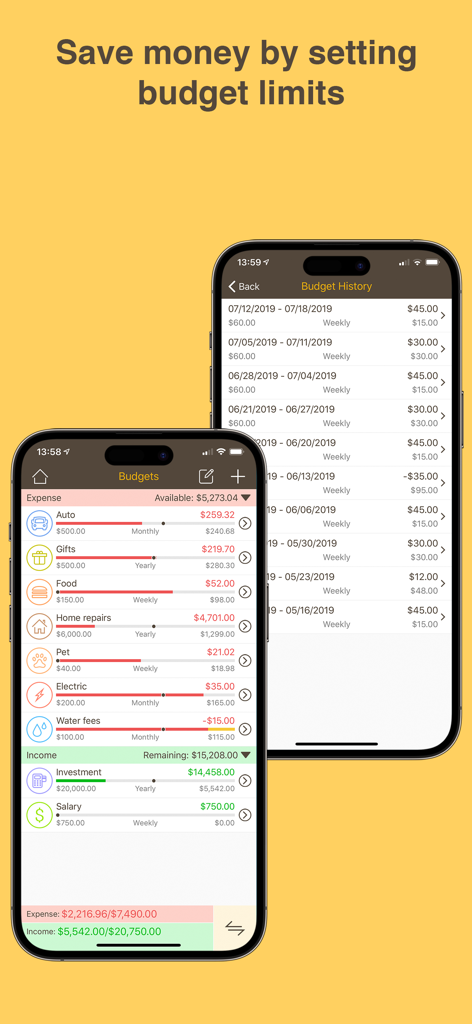
Money Monitor app screens showing budget limits for expense categories and budget history
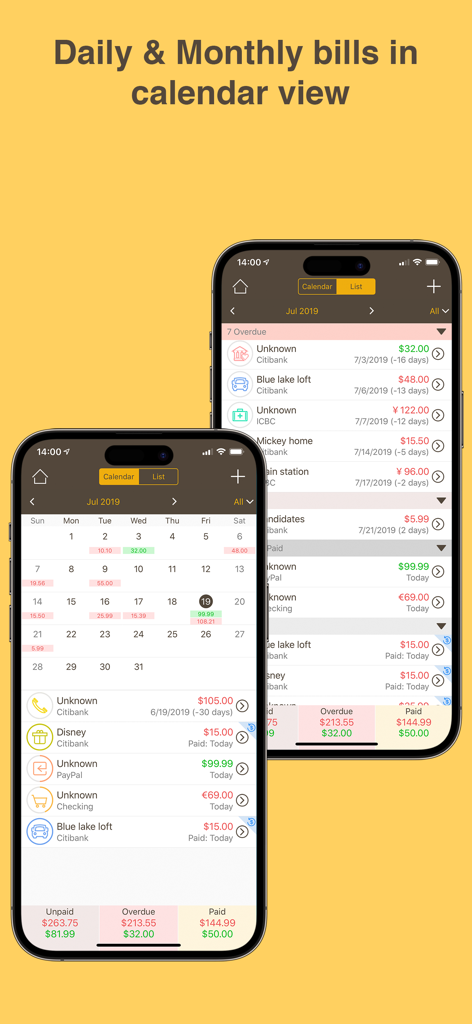
Money Monitor app interface showing daily and monthly bill tracking in calendar and list views
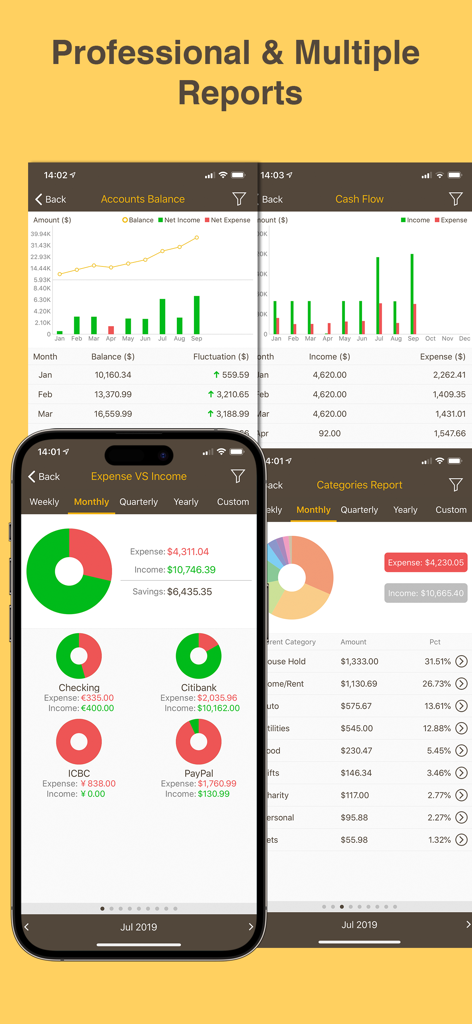
Money Monitor app financial reports showing expense charts and cash flow data.
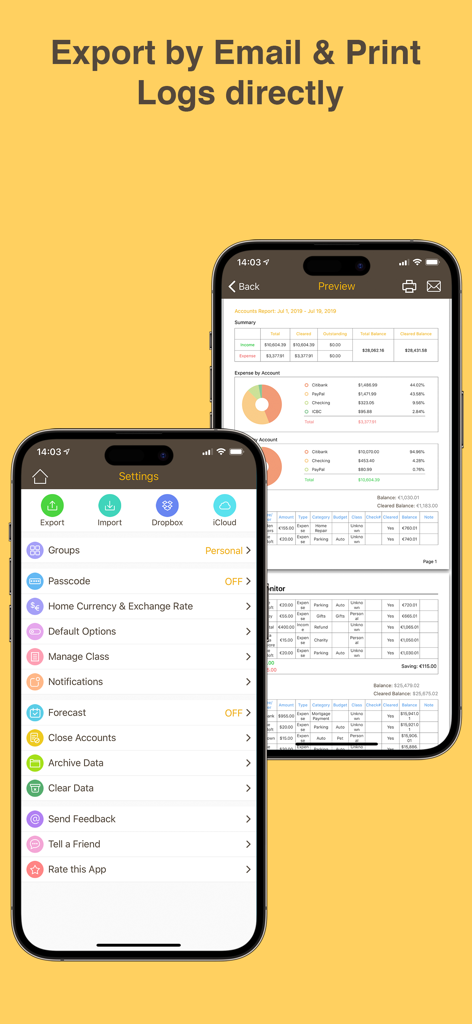
A screenshot of the Money Monitor app showing the settings menu and a preview of a detailed financial report with a pie chart.
Description
Download
More Like This
Top-ranked apps in the same category

电子税务局
State Administration of Taxation

UnionPay APP
China Unionpay Co.,Ltd.

养基宝 - 年轻人的养基神器
Shenzhen Xiaoduotou Information Technology Co.,Ltd.

PayPal - Pay, Send, Save
PayPal, Inc.

中国农业银行
AGRICULTURAL BANK OF CHINA LIMITED

Mercado Pago: cuenta digital
MercadoLibre S.A.

Kalshi: Trade on the Big Game
KALSHI INC.

中国工商银行
Industrial and Commercial Bank of China

个人所得税
State Administration of Taxation
This page is not an official page of the app or its developer, but an independent editorial publication created for informational and commentary purposes. Unless expressly stated otherwise, neither the app nor its developer is affiliated with, endorsed by, sponsored by, authorized by, or otherwise officially connected with MWM, Apple, Google Play, the app publisher, or the app's developer, and nothing on this page implies that the app was developed using MWM's services. Any trademarks, logos, screenshots, and other content remain the property of their respective owners.