
This page is not an official page of the app or its developer, but an independent editorial publication created for informational and commentary purposes. Unless expressly stated otherwise, neither the app nor its developer is affiliated with, endorsed by, sponsored by, authorized by, or otherwise officially connected with MWM, Apple, Google Play, the app publisher, or the app's developer, and nothing on this page implies that the app was developed using MWM's services. Any trademarks, logos, screenshots, and other content remain the property of their respective owners.


Movie Night: Film & TV Picker
Decision paralysis? Gone. This app cuts through the noise, delivering immediate cinematic consensus.
Downloads
1M+User Rating
Total Ratings
4.5KPublisher
Category
EntertainmentLocales
10Latest Version
3.0.6Size
250.2 MBFirst Released
Feb 22, 2021An evaluation of the application's core functionalities for collaborative content discovery.
Key Features Analysis: Movie Night
Swipe to Match
The app simplifies content selection by allowing users to quickly 'swipe' through options, fostering consensus in group settings.
Streaming Integration
This tool identifies where movies and TV shows are available across major streaming platforms (e.g., Netflix, Prime Video), enabling direct access.
Trailers
It allows users to watch trailers within the app, providing a quick preview to gauge interest and build excitement for group viewing.
Community Recommendations
The platform connects users with a community to explore curated lists and read reviews from other movie enthusiasts, aiding discovery.
Staff Picks
The app offers curated staff picks, providing users with expert-selected recommendations to inspire new viewing choices.
Detailed Movie Information
It provides comprehensive movie details, including casting information and synopses, allowing users to learn more about a title.
Frequently Asked Questions
Everything you need to know about Movie Night: Film & TV Picker
How does Movie Night help users find movies for a group?
Movie Night helps users find movies by providing a "Swipe to Match" system. Users swipe right to select a movie or left to skip it, making it easy for groups to agree on a film quickly.
Can Movie Night show where to stream movies?
Yes, Movie Night offers streaming integration. It shows users where to watch movies on platforms like Netflix and Prime Video, and allows for direct launching to these services.
Does Movie Night include movie trailers?
Yes, Movie Night provides movie trailers. Users can watch trailers directly within the app to get more information and build excitement for chosen films.
Can users create personalized movie lists in Movie Night?
Yes, Movie Night allows users to create personalized movie collections. This feature is called "Your Library" and enables users to manage their watchlists and favorite movies.
What kind of movie details does Movie Night provide?
Movie Night offers comprehensive movie details. These include casting information, synopses, genres, release year, duration, and ratings from sources like IMDb, Metacritic, and Rotten Tomatoes.
Does Movie Night include community features like reviews and lists?
Yes, Movie Night incorporates community features. Users can discover lists and read reviews contributed by other movie lovers within the app.
Does Movie Night offer curated movie recommendations?
Movie Night offers curated recommendations through its "Staff Picks" feature. These selections provide users with inspiring suggestions for their next movie night.
How do I skip a movie in Movie Night?
Users skip a movie in Movie Night by swiping left on the movie card. This action indicates disinterest and moves the user to the next film option.
How do I select a movie I like in Movie Night?
Users select a movie they like in Movie Night by swiping right on the movie card. This action registers their interest in the film, contributing to potential matches.
What movie ratings are displayed in Movie Night?
Movie Night displays multiple movie ratings. These include scores from IMDb (e.g., 7.1/10), Metacritic (e.g., 53/100), and Rotten Tomatoes (e.g., 83%).
The following screenshots and description are sourced directly from the app's official store listing and are the property of the app developer.
App Store
Screenshots
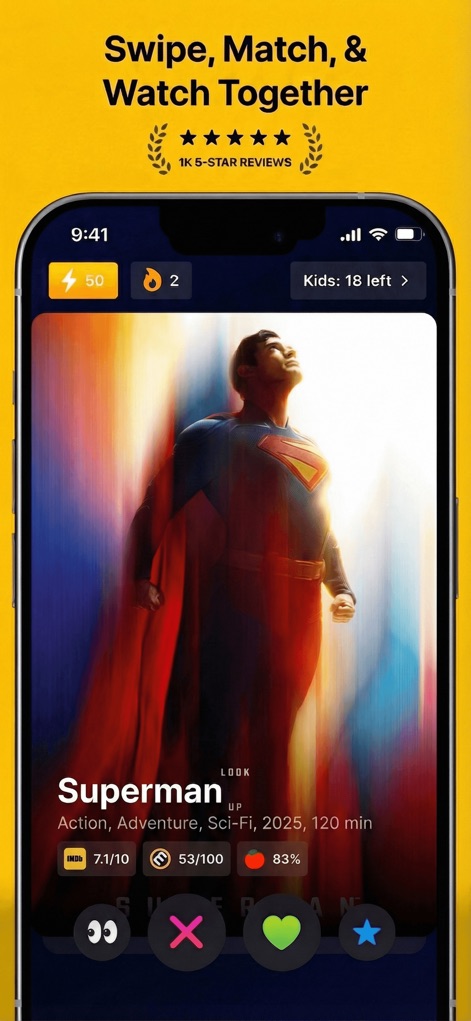
The app presents dynamic movie cards with key information, showcasing critical ratings and genre tags for swift decision-making.
Intuitive Movie Cards
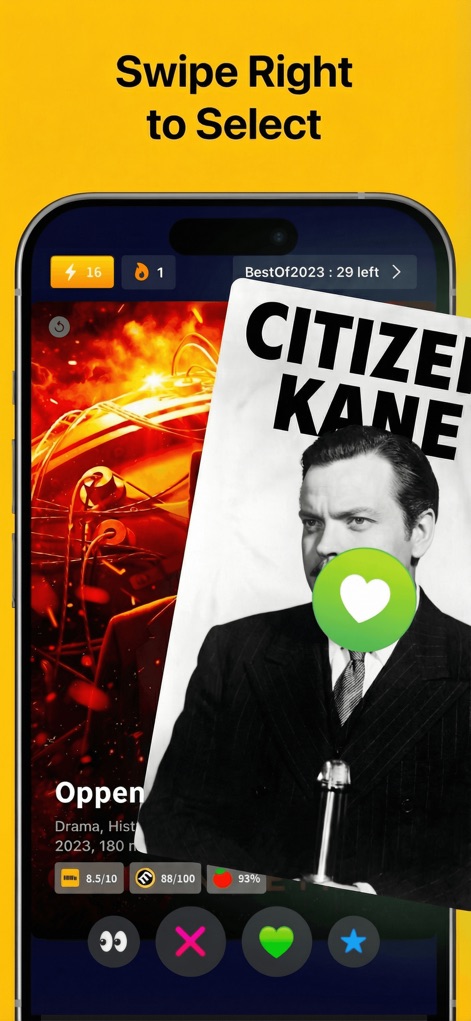
Users can effortlessly select desired films using the fluid right-swipe gesture, confirmed by the prominent green heart icon.
Swift Selection
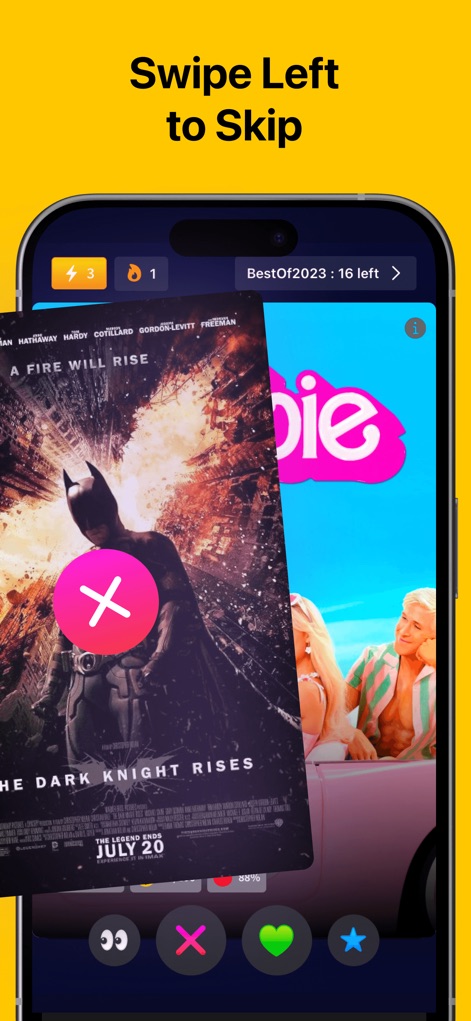
Unwanted options are quickly dismissed with a decisive left-swipe motion, visually indicated by the clear red 'X' icon.
Efficient Skipping
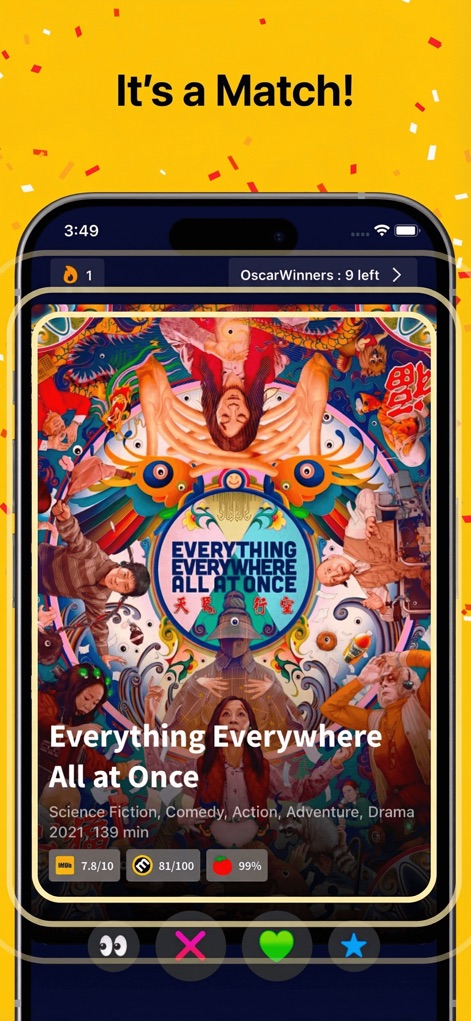
A successful group match is visually celebrated with a vibrant confetti animation surrounding the detailed movie information card.
Celebrate a Match
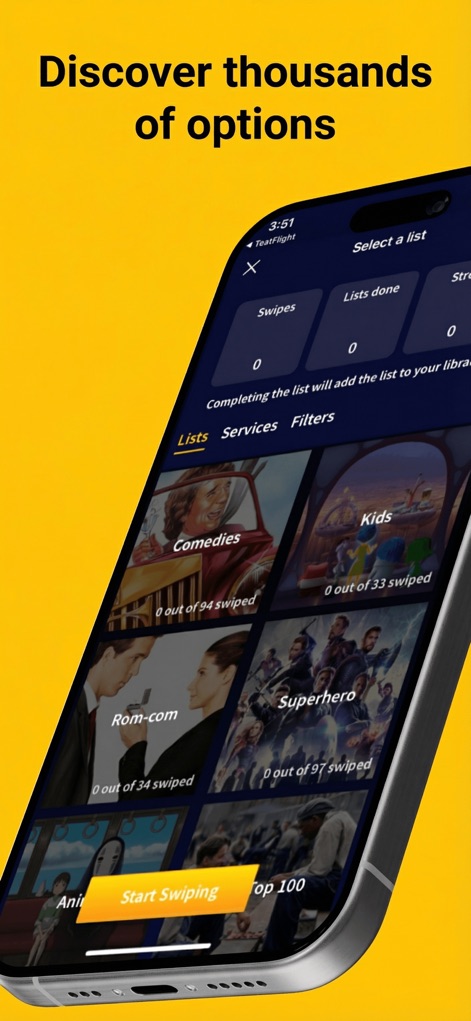
This tool offers extensive list categories and user-friendly filtering options, enabling users to discover thousands of curated movie and TV show selections.
Explore Diverse Lists
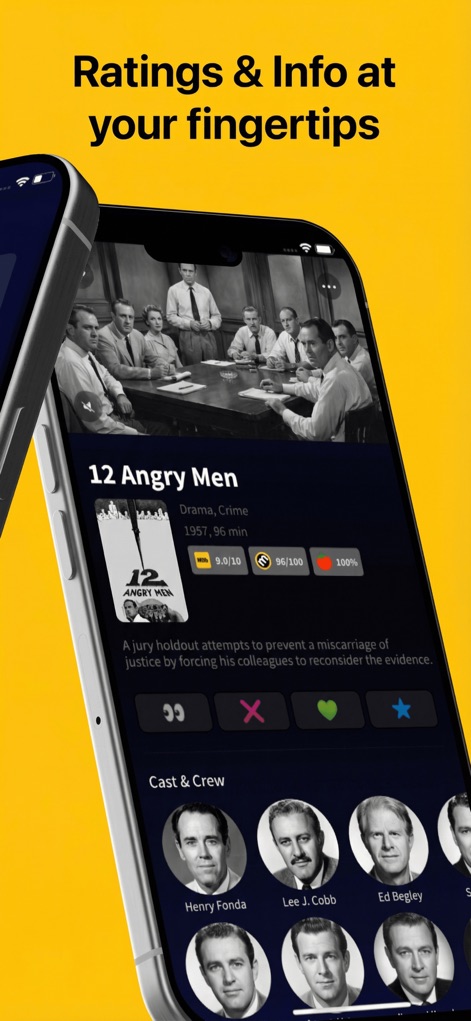
Detailed movie synopsis and integrated critical ratings are readily available, providing comprehensive information about each film.
Instant Movie Insights
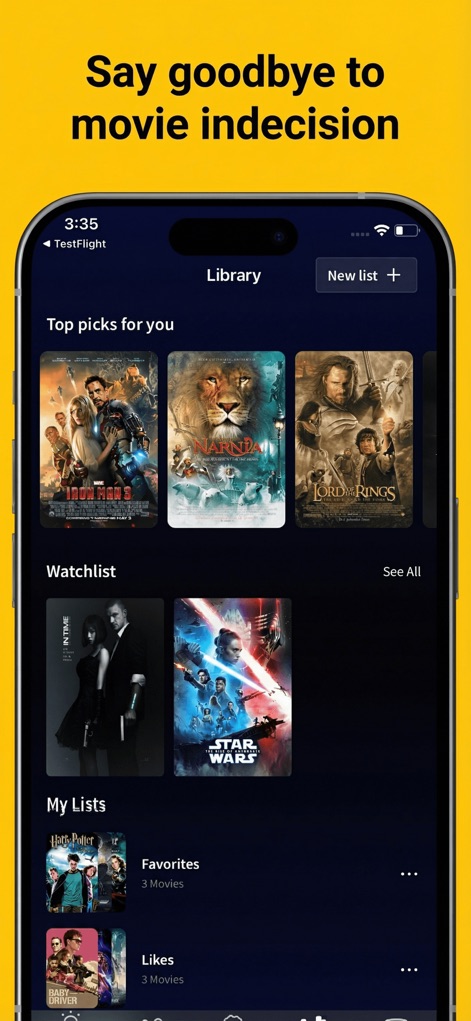
Users can organize their entertainment choices within a personalized 'Top picks for you' section and customizable 'My Lists' feature, streamlining their viewing experience.
Personalized Watchlist
Description
Download
More Like This
Apps with similar features and user experience

Inat TV: Movies Spinner Box
Absa Hyya

Friendly - Movies & TV Shows
The Friendly App Ltd

Gamebox: Movies,Tv & Actors
Ihsan ul haq Zia

Reader Progre: Movie Blind Bag
Nguyen Thi Hoai Thuong

Mags TV
TALHA ALI

قصه عشق دراما
Hassan Medov

GameBox:Screw Cine Buzz
Hidayanto Darimin
Lazer Dogde : Movie Mind
Nguyen Minh Cong

Honor: Save Time Movies
Mahnoor Amjad
This page is not an official page of the app or its developer, but an independent editorial publication created for informational and commentary purposes. Unless expressly stated otherwise, neither the app nor its developer is affiliated with, endorsed by, sponsored by, authorized by, or otherwise officially connected with MWM, Apple, Google Play, the app publisher, or the app's developer, and nothing on this page implies that the app was developed using MWM's services. Any trademarks, logos, screenshots, and other content remain the property of their respective owners.