This page is not an official page of the app or its developer, but an independent editorial publication created for informational and commentary purposes. Unless expressly stated otherwise, neither the app nor its developer is affiliated with, endorsed by, sponsored by, authorized by, or otherwise officially connected with MWM, Apple, Google Play, the app publisher, or the app's developer, and nothing on this page implies that the app was developed using MWM's services. Any trademarks, logos, screenshots, and other content remain the property of their respective owners.
MP3 Player & Audio Music Mixer
Escape subscription fatigue with high-fidelity offline playback, advanced pitch control, and easy WiFi transfers. No ads, no cloud, and no iTunes—just your music, exactly how you want it.
Key Figures
Downloads
0
User Rating
1.0/5
Total Ratings
0
Publisher
Singabe Djonouma
Category
Music
Locales
1
Latest Version
1.0
Size
12.8 MB
First Released
Apr 12, 2026
Features
Your Music, Your Rules
Break free from streaming subscriptions and cloud dependency. Enjoy your high-fidelity local library with professional-grade tools designed for those who value ownership and audio quality.
End Subscription Fatigue
Stop renting your music. Play your local MP3, FLAC, and WAV files 100% offline with a one-time lifetime purchase and zero monthly fees.
Zero-Friction WiFi Transfer
Skip the iTunes headache. Drag and drop your entire collection from any PC or Mac browser directly to your iPhone—no cables or syncing required.
The following screenshots and description are sourced directly from the app's official store listing and are the property of the app developer.
App Store
Screenshots
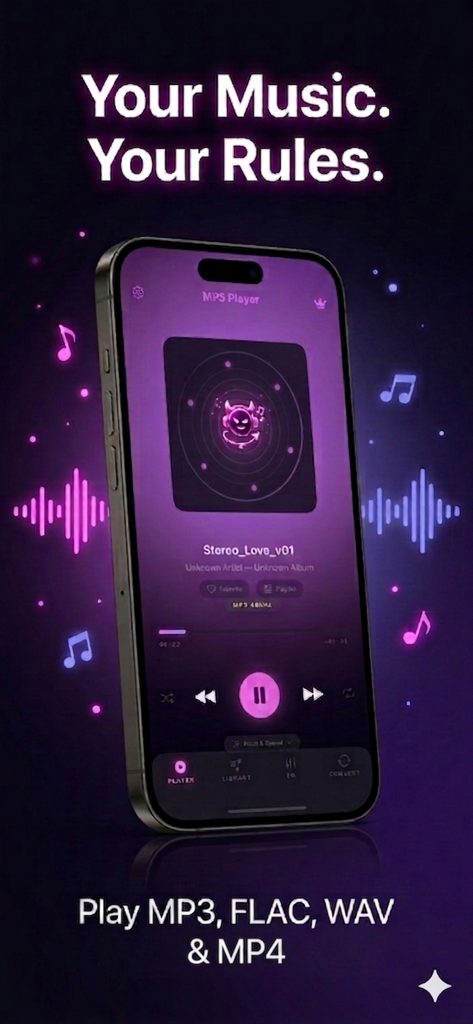
MP3 Player and Audio Music Mixer app interface on a smartphone screen with the slogan Your Music Your Rules.
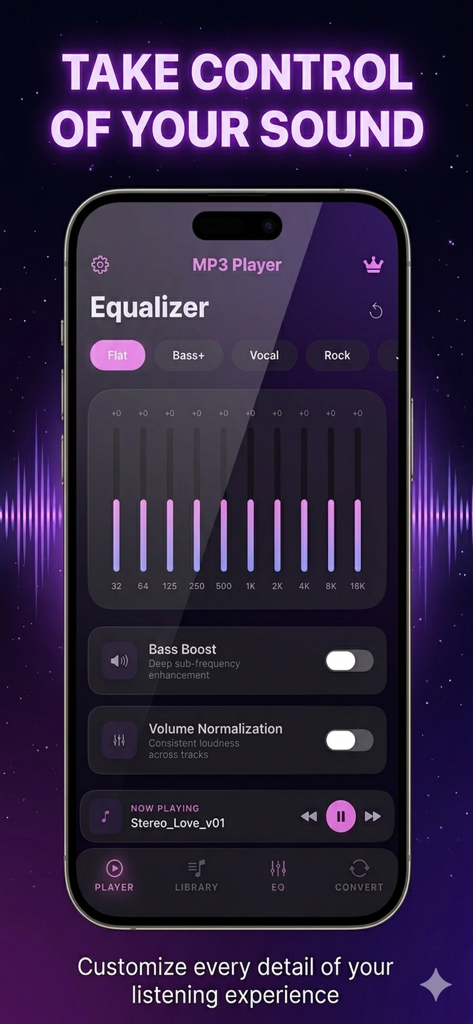
Interface of the MP3 Player app showing the 10-band equalizer and sound customization settings
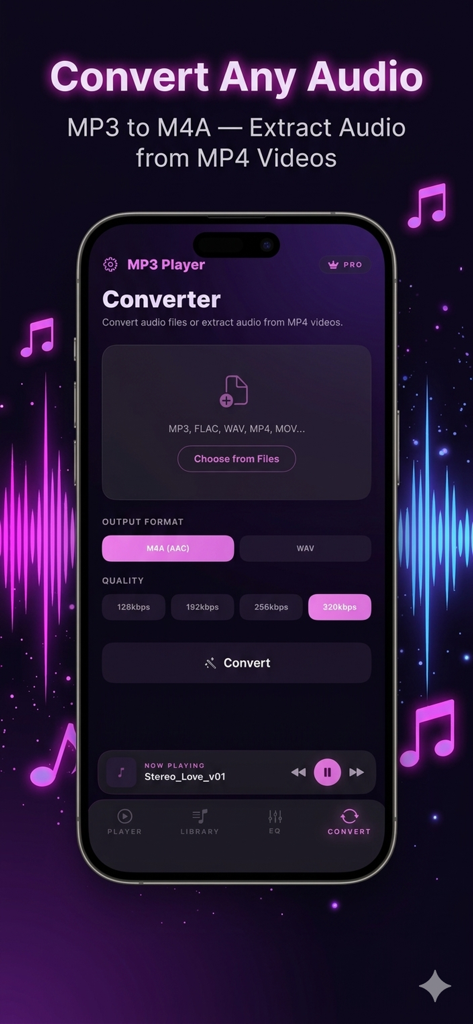
Audio converter interface for changing file formats and extracting audio from videos
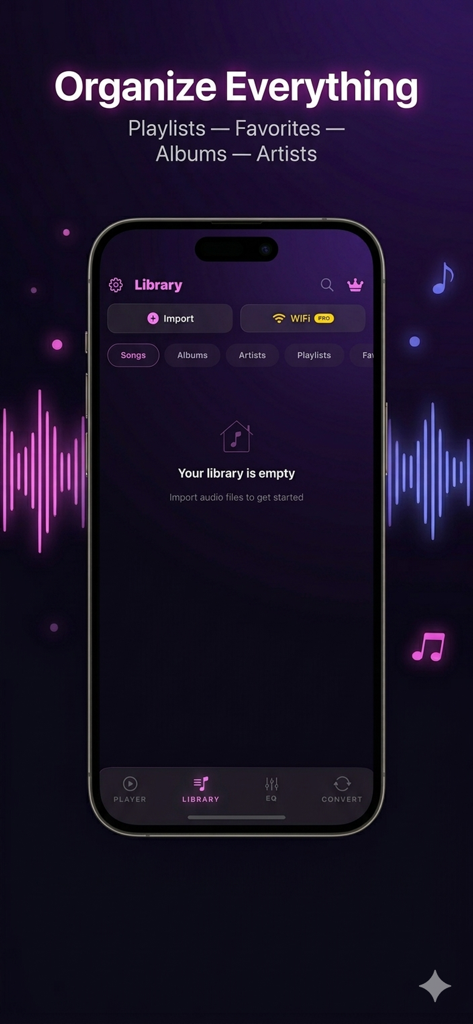
MP3 Player app library screen for organizing local music files by playlists, albums, and artists.
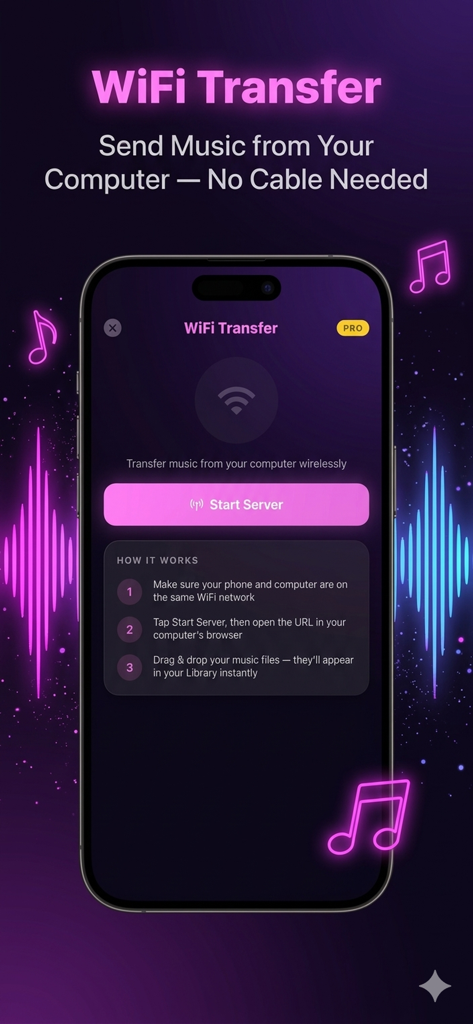
Interface showing how to transfer music from a computer to the MP3 Player app using WiFi without cables.
Description
Tired of iTunes? Done paying monthly just to listen to YOUR music?
MP3 Player & Audio Music Mixer plays your local audio files - offline, with no ads, no subscription, no cloud dependency. Import your MP3, FLAC, WAV, AAC, M4A or OGG files and start listening in seconds. Your music stays on YOUR device.
--- PLAY ANY FORMAT ---
- MP3, FLAC, WAV, AAC, M4A, OGG - all supported
- Lossless hi-fi audio playback (FLAC, WAV)
- Extract audio from MP4 and MOV video files
- Background playback with Lock Screen controls
- Swipe to change tracks, shuffle, repeat
--- PITCH & SPEED CONTROL ---
- Change pitch (tone) from -3 to +3 semitones
- Adjust playback speed from 0.5x to 2x
- Perfect for musicians, language learners & DJs
- Real-time - no re-encoding needed
--- ORGANIZE YOUR LIBRARY ---
- Playlists, favorites, albums, artists, folders
- Edit song info - title, artist, album name
- Search your entire library instantly
- Play counter to track your most listened songs
- Import from Files app, AirDrop, or Share sheet
--- PREMIUM FEATURES ---
Unlock the full experience with a one-time purchase:
- 10-Band Equalizer with 8 presets (Flat, Bass+, Vocal, Rock, Jazz, Classical, Electronic, Custom)
- Bass Boost - deep sub-frequency enhancement
- Audio Converter - convert between M4A and WAV, extract audio from MP4 videos
- WiFi Transfer - send music from your PC via WiFi, no cable, no iTunes
- Custom album artwork - set your own cover art
- Volume normalization - consistent loudness across tracks
- Crossfade - smooth transitions between songs
- Zero ads - forever
--- WIFI TRANSFER: NO ITUNES NEEDED ---
1. Open the app, tap WiFi Transfer
2. Open the URL in your computer's browser
3. Drag & drop your music files
That's it. No iTunes. No cable. No sign-up. Files appear in your library instantly.
--- WHY THIS APP? ---
* No subscription - no monthly fee, ever
* No cloud - your music stays on your device
* No ads in the free version playback
* All formats - MP3, FLAC, WAV, AAC, M4A, OGG, MP4
* Built-in converter + equalizer + editor - all in one
* Premium is a one-time lifetime purchase
* Works 100% offline
--- FREE VS PREMIUM ---
FREE: Play all formats, import files, playlists, favorites, albums, artists, background playback, lock screen controls, pitch & speed control, search, play counter.
PREMIUM (one-time purchase): 10-band equalizer, bass boost, presets, audio converter, WiFi transfer, custom artwork, volume normalization, crossfade, gapless playback.
--- PERFECT FOR ---
- Musicians who need pitch shifting and speed control for practice
- Audiophiles who listen to lossless FLAC and WAV files
-
- DJs who want real-time tone adjustment
- Language learners who slow down audio
- Anyone tired of paying monthly for music they already own
- Data hoarders with large local MP3 and FLAC collections
--- FAQ ---
Q: Can I play FLAC files on iPhone?
A: Yes. Lossless hi-fi audio, no conversion needed.
Q: Do I need iTunes to add music?
A: No. Use WiFi Transfer from any browser, or import via Files app.
Q: Is there a monthly subscription?
A: No forced subscription. Premium is available as a one-time lifetime purchase.
Q: Can I extract audio from videos?
A: Yes. Import any MP4 or MOV file and convert it to M4A or WAV.
Q: Does it work offline?
A: 100%. No internet connection required to play your music.
Q: Can I edit song tags?
A: Yes. Edit title, artist, album name, and set custom album artwork.
Q: How do I transfer music from my computer?
A: Use WiFi Transfer - no cable, no iTunes, just drag and drop from any browser.
---
Privacy Policy: https://astra-dev.fr/apps/mp3-player/privacy-policy.html
Terms of Use: https://astra-dev.fr/apps/mp3-player/terms-of-use.html
This page is not an official page of the app or its developer, but an independent editorial publication created for informational and commentary purposes. Unless expressly stated otherwise, neither the app nor its developer is affiliated with, endorsed by, sponsored by, authorized by, or otherwise officially connected with MWM, Apple, Google Play, the app publisher, or the app's developer, and nothing on this page implies that the app was developed using MWM's services. Any trademarks, logos, screenshots, and other content remain the property of their respective owners.