
This page is not an official page of the app or its developer, but an independent editorial publication created for informational and commentary purposes. Unless expressly stated otherwise, neither the app nor its developer is affiliated with, endorsed by, sponsored by, authorized by, or otherwise officially connected with MWM, Apple, Google Play, the app publisher, or the app's developer, and nothing on this page implies that the app was developed using MWM's services. Any trademarks, logos, screenshots, and other content remain the property of their respective owners.
Mp3tag - Music Tag Editor
The ultimate tool for audiophiles, DJs, and collectors. Effortlessly batch edit tags, manage lossless FLAC and Hi-Res files, and transform your music collection into a perfectly organized, professional archive.
Downloads
1K+User Rating
Total Ratings
0Publisher
Category
MusicLocales
16Latest Version
1.0.2Size
22.6 MBFirst Released
Oct 21, 2025Mastery Over Your Music Library
A professional-grade toolkit designed for audiophiles, DJs, and collectors who demand perfection and ownership in their digital music archives.
Audiophile-Grade Format Support
Full support for high-res lossless formats including FLAC, WAV, DFF, and DSF. Manage your premium audio files with professional precision.
Powerful Batch Tagging
Save hours by updating metadata for entire discographies at once. Keep your massive collection consistent and search-ready with just one tap.
The following screenshots and description are sourced directly from the app's official store listing and are the property of the app developer.
App Store
Screenshots
An orange graphic showing an MP3 file icon with text describing the ability to edit and manage music tags for various audio formats
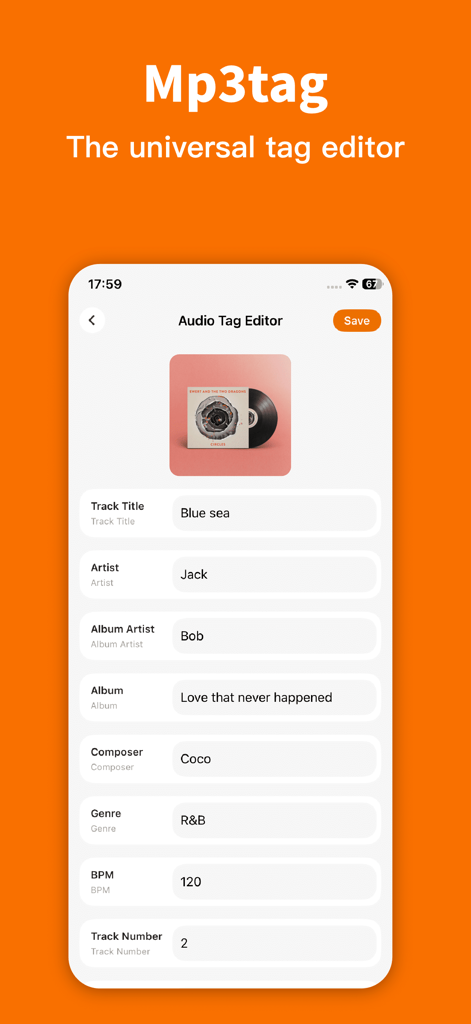
Interface of the Mp3tag app showing metadata editing fields for track title artist and album
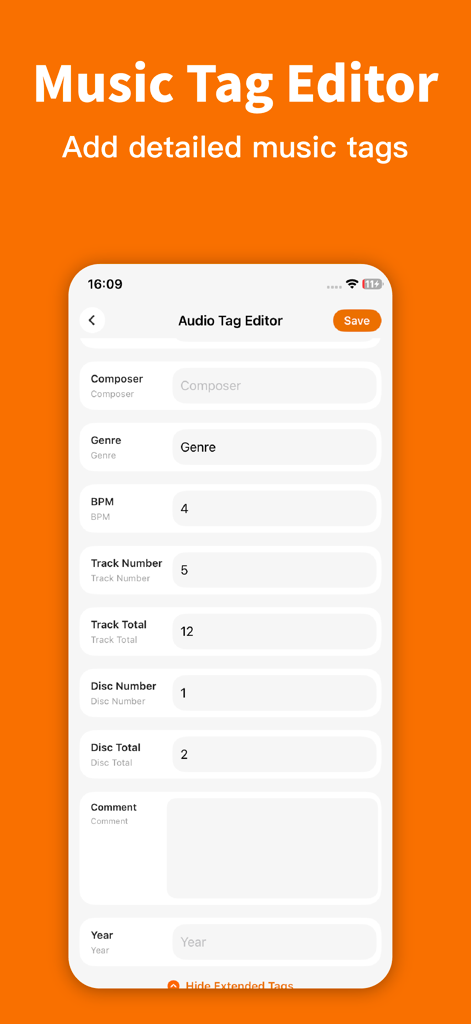
Interface of the Mp3tag app for editing detailed music metadata tags like genre and BPM
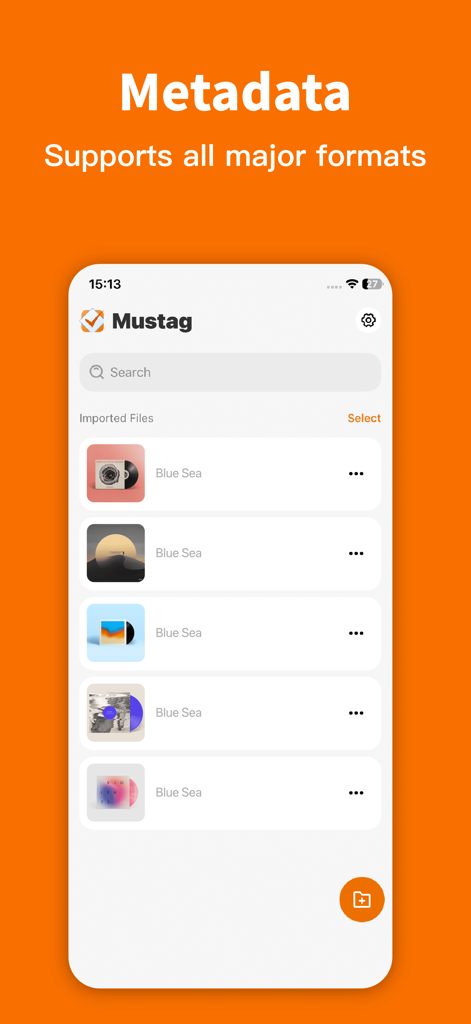
Mp3tag app interface showing a list of imported music tracks for metadata editing
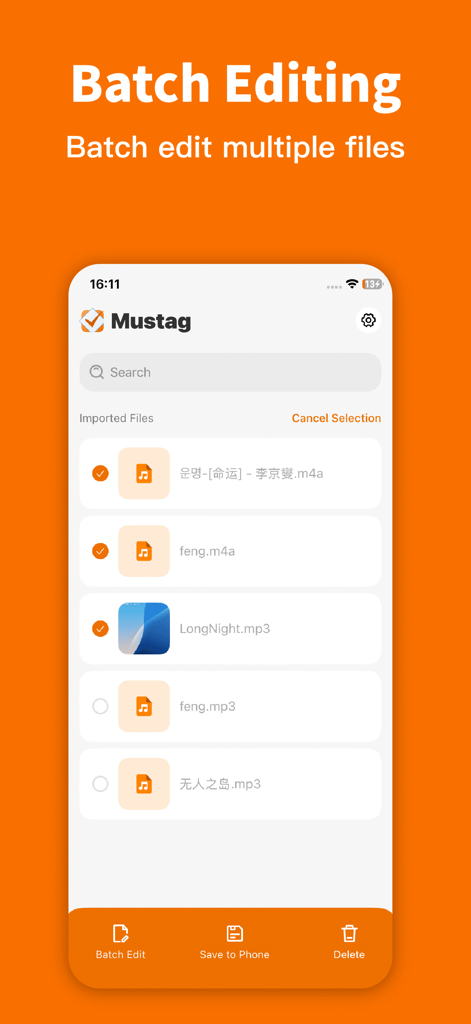
Interface of the Mp3tag app displaying the batch editing feature with several music files selected for metadata updates
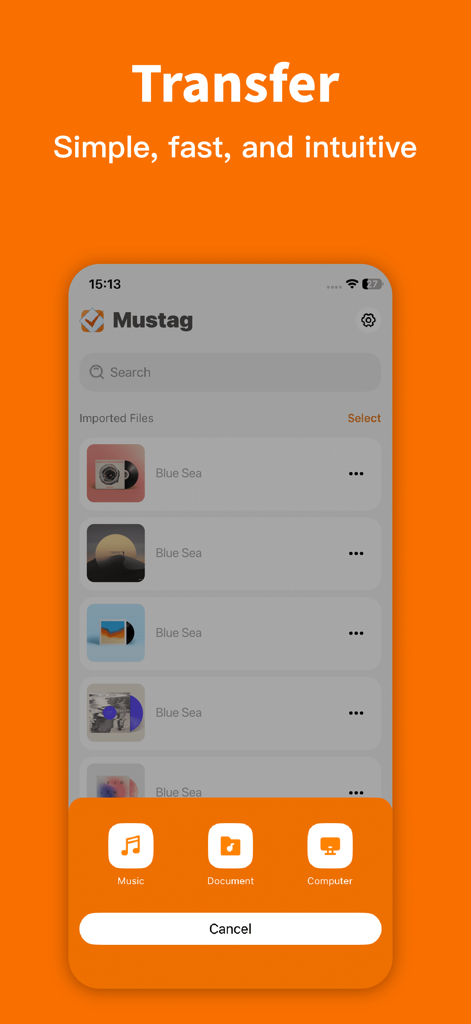
Music file transfer menu in the Mp3tag app interface showing options for computer and document imports
Description
Download
More Like This
Top-ranked apps in the same category

Spotify: Music and Podcasts
Spotify

YouTube Music
Google LLC

Shazam: Find Music & Concerts
Apple Inc.
SoundCloud: The Music You Love
SoundCloud Global Limited & Co KG

Suno - AI Songs & Music
Suno Inc.

QQ音乐 - 听我想听
Tencent Technology (Shenzhen) Company Limited

Audiomack - Play Music Offline
Audiomack, Inc.

BandLab – Music Maker & Beats
BandLab Singapore Pte Ltd
GuitarTuna: Tune & Play Guitar
Yousician Ltd
This page is not an official page of the app or its developer, but an independent editorial publication created for informational and commentary purposes. Unless expressly stated otherwise, neither the app nor its developer is affiliated with, endorsed by, sponsored by, authorized by, or otherwise officially connected with MWM, Apple, Google Play, the app publisher, or the app's developer, and nothing on this page implies that the app was developed using MWM's services. Any trademarks, logos, screenshots, and other content remain the property of their respective owners.