
This page is not an official page of the app or its developer, but an independent editorial publication created for informational and commentary purposes. Unless expressly stated otherwise, neither the app nor its developer is affiliated with, endorsed by, sponsored by, authorized by, or otherwise officially connected with MWM, Apple, Google Play, the app publisher, or the app's developer, and nothing on this page implies that the app was developed using MWM's services. Any trademarks, logos, screenshots, and other content remain the property of their respective owners.

My Map-Marker,Save,Track&Plan
Turn Instagram inspiration into real-world routes, optimize professional multi-stop trips, and navigate offline. The fast, clean, and professional map assistant designed for sales reps, outdoor explorers, and savvy travelers.
Downloads
1K+User Rating
Total Ratings
0Publisher
Category
TravelLocales
12Latest Version
1.3.0Size
58.5 MBFirst Released
May 29, 2025Efficiency Meets Exploration
Stop wasting time on cluttered maps. My Map combines professional-grade route optimization with personal discovery tools to keep your world organized and accessible.
Instagram to Reality
Instantly turn social media inspiration into saved locations. Import spots directly from Instagram so you never have to manually search for a 'hidden gem' again.
Smart Multi-Stop Routing
Optimize your day with intelligent pathfinding. Perfect for sales reps and travelers who need to hit multiple locations in the most efficient order possible.
Frequently Asked Questions
Everything you need to know about My Map-Marker,Save,Track&Plan
What is My Map-Marker,Save,Track&Plan?
My Map is an app that helps users save places, plan routes, and track location history. It is designed for organizing favorite spots and navigating smarter, functioning as a personal map assistant.
How does My Map help me save locations?
My Map allows users to instantly save any location with one tap. Users can add notes, tags, and categorize their places for better organization within the app.
Can I plan multi-point routes with My Map?
Yes, My Map enables users to create multi-point routes for various travel modes, including walking, driving, or biking. This feature assists in navigating smarter.
Does My Map offer offline functionality?
Yes, My Map supports offline use, allowing the app to function even without an internet connection. This feature is particularly useful for fieldwork or travel.
How do I import locations from Instagram into My Map?
My Map allows users to easily import spots found on Instagram directly into their map. This feature helps users to save and revisit their favorite places.
Who is My Map-Marker,Save,Track&Plan designed for?
My Map is designed for sales reps, travelers, property managers, field teams, and enthusiasts in fishing, photography, or hiking who need to record and organize locations.
How does My Map handle subscription payments?
The payment for My Map is charged to the user's iTunes account once the purchase is confirmed. All transactions occur via the iTunes account.
How do I cancel my My Map subscription?
To cancel a My Map subscription, users must manually disable auto-renewal in their iTunes/Apple ID settings. This action must occur at least 24 hours before the current subscription period ends.
Does My Map automatically renew subscriptions?
Yes, My Map subscriptions automatically renew. The iTunes account will be charged within 24 hours before the current subscription period concludes.
Where can I find the Terms of Use for My Map?
The Terms of Use for My Map are available at the following link: https://mapmarkerpro.github.io/PrivacyPolicy.htm.
The following screenshots and description are sourced directly from the app's official store listing and are the property of the app developer.
App Store
Screenshots
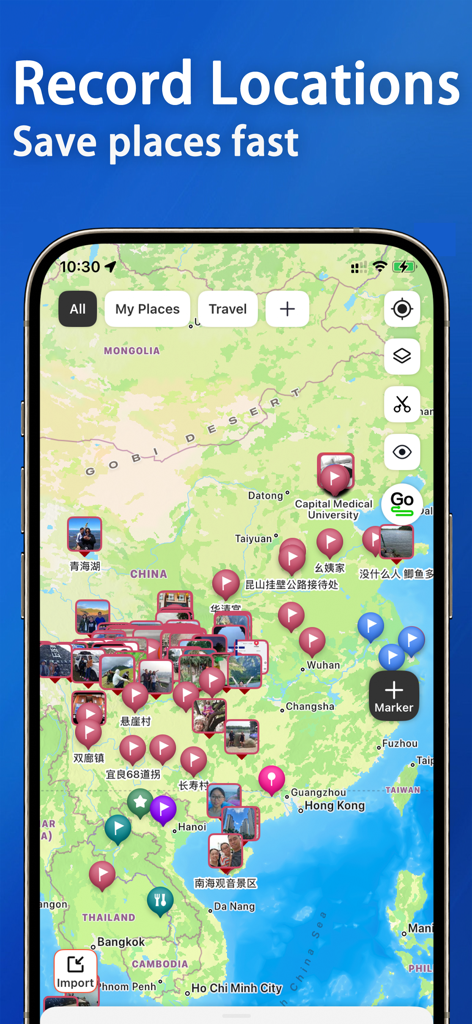
Smartphone screen showing a map interface with numerous custom pins and photos representing saved locations.
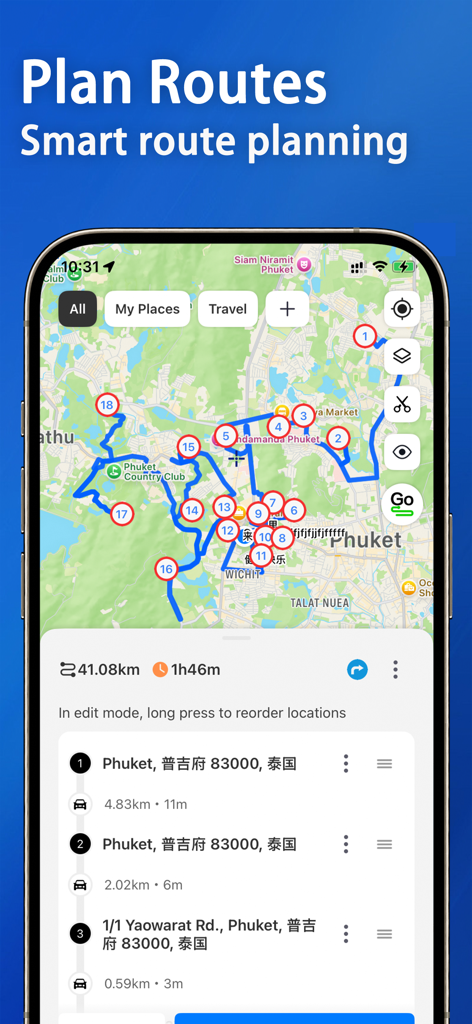
A mobile app interface showing a map with a planned multi stop route and numbered markers
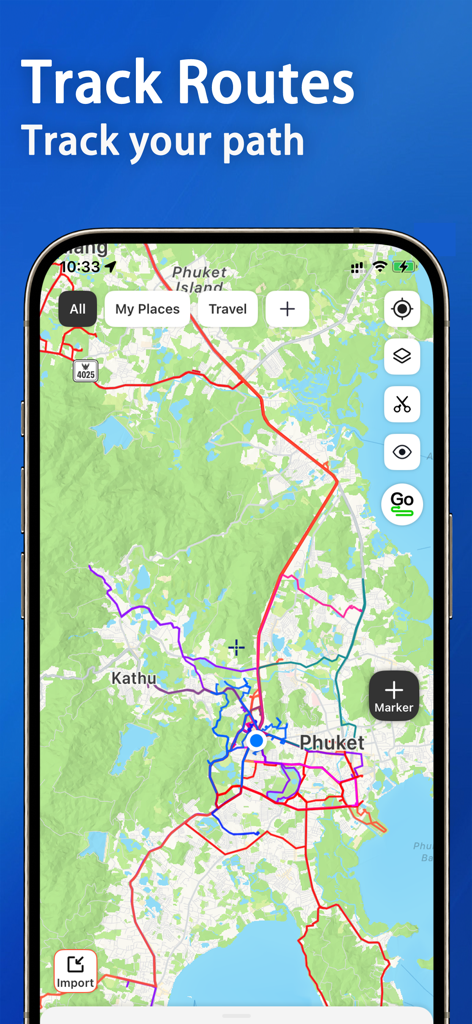
Mobile app interface displaying multiple colored travel routes and location markers on a digital map.
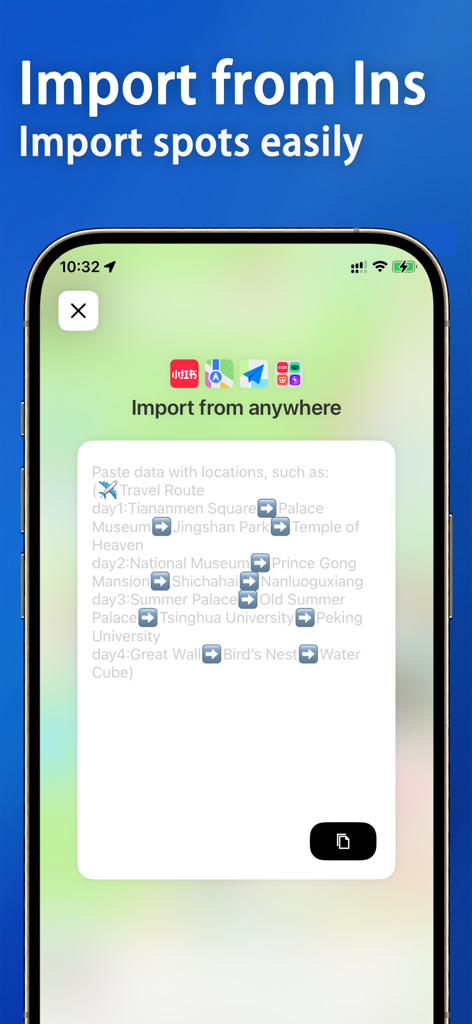
Screen showing the feature to import location data and travel spots from social media apps like Instagram into My Map.
Description
Download
More Like This
Top-ranked apps in the same category

Uber - Request a ride
Uber Technologies, Inc.

Airbnb
Airbnb, Inc.

铁路12306
ACADEMY OF RAILWAY SCIENCES CO., ltd.

Booking.com: Hotels & Travel
Booking.com B.V.

Grab: Taxi Ride, Food Delivery
GRABTAXI HOLDINGS PTE. LTD.

Trip.com: Book Flights, Hotels
Trip.com Travel Singapore Pte. Ltd.

DiDi China: Ride Hailing
Didi Chuxing (Beijing) Network Platform Technology Co., Ltd

去哪儿旅行-订酒店机票火车票
Beijing Qunar Information Technology Company Limit

Bolt: Request a Ride
BOLT TECHNOLOGY OU
This page is not an official page of the app or its developer, but an independent editorial publication created for informational and commentary purposes. Unless expressly stated otherwise, neither the app nor its developer is affiliated with, endorsed by, sponsored by, authorized by, or otherwise officially connected with MWM, Apple, Google Play, the app publisher, or the app's developer, and nothing on this page implies that the app was developed using MWM's services. Any trademarks, logos, screenshots, and other content remain the property of their respective owners.