
This page is not an official page of the app or its developer, but an independent editorial publication created for informational and commentary purposes. Unless expressly stated otherwise, neither the app nor its developer is affiliated with, endorsed by, sponsored by, authorized by, or otherwise officially connected with MWM, Apple, Google Play, the app publisher, or the app's developer, and nothing on this page implies that the app was developed using MWM's services. Any trademarks, logos, screenshots, and other content remain the property of their respective owners.


myBCA: New BCA Banking Apps
No more app juggling; it hands users total financial command from a single screen.
Downloads
5M+User Rating
Total Ratings
14.0KPublisher
Category
FinanceLocales
3Latest Version
2.15.1Size
603.4 MBFirst Released
May 3, 2021Analyzing the core functionalities catering to modern financial needs.
Key Features of myBCA: A Digital Banking Powerhouse
Online Foreign Currency Savings
It allows users to buy and save in up to 17 foreign currencies 24/7 with competitive exchange rates, and use their BCA Mastercard debit card abroad without conversion hassle.
Curated Investment Opportunities
This tool features access to curated mutual funds and bonds, enabling users to start investing from as little as Rp10,000 to meet their financial goals.
Comprehensive Transfer Services
The app provides robust domestic and international transfer capabilities, allowing users to send money to other BCA accounts, different banks, virtual accounts, e-wallets, and make foreign currency transfers with favorable rates.
Multi-Country QRIS Payments
It allows users to make payments by scanning QRIS codes, supported across Indonesia, Thailand, Singapore, and Malaysia for convenient regional transactions.
Complete Bill & Daily Payment System
The app features comprehensive services for paying various bills including electricity, water, internet, vehicle tax, education fees, and credit card installments directly within the platform.
Biometric Security & Fast Login
This tool ensures quick and secure access using biometric methods like fingerprint or Face ID, eliminating the need for repeated PIN entries.
Financial Diary & Transaction Tracking
It allows users to track daily expenses with a Financial Diary and view their comprehensive transaction history across all accounts since 2016 within a single dashboard.
Cardless Cash Operations
The app provides the convenience of depositing or withdrawing cash at any BCA ATM without requiring a physical card, useful in emergencies.
Frequently Asked Questions
Everything you need to know about myBCA: New BCA Banking Apps
What is myBCA?
myBCA is a digital banking application by BCA that consolidates online account opening, money transfers, bill payments, and investment management into a single platform. Users manage all financial transactions with one BCA ID.
How can I open a new BCA account using myBCA?
Yes, myBCA allows users to open a new BCA account online directly through the application. This streamlines the process for new customers, making banking accessible from home.
Does myBCA support international money transfers?
Yes, myBCA supports international money transfers. Users can easily transfer foreign currencies with competitive exchange rates, suitable for both personal and business needs, functioning as a foreign exchange app.
Can I pay bills using the myBCA app?
Yes, myBCA provides complete bill payment services. Users can pay electricity, water, internet, vehicle tax, education fees, and credit card installments directly within the app.
What payment methods does myBCA offer?
myBCA offers practical QRIS payments, allowing users to scan QR codes for transactions in Indonesia, Thailand, Singapore, and Malaysia. It also facilitates e-wallet top-ups like OVO and DANA.
Does myBCA offer cardless cash withdrawals?
Yes, myBCA offers cardless cash withdrawals. Users can deposit or withdraw cash at any BCA ATM using the cardless feature directly from the application, eliminating the need for a physical card.
How does myBCA ensure secure access?
myBCA ensures secure and fast access through fingerprint or Face ID login. This eliminates the need for repeated PIN entry, providing a quick and protected user experience for all transactions.
Can I save in foreign currencies with myBCA?
Yes, myBCA allows online foreign currency savings through its "Poket Valas" feature. Users can choose from up to 17 currencies, available 24/7 with competitive exchange rates.
What types of investments are available through myBCA?
myBCA provides access to curated investments including mutual funds and bonds. Users can start investing from just Rp10,000, aligning with various investment goals through mobile access.
Can myBCA track my financial expenses?
Yes, myBCA features a Financial Diary to track daily expenses and allows viewing transaction history back to 2016 across all accounts, providing a comprehensive financial overview.
Is myBCA accessible on multiple devices?
Yes, myBCA offers multi-platform access. Users can access the banking services securely via the mobile application or through a web browser on different devices, providing flexibility.
Does myBCA offer special features for priority customers?
Yes, myBCA provides exclusive offers and services for Priority and Solitaire customers. These benefits include lifestyle, health, and travel advantages tailored for elite users.
Does myBCA connect to smartwatches?
Yes, myBCA offers connectivity with smartwatches. This feature is indicated as "Koneksi Smartwatch (NEW)" within the app's settings menu, enhancing accessibility for users.
How can I manage OTP verification in myBCA?
myBCA allows users to manage OTP verification settings. The "Atur Pengiriman Kode OTP" option in the "Verifikasi Transaksi" section provides control over OTP delivery for secure online transactions.
Can I apply for a credit card through the myBCA app?
Yes, users can apply for a BCA credit card directly through the myBCA app. The "Kartu Kredit" section provides an option to "Ajukan atau Cek Status" (Apply or Check Status).
The following screenshots and description are sourced directly from the app's official store listing and are the property of the app developer.
App Store
Screenshots
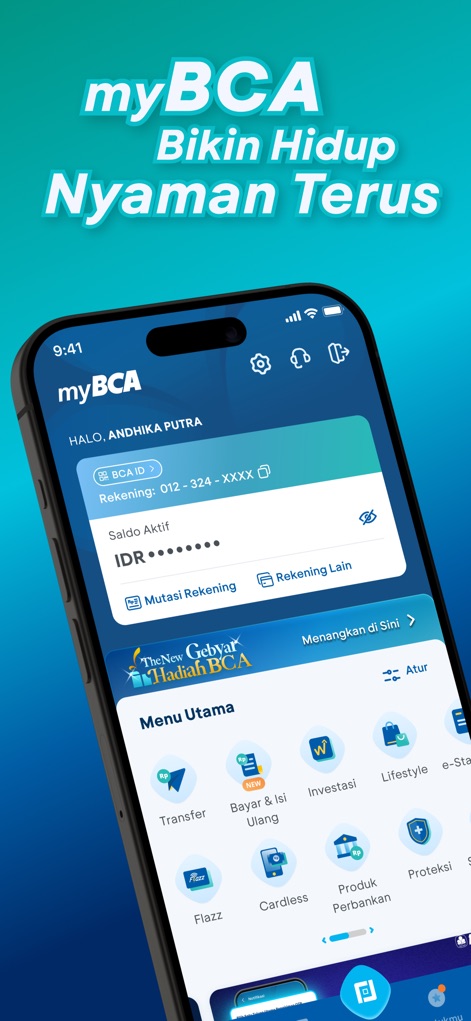
The central hub visually presents immediate account balance details and a comprehensive "Menu Utama" for quick access to core banking services.
Dashboard Overview
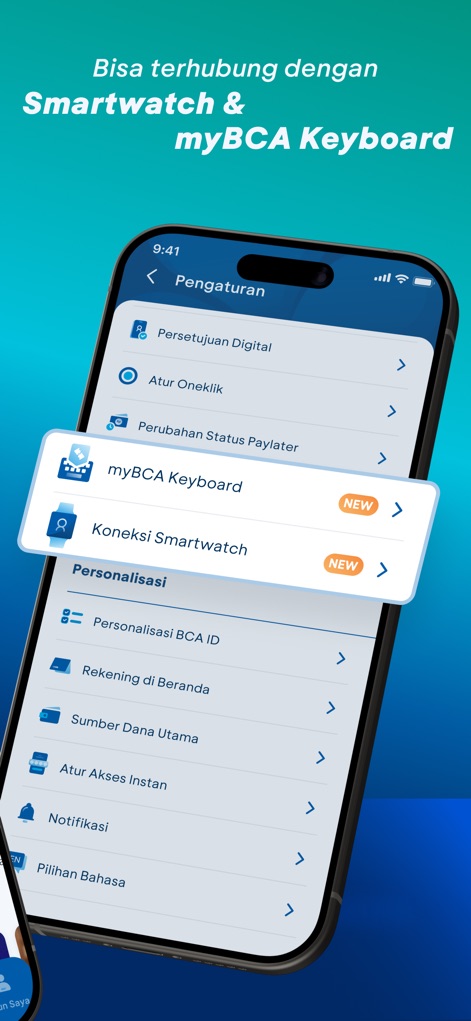
This tool extends user convenience through new "myBCA Keyboard" functionality and "Smartwatch Connection" options for seamless device integration.
Enhanced Connectivity

Transactions are secured with visible "Kode OTP Transaksi Kartu" details and users can customize "Notifikasi" settings for various financial activities.
Secure Transactions
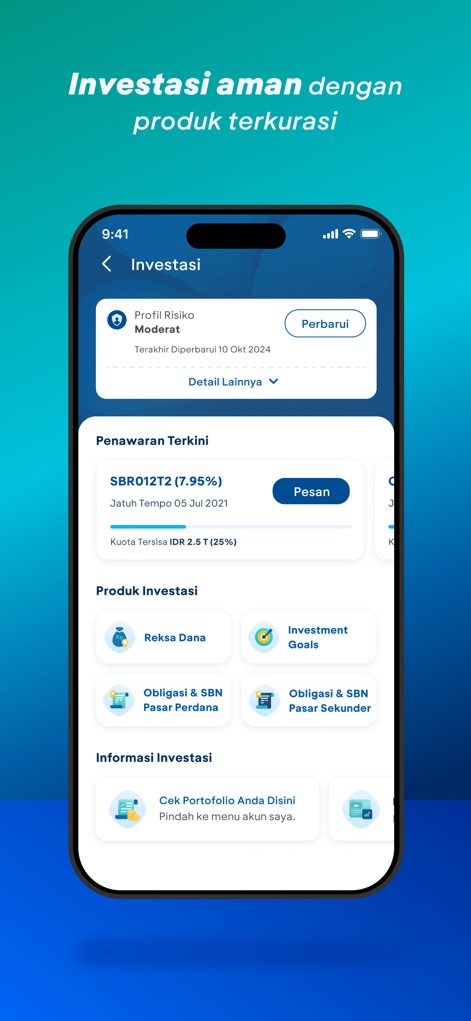
The platform offers curated investment opportunities, presenting a personalized "Profil Risiko" and diverse "Produk Investasi" options such as mutual funds.
Curated Investments

The "Poket Valas" feature empowers users with multi-currency management, showcasing total foreign currency balance and individual holdings such as USD and EUR.
Multi-Currency Management
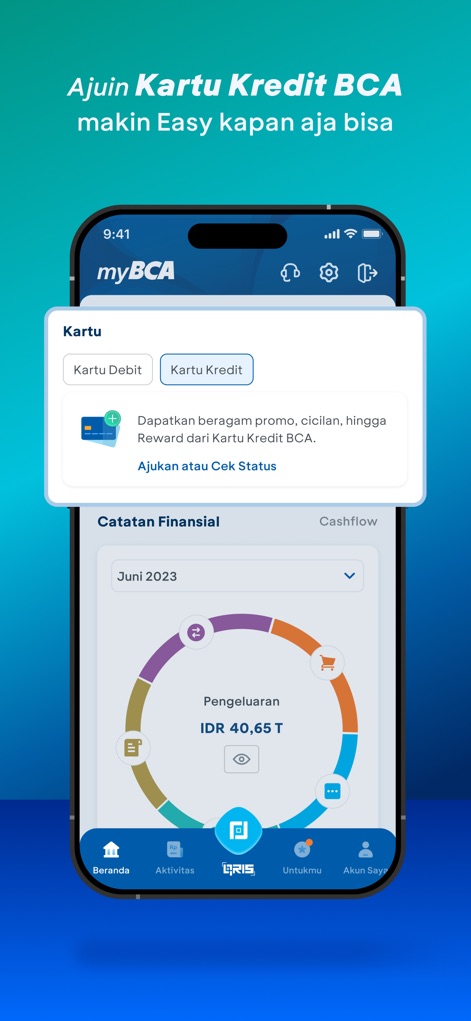
Users can manage "Kartu Kredit" applications and analyze spending patterns efficiently using the interactive "Catatan Finansial" chart.
Financial Insights
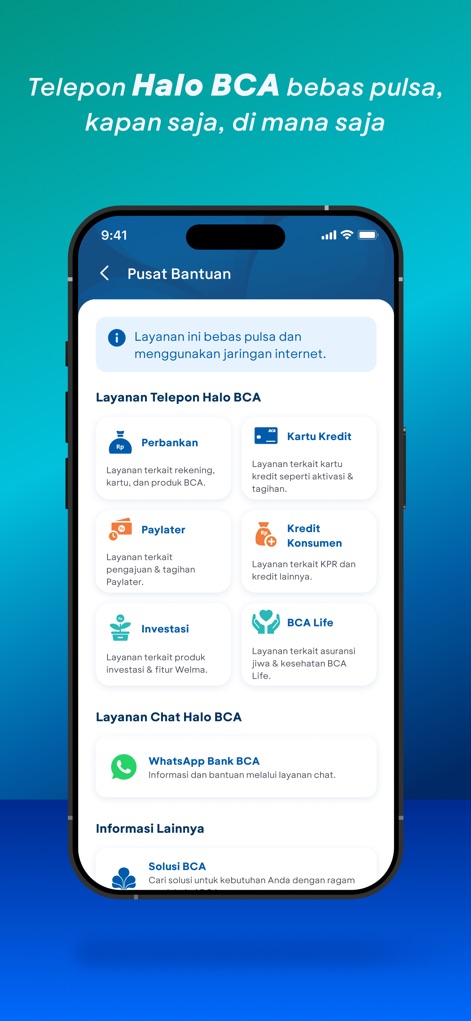
The "Pusat Bantuan" ensures accessible support, providing options for "Layanan Telepon Halo BCA" and "Layanan Chat Halo BCA" across various financial topics.
Accessible Support
Description
Download
More Like This
Apps with similar features and user experience

PayPal - Pay, Send, Save
PayPal, Inc.

中国农业银行
AGRICULTURAL BANK OF CHINA LIMITED

Mercado Pago: cuenta digital
MercadoLibre S.A.

中国工商银行
Industrial and Commercial Bank of China

Revolut: Send, spend and save
Revolut Ltd

HDFC Bank App (Early Access)
HDFC Bank Ltd

Zalopay - Quét Mọi QR
ZION JOINT STOCK COMPANY

Cash App
Block, Inc.

招商银行
CHINA MERCHANTS BANK CO.,LTD.
This page is not an official page of the app or its developer, but an independent editorial publication created for informational and commentary purposes. Unless expressly stated otherwise, neither the app nor its developer is affiliated with, endorsed by, sponsored by, authorized by, or otherwise officially connected with MWM, Apple, Google Play, the app publisher, or the app's developer, and nothing on this page implies that the app was developed using MWM's services. Any trademarks, logos, screenshots, and other content remain the property of their respective owners.