
MyBorderPass

Skip the long immigration queues by securely linking your passport to your device. Generate your MyBp QR code and enjoy faster, frictionless border clearance at selected Malaysia checkpoints.
Publisher
Category
TravelDownloads
1M+User Rating
Total Ratings
500Locales
1Discover the interface used by 1M+ users.
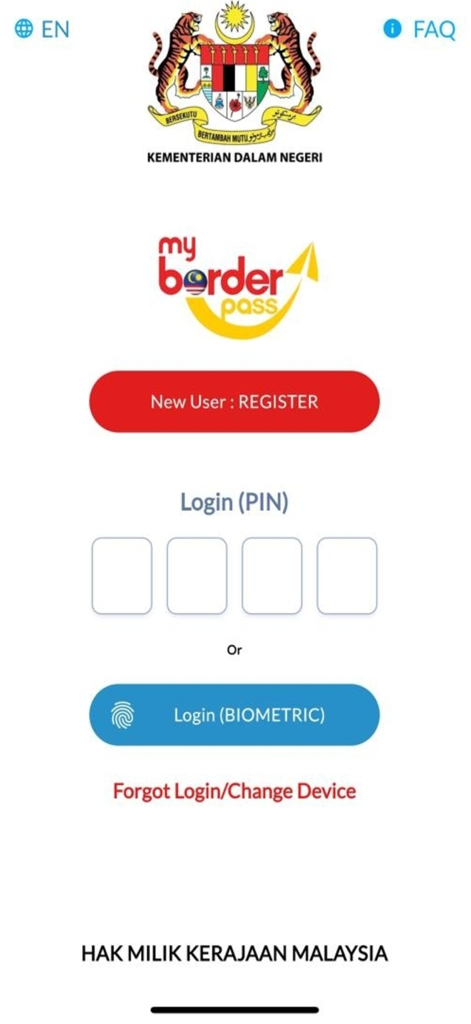
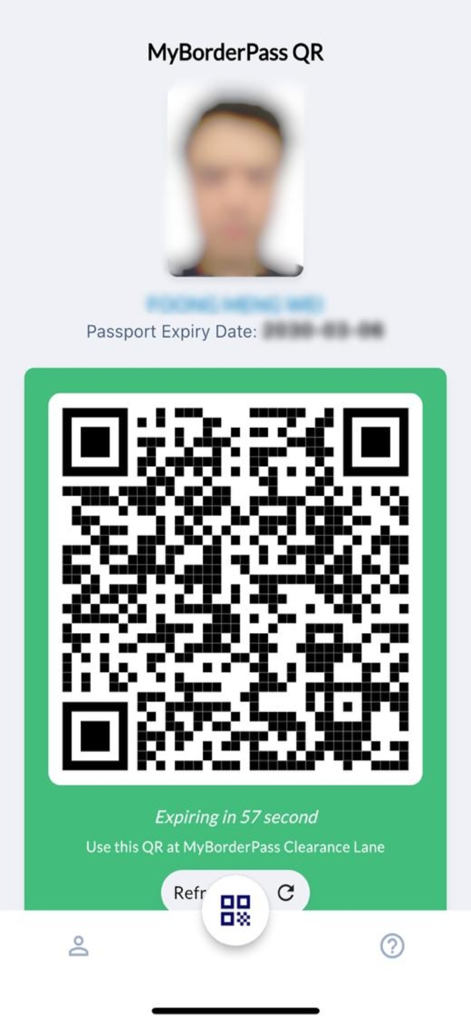
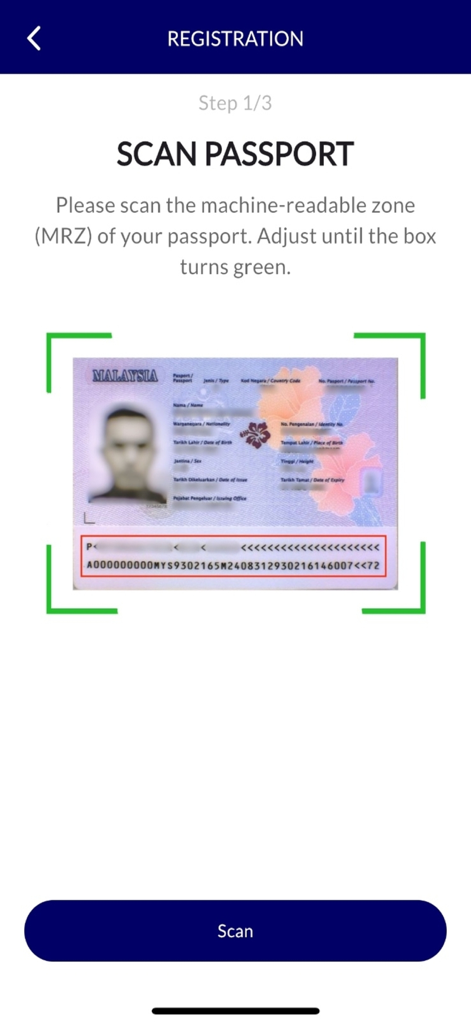
The tools that make this app stand out, trusted by 1M+ users.
Link your passport directly to your smartphone, keeping your most vital travel document secure and accessible in a single digital vault.
Generate your unique MyBp QR code and bypass manual processing at selected checkpoints for a lightning-fast border experience.
Complete your registration before you even board your flight. Land with confidence knowing your clearance is ready to go the moment you touch down.
Everything you need to know about MyBorderPass.
Description
Latest Version
1.0.13
Size
100.0 MB
First Released
Jan 4, 2025
Join over 1 million travelers who skip the long queues. Link your passport today to generate your digital MyBp QR code for faster, smarter border clearance.
Everything you need to know about MyBorderPass
MyBorderPass is a mobile application developed by TRIS REGISTRATION CENTRE. It allows users to link their passport to their device and generate a MyBp QR code for immigration clearance at selected Malaysian borders.
The MyBorderPass app generates a unique MyBp QR code after linking your passport. Users present this QR code, which displays their personal details, for scanning at MyBorderPass Clearance Lanes at selected Malaysian borders.
You can use the MyBorderPass QR code for immigration clearance at selected Malaysia borders. The app explicitly states "Use this QR at MyBorderPass Clearance Lane."
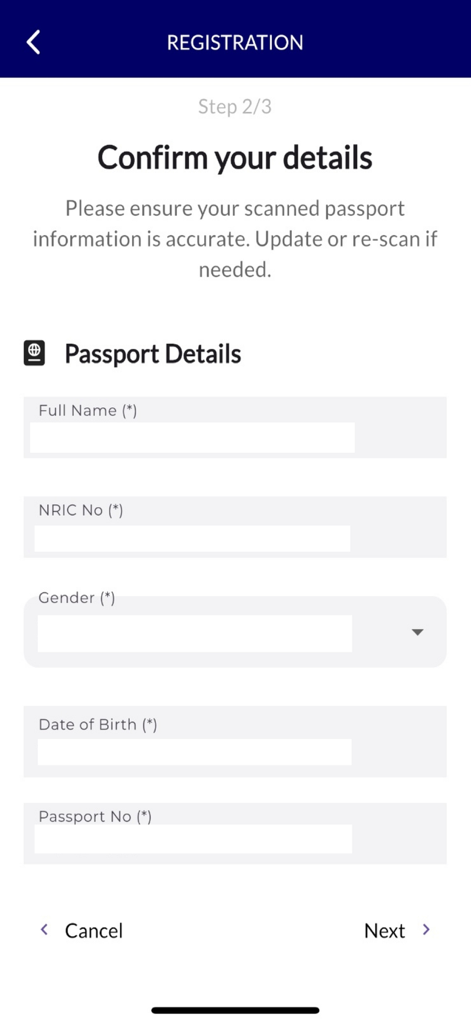
To register for MyBorderPass, you must first scan the Machine-Readable Zone (MRZ) of your passport. After scanning, you confirm your details, including full name, NRIC No, gender, date of birth, and passport number.
Yes, MyBorderPass supports biometric login. Users can choose to "Login (BIOMETRIC)" as an alternative to using a PIN for accessing the app.
During registration, MyBorderPass requires users to confirm their Full Name, NRIC No, Gender, Date of Birth, and Passport No. These details are extracted and confirmed after scanning the passport's MRZ.
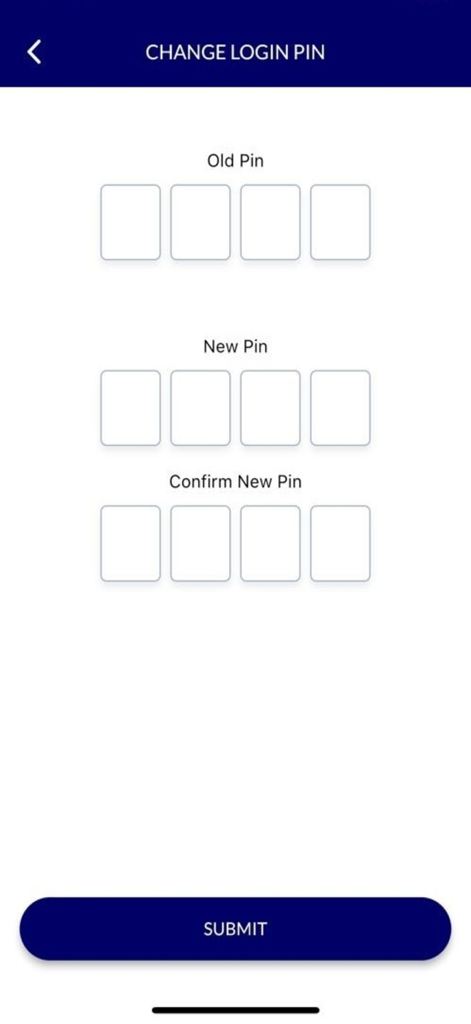
You can change your login PIN in MyBorderPass by providing your old PIN, then entering a new PIN, and confirming the new PIN on the dedicated "Change Login PIN" screen.
Apps with similar features and user experience

US Customs and Border Protection

US Customs and Border Protection

AzerTerminalKompleks Association of the State Customs Committee of the Republic of Azerbaijan

Canada Border Services Agency

Ministry of Business, Innovation and Employment

Transportation Security Administration

SHORY TECHNOLOGY L.L.C.

Airside Mobile LLC

European Union - Publications Office
App information, icons, screenshots, and descriptions displayed on this page are sourced from the Apple App Store and are the property of their respective developers. Download estimates and rankings are based on MWM's proprietary models and may not reflect actual figures. This page is provided for informational and analytical purposes only.
Believe this page infringes your intellectual property? File a dispute