
MyCellfie



Securely manage your accounts, top up for family back home, and unlock exclusive rewards with just a few taps.
Publisher
Category
BusinessDownloads
506K+User Rating
Total Ratings
10K+Locales
2Discover the interface used by 506K+ users.
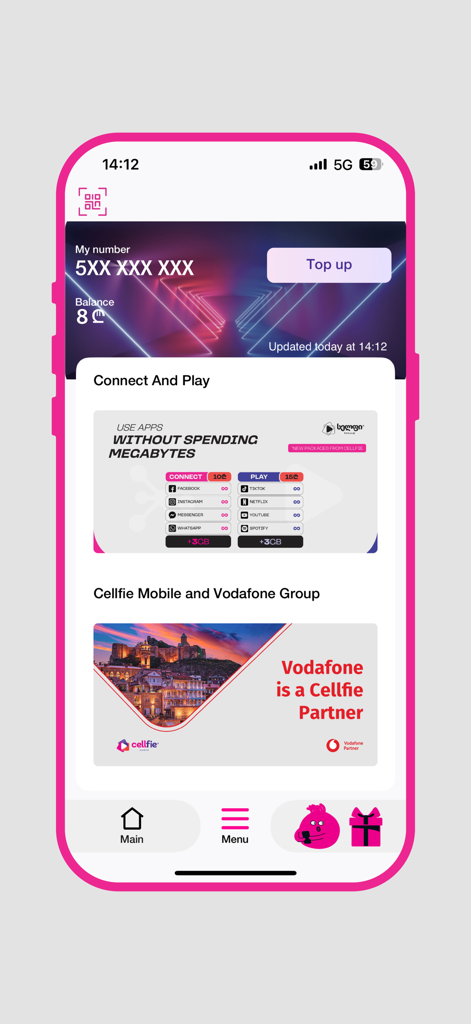
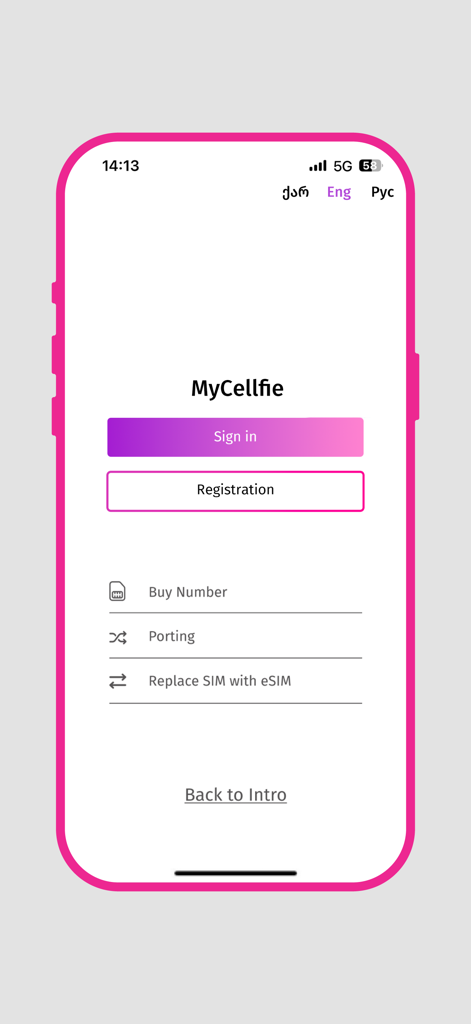
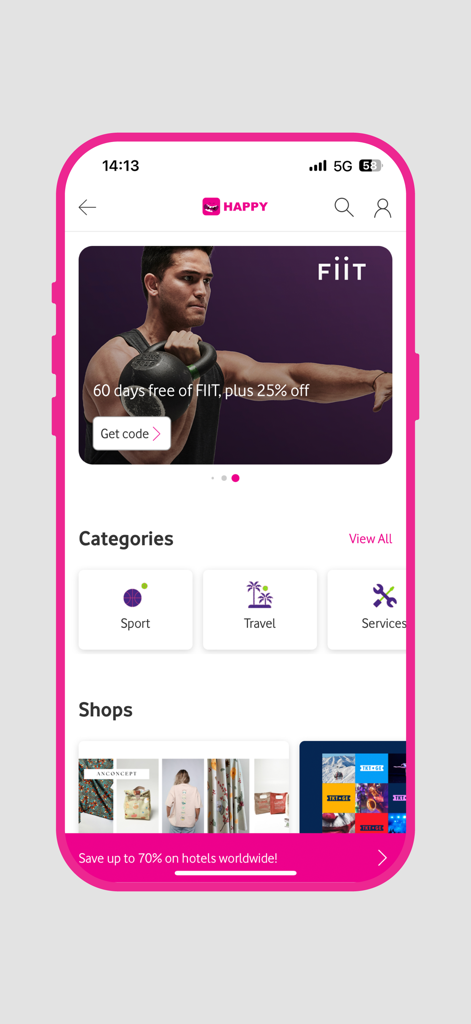
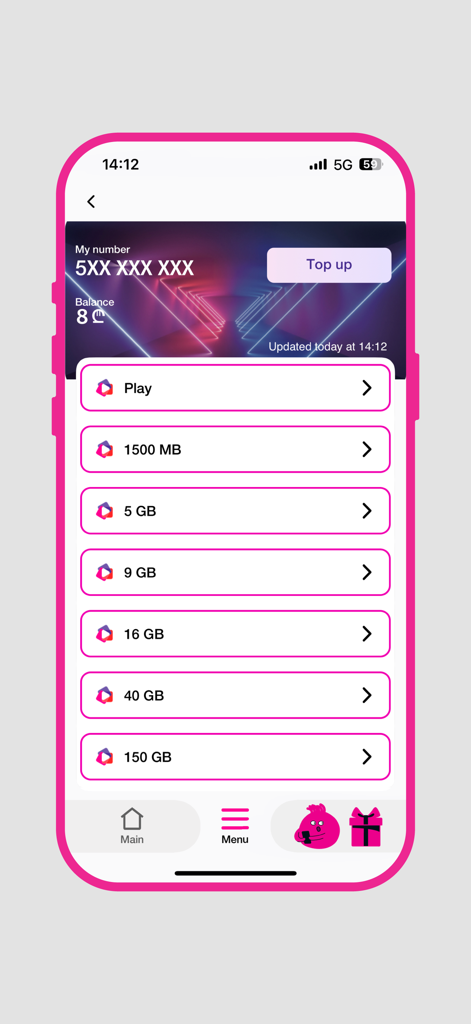
The tools that make this app stand out, trusted by 506K+ users.
Instantly top up or activate data bundles for your loved ones back in Georgia using your US bank card securely.
Manage your international SIM and family numbers in one place, ensuring everyone stays connected without the hassle.
Keep your Georgian number active for banking or travel, while accessing exclusive loyalty discounts and local deals.
Insights from user reviews.
Sentiment Score
Summary
This mobile app receives overwhelmingly negative feedback, primarily due to unreliable network quality, frequent billing discrepancies, and unhelpful customer support. Users report slow internet speeds, especially in urban areas, and issues with unintended automatic package renewals or disappearing funds. The app itself is heavily criticized for being buggy, difficult to navigate, freezing until updated, and requiring mandatory updates that hinder access when balances are low. While a few users found the app functional and simple, the majority express deep dissatisfaction with the overall service experience.
Common Themes
Everything you need to know about MyCellfie.
Description
Latest Version
5.2.16
Size
43.1 MB
First Released
Apr 8, 2015
Join over 500,000 users. Manage your accounts, top up for family, and access exclusive loyalty rewards instantly from your phone.
Everything you need to know about MyCellfie
Users top up their balance instantly in the MyCellfie app. Tap the "Top up" button on the main screen, then select a desired bundle or amount.
Yes, the MyCellfie app displays your current mobile balance instantly on the main screen. The app updates this balance regularly.
The MyCellfie app allows users to activate services, bundles, and price plans directly. Navigate to the relevant section, for example, after tapping "Top up," to see available options like data bundles.
The MyCellfie app supports secure payments using a bank card. This payment method facilitates topping up and activating services within the application.
Yes, the MyCellfie app provides exclusive discounts through its Loyalty Platform. Users access these offers via categories such as Sport, Travel, and Services.
Yes, the MyCellfie app allows users to top up or activate products for another number. This feature helps manage services for friends or family.
Yes, the MyCellfie app includes a Multi-Account feature. This enables users to manage multiple phone numbers efficiently from a single app interface.
The MyCellfie app facilitates quick and easy tariff plan upgrades. Users access this functionality directly within the app's interface to change their current plan.
Yes, the MyCellfie app allows users to store and access their loyalty cards. This feature centralizes card management for convenience within the application.
Yes, the MyCellfie app offers an option to "Replace SIM with eSIM". This function is accessible from the login/registration screen, simplifying the transition.
The MyCellfie app supports multiple languages. Users can select between options like English ("Eng") and Russian ("Рус") from the initial sign-in or registration screen.
Apps with similar features and user experience

Limited Liability Company "ASTELIT"

Tracfone Wireless Inc.

Azercell Telecom MMC

Winner Venture Sdn Bhd

Woolworths Group Limited

BAKCELL MMC

UVNV, Inc.

Visible Service LLC

MetroPCS Wireless, Inc.
App information, icons, screenshots, and descriptions displayed on this page are sourced from the Apple App Store and are the property of their respective developers. Download estimates and rankings are based on MWM's proprietary models and may not reflect actual figures. This page is provided for informational and analytical purposes only.
Believe this page infringes your intellectual property? File a dispute
