
This page is not an official page of the app or its developer, but an independent editorial publication created for informational and commentary purposes. Unless expressly stated otherwise, neither the app nor its developer is affiliated with, endorsed by, sponsored by, authorized by, or otherwise officially connected with MWM, Apple, Google Play, the app publisher, or the app's developer, and nothing on this page implies that the app was developed using MWM's services. Any trademarks, logos, screenshots, and other content remain the property of their respective owners.


My lifecell
Join over 10 million users managing their mobile connection from anywhere. Top up without fees, support your family's balances back home, and activate an eSIM instantly to keep your Ukrainian number active.
Downloads
2M+User Rating
Total Ratings
152K+Publisher
Category
ProductivityLocales
3Latest Version
4.3.23Size
171.2 MBFirst Released
Nov 26, 2012Take Full Control of Your Connection to Ukraine
From the USA to home, My lifecell empowers you to manage accounts, support family, and stay connected with ease—all in one powerful app.
Support Your Loved Ones
Easily monitor and top up family members' balances from abroad with zero fees, ensuring your relatives always stay connected.
Switch to eSIM Instantly
Get a Ukrainian cellular profile over the air. Perfect for keeping your number active for banking and SMS on your US-based iPhone.
Frequently Asked Questions
Everything you need to know about My lifecell
What is the My lifecell app used for?
The My lifecell app allows users to manage mobile expenses, check remaining gigabytes, minutes, and SMS, choose tariff plans, top up accounts without fees, and manage various services for their lifecell mobile numbers.
Can I check my remaining gigabytes, minutes, and SMS in the My lifecell app?
Yes, you can check your remaining gigabytes, minutes, and SMS balances directly within the My lifecell app. This feature is a core function for managing your mobile account details.
How can I change my tariff plan using the My lifecell app?
You can choose an advantageous tariff plan or change your existing one directly within the My lifecell app. The app provides options for managing your service plan settings.
Does the My lifecell app allow free account top-ups?
Yes, the My lifecell app allows users to check their account balance and top it up without incurring any fees. This provides a convenient and cost-free payment option for your mobile services.
Can I view detailed reports of my expenses in My lifecell?
Yes, the My lifecell app provides the ability to obtain detailed reports on your mobile expenses. This feature helps users monitor and understand their spending patterns across different services.
Does My lifecell offer a widget for quick balance checks?
Yes, the My lifecell app allows users to quickly view their balances using a convenient widget. This provides instant access to key account information directly from your smartphone's home screen.
What is the Shake&Win section in the My lifecell app?
The Shake&Win section in the My lifecell app offers users the chance to win gifts and exciting surprises. It is a feature designed to provide bonus rewards and interactive engagement.
Can I replace my physical SIM with an eSIM using the My lifecell app?
Yes, the My lifecell app allows you to replace your physical SIM with an eSIM, provided your smartphone supports this feature. This offers a modern and convenient alternative for mobile connectivity.
How do I set up auto-pay for my tariff plan in My lifecell?
You can set up auto-pay for your tariff plan directly within the My lifecell app. This feature ensures timely payments and uninterrupted service for your mobile account.
Can I add family members' numbers to manage their balances in My lifecell?
Yes, the My lifecell app allows you to add family members' numbers and monitor their balances. You can add up to ten numbers for convenient management within your account.
Does the My lifecell app help locate lifecell stores?
Yes, the My lifecell app includes a feature to locate the nearest lifecell stores. This helps users find physical service points conveniently for their needs.
How can I contact customer support through the My lifecell app?
The My lifecell app allows users to reach out to customer support through their preferred method. This ensures accessible help for any inquiries or issues regarding their services.
The following screenshots and description are sourced directly from the app's official store listing and are the property of the app developer.
App Store
Screenshots
My lifecell mobile app screen showing the slogan Keep Your Communication Under Control
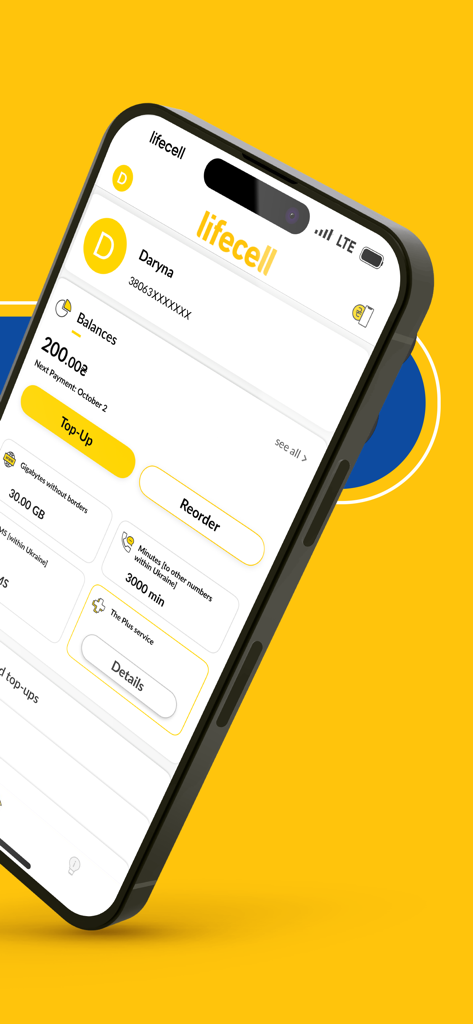
My lifecell app interface showing account balances and data usage
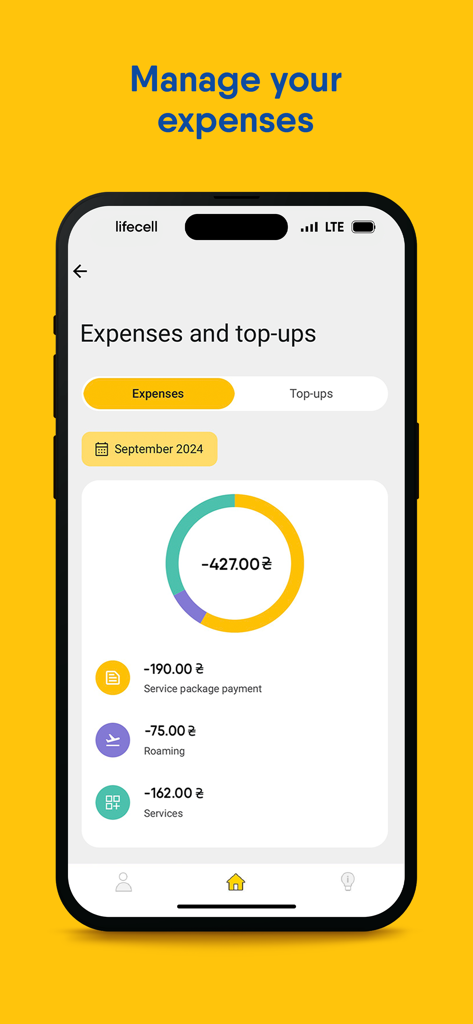
A smartphone screen displaying the My lifecell app expenses and top-ups report with a breakdown of mobile costs
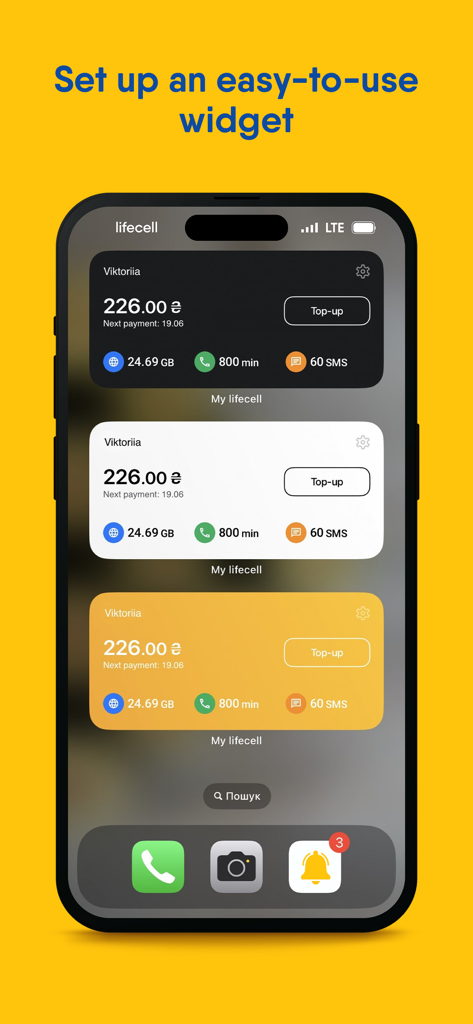
My lifecell app widgets on a smartphone screen showing account balance and mobile usage statistics
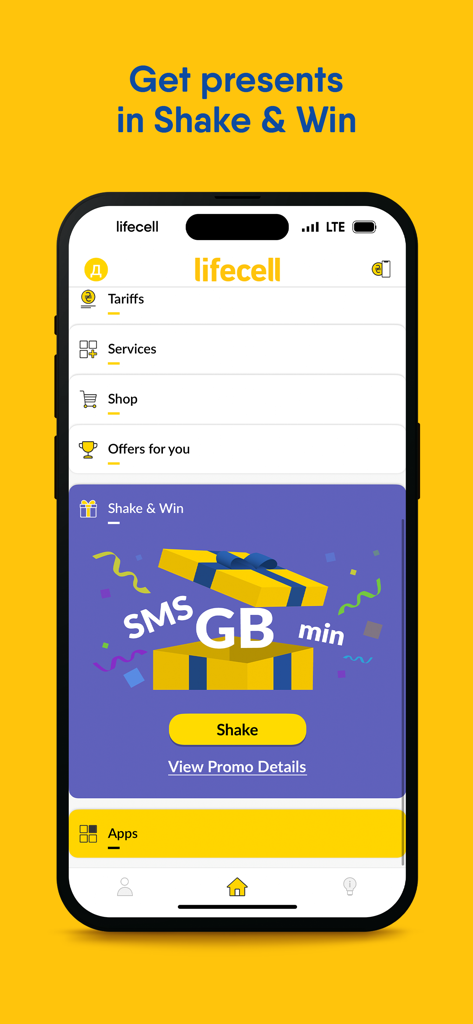
Smartphone interface of My lifecell app showing the Shake and Win gift section
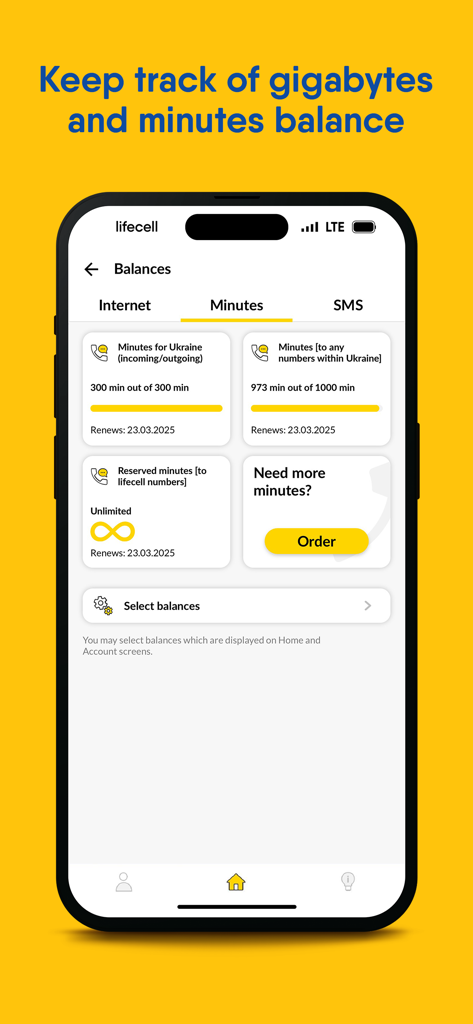
Screenshot of My lifecell app showing a dashboard for tracking calling minutes and balances for Ukrainian network services.
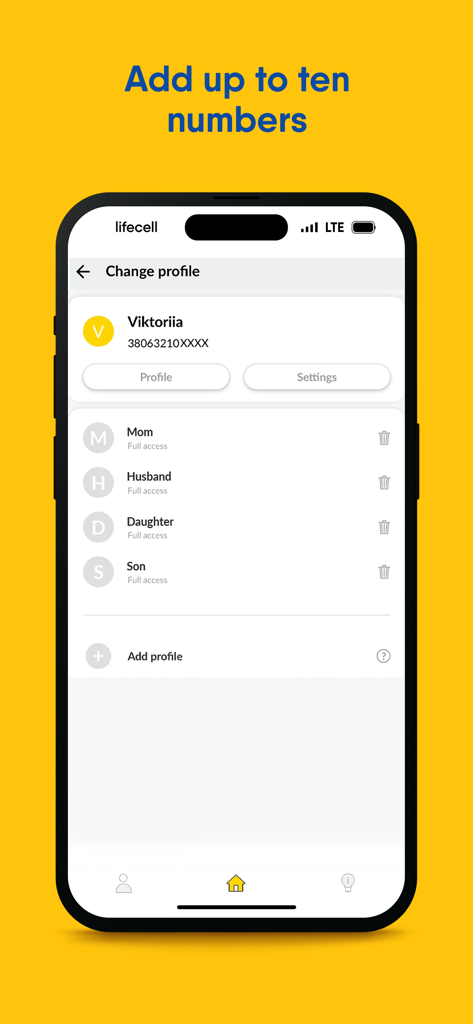
My lifecell app screen showing multiple family member profiles like Mom Husband and children linked to one mobile account
Description
Download
More Like This
Apps with similar features and user experience
My Straight Talk: Mobile App
Tracfone Wireless Inc.

Azercell
Azercell Telecom MMC

Halo Telco
Winner Venture Sdn Bhd

Everyday Mobile (Woolworths)
Woolworths Group Limited

Bakcell
BAKCELL MMC

Mint Mobile
UVNV, Inc.

Visible mobile
Visible Service LLC

myMetro®
MetroPCS Wireless, Inc.

Mi AT&T
AT&T Comercializacion Movil, S. de R.L. de C.V.
This page is not an official page of the app or its developer, but an independent editorial publication created for informational and commentary purposes. Unless expressly stated otherwise, neither the app nor its developer is affiliated with, endorsed by, sponsored by, authorized by, or otherwise officially connected with MWM, Apple, Google Play, the app publisher, or the app's developer, and nothing on this page implies that the app was developed using MWM's services. Any trademarks, logos, screenshots, and other content remain the property of their respective owners.