
This page is not an official page of the app or its developer, but an independent editorial publication created for informational and commentary purposes. Unless expressly stated otherwise, neither the app nor its developer is affiliated with, endorsed by, sponsored by, authorized by, or otherwise officially connected with MWM, Apple, Google Play, the app publisher, or the app's developer, and nothing on this page implies that the app was developed using MWM's services. Any trademarks, logos, screenshots, and other content remain the property of their respective owners.


MyGames Database
The most elegant way to organize your legacy. Scan your physical media, track your backlog, and sync your entire library across all your Apple devices.
Downloads
567K+User Rating
Total Ratings
1K+Publisher
Category
EntertainmentLocales
4Latest Version
3.0.3Size
21.1 MBFirst Released
Apr 13, 2021Master Your Entire Gaming Universe
From retro legends to the Switch 2, transform your physical and digital libraries into a stunning, searchable, and professional-grade collection.
Instant Pro Scanning
Stop buying duplicates. Use the high-speed barcode scanner to catalog physical media instantly while hunting at retro stores or conventions.
Conquer Your Backlog
Turn choice paralysis into progress. Organize your play queue and track completion status with personalized strategy notes and reviews.
Frequently Asked Questions
Everything you need to know about MyGames Database
What is MyGames Database?
MyGames Database is a video game library manager app. It helps users organize, track, and personalize their gaming collection across various platforms, including PC, console, and mobile games.
Can I track my game backlog with MyGames Database?
Yes, MyGames Database allows users to track their backlog and plan what games to play next. This feature helps manage their unplayed games effectively within the app.
Does MyGames Database support iCloud synchronization?
Yes, MyGames Database supports seamless iCloud backup and synchronization. This feature ensures your game collection data is consistent and accessible across all your Apple devices.
How does MyGames Database help discover new games?
MyGames Database helps users discover games by integrating with the comprehensive IGDB.com database. Users can search and add games to their collection from over 200,000 titles.
Can I add personal notes and reviews to games in MyGames Database?
Yes, MyGames Database allows users to personalize each game entry. Users can add personal ratings, write reviews, and include strategy notes directly within the app.
What is the game collection limit in MyGames Database?
MyGames Database has a collection limit of 500 games. Users can manage up to 500 titles within their personal library in the app.
Does MyGames Database function as a game emulator?
No, MyGames Database does not function as a game emulator. It is exclusively a library manager designed for organizing and tracking game collections, not for playing games.
Can I share my game collection from MyGames Database?
Yes, MyGames Database allows users to export and share their game collection. The app provides options to share the collection with friends through various iOS sharing methods.
What platforms does MyGames Database support for organizing games?
MyGames Database supports comprehensive platforms including Nintendo (Switch, Wii U, etc.), PlayStation (PS1-PS5), Xbox (Original, Series S/X), Retro consoles (Atari, Sega), PC, and Mobile platforms.
Does MyGames Database offer a barcode scanner for physical games?
Yes, MyGames Database offers a professional barcode scanner for physical media collectors. The app helps add physical games by scanning their barcodes, though coverage varies by region.
The following screenshots and description are sourced directly from the app's official store listing and are the property of the app developer.
App Store
Screenshots
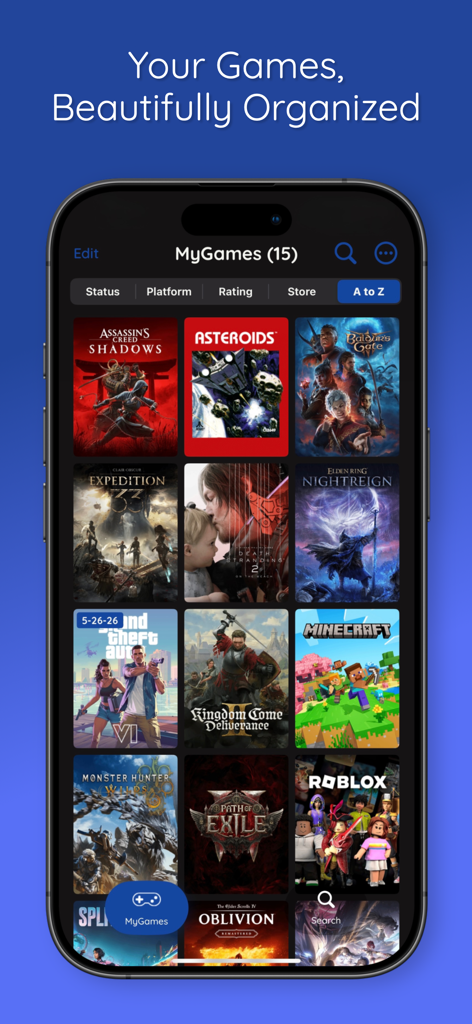
A smartphone screen displaying the MyGames Database app with a beautifully organized grid of video game covers and sorting filters.
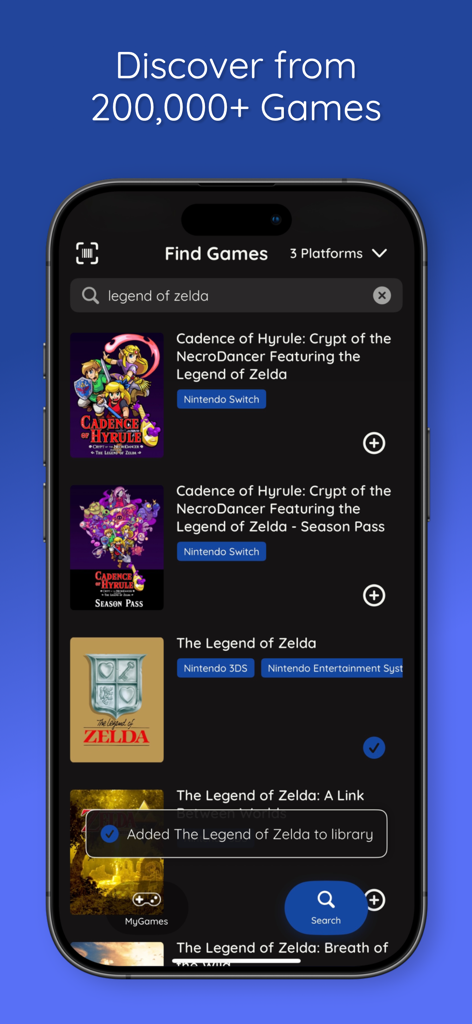
A search interface within the MyGames Database app showing search results for Legend of Zelda and a notification that a game was added to the user library.
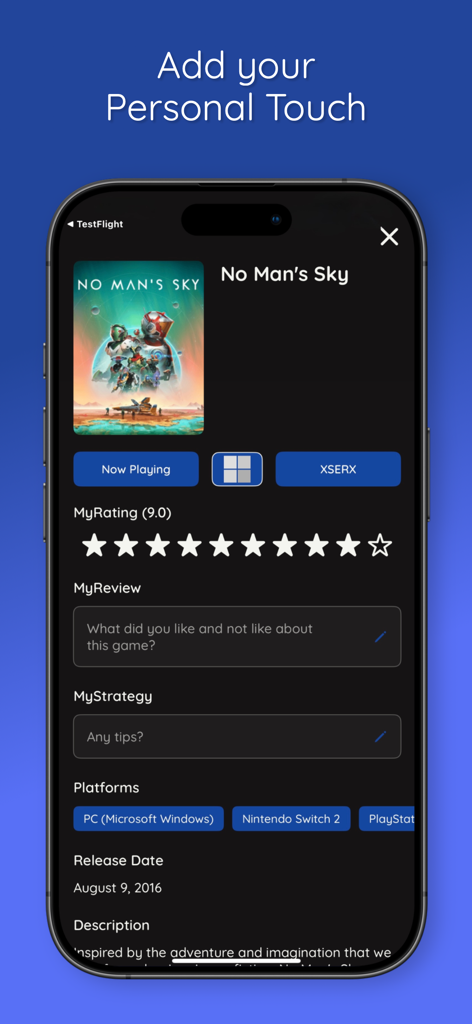
Interface of MyGames Database showing the personalization screen for No Mans Sky with rating and review sections
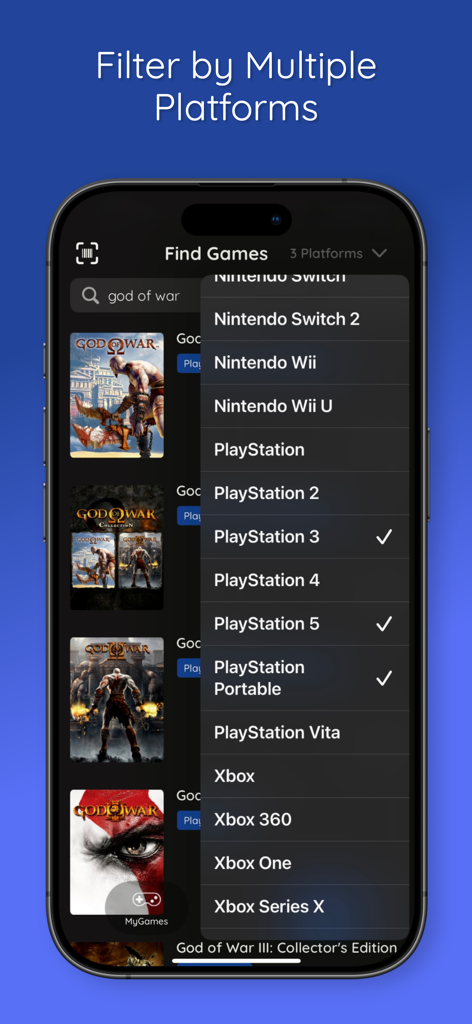
MyGames Database app interface showing multi-platform filtering for a game collection.
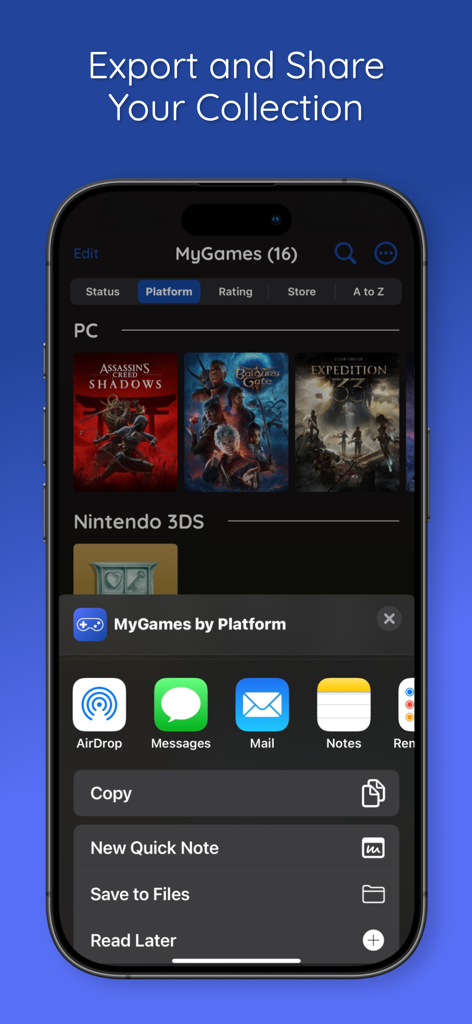
An iPhone displaying the MyGames Database app share sheet for exporting a video game collection.
Description
Download
More Like This
Apps with similar features and user experience
StarSnap: Sports Card Scanner
Next Vision Limited
TCG Card Scanner - Kardo
Mafusto Yazilim ve Bilgi Teknolojileri Anonim Sirketi

TCG Card Identifier Value
Ha Vu Thi Thu

Dex - for TCG Collectors
Pedro Carrasco

Sports Card Investor
Sports Card Investor, LLC
TCG Card Scanner for Pokemon
DAMIEN, NATHANAEL ELLEDGE
MyDex TCG Cards
Alberto Moral

Pokécardex
NUMELEK

TCG Card Scanner - Pulio
C2M Technologies, Inc.
This page is not an official page of the app or its developer, but an independent editorial publication created for informational and commentary purposes. Unless expressly stated otherwise, neither the app nor its developer is affiliated with, endorsed by, sponsored by, authorized by, or otherwise officially connected with MWM, Apple, Google Play, the app publisher, or the app's developer, and nothing on this page implies that the app was developed using MWM's services. Any trademarks, logos, screenshots, and other content remain the property of their respective owners.