MyMap – Track Visited Places

MyMap – Track Visited Places

Download on App Store
Logo of MyMap – Track Visited Places

MyMap – Track Visited Places: The Ultimate Custom Map for Your Memories and Business

Go beyond basic pins. Organize your favorite restaurants, travel gems, and client locations with color-coded categories, unlimited photos, and seamless sharing for friends and teams.

Publisher

KAZUNORI WAKAMATSU

Category

Navigation

Downloads

3K+

User Rating

4.5/5

Total Ratings

100

Locales

5

Your World, Visualized

Discover the interface used by 3K+ users.
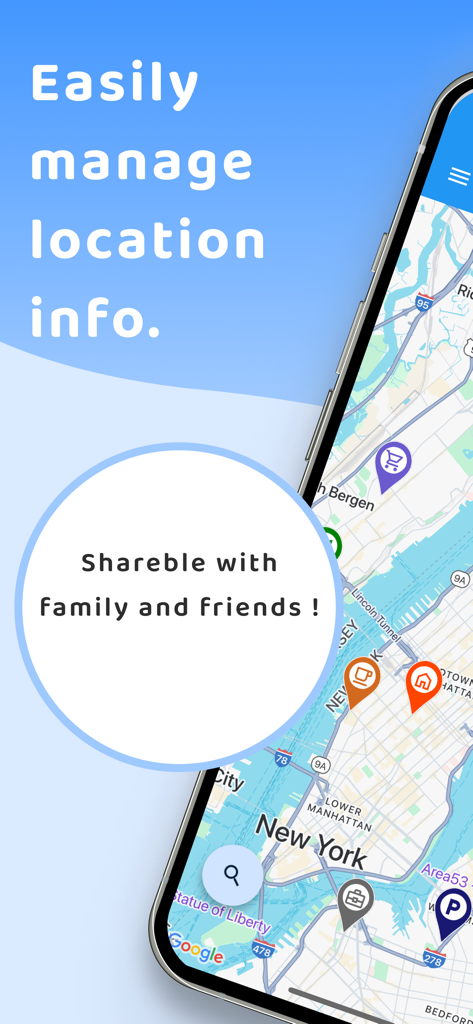
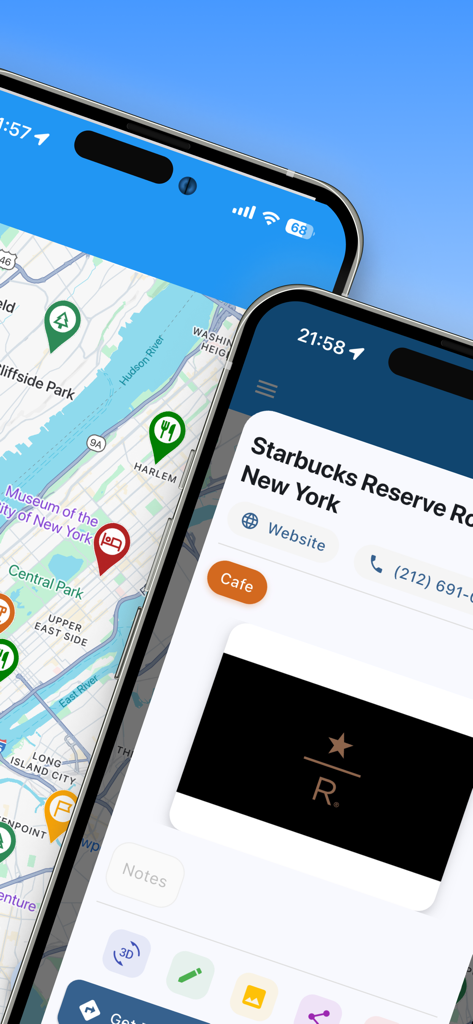
A mobile app screenshot for MyMap showing a New York City map with custom category icons and text about managing and sharing location info.

A mobile app screenshot for MyMap showing a New York City map with custom category icons and text about managing and sharing location info.

MyMap app interface showing color-coded pins on a New York City map and specific location details for a cafe

MyMap app interface showing color-coded pins on a New York City map and specific location details for a cafe

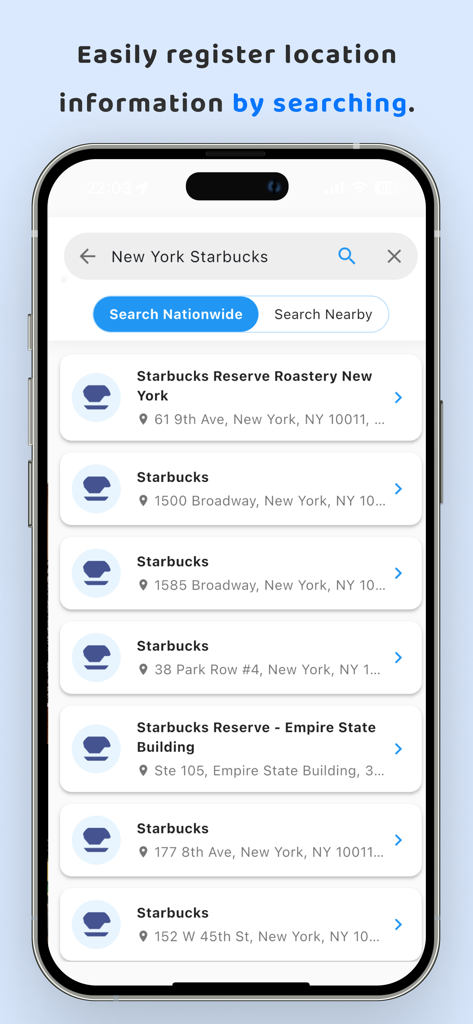
A mobile interface of the MyMap app showing search results for Starbucks locations in New York City

A mobile interface of the MyMap app showing search results for Starbucks locations in New York City

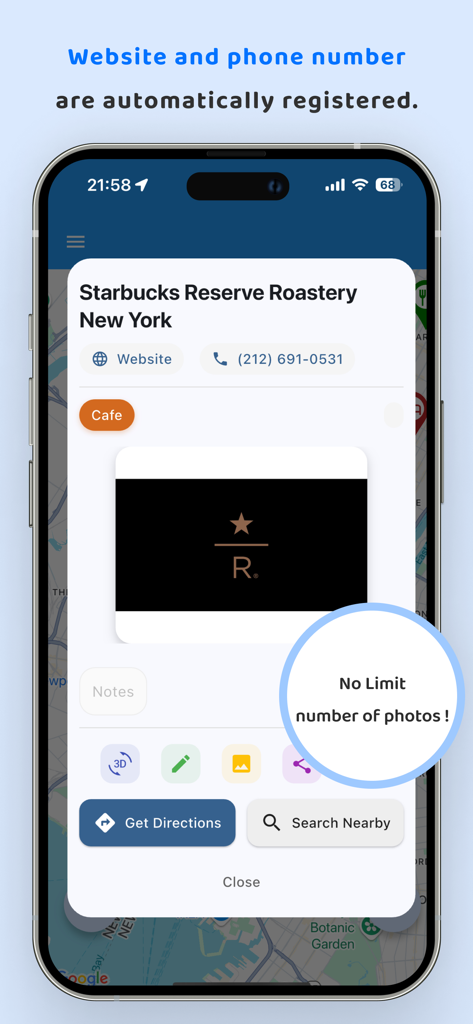
Detailed view of a saved location in MyMap app showing automatic website and phone number registration and unlimited photo storage

Detailed view of a saved location in MyMap app showing automatic website and phone number registration and unlimited photo storage

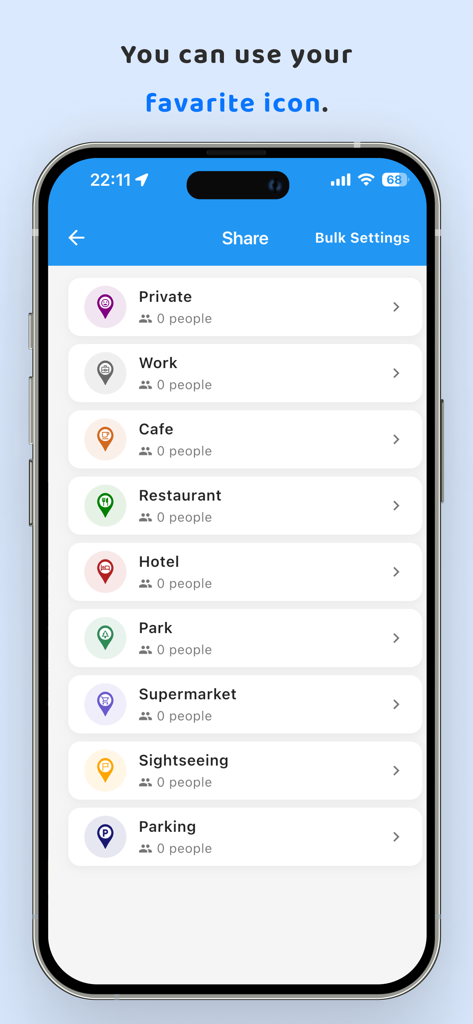
MyMap app screen showing a list of customizable location categories with various icons like Cafe Restaurant and Work

MyMap app screen showing a list of customizable location categories with various icons like Cafe Restaurant and Work

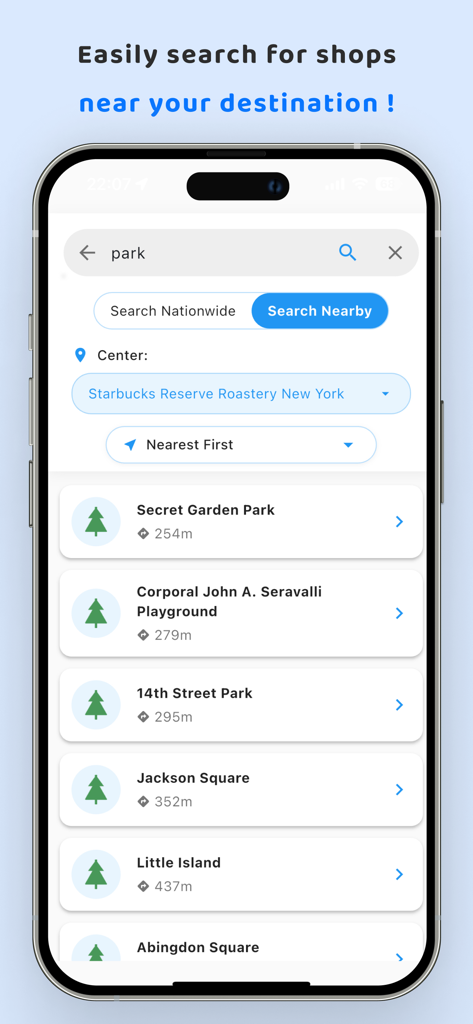
MyMap app interface showing a list of nearby parks searched near a specific location in New York

MyMap app interface showing a list of nearby parks searched near a specific location in New York

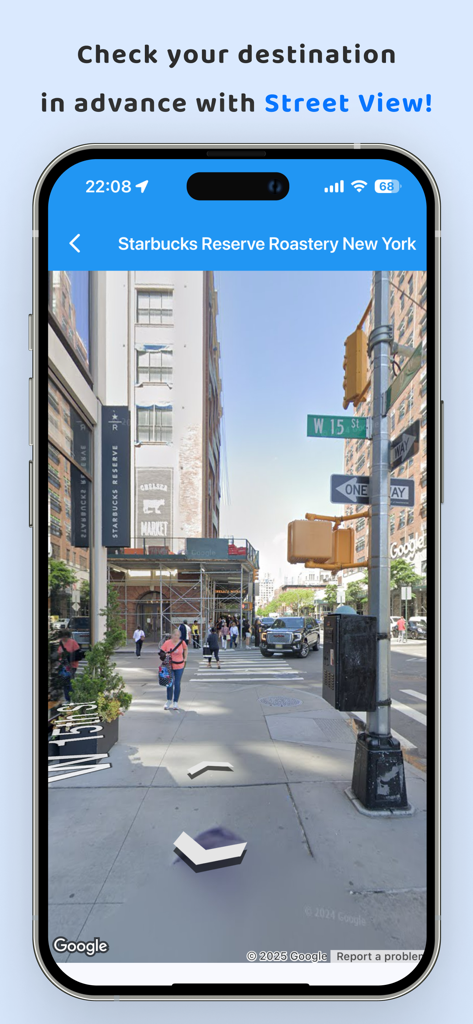
Street View preview of a destination in New York using the MyMap navigation app

Street View preview of a destination in New York using the MyMap navigation app

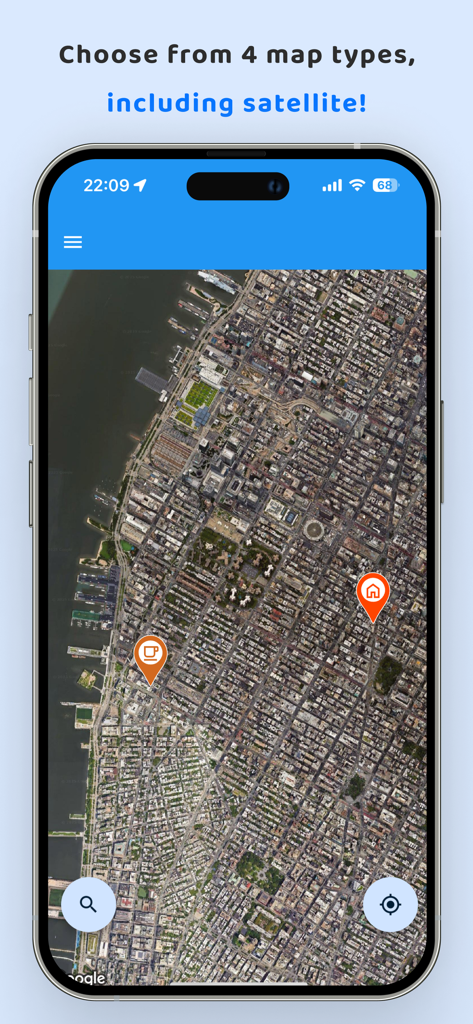
Satellite map view with custom location pins in MyMap app

Satellite map view with custom location pins in MyMap app

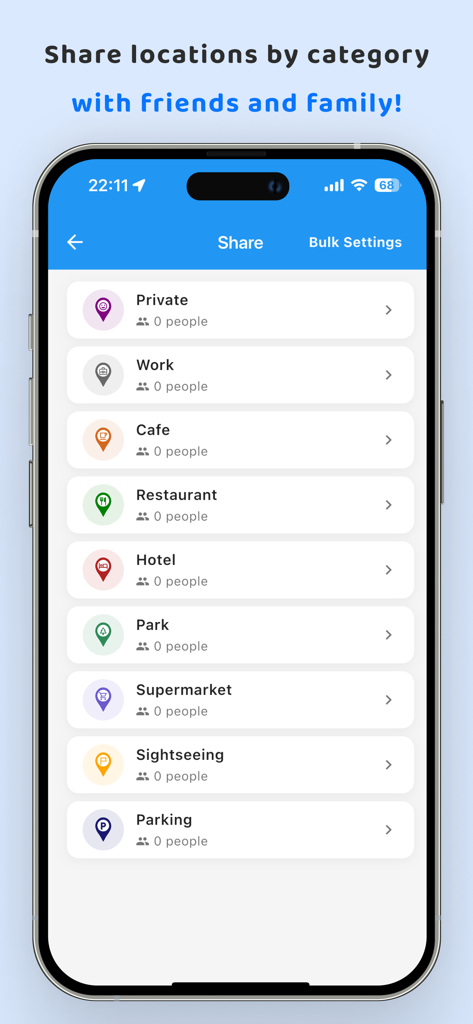
A screenshot of the MyMap app showing categories like work cafe and restaurant for sharing with friends

A screenshot of the MyMap app showing categories like work cafe and restaurant for sharing with friends

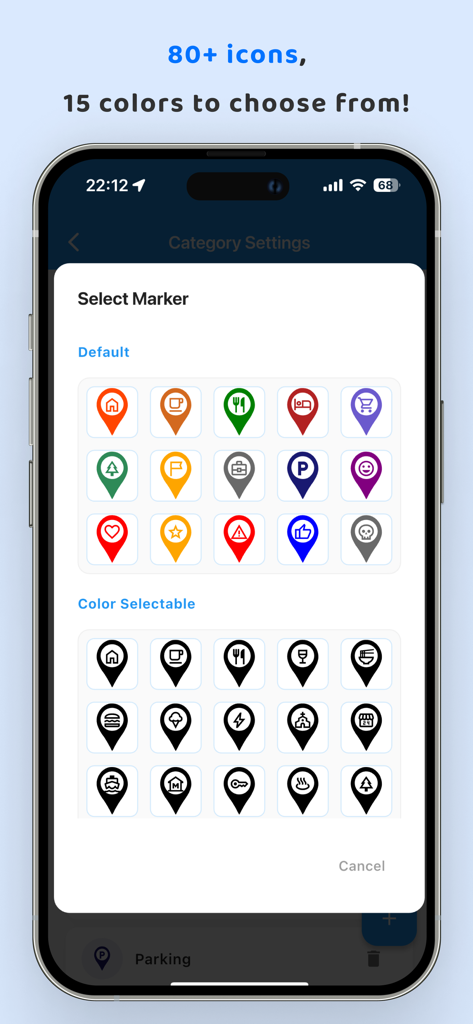
A selection screen of over 80 custom map marker icons and colors in the MyMap app interface

A selection screen of over 80 custom map marker icons and colors in the MyMap app interface

Your World, Perfectly Organized

The tools that make this app stand out, trusted by 3K+ users.

📸

Visual Memory Journals

Attach unlimited photos and detailed notes to any location. Perfect for remembering that exact sunset view or a hidden menu item at your favorite cafe.

🎨

Smart Categorization

Declutter your map with color-coded markers and custom categories. Toggle between your 'Business Clients' and 'Weekend Hikes' with a single tap.

👥

Collaborative Sharing

Coordinate group trips or manage territories with ease. Share specific categories with friends or colleagues using flexible 'view-only' or 'editable' permissions.

About the app

Everything you need to know about MyMap – Track Visited Places.

Description

Easily register and manage location information on a map with this map app. Use it to record "restaurants," "travel destinations," "business clients," "memorable places," and more. You can attach an unlimited number of photos to each location! ------------------------------------------------ Features of My Map ------------------------------------------------ 1. Easy Registration of Location Information! You can attach detailed text and photos to the registered locations. To register, simply long-press on the desired location on the map. Keep important information and memories with texts and photos! 2. Register Locations from Searches! Search for locations using free text, and register them directly. If the place is a store, the store's website URL and phone number will be automatically registered. Temporarily register any store you like! This way, you can easily access the website or make a call anytime. 3. Route Search to Locations! Search for routes from registered locations. You can select the starting point from your current location or another registered location. Never get lost on your way to your destination again! 4. Categorize Location Information Categories can be freely added. You can toggle the display of location information by category. Even as you register more locations, you can temporarily hide categories you don't need to see. 5. Freely Set the Color of Location Markers You can set colors for markers by category. Even as you add more locations, it's clear at a glance on the map what type of locations they are! 6. Save Data on the Cloud By registering an account and logging in, you can save your data in the cloud. This allows for seamless continued use, even when changing devices. 7. Share Registered Locations with Family, Friends, and Colleagues Sharing can be set by category. You can choose between "view only" and "editable" for sharing. Share travel plans and memories with your family! Share customer information with your colleagues! ------------------------------------------------ User Feedback ------------------------------------------------ Female in her 20s: "I use it to register restaurants I want to visit!" Male in his 40s: "I've registered all my valued customers." Male in his 30s: "I use it to keep travel memories." ------------------------------------------------ Frequently Asked Questions ------------------------------------------------ Q. My map is cluttered because I've registered too many locations. A. You can categorize location information and choose whether to display each category on the map. Use this feature to toggle the display of relevant categories as needed. Q. Is there a limit to the number of photos I can attach? A. There's no limit to the number of photos you can attach. Feel free to add as many as you like! Q. I want to know how to get to a registered location. A. Use the route search feature from the location information dialog. You can search for routes from your current location or another registered location. More features are coming soon. Please enjoy using My Map! Terms of Use https://www.apple.com/legal/internet-services/itunes/dev/stdeula/ Privacy Policy https://doc-hosting.flycricket.io/maidi-tu-privacy-policy/45bf0659-caf5-4ed7-9b59-4e88a6d8d032/privacy

Latest Version

2.0.60

Size

88.6 MB

First Released

Dec 25, 2023

Ready to Map Your Journey?

Join thousands of explorers and professionals who organize their favorite spots, travel memories, and business leads in one place. Download MyMap today and never forget a location again.

Download on App Store

App information, icons, screenshots, and descriptions displayed on this page are sourced from the Apple App Store and are the property of their respective developers. Download estimates and rankings are based on MWM's proprietary models and may not reflect actual figures. This page is provided for informational and analytical purposes only.

Believe this page infringes your intellectual property? File a dispute