MyQRcards
MyQRcards
Download on App Store

This page is not an official page of the app or its developer, but an independent editorial publication created for informational and commentary purposes. Unless expressly stated otherwise, neither the app nor its developer is affiliated with, endorsed by, sponsored by, authorized by, or otherwise officially connected with MWM, Apple, Google Play, the app publisher, or the app's developer, and nothing on this page implies that the app was developed using MWM's services. Any trademarks, logos, screenshots, and other content remain the property of their respective owners.

Logo of MyQRcards
Download on App Store

MyQRcards

Share your contact details instantly via QR, NFC, or link. Impress every connection with eco-friendly networking that saves directly to their phone—no app required for recipients.

Key Figures

Downloads

141K+

User Rating

4.6/5

Total Ratings

900

Publisher

SMART-SERVIS, OOO Apps

Category

Business

Locales

2

Latest Version

1.13.10

Size

105.3 MB

First Released

Jan 11, 2022
Features

Future-Proof Your Professional Network

Impress clients and colleagues with a high-tech, eco-friendly digital business card that works exactly where you do—from coffee shops to global video conferences.

Instant Access, Zero Friction

Share your profile via QR or NFC in seconds. Recipients can view and interact with your card instantly in their browser without downloading any apps.

One-Click Contact Sync

End the era of lost paper cards. Ensure you're never forgotten with a 'Save to Contacts' button that syncs your photo and details directly to their phonebook.

The following screenshots and description are sourced directly from the app's official store listing and are the property of the app developer.

App Store

Screenshots
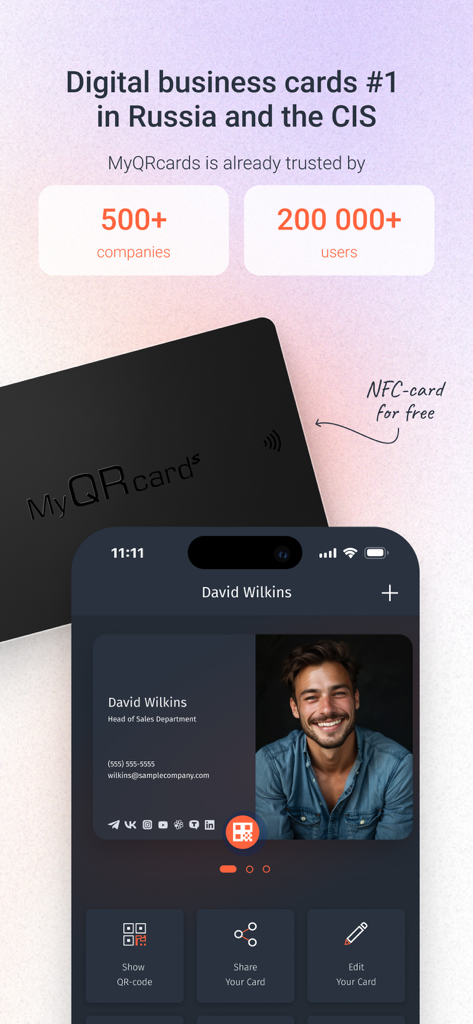
MyQRcards - A smartphone screen displaying a MyQRcards digital business card profile next to a physical black NFC card.
A smartphone screen displaying a MyQRcards digital business card profile next to a physical black NFC card.

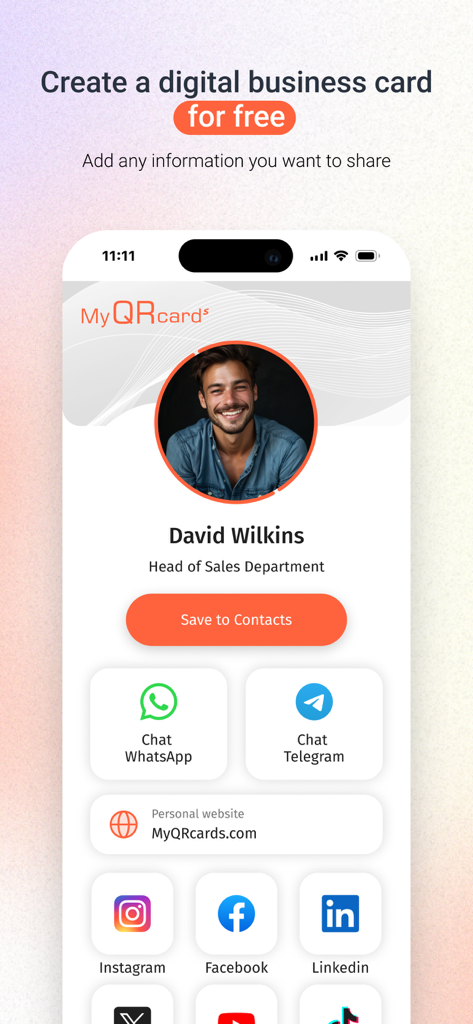
MyQRcards - Interface of MyQRcards app showing a digital business card for a sales professional with social media and contact links
Interface of MyQRcards app showing a digital business card for a sales professional with social media and contact links

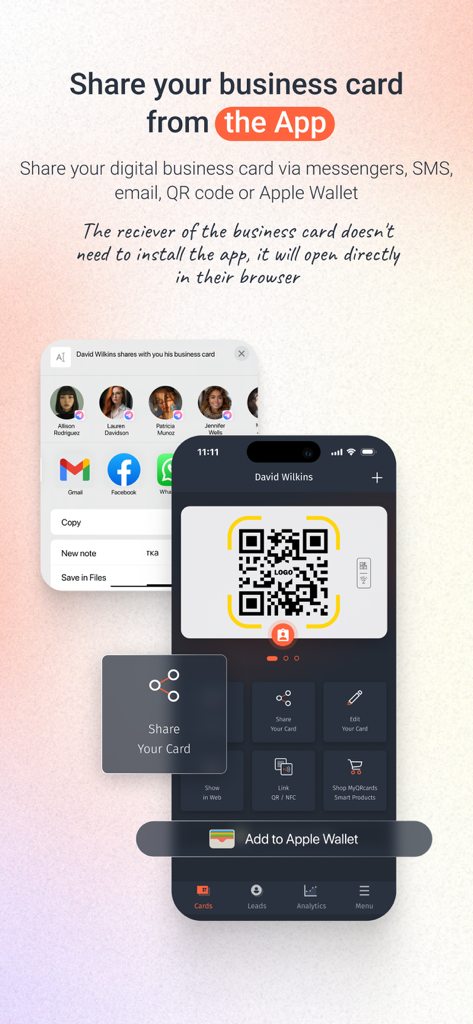
MyQRcards - MyQRcards app interface showing how to share a digital business card via QR code and Apple Wallet.

MyQRcards app interface showing how to share a digital business card via QR code and Apple Wallet.
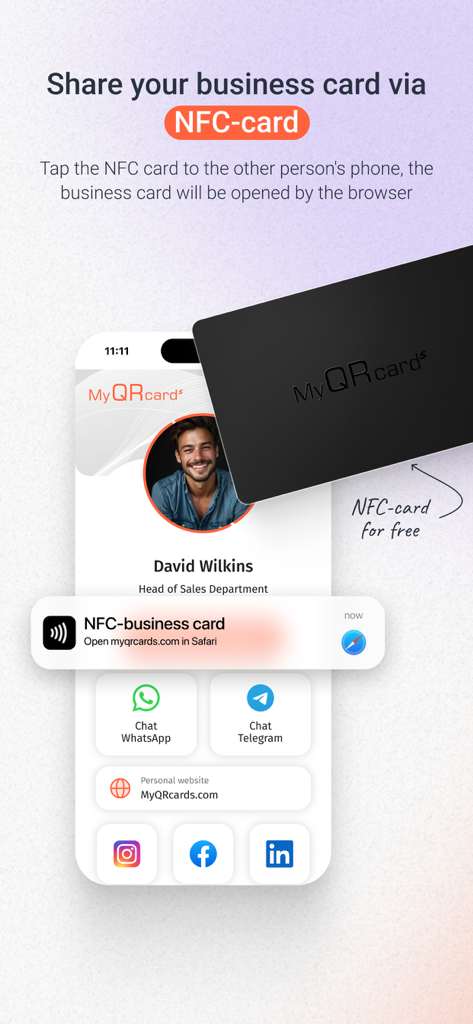
MyQRcards - A digital business card being shared by tapping an NFC card against a smartphone.
A digital business card being shared by tapping an NFC card against a smartphone.

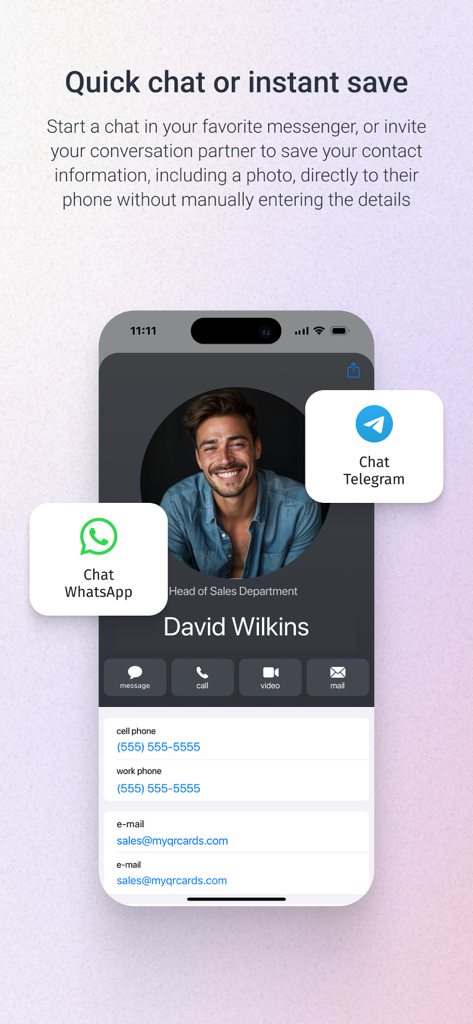
MyQRcards - Digital business card with WhatsApp and Telegram chat options in MyQRcards
Digital business card with WhatsApp and Telegram chat options in MyQRcards

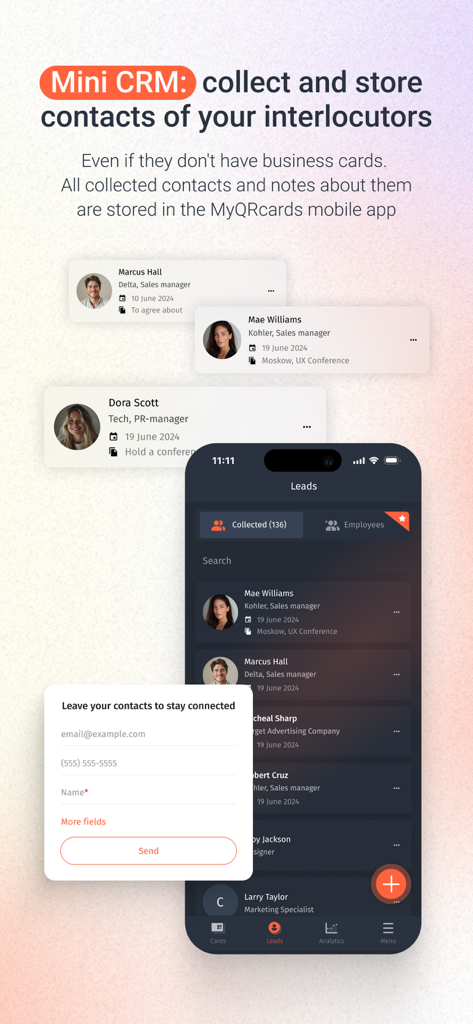
MyQRcards - MyQRcards app interface showing the mini CRM feature for collecting and storing contacts
MyQRcards app interface showing the mini CRM feature for collecting and storing contacts

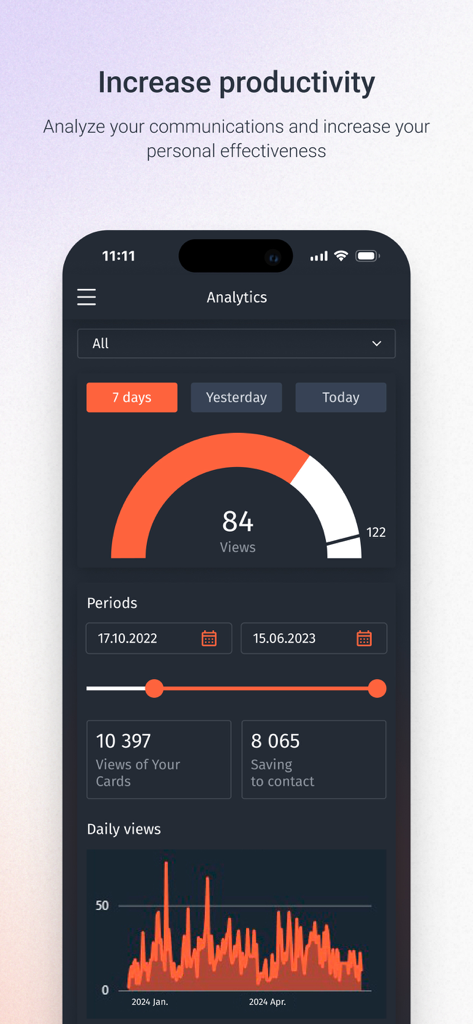
MyQRcards - Analytics dashboard of MyQRcards showing business card views and contact saving statistics
Analytics dashboard of MyQRcards showing business card views and contact saving statistics

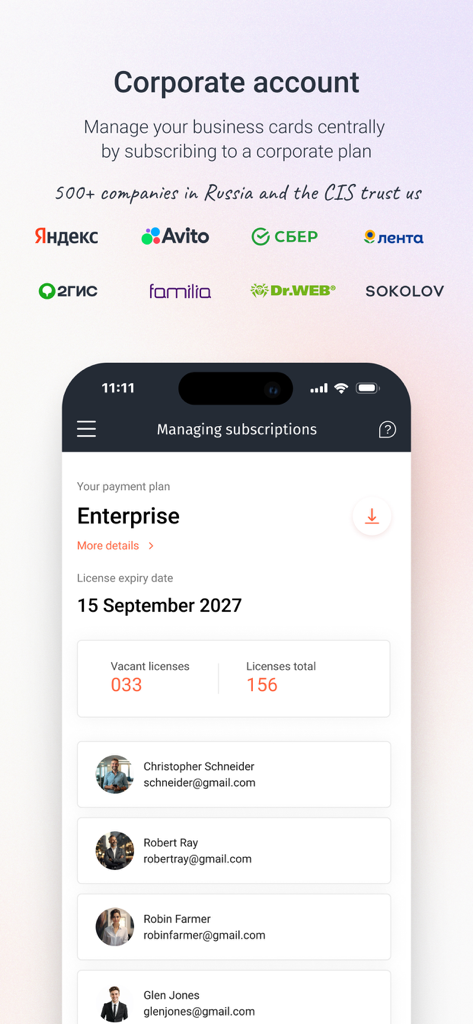
MyQRcards - Dashboard view of the MyQRcards app managing a corporate enterprise account and employee licenses.

Dashboard view of the MyQRcards app managing a corporate enterprise account and employee licenses.

Description

This is a popular application for creating electronic business cards with QR code. Impress everyone! Create electronic business cards directly in the app! Share your business card with one tap: directly in the app, or using a QR-code, or an additional smart medium (NFC-card, NFC-tag, QR/NFC-sticker, QR-badge or desktop sign with an electronic business card). Show the QR-code using the application or just click the button to send the link via SMS, WhatsApp or any other messenger. There is no need for your partner to install the app to read your electronic business card. With our application, you can create one infinite business card without any functional restrictions for personal use for free. The paid version allows you to create up to 10 electronic business cards: various business cards for projects, for business trips, etc. For businesses, we offer flexible tariff plans providing you with the opportunity not only to replace paper-based business cards with electronic ones, but also to manage your employees' business cards through a personal account. You can find more details on the website of our project: MyQRcards.com. Create business cards directly in the app within 30 seconds and share them when meeting someone or online. Add the QR-code from your business card to the conference background by taking a screenshot of the QR-code and placing it in the back in Zoom, Skype or Teams (to do this you need to use any other application where it is possible to insert a QR-code image). FAQ: >How can I share a ‘MyQRcards’ electronic business card? To share an electronic business card, just send the link from the application using any messenger or SMS-services. You can also ask your partner to point the smartphone camera at the QR-code of the business card in the app. The business card will be immediately opened in the browser, from where it’s possible to save it to the contact list by a couple of clicks. Furthermore, you can share your ‘MyQRcards’ electronic business card through an NFC-card, NFC-tag or sticker. >How can I save an electronic business card to a contact list? You can save an electronic business card to your contact list by just a couple of clicks. Each electronic business card has a ‘Save to Contacts’ button. When you click it, the business card will be immediately saved to the phone book. If you open an electronic business card using a PC, then your contact will be saved in the address book of the installed mail program. >Why do I need NFC-cards and QR/NFC-stickers for business cards? In addition to the business card created in the app, you can order a QR or NFC-card, as well as a QR or NFC-sticker made of various materials: soft-touch 3D-plastic, precious woods, metal or carbon (for more details please visit our website: MyQRcards.com). The use of an NFC-card will help you share your business card even without opening an application. Branded ‘MyQRcards’ cards can be linked to any business card an unlimited number of times directly in the app. Benefits of ‘MyQRcards’ electronic business cards - THERE IS NO NEED TO PRINT business cards - NO NEED TO INSTALL THE APPLICATION TO GET YOUR BUSINESS CARD - REDUCED COSTS - THERE IS A GUARANTEE THAT YOUR CONTACT WILL BE SAVED - WHEN YOU SHARE THE BUSINESS CARD AND CALL, A PHOTO WILL BE DISPLAYED - YOU WILL NEVER FORGET TO TAKE A BUSINESS CARD ANYMORE - YOU CAN BUSINESS CARDS JUST BY ONE TOUCH - MULTI-LANGUAGE (ENGLISH OR RUSSIAN) - AN INDIVIDUAL BUSINESS CARD FOR ANY OCCASION: FOR A PROJECT, CONFERENCE, FRIENDS, ETC. - SMART ACCESSORIES AND NFC-CARDS WHICH CAN BE USED IN THE APP - DATA STORAGE IN ACCORDANCE WITH FEDERAL LAW NO. 152: SAFE AND RELIABLE! - THE DATA IN ELECTRONIC BUSINESS CARDS ARE ALWAYS UP-TO-DATE - THE EASIEST WAY TO MAKE CONTACTS - PROTECT NATURE User Agreement and Privacy Policy:  http://www.myqrcards.com/agreement/en https://www.apple.com/legal/internet-services/itunes/dev/stdeula/

Download

Download on App Store

This page is not an official page of the app or its developer, but an independent editorial publication created for informational and commentary purposes. Unless expressly stated otherwise, neither the app nor its developer is affiliated with, endorsed by, sponsored by, authorized by, or otherwise officially connected with MWM, Apple, Google Play, the app publisher, or the app's developer, and nothing on this page implies that the app was developed using MWM's services. Any trademarks, logos, screenshots, and other content remain the property of their respective owners.








