NAB Mobile Banking

NAB Mobile Banking

Download on App Store
Logo of NAB Mobile Banking

NAB Mobile Banking: Seamlessly Manage Your Money Wherever Life Takes You

Join millions who trust NAB for secure payments, instant transfers, and smart spend tracking. From managing Australian accounts to global transfers, stay in control of your financial future from the palm of your hand.

Publisher

National Australia Bank

Category

Finance

Downloads

3M+

User Rating

4.7/5

Total Ratings

202K+

Locales

1

Banking at a Glance

Discover the interface used by 3M+ users.
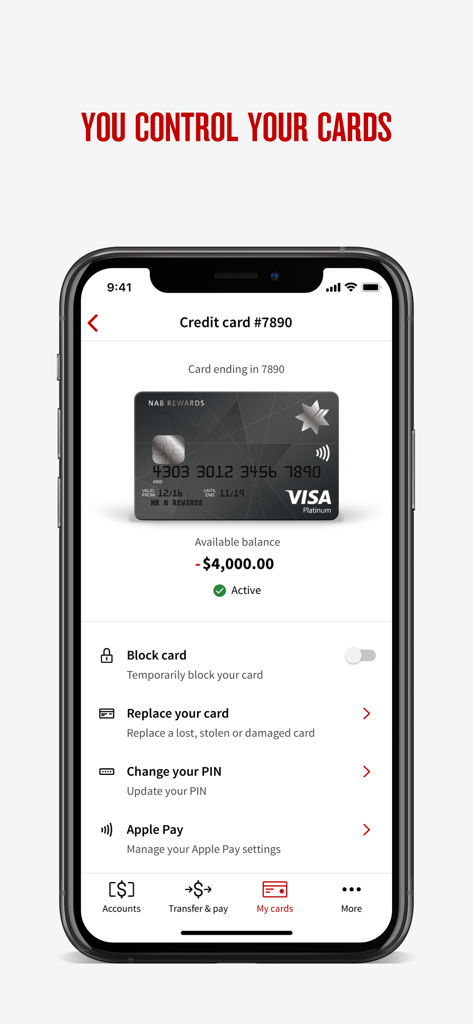
NAB Mobile Banking app interface for managing credit cards with options to block replace or change PIN

NAB Mobile Banking app interface for managing credit cards with options to block replace or change PIN

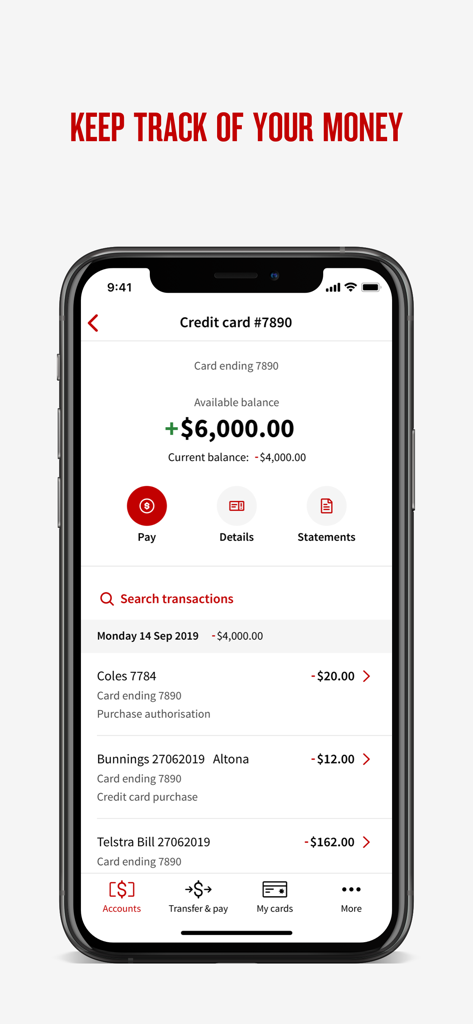
NAB Mobile Banking app interface displaying credit card balance and recent transaction history on an iPhone.

NAB Mobile Banking app interface displaying credit card balance and recent transaction history on an iPhone.

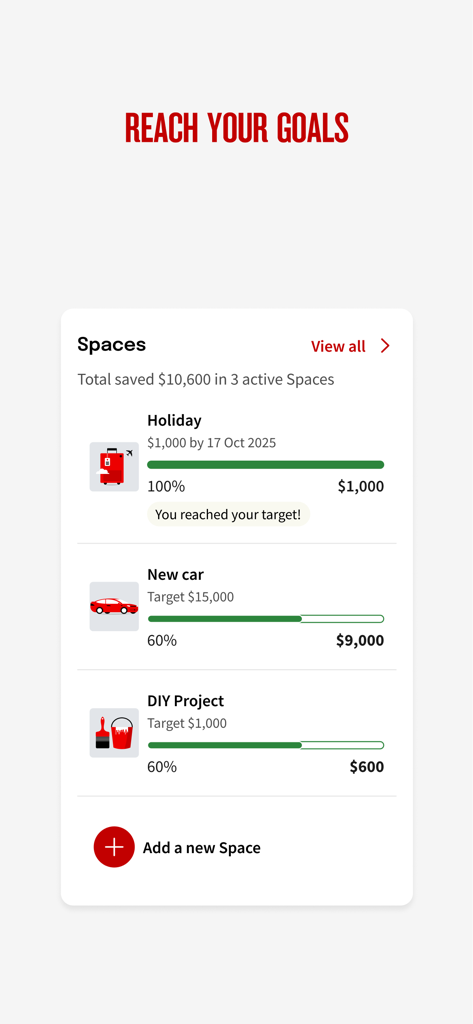
NAB app screen displaying savings goals and progress tracking

NAB app screen displaying savings goals and progress tracking

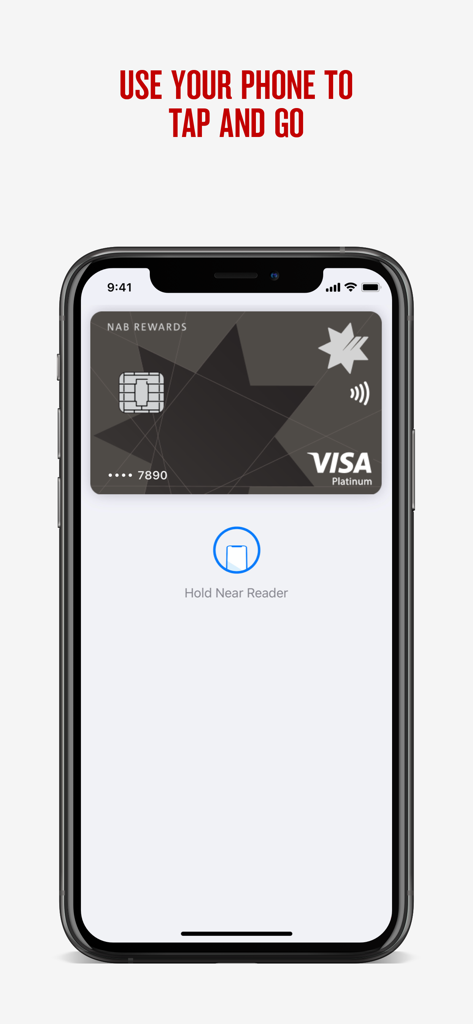
NAB Mobile Banking app interface for contactless tap and go payments with a Visa card

NAB Mobile Banking app interface for contactless tap and go payments with a Visa card

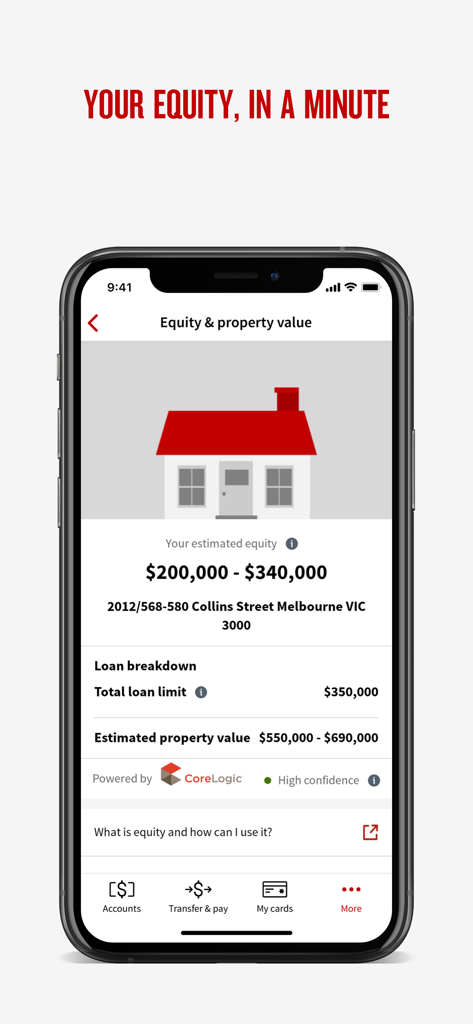
NAB Mobile Banking app interface displaying estimated property equity and home loan valuation details

NAB Mobile Banking app interface displaying estimated property equity and home loan valuation details

Your Global Financial Command Center

The tools that make this app stand out, trusted by 3M+ users.

🌎

Seamless Cross-Border Banking

Send money to 100+ countries and manage Australian property or home loans from the US without the need for international calls.

📊

Smart Spending & Savings

Visualize your cash flow with automatic merchant categorization and reach your milestones faster using personalized virtual savings jars.

🛡️

Total Card Empowerment

Take control of your security by instantly blocking lost cards, changing PINs, or ordering replacements directly within the app.

About the app

Everything you need to know about NAB Mobile Banking.

Description

With NAB’s Mobile Banking app, managing your money has never been easier. Download NAB’s banking app today and register your account to check balances, make secure payments, transfer money, view statements and more. Log in with fingerprint, face ID, passcode or password. Join millions of NAB customers using the app and access exclusive offers with NAB Goodies. Make secure payments instantly: • Make fast instant payments or schedule future payments. • Share or save your payment receipts for your personal record. • View transaction and merchant details from NAB debit or credit card purchases. • Share your BSB and account details or create a PayID to quickly receive payments. • Save your regular payees and billers. Manage your transactions from one place: • Make payments with Apple Pay or tap to pay on compatible devices. • Receive notifications when you use your card, or money arrives in your account. • Quickly send and approve payments. • Scan and deposit cheques. • Send money overseas to 100+ countries. Manage lost or stolen cards and order a replacement: • Temporarily block, unblock, or permanently cancel a lost, stolen or damaged card, and order a replacement instantly. • Get a detailed breakdown of your repayment options. • Activate your new card or change your PIN at any time. • Control how your Visa cards are used - online, in-store, or overseas. Banking and loan tools to help you every day: • Create a virtual savings jars and track your progress towards your goals. • Track your spending and visualise where your money is going by category or merchant. • Use NAB Now Pay Later to split purchases into four instalments. • Set up a quick balance widget to see your account balances without logging in. • Download up to 2 years of statements, or create Proof of Balance, Interim or Interest statements. • Manage your Home Loan payments, offset accounts, or get an estimated property valuation. • Rollover your Term Deposit when it matures. • Open an additional banking or savings account in minutes. • Manage profiles for shared bank accounts and business accounts. • Get extra support from NAB help or chat to a banker.

Latest Version

9.187.0

Size

180.0 MB

First Released

May 25, 2010

Your Australian Bank, Reimagined for Your Global Lifestyle

Join 3M+ users managing their wealth across borders with ease. Secure, smart, and always at your fingertips—wherever your journey takes you.

Download on App Store
FAQ

Frequently Asked Questions

Everything you need to know about NAB Mobile Banking

How can I manage my cards using the NAB Mobile Banking app?

Yes, the NAB Mobile Banking app allows you to temporarily block, unblock, or permanently cancel a lost, stolen, or damaged card. You can also order a replacement, activate new cards, and change your PIN.

Does the NAB Mobile Banking app support instant payments?

Yes, the NAB Mobile Banking app allows you to make fast instant payments. You can also schedule future payments, share receipts, and save regular payees and billers.

Can I track my spending with the NAB Mobile Banking app?

Yes, the NAB Mobile Banking app enables you to track your spending. It visualizes where your money goes by category or merchant, helping you manage your finances effectively.

How does the NAB app help me save money?

The NAB Mobile Banking app helps you save money by allowing you to create virtual savings jars and track your progress towards specific financial goals.

Can I manage my home loan within the NAB Mobile Banking app?

Yes, the NAB Mobile Banking app allows you to manage your Home Loan payments, offset accounts, and obtain an estimated property valuation.

Does NAB Mobile Banking offer tap-to-pay functionality?

Yes, NAB Mobile Banking supports tap-to-pay on compatible devices. You can also make payments with Apple Pay through the app.

Can I view my bank statements in the NAB Mobile Banking app?

Yes, the NAB Mobile Banking app allows you to download up to 2 years of statements. You can also create Proof of Balance, Interim, or Interest statements.

What security features does the NAB Mobile Banking app use for login?

The NAB Mobile Banking app provides secure login options including fingerprint, Face ID, passcode, or password to protect your account access.

Can I send money overseas with the NAB Mobile Banking app?

Yes, the NAB Mobile Banking app allows you to send money overseas to over 100 countries. This feature is part of its transaction management capabilities.

Does the NAB app provide notifications for account activity?

Yes, the NAB Mobile Banking app sends notifications. You receive alerts when you use your card or when money arrives in your account, keeping you informed.

App information, icons, screenshots, and descriptions displayed on this page are sourced from the Apple App Store and are the property of their respective developers. Download estimates and rankings are based on MWM's proprietary models and may not reflect actual figures. This page is provided for informational and analytical purposes only.

Believe this page infringes your intellectual property? File a dispute