
This page is not an official page of the app or its developer, but an independent editorial publication created for informational and commentary purposes. Unless expressly stated otherwise, neither the app nor its developer is affiliated with, endorsed by, sponsored by, authorized by, or otherwise officially connected with MWM, Apple, Google Play, the app publisher, or the app's developer, and nothing on this page implies that the app was developed using MWM's services. Any trademarks, logos, screenshots, and other content remain the property of their respective owners.


NatWest Mobile Banking
Join 11 million customers managing their money with ease. Securely control your UK accounts, track your credit score, and spend across borders from anywhere in the world.
Downloads
8M+User Rating
Total Ratings
1M+Publisher
Category
FinanceLocales
1Latest Version
7.61.0Size
666.7 MBFirst Released
Mar 20, 2018Global Banking, Simplified for Your Life in the States
Managing your UK finances from across the ocean has never been easier. Join 11 million customers using our secure, feature-rich app to bridge the gap between continents.
Total Security & Card Control
Freeze and unfreeze your Mastercard instantly from the app. Use Face ID or Optic ID for high-value payments, ensuring your money stays safe while you're abroad.
Seamless International Spending
Open a Travel account to spend in USD and Euros without fees. Plus, use our 'Get Cash' feature to withdraw money at UK ATMs without needing your physical card.
Frequently Asked Questions
Everything you need to know about NatWest Mobile Banking
What is the NatWest Mobile Banking app?
The NatWest Mobile Banking app provides easy, quick, and secure day-to-day banking for over 11 million customers. It offers comprehensive financial management tools and features.
Can I open different types of accounts with the NatWest app?
Yes, the NatWest Mobile Banking app allows quick applications for various accounts, including current, savings, child, teen, premier, and student accounts, subject to eligibility criteria.
How can I view all my bank accounts in the NatWest app?
The NatWest Mobile Banking app displays all your linked bank accounts directly on your home screen, providing an immediate overview of your financial status.
Can I freeze my card using the NatWest Mobile Banking app?
Yes, the NatWest Mobile Banking app allows you to freeze and unfreeze your Mastercard debit card instantly. This feature enhances security for your banking.
Does the NatWest app offer biometric security options?
Yes, the NatWest Mobile Banking app supports biometric security like Touch ID, Voice ID, Face ID, and Optic ID (on Apple Vision Pro) for enhanced security and convenient access on selected devices.
How can I request money using the NatWest Mobile Banking app?
The NatWest Mobile Banking app enables you to request money from others by generating a QR code or sharing a direct payment link, simplifying fund collection.
Can I save favorite payees in the NatWest app for quicker payments?
Yes, the NatWest Mobile Banking app allows you to create a personalised list of favourite payees. This streamlines the process of sending money quickly and efficiently.
Does the NatWest app support bill splitting?
Yes, the NatWest Mobile Banking app allows eligible current account holders to split bills up to £500. You can share a payment request link with multiple people simultaneously.
How does the Get Cash feature work in the NatWest app for iPhone users?
For iPhone users, the NatWest Mobile Banking app offers a "Get Cash" feature. This allows emergency withdrawals up to £130 every 24 hours from branded ATMs using a unique code, without needing your card.
What are Round Ups in the NatWest Mobile Banking app?
Round Ups in the NatWest Mobile Banking app automatically save your spare change by rounding up debit card and contactless Sterling payments. This requires an eligible current and instant access savings account.
Can I budget my spending with the NatWest Mobile Banking app?
Yes, the NatWest Mobile Banking app helps you budget easily. It allows you to manage monthly spending and set categories, providing insights into your financial habits.
Does the NatWest app send notifications for account activity?
Yes, the NatWest Mobile Banking app provides push notifications. You can enable these to receive alerts when money enters or leaves your account, keeping you informed.
Can I use the NatWest app to manage international spending without fees?
Yes, by applying for a Travel account through the NatWest Mobile Banking app, you can spend in Euros and US Dollars abroad without fees or charges, provided you have sufficient funds.
How does NatWest Mobile Banking app help with my credit score?
The NatWest Mobile Banking app provides updates on your credit score and insights to improve it. This data comes from TransUnion and is available to eligible customers over 18 with a UK address.
What other financial products does the NatWest app offer?
The NatWest Mobile Banking app centralises discovery for additional financial products and services, including mortgages, home and life insurance, and various types of loans.
Does the NatWest app have accessibility options for photosensitive users?
The NatWest Mobile Banking app has login images that may affect photosensitive users. These can be managed by adjusting motion and visual control settings in your device's accessibility menu, not within the app itself.
What are the age requirements to use the NatWest Mobile Banking app?
The NatWest Mobile Banking app is available to customers aged 11 and over with a UK or international mobile number. Specific features and products within the app may have additional age restrictions (16 or 18+).
Can I customize my home screen with widgets in the NatWest app?
Yes, the NatWest Mobile Banking app allows you to personalise your home screen with widgets. These can display features like Round Ups, credit score updates, and favourite payees.
What card management features does the NatWest Mobile Banking app offer?
The NatWest Mobile Banking app offers comprehensive card management. You can freeze your Mastercard, view your PIN, see card details, and easily add your card to Apple Wallet.
Can I set and track savings goals in the NatWest Mobile Banking app?
Yes, the NatWest Mobile Banking app allows you to create and monitor your savings goals. It shows your progress towards targets, helping you fast-track your money goals.
Does the NatWest Mobile Banking app have a dark mode option?
Yes, the NatWest Mobile Banking app supports a dark mode. Users can easily switch between light and dark themes or choose to use their device's default settings for app appearance.
The following screenshots and description are sourced directly from the app's official store listing and are the property of the app developer.
App Store
Screenshots
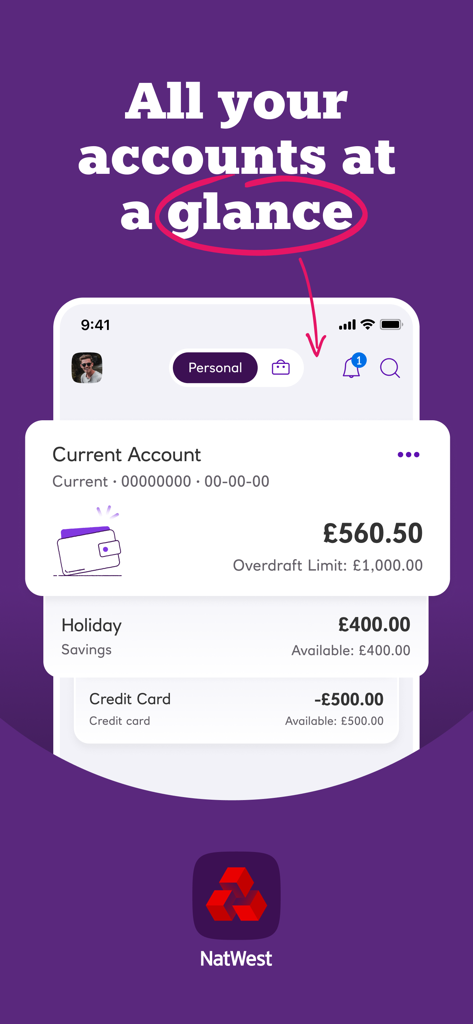
NatWest mobile banking app dashboard displaying balances for current and savings accounts
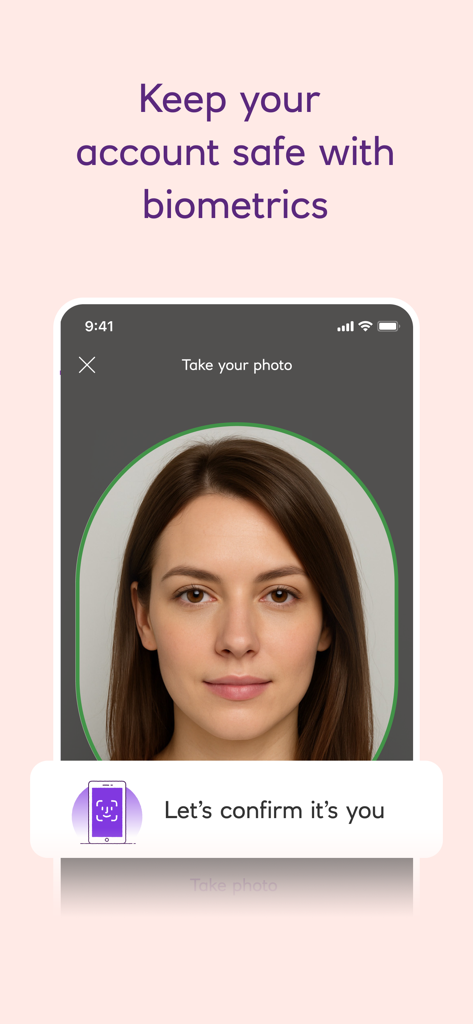
NatWest mobile banking app biometric security screen showing face verification.
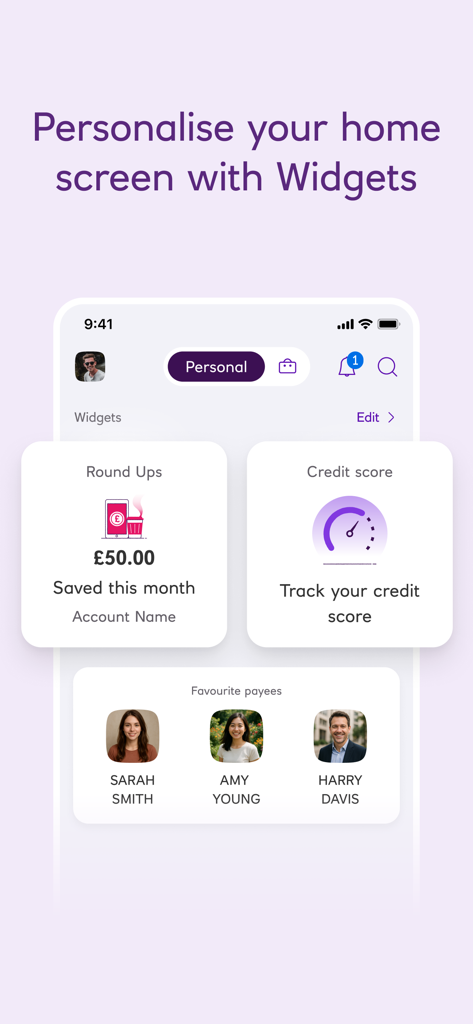
NatWest mobile banking app home screen showing customizable widgets for round ups, credit score tracking, and favorite payees.
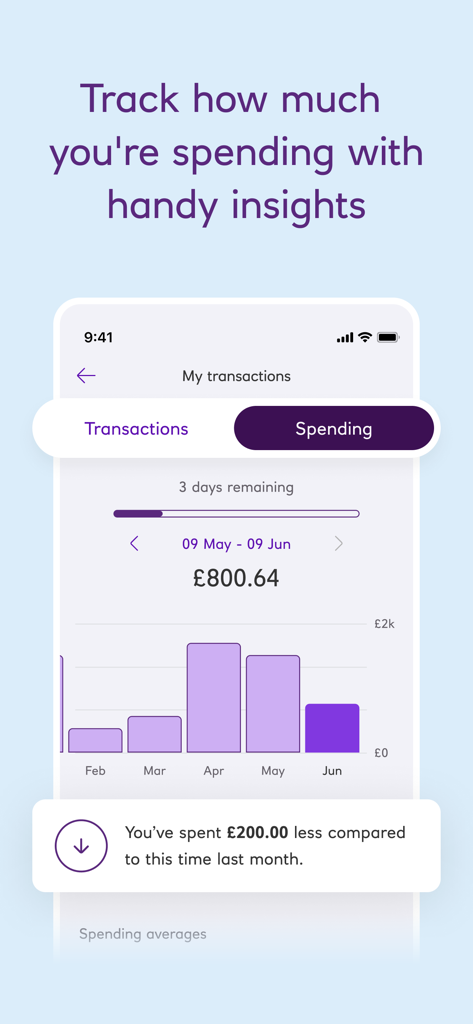
NatWest mobile banking app spending insights screen showing monthly spending trends and comparisons
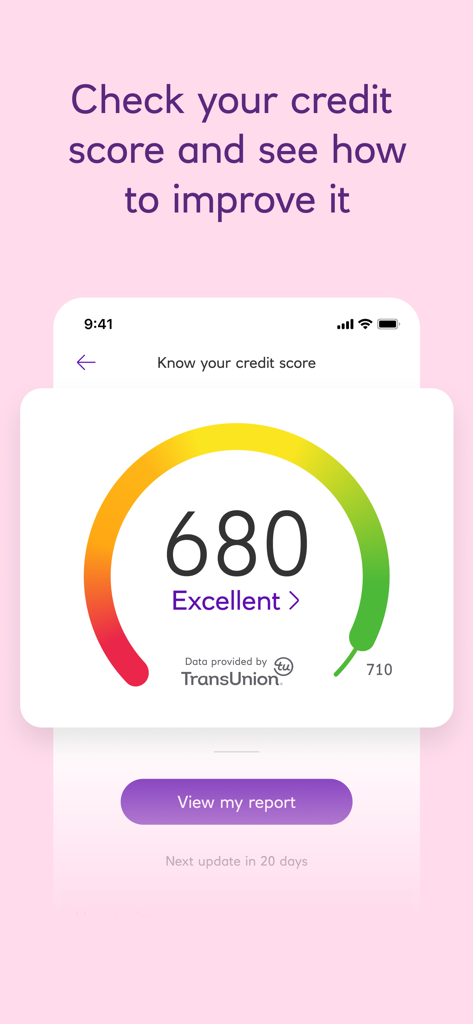
NatWest Mobile Banking app screen displaying a TransUnion credit score of 680 with an excellence rating gauge
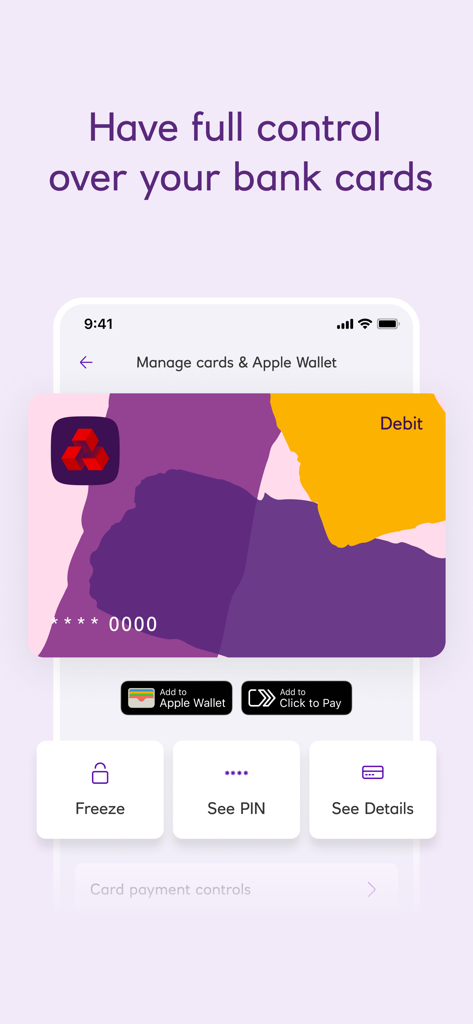
NatWest mobile banking app screen showing debit card management options including freeze card see pin and see details
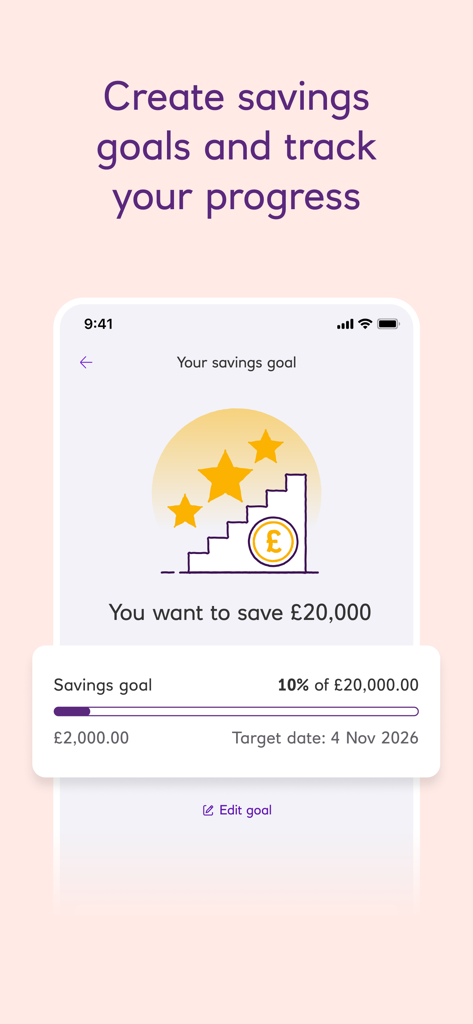
A smartphone screen showing the NatWest app's savings goal feature with a progress bar and 20000 pound target.
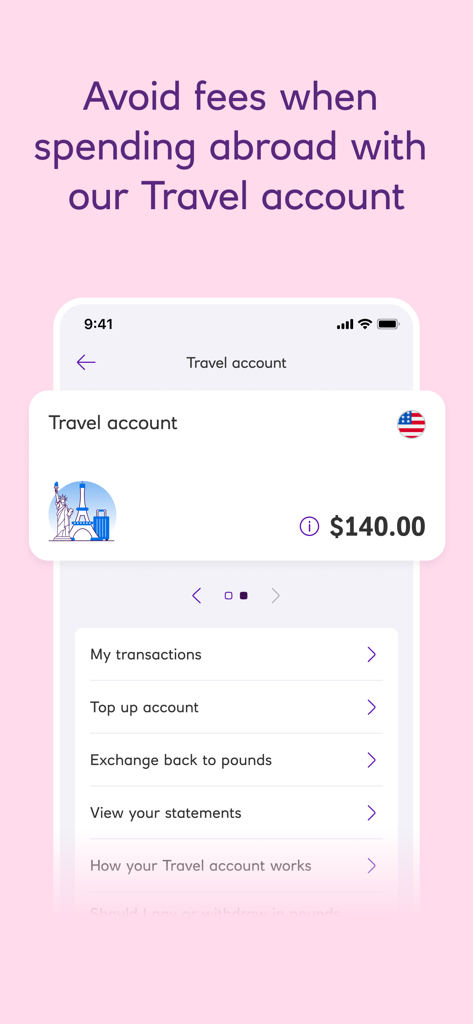
NatWest mobile banking app travel account screen showing USD balance and currency options
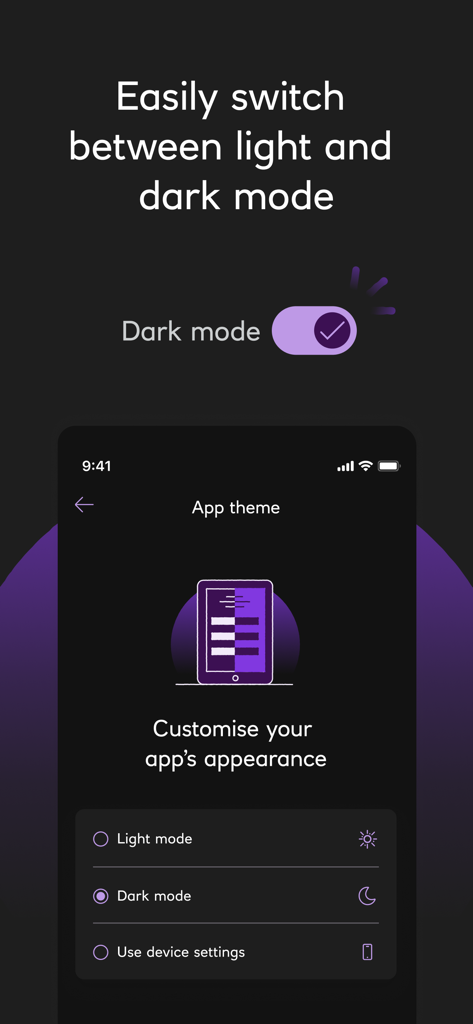
NatWest mobile banking app theme customization screen showing options for light mode and dark mode
Description
Download
More Like This
Apps with similar features and user experience

PayPal - Pay, Send, Save
PayPal, Inc.

中国农业银行
AGRICULTURAL BANK OF CHINA LIMITED

Mercado Pago: cuenta digital
MercadoLibre S.A.

中国工商银行
Industrial and Commercial Bank of China

Revolut: Send, spend and save
Revolut Ltd

HDFC Bank App (Early Access)
HDFC Bank Ltd

Zalopay - Quét Mọi QR
ZION JOINT STOCK COMPANY

Cash App
Block, Inc.

招商银行
CHINA MERCHANTS BANK CO.,LTD.
This page is not an official page of the app or its developer, but an independent editorial publication created for informational and commentary purposes. Unless expressly stated otherwise, neither the app nor its developer is affiliated with, endorsed by, sponsored by, authorized by, or otherwise officially connected with MWM, Apple, Google Play, the app publisher, or the app's developer, and nothing on this page implies that the app was developed using MWM's services. Any trademarks, logos, screenshots, and other content remain the property of their respective owners.