Nav Tools - Flight and Sail

Nav Tools - Flight and Sail

Download on App Store
Logo of Nav Tools - Flight and Sail

Nav Tools - Flight and Sail: Professional-Grade Precision for Air and Sea

Transform your iPhone into a high-performance digital instrument panel. Experience zero-lag navigation with sensor-driven accuracy, customizable virtual screens, and real-time flight and nautical data at your fingertips.

Download on App Store

Publisher

NAVSTEP, TOO

Category

Navigation

Downloads

1K+

User Rating

1.0/5

Total Ratings

0

Locales

1

Precision at a Glance

Discover the interface used by 1K+ users.
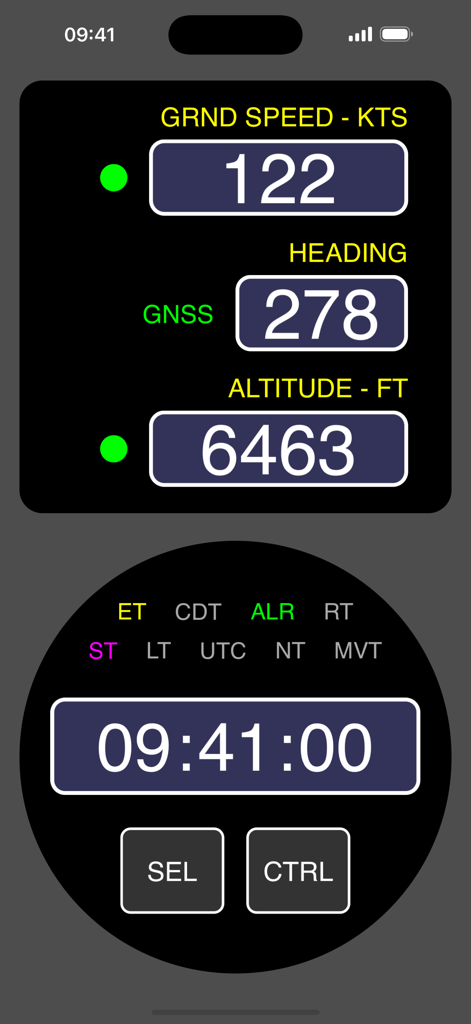
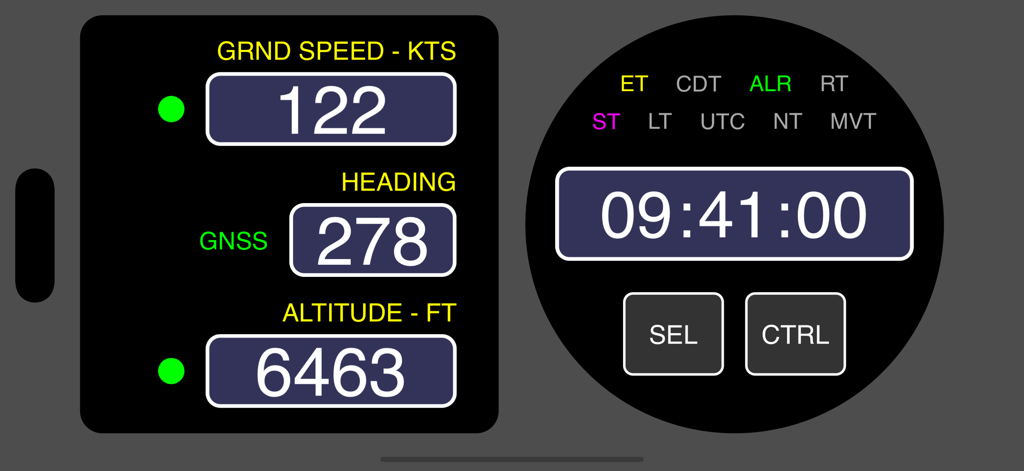
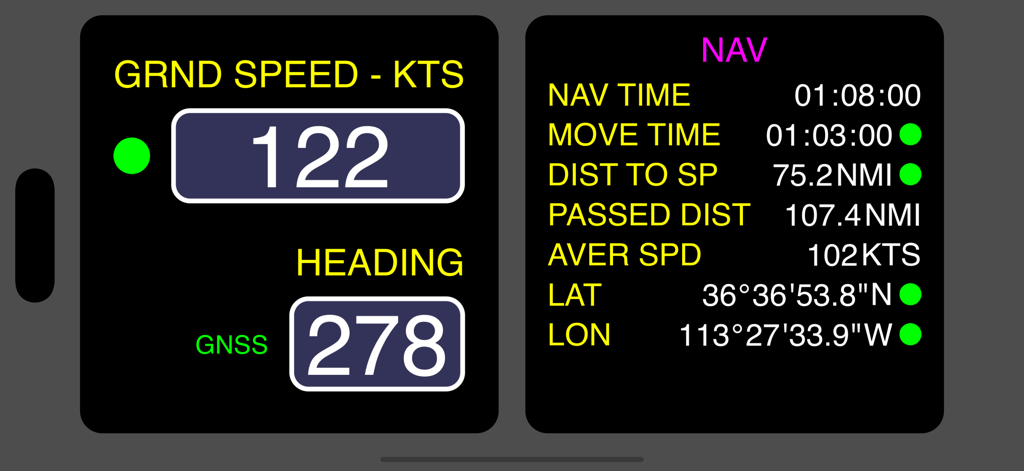
Aviation and marine navigation dashboard showing ground speed heading altitude and a digital chronometer

Aviation and marine navigation dashboard showing ground speed heading altitude and a digital chronometer

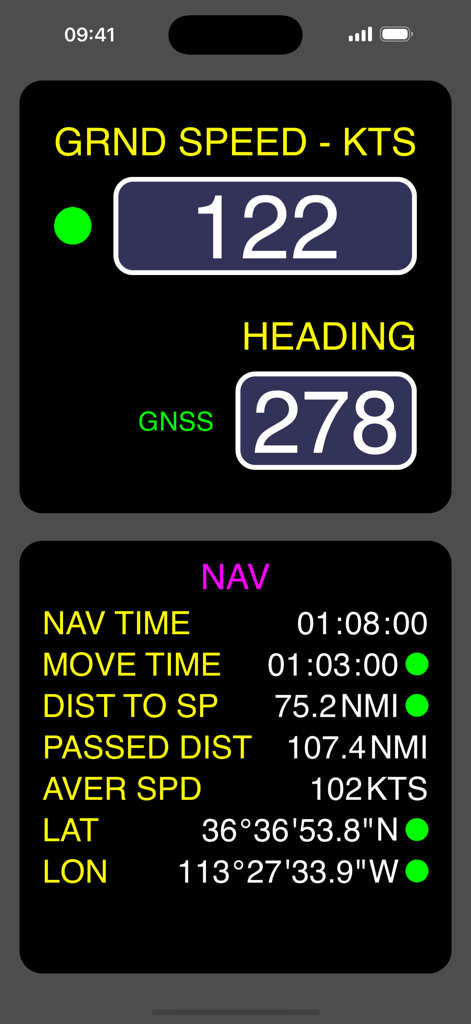
A digital navigation interface showing ground speed, heading, and session statistics for flight and sailing.

A digital navigation interface showing ground speed, heading, and session statistics for flight and sailing.

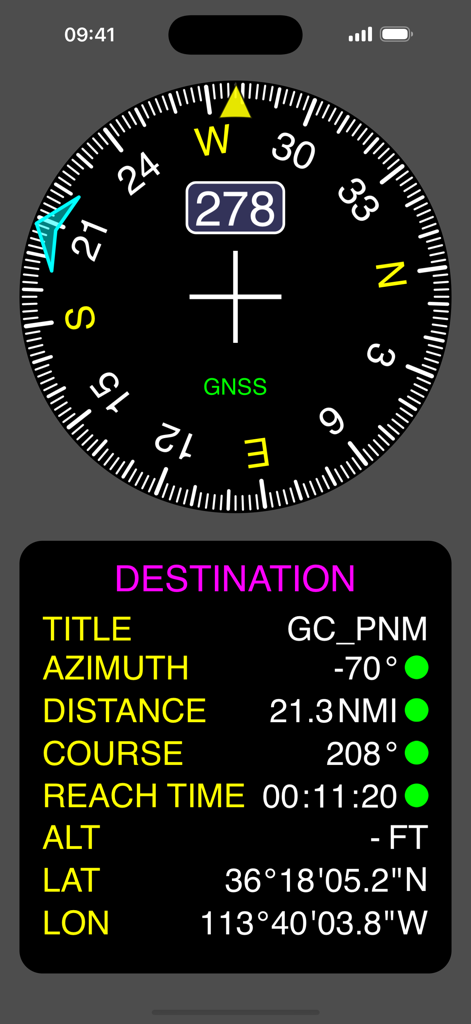
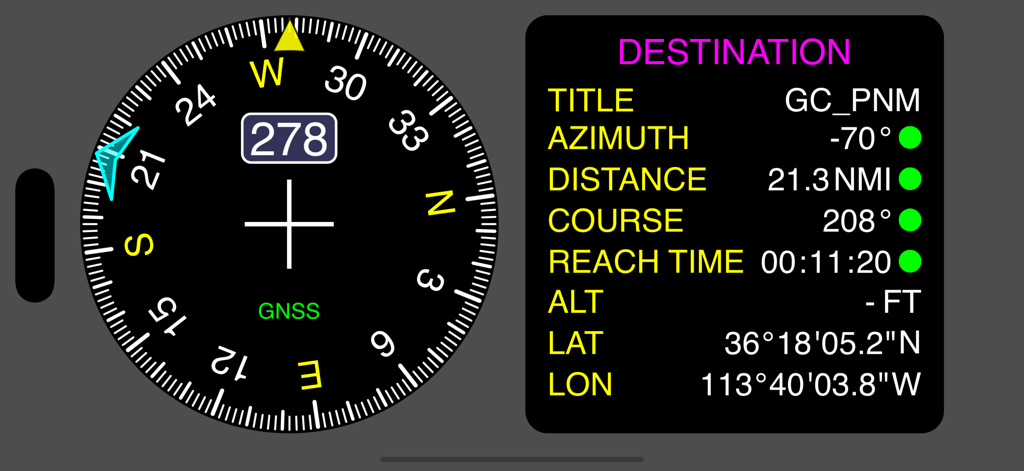
Nav Tools app screenshot showing compass heading and destination navigation parameters

Nav Tools app screenshot showing compass heading and destination navigation parameters

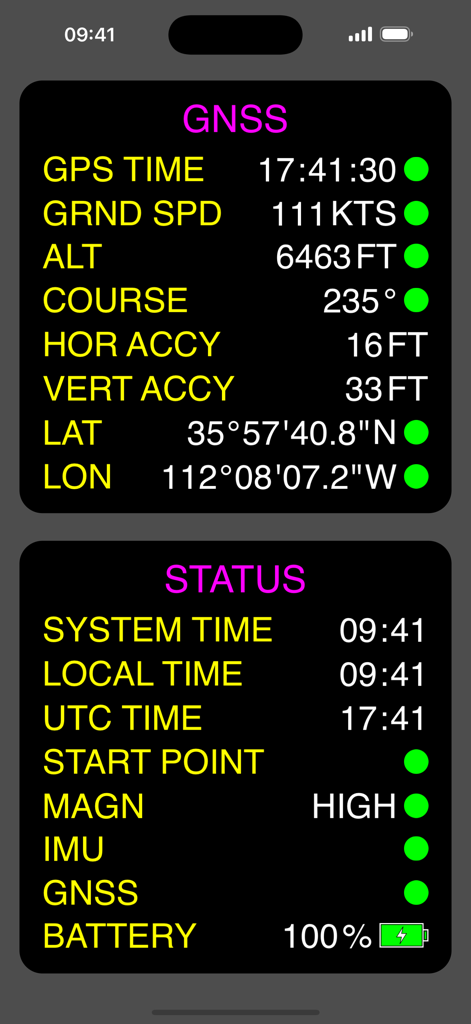
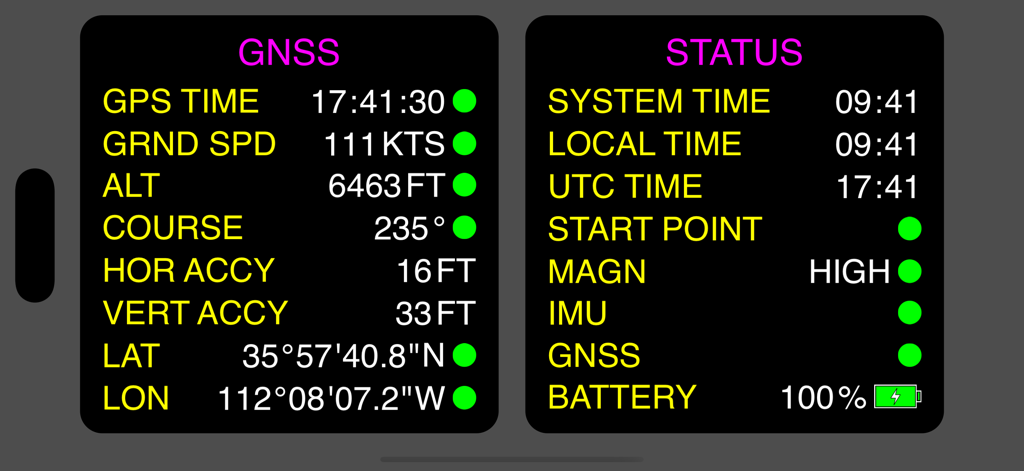
Digital dashboard of Nav Tools app displaying GNSS data and device status for flight and sailing navigation

Digital dashboard of Nav Tools app displaying GNSS data and device status for flight and sailing navigation

Digital instrument panel display showing ground speed heading altitude and a circular chronometer

Digital instrument panel display showing ground speed heading altitude and a circular chronometer

Digital navigation dashboard showing ground speed heading and GPS coordinates for flight and sail

Digital navigation dashboard showing ground speed heading and GPS coordinates for flight and sail

Digital navigation dashboard with compass heading and destination tracking data including distance and coordinates

Digital navigation dashboard with compass heading and destination tracking data including distance and coordinates

A dashboard from Nav Tools displaying GNSS navigation data and system status on a dark background

A dashboard from Nav Tools displaying GNSS navigation data and system status on a dark background

Precision Instruments for Your Cockpit and Helm

The tools that make this app stand out, trusted by 1K+ users.

High-Frequency Sensor Fusion

Experience zero-lag updates. Our engine combines gyroscope, accelerometer, and magnetometer data for ultra-smooth heading and movement tracking.

🎛️

Customizable Virtual Screens

Tailor your dashboard to your mission. Configure multiple screens with the exact indicators you need and switch between them with a simple swipe.

Professional Mission Tools

Access critical navigation stats, UTC chronometers, and a one-touch 'Back to Start' feature for the ultimate safety redundancy in air or at sea.

About the app

Everything you need to know about Nav Tools - Flight and Sail.

Description

The Nav Tools app is a mobile navigation toolbox for air and watercrafts which is always at hand on your iPhone. It uses full power of device’s internal sensors data (gyroscope, accelerometer and magnetometer) along with GNSS information for calculating all navigation parameters what provides very high update rate, instant response and indication smoothness. With Nav Tools app you can: - Display main navigation information including heading (based on GNSS course / magnetic heading / true magnetic heading), ground speed, altitude, coordinates, navigation session statistics (total time, moving time, passed distance, average speed, distance to start point) and destination point navigation parameters (distance, azimuth, course, reach time); - Display various times (system time, local time, UTC time) and launch different timers (count up, count down, count down with auto repeat); - Switch between various units of displayed parameters; - Search and save POIs (destination points) for fast access navigation (multiple search options are available); - Activate navigation back to start point by pressing just one button; - Enable multiple virtual screens and select which indicators to display on each screen. Switching between screens is made by simple swipe; - Perform adjustment of indicators appearance to make them fully correspond to your needs. List of indicators: - Multi parameter indicator (ground speed / altitude / heading); - Heading indicator (with indication of direction to destination point); - Chronometer (with multiple time display modes and timers); - Navigation session info indicator; - GNSS info indicator; - Device status info indicator; - Destination point navigation info indicator.

Latest Version

1.1.0

Size

3.9 MB

First Released

Oct 22, 2024

Professional-Grade Navigation for Your Next Mission

Experience zero-lag precision with sensor-driven data. Join the pilots and mariners who trust Nav Tools for their primary backup and custom cockpit instrumentation.

Download on App Store

App information, icons, screenshots, and descriptions displayed on this page are sourced from the Apple App Store and are the property of their respective developers. Download estimates and rankings are based on MWM's proprietary models and may not reflect actual figures. This page is provided for informational and analytical purposes only.

Believe this page infringes your intellectual property? File a dispute