
This page is not an official page of the app or its developer, but an independent editorial publication created for informational and commentary purposes. Unless expressly stated otherwise, neither the app nor its developer is affiliated with, endorsed by, sponsored by, authorized by, or otherwise officially connected with MWM, Apple, Google Play, the app publisher, or the app's developer, and nothing on this page implies that the app was developed using MWM's services. Any trademarks, logos, screenshots, and other content remain the property of their respective owners.


NETS App
Skip the kiosks and manage your NETS cards from anywhere. Check balances, track transactions in real-time, and enable auto top-ups to ensure you are always ready for your next journey.
Downloads
912K+User Rating
Total Ratings
1K+Publisher
Category
LifestyleLocales
1Latest Version
3.0.9Size
87.9 MBFirst Released
Sep 26, 2021Effortless Payments for Your Singapore Journeys
The essential companion for expats and global travelers to manage transit, motoring, and shopping payments seamlessly from the US or on the go.
Instant Card Management
Skip the physical kiosks. Use your phone to check balances and top up your NETS Prepaid or Motoring cards instantly via NFC.
Transparent Expense Tracking
Monitor your spending with a detailed digital history of every transaction, making corporate reimbursements and budgeting a breeze.
Frequently Asked Questions
Everything you need to know about NETS App
What is the NETS App and what does it do?
The NETS App simplifies payment tasks for motoring, transit, and shopping. It allows users to check balances, view transactions, and enable auto top-up for their NETS Prepaid, Motoring, and FlashPay cards.
Can I check my card balance using the NETS App?
Yes, the NETS App allows users to conveniently check balances for their NETS Prepaid Card, NETS Motoring Card, and NETS FlashPay Card directly within the application.
Which cards are compatible with the NETS App?
The NETS App supports NETS Prepaid Card, NETS Motoring Card, and NETS FlashPay Card, enabling users to manage their transactions and balances for these specific card types.
Does the NETS App show transaction history for my cards?
Yes, users can view transaction history for their NETS Prepaid and NETS FlashPay cards in the NETS App, which includes details of top-ups and spending.
How do I top up my NETS Prepaid Card in the NETS App?
Users can top up their NETS Prepaid Card via the NETS App by selecting predefined amounts like SGD 10, 20, 30, or 50. The minimum top-up amount is SGD 10.
Are there fees for topping up my card using the NETS App?
Top-up fees are waived when using DBS, POSB, or UOB Cards for transactions within the NETS App. Other cards may incur fees.
Can I set up auto top-up for my NETS card using the NETS App?
Yes, the NETS App provides an option to enable auto top-up. Users must complete an 'AUTO TOP-UP REGISTRATION' form with personal details.
What personal information is required for auto top-up registration in the NETS App?
To register for auto top-up in the NETS App, users provide their Full Name, ID Type, NRIC/FIN, Mobile Number, Email, and residential address details.
What can I pay for with my NETS FlashPay Card using the NETS App?
The NETS FlashPay Card, managed through the NETS App, is used for payments including bus and MRT rides, ERP charges, and car park fees.
The following screenshots and description are sourced directly from the app's official store listing and are the property of the app developer.
App Store
Screenshots
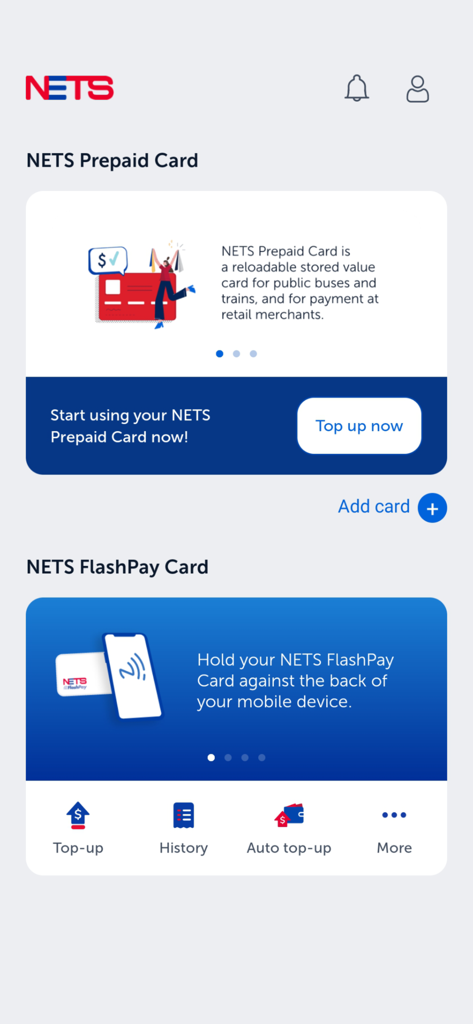
NETS App dashboard showing options for managing NETS Prepaid and FlashPay cards including top-up and history features
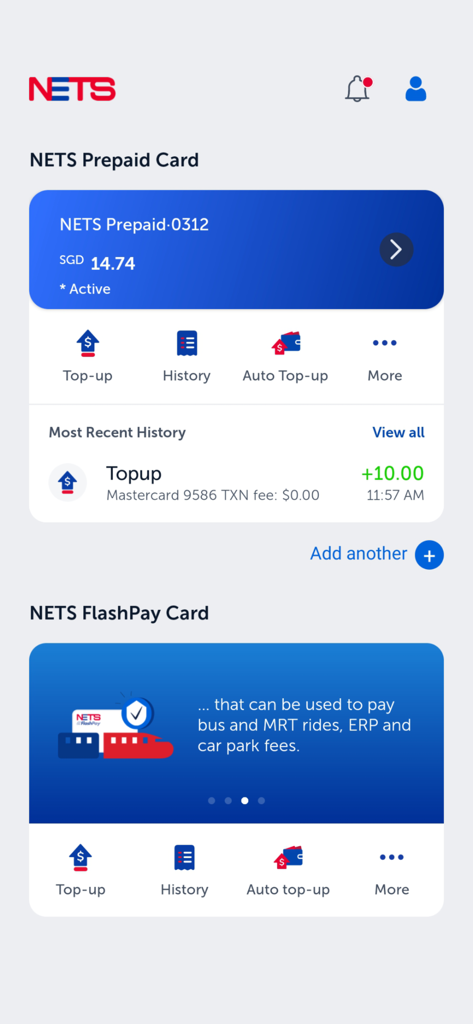
Screenshot of the NETS app dashboard displaying a prepaid card balance and management options.
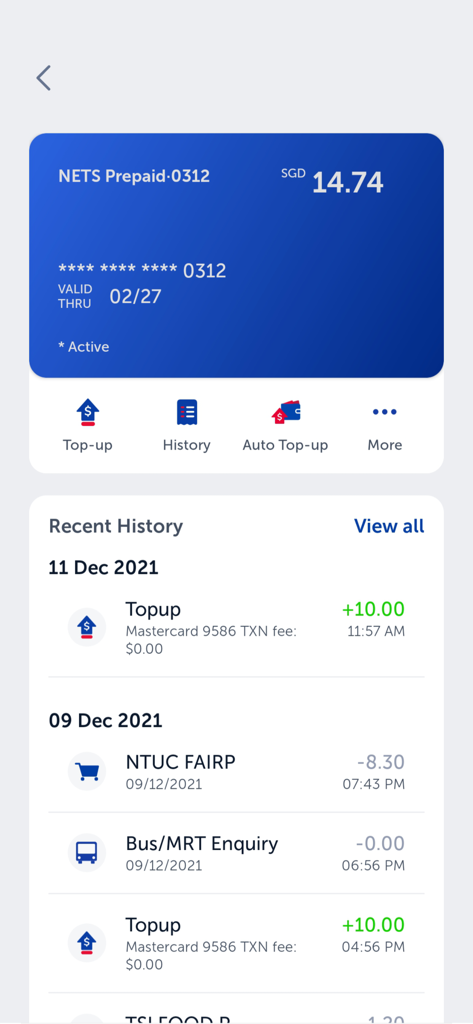
NETS App screen showing prepaid card balance and transaction history
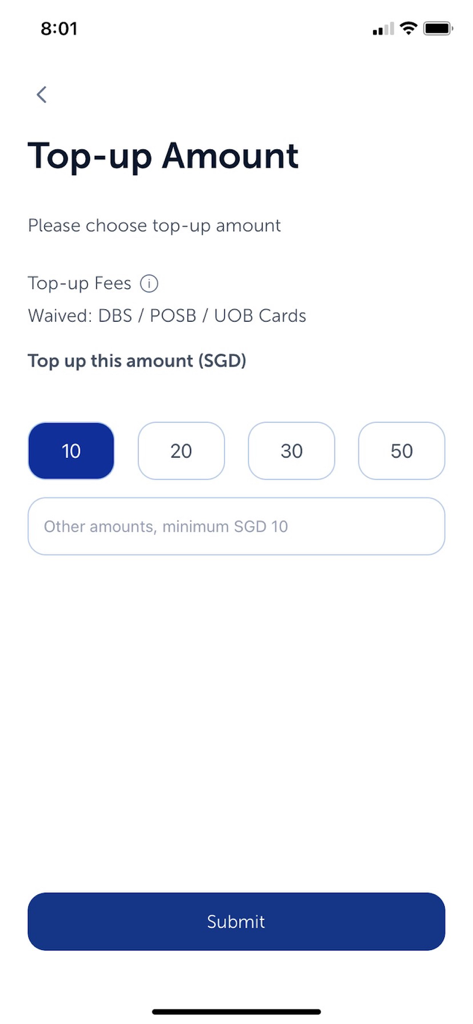
NETS App top up amount selection screen with SGD preset buttons and submit button
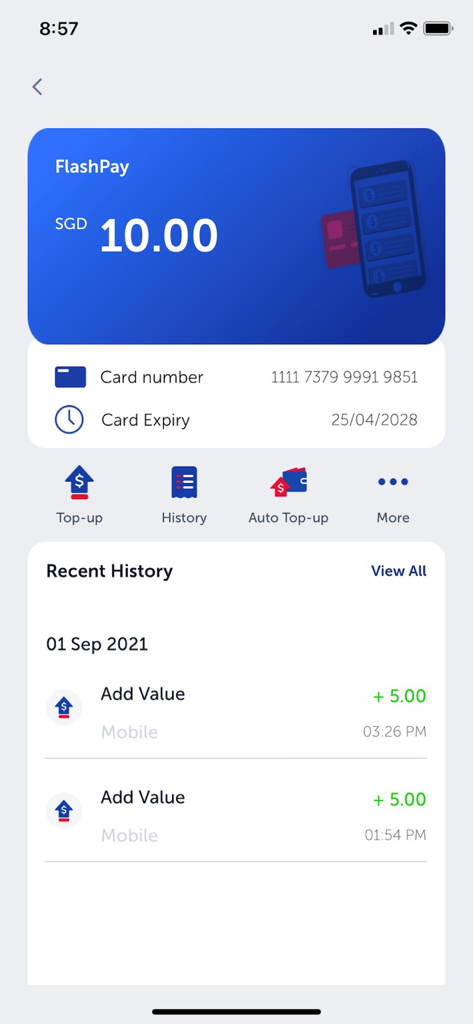
A mobile interface of the NETS app showing a FlashPay card balance of 10 SGD and recent transaction history
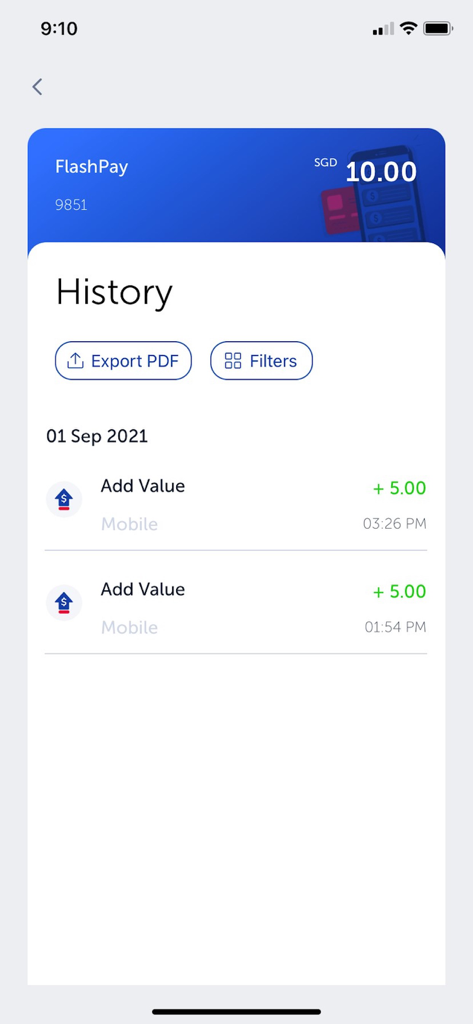
Transaction history screen of the NETS App showing FlashPay card balance and recent add value entries
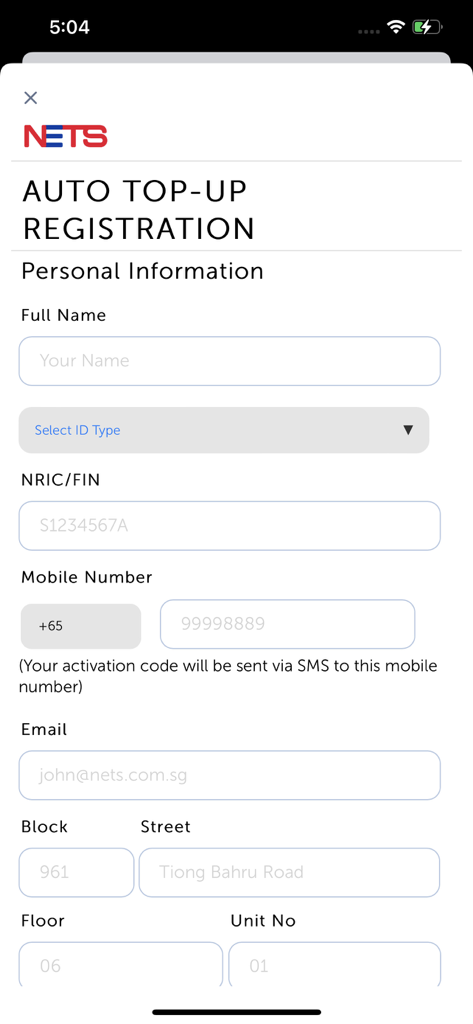
NETS App registration screen for auto top-up featuring a form for personal information including NRIC and address details
Description
Download
More Like This
Apps with similar features and user experience

Japan train card balance check
Digital Equality, Inc.
Korea transit card - BucaCheck
RYNYUL

Hopon Rav-Kav טעינת רב-קו
HopOn Mobility LTD

IC-Reader
Shintaro Kawamura

EZ-Link app (discontinued)
SimplyGo Pte. Ltd.

DAEM DAEM – For Korea Travel
Tmonet., inc

Rav-Kav Online רב-קו אונליין
Pcentra Ltd.

이즐충전소: K패스, 교통카드 충전의 모든 것
EZL Corp.

myORCA
Central Puget Sound Regional Transit Authority
This page is not an official page of the app or its developer, but an independent editorial publication created for informational and commentary purposes. Unless expressly stated otherwise, neither the app nor its developer is affiliated with, endorsed by, sponsored by, authorized by, or otherwise officially connected with MWM, Apple, Google Play, the app publisher, or the app's developer, and nothing on this page implies that the app was developed using MWM's services. Any trademarks, logos, screenshots, and other content remain the property of their respective owners.