Number Line, by MLC

Number Line, by MLC

Download on App Store
Logo of Number Line, by MLC

Number Line, by MLC: The Essential Virtual Manipulative for K-5 Math

Empower students to visualize number relationships and demonstrate problem-solving strategies with a versatile, open-ended tool designed for teachers and families.

Publisher

The Math Learning Center

Category

Education

Downloads

68K+

User Rating

4.2/5

Total Ratings

0

Locales

1

Visualize the Strategy

Discover the interface used by 68K+ users.
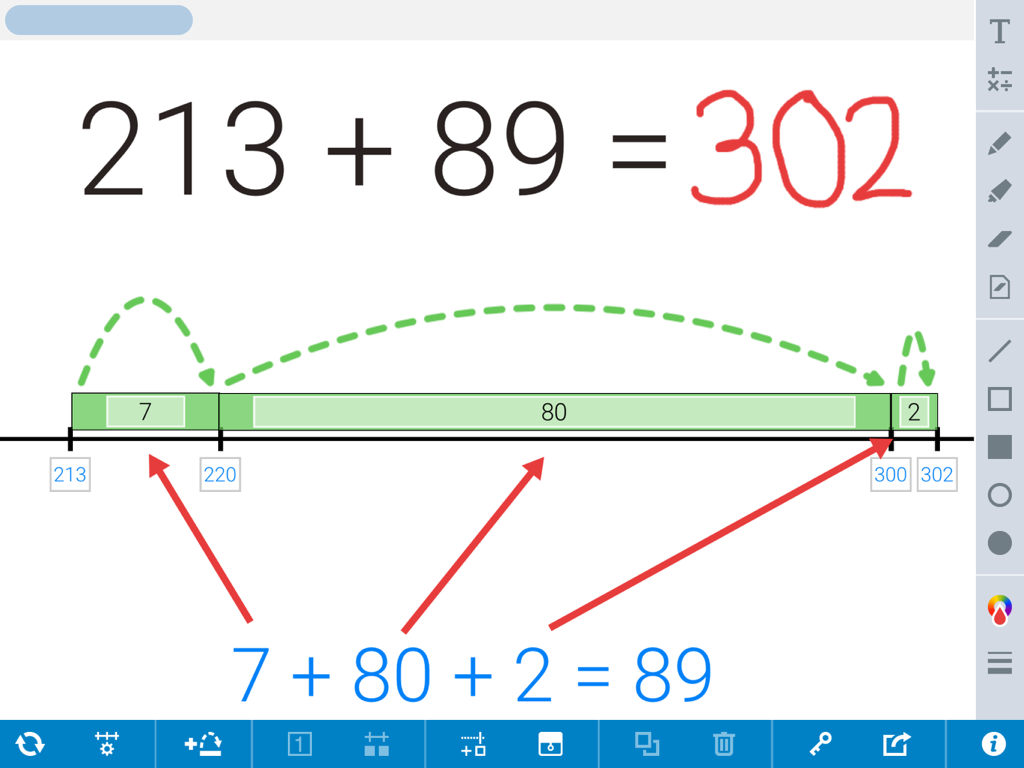
An addition problem solved using green jumps on a digital number line

An addition problem solved using green jumps on a digital number line

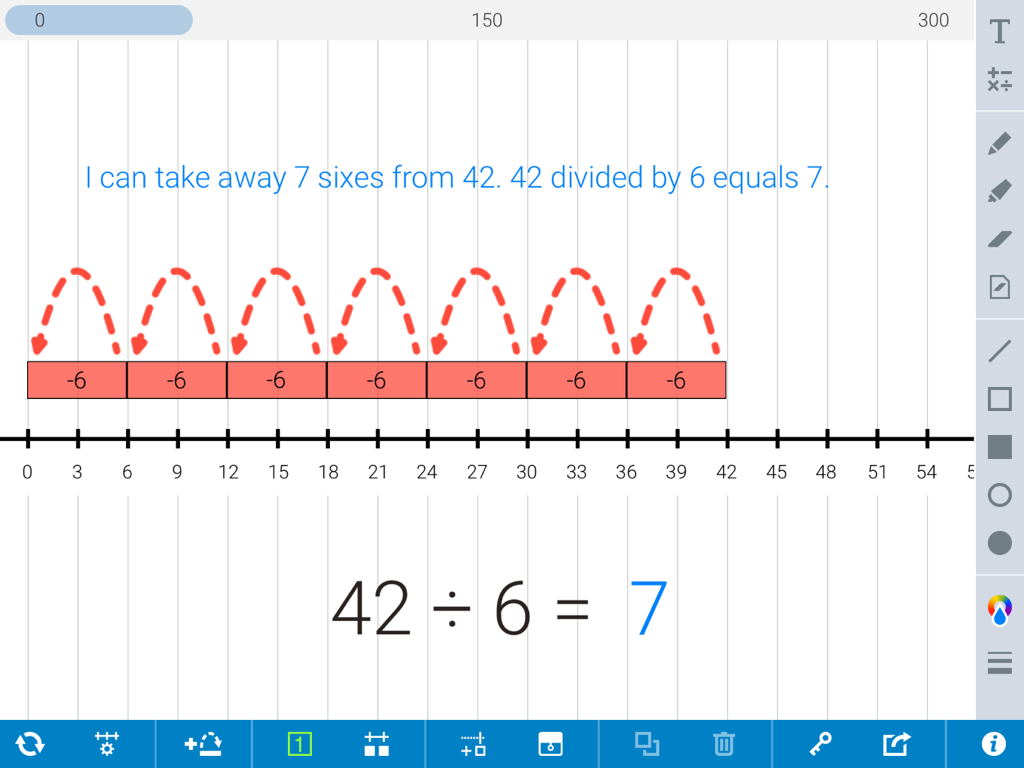
A number line showing division of forty two by six with seven backward jumps

A number line showing division of forty two by six with seven backward jumps

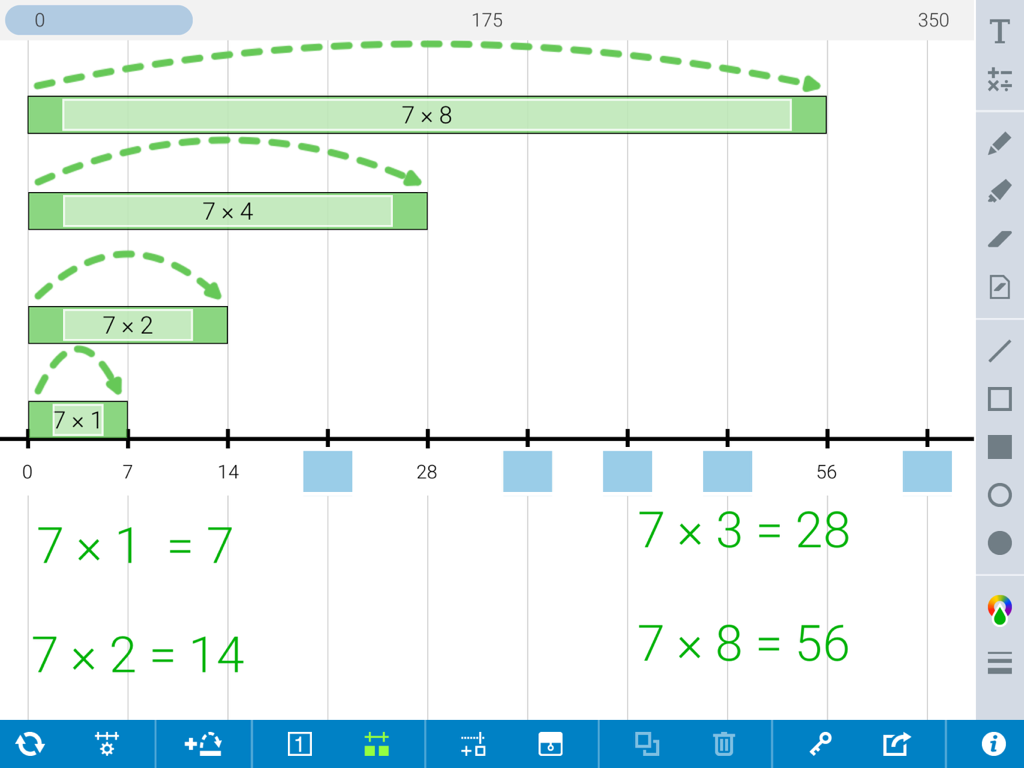
A virtual number line showing multiplication jumps and equations to model multiples of seven

A virtual number line showing multiplication jumps and equations to model multiples of seven

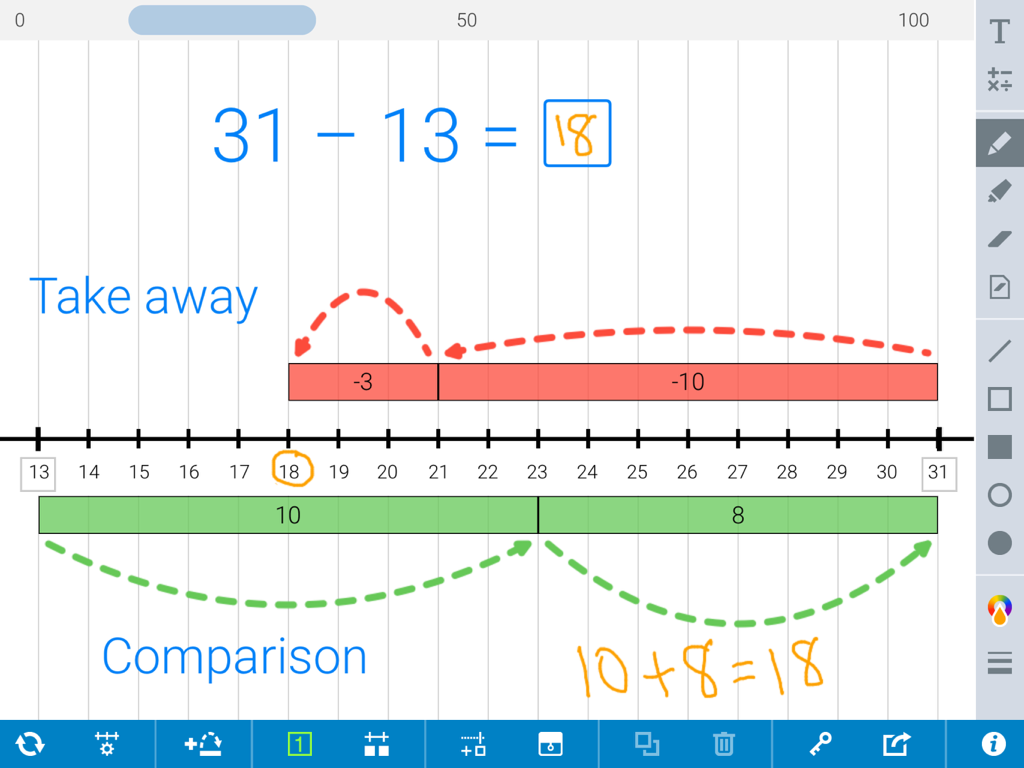
A digital number line app demonstrating subtraction using take away and comparison jump strategies.

A digital number line app demonstrating subtraction using take away and comparison jump strategies.

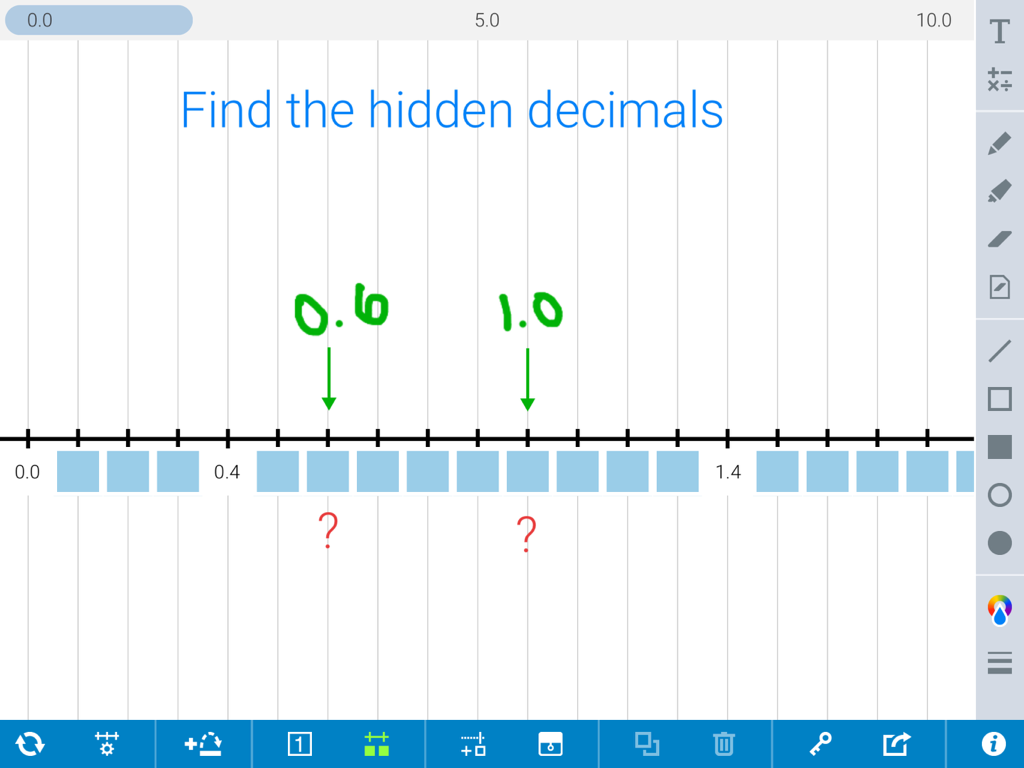
A virtual number line with hidden decimal values and handwritten green answers showing zero point six and one point zero.

A virtual number line with hidden decimal values and handwritten green answers showing zero point six and one point zero.

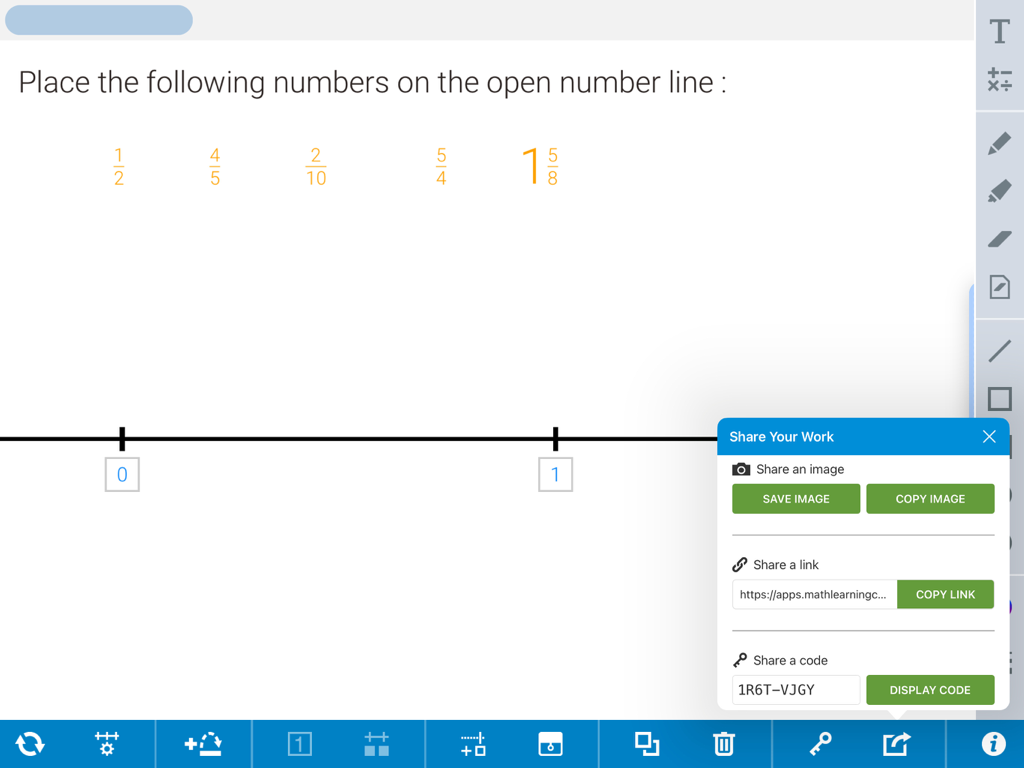
Number Line by MLC app displaying a fraction activity and the share work menu

Number Line by MLC app displaying a fraction activity and the share work menu

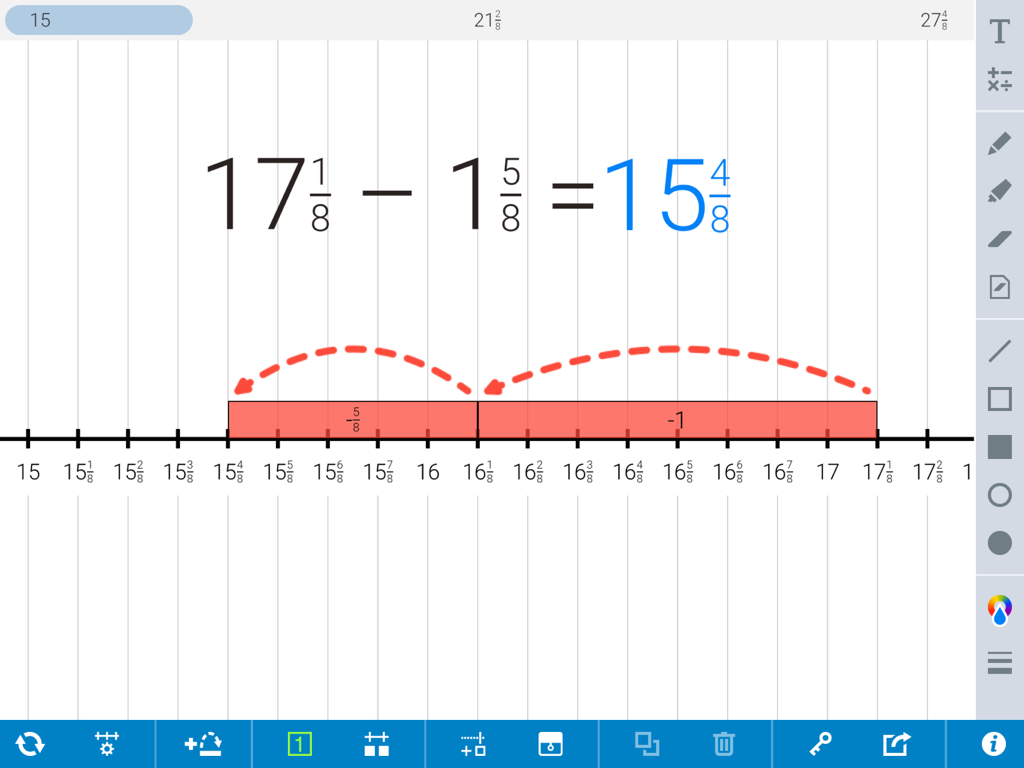
A math app showing subtraction with fractions and jumps on a number line

A math app showing subtraction with fractions and jumps on a number line

Visualize Success with Dynamic Math Tools

The tools that make this app stand out, trusted by 68K+ users.

📏

Adaptable for Every Level

Tailor your number line to any lesson. Toggle between whole numbers, fractions, decimals, or negative values to support students from kindergarten through 5th grade.

🦘

Model Strategies with Jumps

Make addition and subtraction tangible. Add forward or backward jumps to demonstrate computation strategies and label intervals to reinforce number sense.

🧩

Scaffold with Ease

Empower diverse learners using the hide-and-reveal tool. Create custom challenges or use resizable covers to focus attention on specific steps of a problem.

About the app

Everything you need to know about Number Line, by MLC.

Description

Number Line helps students visualize number sequences and demonstrate strategies for counting, comparing, adding, subtracting, multiplying, and dividing. Choose number lines labelled with whole numbers, fractions, decimals, or negative numbers. Or use a blank number line, with or without tick marks. Describe intervals between points on the line using forward or backward jumps above and below the line. Jumps can be labelled with their values or left blank. Add custom tick marks to the number line to show equivalence or compare number values. Show strategies with drawing and annotation tools. Hide elements of the sequence shown on the number line, which challenges students to use what they know about number relationships and computation to identify those missing elements. This virtual number line is an open-ended educational tool, ideal for elementary classrooms and other learning environments that use iPads. For more Number Line resources and other apps, visit: www.mathlearningcenter.org/apps FEATURES • Mark the number line with multiples of whole numbers, fractions, or decimals. In addition, set the starting value of the line, including using negative values. • Add and manipulate forward and backward jumps, above or below the line. • Label jump bars, manually or automatically, to show intervals or hide labels altogether. • Add custom tick marks and values to blank number lines. • Hide and reveal numbers on the number line. • Hide and reveal jumps, numbers, and other elements with resizable covers to create your own problems and model strategies. • Use the drawing tools to annotate work and show understanding. • Add equations, expressions, and descriptions with the math text and writing tools. • Share your work by saving an image or providing a share code to others. MORE APPS For more Number Line resources and other apps, visit: www.mathlearningcenter.org/apps LEARN MORE To learn about Bridges in Mathematics, an elementary curriculum that employs visual models like number line, visit: www.mathlearningcenter.org/bridges/overview ABOUT US This resource is brought to you by The Math Learning Center, a nonprofit organization dedicated to K-12 education since 1976. ACKNOWLEDGEMENTS This app was crafted by Clarity Innovations. We help improve teaching and learning by creating solutions that match promising technologies with the needs of education. Visit us: www.clarity-innovations.com

Latest Version

4.2.0

Size

7.3 MB

First Released

Nov 22, 2013

Empower Every Student with Visual Math Tools

Download this free, curriculum-aligned app today and transform how your students visualize, solve, and share their mathematical thinking.

Download on App Store

App information, icons, screenshots, and descriptions displayed on this page are sourced from the Apple App Store and are the property of their respective developers. Download estimates and rankings are based on MWM's proprietary models and may not reflect actual figures. This page is provided for informational and analytical purposes only.

Believe this page infringes your intellectual property? File a dispute