
This page is not an official page of the app or its developer, but an independent editorial publication created for informational and commentary purposes. Unless expressly stated otherwise, neither the app nor its developer is affiliated with, endorsed by, sponsored by, authorized by, or otherwise officially connected with MWM, Apple, Google Play, the app publisher, or the app's developer, and nothing on this page implies that the app was developed using MWM's services. Any trademarks, logos, screenshots, and other content remain the property of their respective owners.


OpeningTree - Chess Openings
Harness the power of 640,000+ elite games and integrated engine analysis. Explore deep opening lines, import your PGNs, and refine your strategy with the ultimate study companion for the competitive chess player.
Downloads
70K+User Rating
Total Ratings
100Publisher
Category
GamesLocales
5Latest Version
2.30Size
51.9 MBFirst Released
Jun 6, 2014Master the Opening Phase
Transform your mobile device into a professional chess lab. Leverage elite-level data and advanced engine analysis designed for the competitive strategist.
Elite Grandmaster Data
Explore a tree of 640,000+ games from players rated 2300+ Elo. See real-time win-draw-loss statistics to understand which moves actually work at the highest level.
Integrated Engine Analysis
Toggle the Crafty engine to receive instant position evaluations. Test your understanding by playing out specific lines or using the 'move now' feature to find the engine's top choice.
Frequently Asked Questions
Everything you need to know about OpeningTree - Chess Openings
What is OpeningTree - Chess Openings?
OpeningTree is a chess openings book app allowing users to explore opening trees and access Crafty engine analysis. It supports viewing games, making side lines, and custom move analysis.
How does OpeningTree display chess opening data?
OpeningTree displays opening data by showing win-draw-loss numbers next to moves, compiled from over 640,000 high-rated games. Users interact by touching moves on the board or list.
Does OpeningTree include a chess analysis engine?
Yes, OpeningTree includes the Crafty engine for analysis. Users can switch between the opening move table and Crafty engine analysis via the "Analyze" button located on the bottom right.
How does the Crafty engine score work in OpeningTree?
In OpeningTree, the Crafty engine score indicates positional advantage: +1.00 means White is ahead by a pawn, while -1.00 means Black is ahead by a pawn.
Is OpeningTree accessible for blind or visually impaired users?
Yes, OpeningTree's chess board is accessible for blind and visually impaired users. It integrates with Apple's Voice Over feature, providing square information and three move input methods.
Can I import PGN chess files into OpeningTree?
Yes, OpeningTree allows users to import PGN files by opening them with the app from mail attachments or downloads. It processes a maximum of 5000 games per file for speed.
How do I save game positions in OpeningTree?
OpeningTree users can save current board positions and moves to a PGN file. This is done via the "Save Board to PGN" option found within the app's Actions menu.
Does OpeningTree include pre-installed chess game collections?
Yes, OpeningTree comes with six optional PGN game files. These files contain famous classical games and collections from former world champions like Kasparov and Carlsen.
How can users customize moves in OpeningTree?
OpeningTree allows users to mark moves with red, green, or yellow colors. Users can also add notes to specific positions using the control bar, aiding in personal analysis.
What is a PGN file in the context of OpeningTree?
PGN stands for Portable Game Notation. In OpeningTree, PGN files are text files containing chess games in a specific format, which the app reads to display and analyze games.
The following screenshots and description are sourced directly from the app's official store listing and are the property of the app developer.
App Store
Screenshots
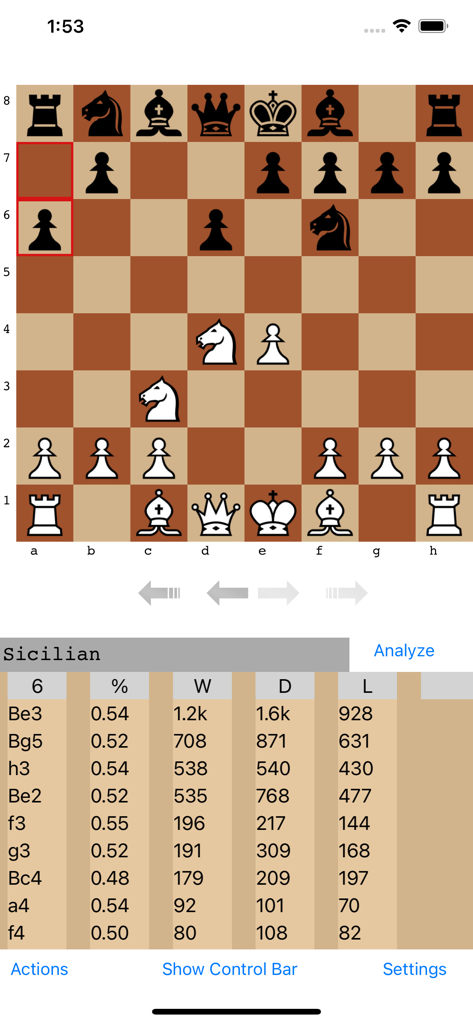
Chess board displaying a Sicilian Defense position with a table of move statistics and win percentages
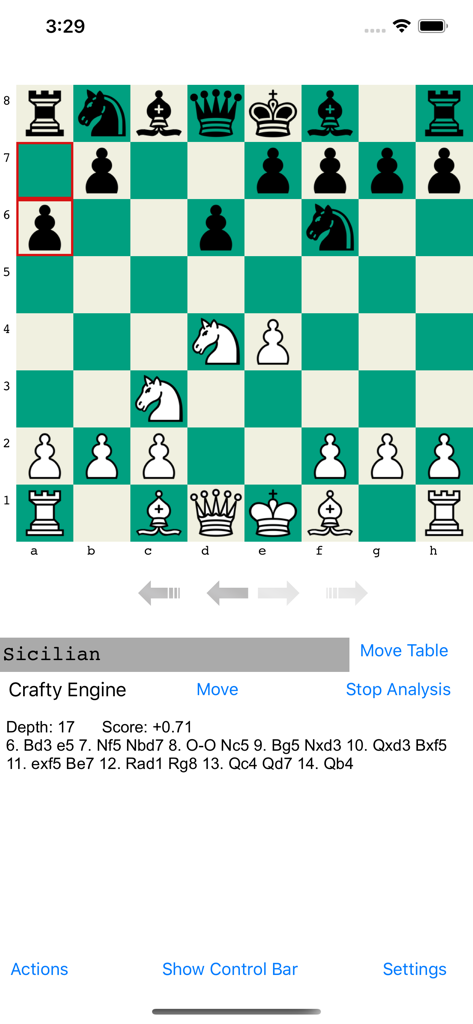
A chessboard showing the Sicilian opening with Crafty engine evaluation and move analysis data.
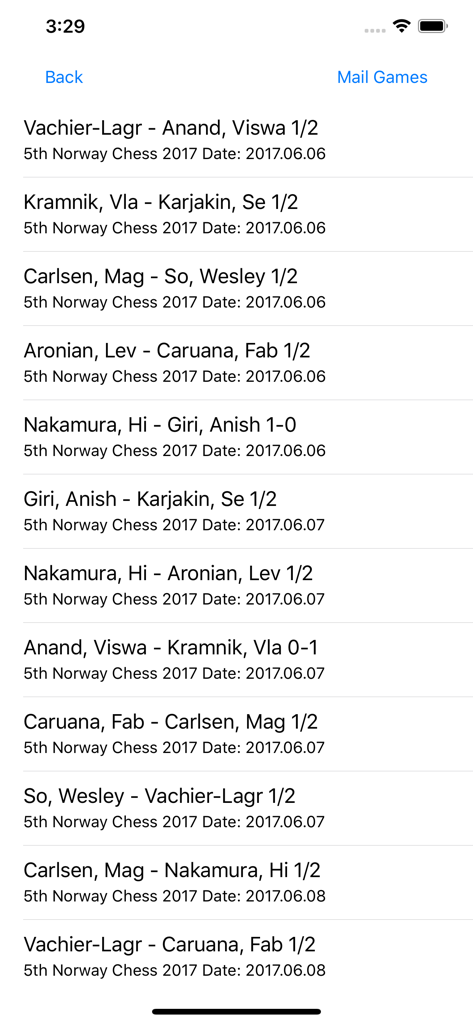
A list of professional chess games from the Norway Chess 2017 tournament.
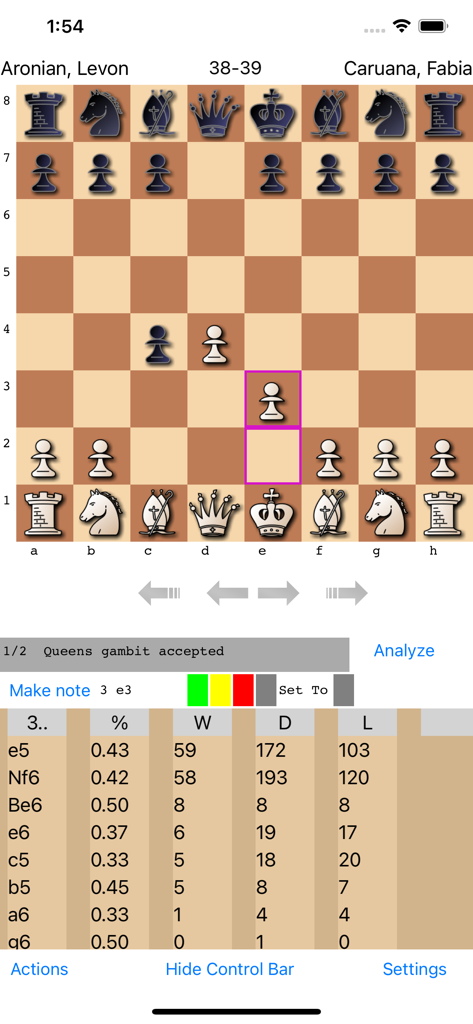
Chess board and opening statistics table in the OpeningTree mobile app
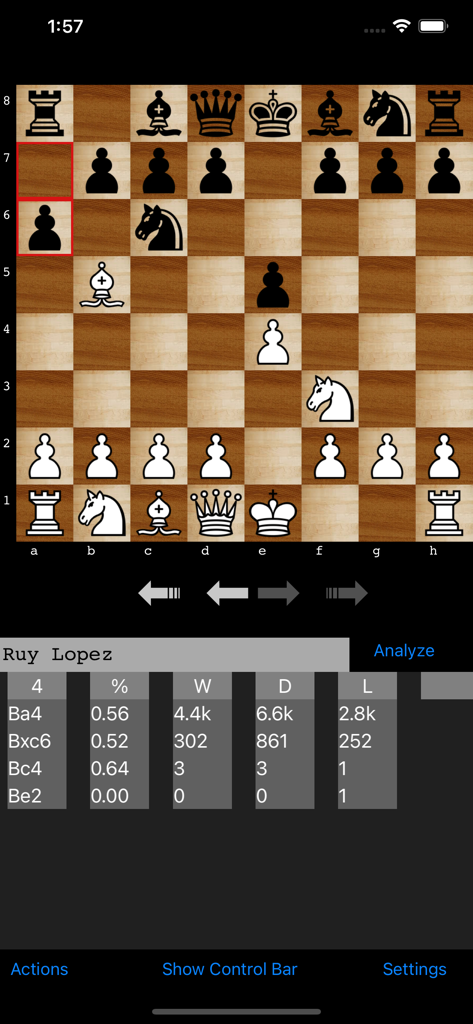
OpeningTree app screen displaying a chessboard with the Ruy Lopez opening and a data table of move statistics.
Description
Download
More Like This
Top-ranked apps in the same category

Block Blast!
ARETIS LIMITED

Heartopia
XD Entertainment Co., Ltd.

Solitaire Associations Journey
Hitapps Games LTD

Roblox
Roblox Corporation

Gossip Harbor®: Merge & Story
Microfun Limited

Arrows – Puzzle Escape
Lessmore UG haftungsbeschraenkt

Township
PLR Worldwide Sales Limited

Last War:Survival
FUNFLY PTE. LTD.

Vita Mahjong
VITA STUDIO PTE. LTD.
This page is not an official page of the app or its developer, but an independent editorial publication created for informational and commentary purposes. Unless expressly stated otherwise, neither the app nor its developer is affiliated with, endorsed by, sponsored by, authorized by, or otherwise officially connected with MWM, Apple, Google Play, the app publisher, or the app's developer, and nothing on this page implies that the app was developed using MWM's services. Any trademarks, logos, screenshots, and other content remain the property of their respective owners.