
This page is not an official page of the app or its developer, but an independent editorial publication created for informational and commentary purposes. Unless expressly stated otherwise, neither the app nor its developer is affiliated with, endorsed by, sponsored by, authorized by, or otherwise officially connected with MWM, Apple, Google Play, the app publisher, or the app's developer, and nothing on this page implies that the app was developed using MWM's services. Any trademarks, logos, screenshots, and other content remain the property of their respective owners.


PandaDoc - Create & Send docs
The all-in-one mobile solution to close deals faster. Create professional proposals, track signatures in real-time, and save up to 12 hours a week—all from your smartphone.
Downloads
36K+User Rating
Total Ratings
0Publisher
Category
BusinessLocales
1Latest Version
2.155.0Size
42.9 MBFirst Released
Sep 25, 2017Close Deals Faster, Anywhere
Transform your smartphone into a powerful document hub to create, track, and legally sign contracts in seconds, not hours.
Legally Binding eSignatures
Sign and collect signatures on the go with full ESIGN and UETA compliance for complete peace of mind and professional security.
Real-Time Tracking & Alerts
Get instant notifications the moment your client opens, views, or signs your document so you can follow up at the perfect moment.
Frequently Asked Questions
Everything you need to know about PandaDoc - Create & Send docs
What functionality does the PandaDoc app offer?
PandaDoc's mobile app allows users to create, edit, send, and eSign documents, contracts, proposals, and quotes. It provides instant access and powerful insights for efficient document management on the go.
Can I sign documents for free using the PandaDoc app?
Yes, the PandaDoc app allows users to complete and eSign documents for free. This feature supports efficient handling of agreements and proposals directly from a mobile device.
How does PandaDoc ensure legal compliance for eSignatures?
PandaDoc provides legally binding eSignatures with an electronic certificate for every signed document. It complies with UETA, ESIGN Act, HIPAA, FERPA, SOC 2 Type II, and ISO 27001 SSAE 16.
Can I track the status of my documents in the PandaDoc app?
Yes, the PandaDoc app provides an overview of all your documents and their current status in the signing process. Users receive real-time alerts when documents are opened, viewed, or completed.
Does the PandaDoc app support in-person eSignatures?
Yes, the PandaDoc app supports collecting in-person eSignatures. This feature is available specifically for users subscribed to Business and Essentials Plans.
How can I create my eSignature within the PandaDoc app?
The PandaDoc app allows users to create and edit their eSignature directly from their device. It offers options to type or upload your signature.
Does PandaDoc offer an audit trail for signed documents?
Yes, PandaDoc provides a complete audit trail for signed documents. This feature defines the lifecycle of a document, detailing events like creation, sending, viewing, and completion for transparency.
Can I upload existing PDF documents to the PandaDoc app?
Yes, the PandaDoc app allows users to upload PDF documents. It also provides a feature to scan documents directly using a mobile device's camera for convenience.
What are the security standards for PandaDoc documents?
PandaDoc adheres to high security standards for document management. It is fully compliant with SOC 2 Type II and ISO 27001 SSAE 16, ensuring secure storage and protection of all documents.
Can teams collaborate on documents using the PandaDoc app?
Yes, teams utilize the PandaDoc app to improve deal workflows and streamline processes. The app's 'Comments' feature facilitates communication and collaboration on documents among team members.
The following screenshots and description are sourced directly from the app's official store listing and are the property of the app developer.
App Store
Screenshots

PandaDoc mobile app intro screen with text Create eSign Send on the go
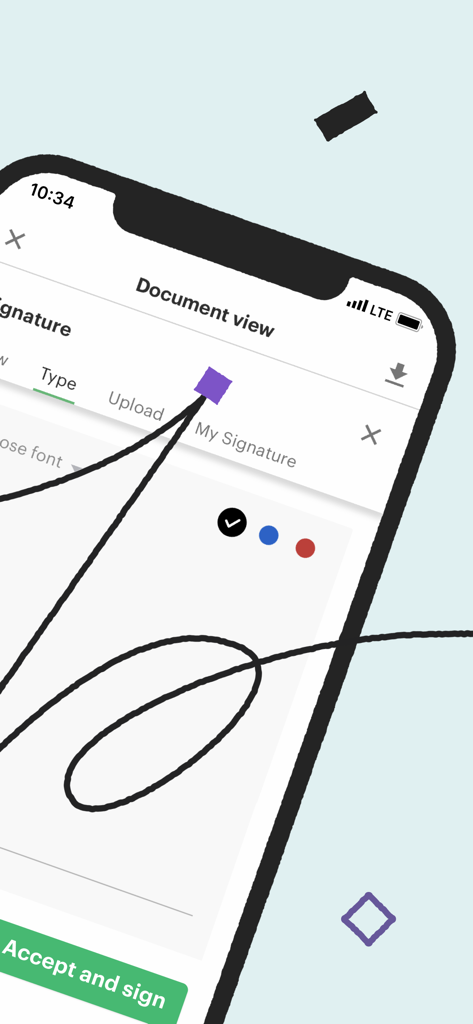
Smartphone screen displaying the PandaDoc document signing interface with a handwritten digital signature
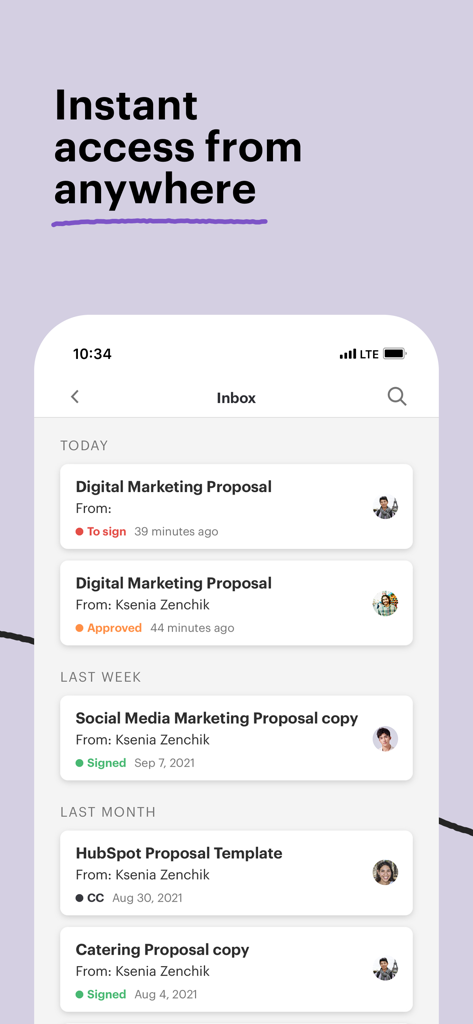
PandaDoc mobile app inbox showing a list of digital documents with real time status updates like signed and approved
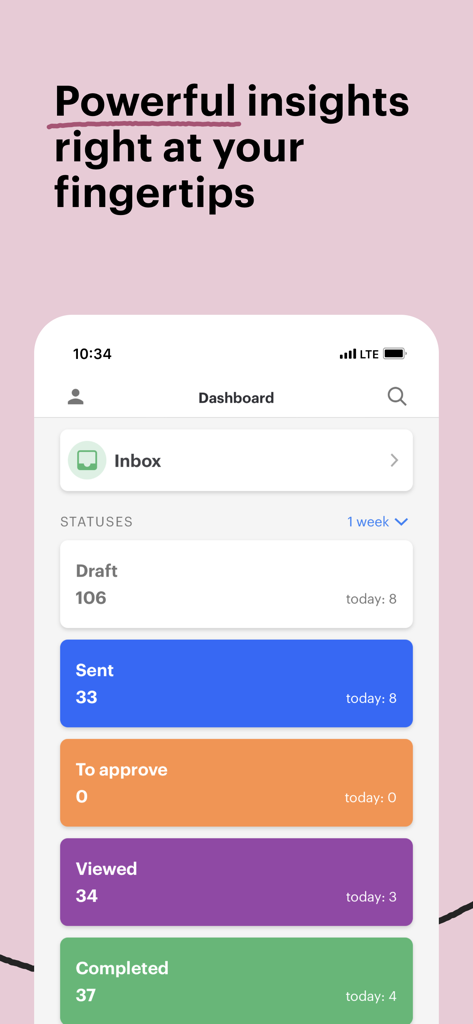
PandaDoc mobile dashboard showing the status and analytics of business documents
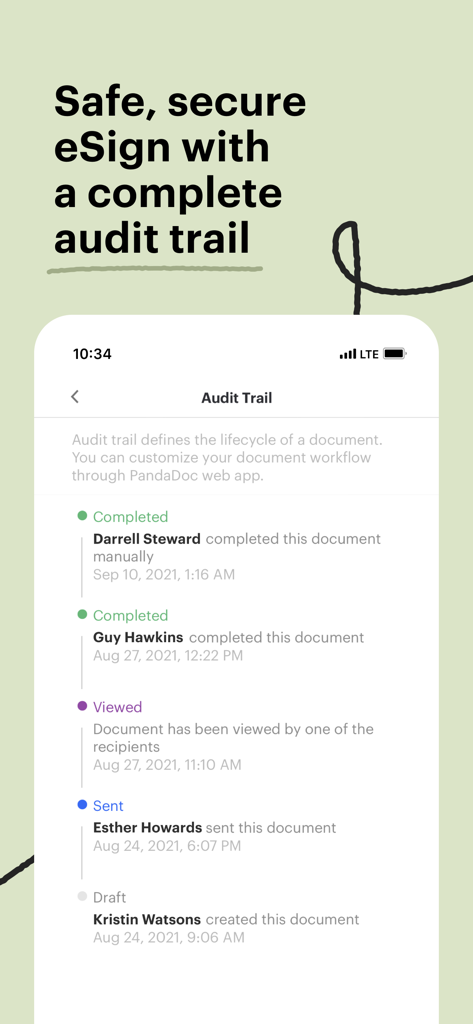
Interface of the PandaDoc app showing a detailed audit trail and lifecycle history for an electronic signature document
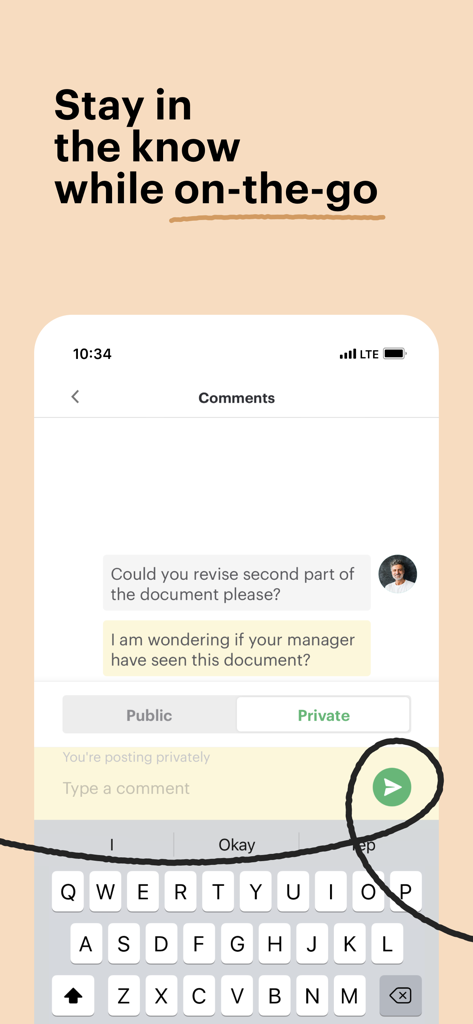
PandaDoc mobile app showing a document comments section with options for public and private messaging on an iPhone screen.
Description
Download
More Like This
Top-ranked apps in the same category

Microsoft Teams
Microsoft Corporation

Zoom Workplace
Zoom Communications, Inc.

WhatsApp Business
WhatsApp Inc.

Indeed Job Search
Indeed Inc.

LinkedIn: Network & Job Finder
LinkedIn Corporation

Adobe Acrobat Reader: Sign PDF
Adobe Inc.

WeCom-Work Communication&Tools
Tencent Technology (Shenzhen) Company Limited

BOSS直聘-招聘求职找工作神器
Beijing China Product Bo Farce Network Technology Co., Ltd.

DingDing - Redefine Work in AI
DingTalk Technology Co., Ltd.
This page is not an official page of the app or its developer, but an independent editorial publication created for informational and commentary purposes. Unless expressly stated otherwise, neither the app nor its developer is affiliated with, endorsed by, sponsored by, authorized by, or otherwise officially connected with MWM, Apple, Google Play, the app publisher, or the app's developer, and nothing on this page implies that the app was developed using MWM's services. Any trademarks, logos, screenshots, and other content remain the property of their respective owners.