
This page is not an official page of the app or its developer, but an independent editorial publication created for informational and commentary purposes. Unless expressly stated otherwise, neither the app nor its developer is affiliated with, endorsed by, sponsored by, authorized by, or otherwise officially connected with MWM, Apple, Google Play, the app publisher, or the app's developer, and nothing on this page implies that the app was developed using MWM's services. Any trademarks, logos, screenshots, and other content remain the property of their respective owners.

Participant 3rd Party Zoom App
Skip the bloat and reclaim your meeting focus. Join instantly with one-tap access, save up to 95% of your data on the go, and control your mic or camera directly from your Apple Watch and Dynamic Island.
Downloads
2M+User Rating
Total Ratings
6K+Publisher
Category
BusinessLocales
32Latest Version
4.4Size
234.3 MBFirst Released
Oct 22, 2020Streamlined for the Professional Attendee
An intentionally minimalist Zoom experience designed for those who participate, contribute, and value efficiency without the clutter of hosting tools.
Apple Ecosystem Integration
Take control from your Apple Watch, Dynamic Island, or Lock Screen. Mute your mic or raise your hand without even looking at your phone.
Smart Data Saver Mode
Join calls confidently from anywhere. Reduce data consumption by 60-95% to maintain a stable connection on cellular or public Wi-Fi.
Frequently Asked Questions
Everything you need to know about Participant 3rd Party Zoom App
What is the Participant 3rd Party Zoom App?
Participant is a video-focused 3rd-party Zoom client designed specifically for meeting participants. It simplifies the meeting experience by providing essential controls without host-specific features like sharing or polls.
How can I quickly join a meeting using the Participant app?
Yes, Participant app stores recent meeting IDs and passcodes. This allows users to rejoin meetings quickly with a single tap, eliminating the need to search for links or passcodes.
Does Participant app include a Data Saver Mode?
Yes, Participant app offers a Data Saver Mode. This feature turns off your camera and stops streaming videos, which can reduce data usage by approximately 60-95% depending on the number of participants.
Does the Participant app support Live Activity?
Yes, Participant app supports Live Activity. Users can control their microphone or raised hand directly from the Dynamic Island or Lock Screen on their iPhone.
Does Participant app support Zoom webinars?
No, Participant app does not currently support webinars. The application is designed for standard Zoom meetings, focusing on participant-level interactions.
Does Participant app have automatic raised hand detection?
Yes, Participant app offers an Automatic Raised Hand Detection feature. When enabled in Meeting Settings, the app automatically raises your Zoom hand when you physically raise your actual hand.
Does the Participant app offer threaded chat for users?
Yes, Pro users of Participant app can utilize threaded chat. This feature prevents accidental responses to everyone when the intent is to send a direct message.
Can Participant app share meetings to Apple TV or external displays?
Yes, the Participant app allows you to share your meeting to an Apple TV. You maintain full control over what content is displayed on the external screen.
Is Participant app an official Zoom client?
No, Participant is a 3rd-party Zoom client and is not endorsed, certified, warrantied, or supported by Zoom Communications Inc. It uses the Zoom SDK.
The following screenshots and description are sourced directly from the app's official store listing and are the property of the app developer.
App Store
Screenshots
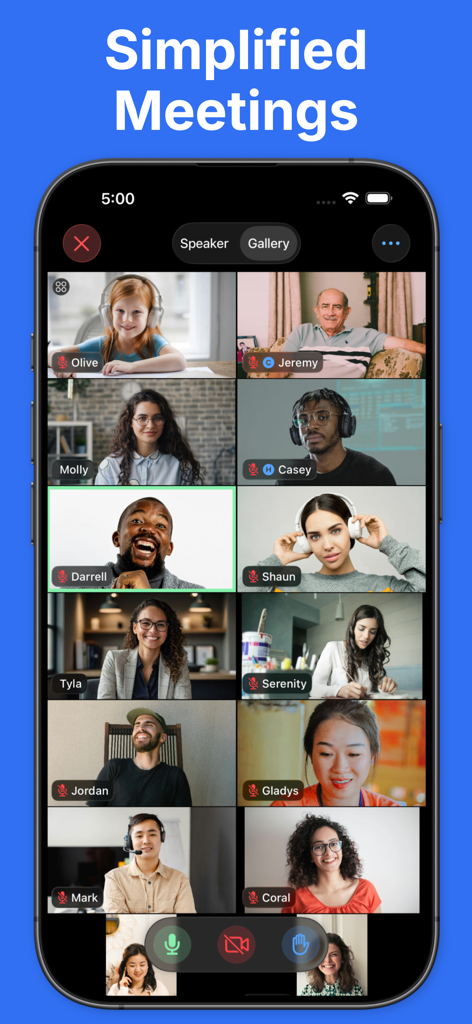
A smartphone screen showing a minimalist gallery view of a Zoom video conference with several participants in a clean grid layout.
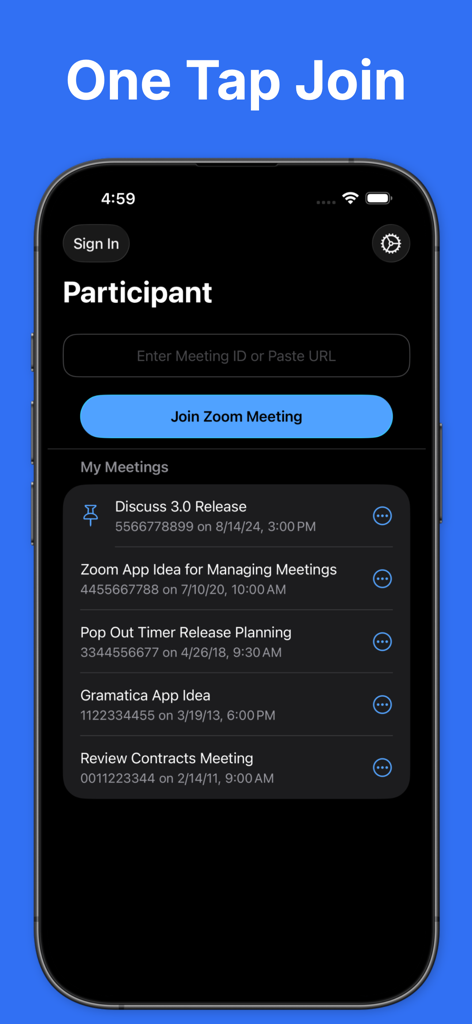
Interface of Participant app showing One Tap Join feature and recent meeting list for Zoom
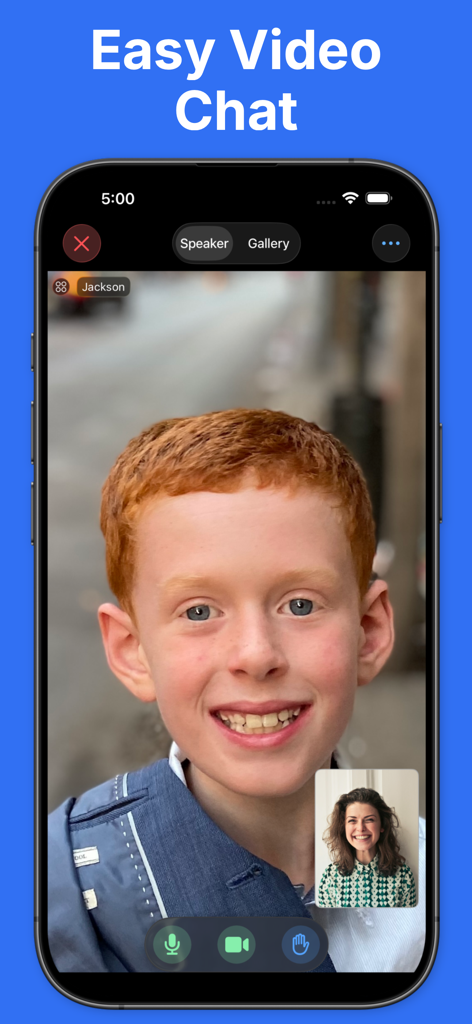
Simple video chat interface of the Participant app for Zoom meetings
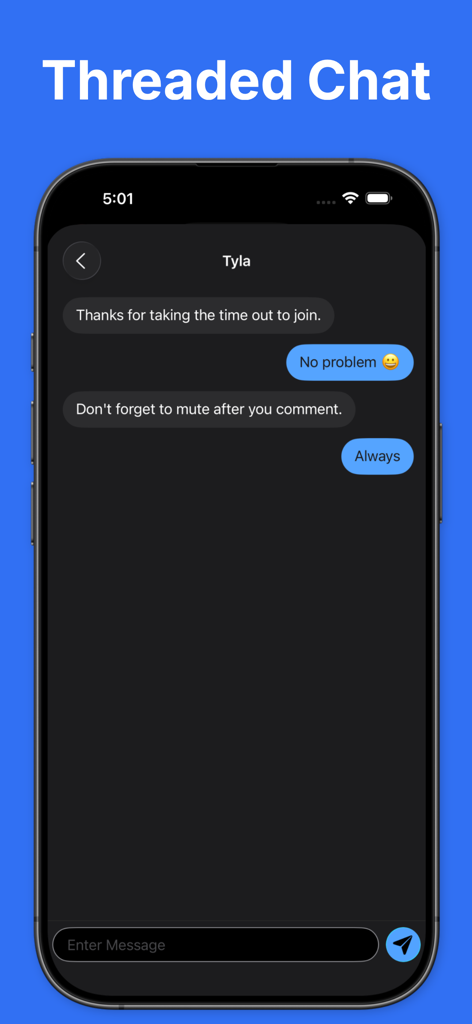
Threaded chat interface in the Participant app showing a direct message conversation on an iPhone
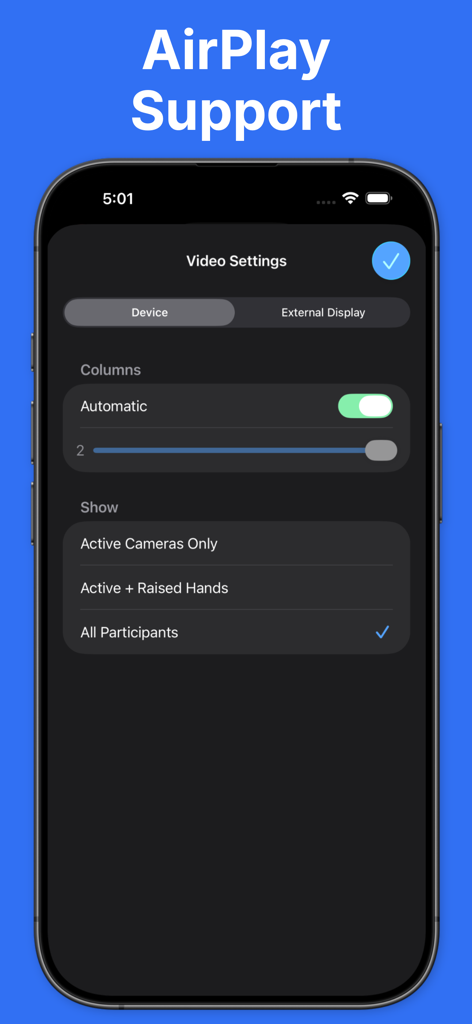
Video settings interface for AirPlay and external display support in the Participant app
Description
Download
More Like This
Apps with similar features and user experience

l-mao
Zhengzhou Pengrun Big Data Co.LTD

WhizAI for WA
颖妮 王

satellite - Mobil telefonieren
sipgate GmbH

Locally AI - Local AI Chat
Adrien Grondin

云湖
Beijing Jiuwan Zhida Technology Co., Ltd

MiGe AI - Secure Privacy Chat
Longnan yingmeng network technology co., ltd
This page is not an official page of the app or its developer, but an independent editorial publication created for informational and commentary purposes. Unless expressly stated otherwise, neither the app nor its developer is affiliated with, endorsed by, sponsored by, authorized by, or otherwise officially connected with MWM, Apple, Google Play, the app publisher, or the app's developer, and nothing on this page implies that the app was developed using MWM's services. Any trademarks, logos, screenshots, and other content remain the property of their respective owners.