Passport Size ID Photo Maker
Download on App Store

This page is not an official page of the app or its developer, but an independent editorial publication created for informational and commentary purposes. Unless expressly stated otherwise, neither the app nor its developer is affiliated with, endorsed by, sponsored by, authorized by, or otherwise officially connected with MWM, Apple, Google Play, the app publisher, or the app's developer, and nothing on this page implies that the app was developed using MWM's services. Any trademarks, logos, screenshots, and other content remain the property of their respective owners.


Logo of Passport Size ID Photo Maker
Download on App Store

Passport Size ID Photo Maker

Skip the expensive pharmacy trips and long lines. Create government-compliant passport, visa, and ID photos from home with AI-powered background removal and official global presets.

Key Figures

Downloads

23K+

User Rating

4.5/5

Total Ratings

0

Publisher

Connear (Private) Limited

Category

Graphics & Design

Locales

12

Latest Version

3.2.0

Size

31.0 MB

First Released

Nov 16, 2022
Features

A Professional Photo Booth in Your Pocket

Skip the lines and the high costs of retail photo services. Use our AI-powered tools to create government-compliant passport, visa, and ID photos from the comfort of your home.

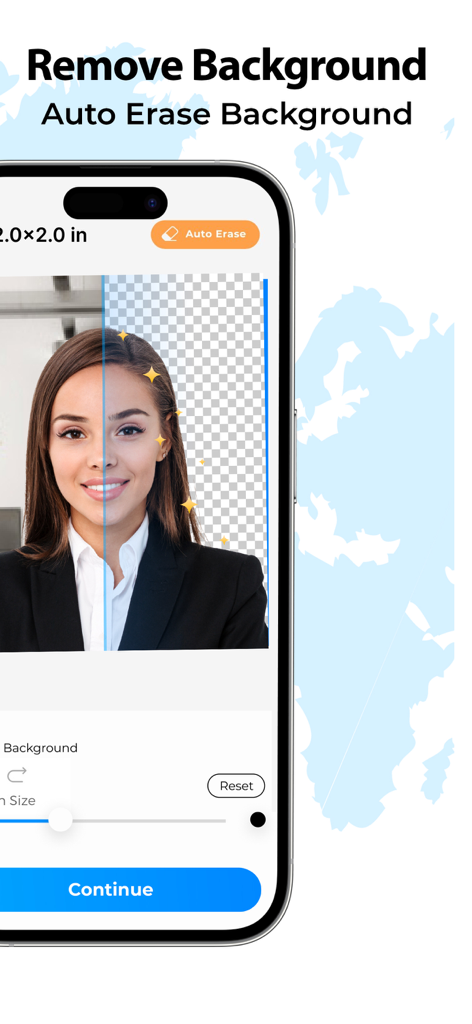
AI Background Removal

No white wall? No problem. Our smart editor instantly erases your background and replaces it with the required professional solid colors.

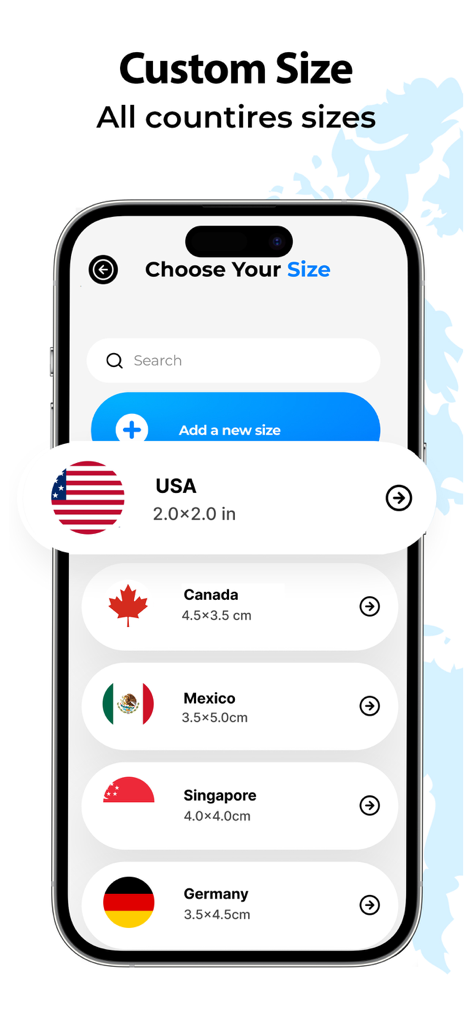
Global Compliance Presets

Avoid application rejections with built-in templates for the USA, UK, India, and dozens of other countries tailored to official document standards.

The following screenshots and description are sourced directly from the app's official store listing and are the property of the app developer.

App Store

Screenshots
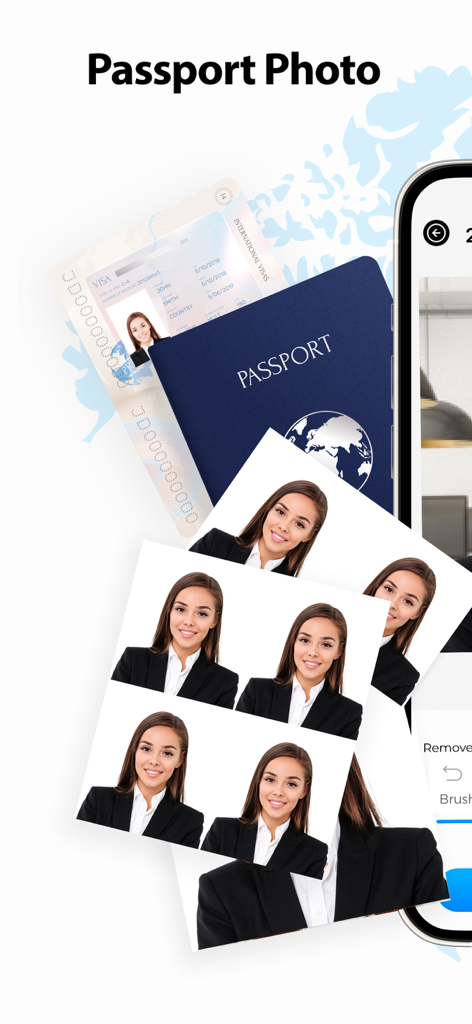
Passport Size ID Photo Maker - Smartphone app showing professional passport and visa photos ready for printing
Smartphone app showing professional passport and visa photos ready for printing

Passport Size ID Photo Maker - Interface of the Passport Size ID Photo Maker app showing the auto background removal feature
Interface of the Passport Size ID Photo Maker app showing the auto background removal feature

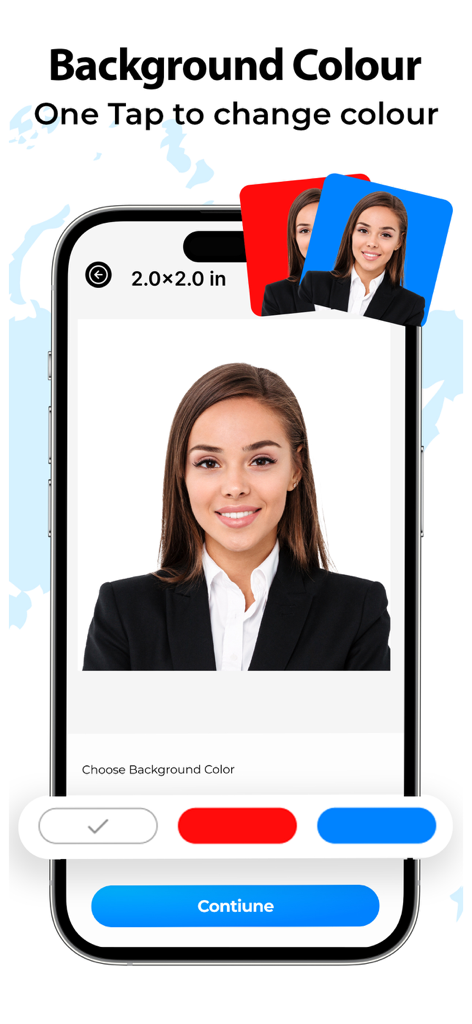
Passport Size ID Photo Maker - Mobile app screen showing the feature to change background color for a passport size ID photo.
Mobile app screen showing the feature to change background color for a passport size ID photo.

Passport Size ID Photo Maker - Smartphone screen displaying passport photo size options for multiple countries in an app
Smartphone screen displaying passport photo size options for multiple countries in an app

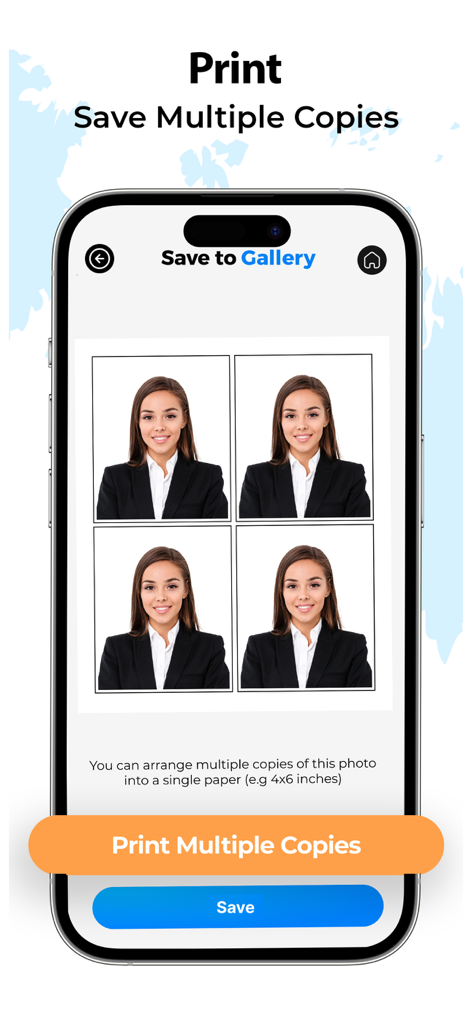
Passport Size ID Photo Maker - A mobile app interface displaying a grid of four identical passport photos for printing multiple copies.
A mobile app interface displaying a grid of four identical passport photos for printing multiple copies.

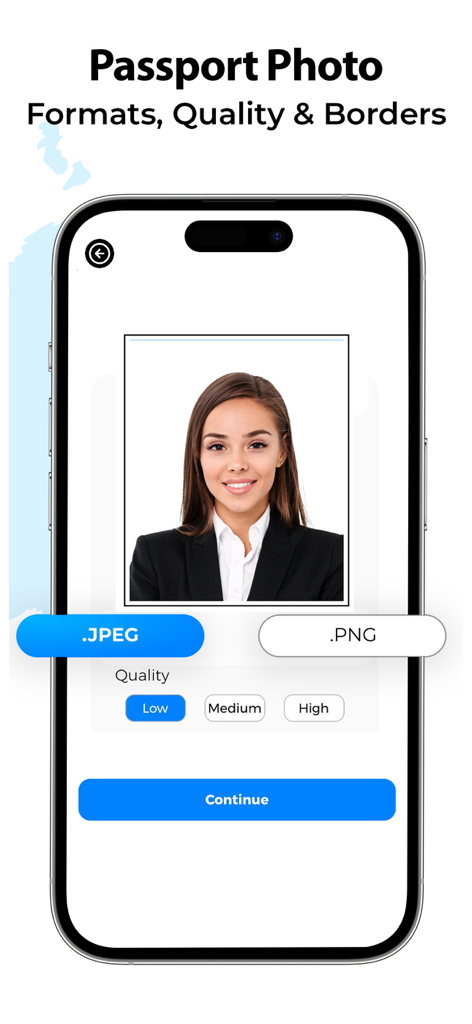
Passport Size ID Photo Maker - Interface of the Passport Size ID Photo Maker app showing options for choosing file formats like JPEG and PNG and photo quality levels.

Interface of the Passport Size ID Photo Maker app showing options for choosing file formats like JPEG and PNG and photo quality levels.

Description

Passport photo maker to quickly create passport size photos. Create passport pictures in custom sizes or choose the default passport size for a number of available countries. Passport size photo maker helps you make the professional id photo for passport, visa photo and more. Get the passport size editor and create the ultimate passport size images. Passport size photo maker provides the auto background eraser along with background color changer to design your required country passport size photos. Choose paper size to create multiple passport sizes for printing 4x4, 4x6, 3.5x5, a4 size with many custom sizes. Save money by creating your own passport booth with a passport picture size editor app. Choose from number of available country sizes or add your custom size Auto remove backgrounds and erase the unwanted parts in pictures Choose and add the required background color to create a passport id photo Make multiple passport copies and print sizes including 4x6, 3.5x5, a4 sizes Set of instructions and how to use tutorials to make a perfect passport image Access your word and previous passport images in saved folders passport app Add photo filters from collection of image filters in passport size image editor app How to use? Choose image from gallery or camera Choose your desired country size or add custom size Erase backgrounds and change colors Select image quality, image type Save and share your passport images All done! Get rid of visiting nearby passport booths, save your time and cost by creating a perfect passport image using the passport photo maker app. Ultimate quality and features are waiting for you to create the professional passport photos. Add custom sizes for passport visa photos or select from the default pre-added list to continue your work. Key Features Add or create your own passport size images Select and change backgrounds colors and erase background Image filters to edit passport images Print multiple copies option in variety of paper sizes Easy to use interface for creating custom passport images Additional purchase is required to access the premium features for Passport Size ID Photo Maker App Premium Features Include: - Unlock all premium passport sizes - Save & print multiple copies - Remove Ads Passport Size Id Photo Maker offers the following auto-renewing subscription Weekly: $2.99/Month Monthly: $5.99/Month The price of Passport Size Id Photo Maker is for United States customers. Price in other countries may differ and actual charges may be converted to local currency depending on your country. On confirmation of purchase the payment of subscription will be charged to iTunes Account. Normally Subscription automatically renews unless auto-renew is turned off at least 24-hours before the end of the current period. Account will be charged for renewal within 24-hours prior to the end of the current period and identify the cost of the renewal. Subscriptions may be managed by the user and auto-renewal may be turned off by going to the user's Account Settings after purchase. 
Terms of Use: https://connear.com/apps-terms/ Privacy Policy: https://connear.com/apps-policy/

Download

Download on App Store

This page is not an official page of the app or its developer, but an independent editorial publication created for informational and commentary purposes. Unless expressly stated otherwise, neither the app nor its developer is affiliated with, endorsed by, sponsored by, authorized by, or otherwise officially connected with MWM, Apple, Google Play, the app publisher, or the app's developer, and nothing on this page implies that the app was developed using MWM's services. Any trademarks, logos, screenshots, and other content remain the property of their respective owners.







