
This page is not an official page of the app or its developer, but an independent editorial publication created for informational and commentary purposes. Unless expressly stated otherwise, neither the app nor its developer is affiliated with, endorsed by, sponsored by, authorized by, or otherwise officially connected with MWM, Apple, Google Play, the app publisher, or the app's developer, and nothing on this page implies that the app was developed using MWM's services. Any trademarks, logos, screenshots, and other content remain the property of their respective owners.

PAYGO
Provide your children with a safe, cashless experience while you enjoy total peace of mind with real-time meal monitoring and nutritional controls.
Downloads
29K+User Rating
Total Ratings
0Publisher
Category
FinanceLocales
1Latest Version
2.0.9Size
19.7 MBFirst Released
Oct 13, 2018Empowering Parents with Total School Spending Control
PAYGO transforms school logistics into a secure, digital experience, giving you peace of mind over your child's nutrition and finances.
Safe & Cashless Convenience
Protect your child from the risks of carrying cash. Easily reload balances and manage payments through a secure digital wallet designed for school life.
Curated Healthy Eating
Take charge of your child's diet by viewing school menus and blocking specific items or categories to ensure they stick to healthy habits.
Frequently Asked Questions
Everything you need to know about PAYGO
What is PAYGO?
PAYGO is an alternative payment platform for children and young people to use in educational institutions, eliminating the need for cash transactions.
How does PAYGO ensure secure payments?
PAYGO offers a secure method for parents to pay or recharge accounts from any location. It functions as a safe alternative to traditional cash payments within educational settings.
Can I monitor my child's spending with PAYGO?
Yes, PAYGO enables real-time monitoring of consumption, allowing parents to track their children's spending. It also supports control over food choices and intake.
Can parents block specific products or categories using PAYGO?
Yes, the PAYGO platform provides functionality to block unwanted products and categories. This feature gives parents precise control over what their children can purchase.
How can I view the food menu program in PAYGO?
PAYGO allows users to consult the food menu programming. This feature is accessible within the platform, aiding in the management of children's dietary planning.
Does PAYGO allow setting daily spending limits for subaccounts?
Yes, PAYGO allows configuration of subaccounts with a daily maximum spend limit. This applies to categories such as breakfast, lunch, or other designated spending areas.
Can I receive alerts for low balances in PAYGO?
Yes, PAYGO provides an option to enable email alerts for low balances on subaccounts. This ensures users are promptly informed when funds need topping up.
How do I log in to the PAYGO application?
Users log in to the PAYGO application by entering their registered email and password on the designated login screen. A password reset option is also available.
What features are available in the PAYGO application menu?
The PAYGO application menu features options including Account Statement, Configure Subaccounts, Transfer Balances, Food Menu, Approve Products, Scheduled Consumption, Movements, Renew Subscriptions, Help, and Contact.
Can I top up specific subaccounts in PAYGO?
Yes, PAYGO supports topping up specific subaccounts, such as those allocated for breakfast, lunch, or refreshments. This ensures funds are directed to intended spending categories.
The following screenshots and description are sourced directly from the app's official store listing and are the property of the app developer.
App Store
Screenshots

PAYGO app splash screen featuring the company logo and smart technology tagline on a dark background
PAYGO smart technology logo for school meal payments
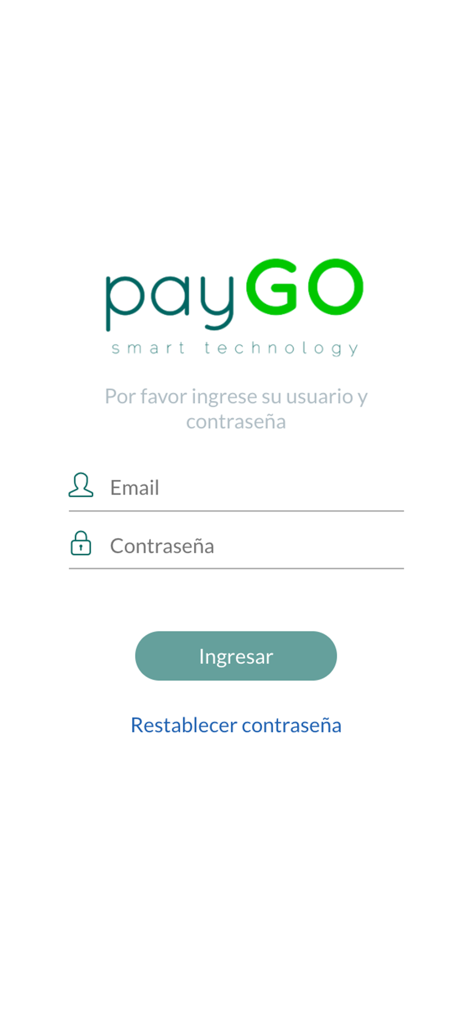
Login screen for PAYGO school payment app featuring email and password input fields
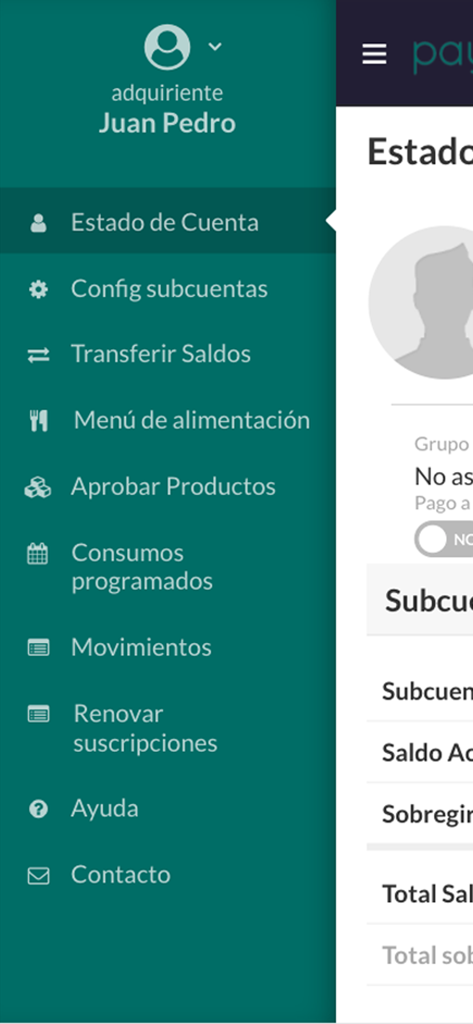
Side navigation menu of the PAYGO app showing options for account status, food menu, and subaccount settings.
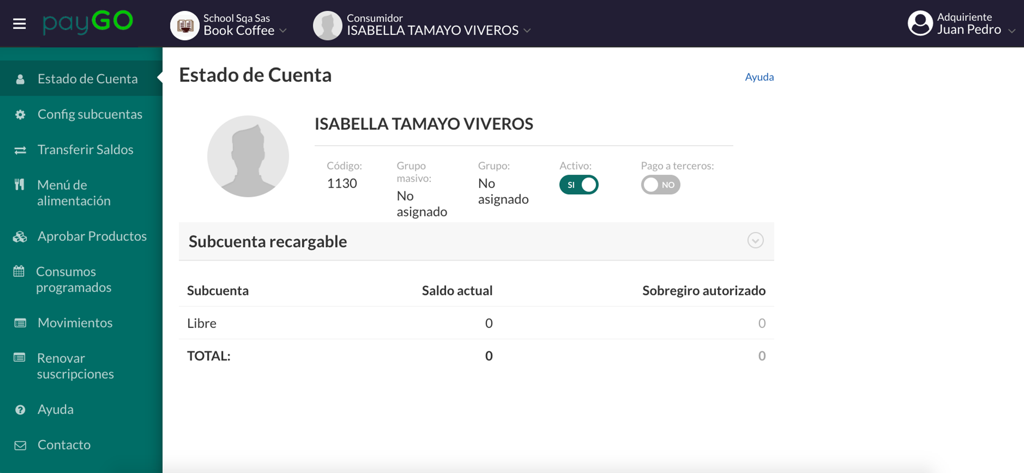
PAYGO mobile app interface showing a student account status and school meal payment dashboard
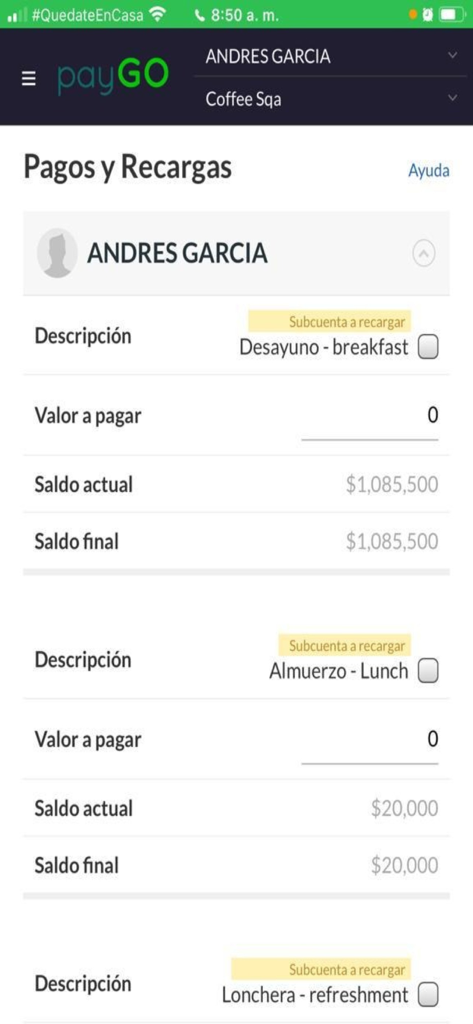
PAYGO app interface for school meal payments and balance management
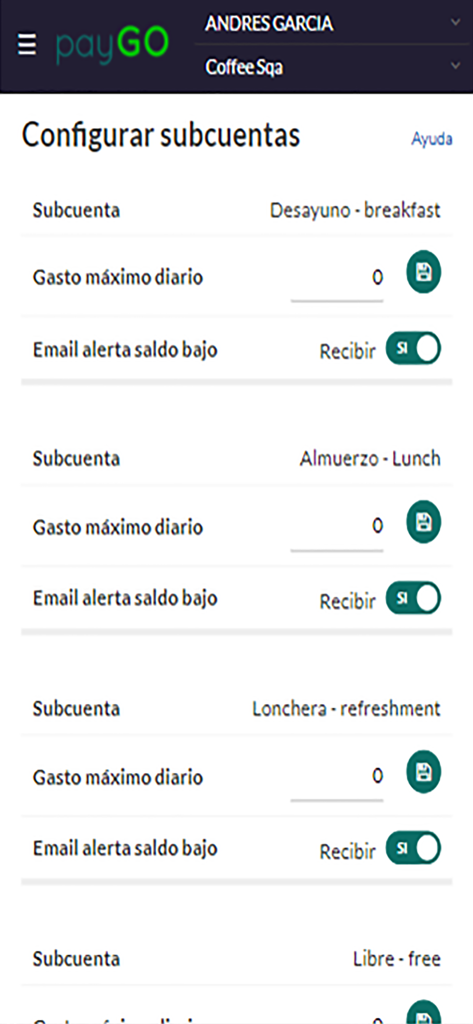
PAYGO app screen for setting daily spending limits and low balance alerts for school meals
Description
Download
More Like This
Top-ranked apps in the same category

电子税务局
State Administration of Taxation

UnionPay APP
China Unionpay Co.,Ltd.

养基宝 - 年轻人的养基神器
Shenzhen Xiaoduotou Information Technology Co.,Ltd.

PayPal - Pay, Send, Save
PayPal, Inc.

中国农业银行
AGRICULTURAL BANK OF CHINA LIMITED

Mercado Pago: cuenta digital
MercadoLibre S.A.

Kalshi: Trade on the Big Game
KALSHI INC.

中国工商银行
Industrial and Commercial Bank of China

个人所得税
State Administration of Taxation
This page is not an official page of the app or its developer, but an independent editorial publication created for informational and commentary purposes. Unless expressly stated otherwise, neither the app nor its developer is affiliated with, endorsed by, sponsored by, authorized by, or otherwise officially connected with MWM, Apple, Google Play, the app publisher, or the app's developer, and nothing on this page implies that the app was developed using MWM's services. Any trademarks, logos, screenshots, and other content remain the property of their respective owners.