
This page is not an official page of the app or its developer, but an independent editorial publication created for informational and commentary purposes. Unless expressly stated otherwise, neither the app nor its developer is affiliated with, endorsed by, sponsored by, authorized by, or otherwise officially connected with MWM, Apple, Google Play, the app publisher, or the app's developer, and nothing on this page implies that the app was developed using MWM's services. Any trademarks, logos, screenshots, and other content remain the property of their respective owners.


PayZapp UPI, Pixel Credit Card
Stop settling for fragmented finance. This app unchains your spending, puts you in charge, and rewards every tap.
Downloads
2.5M+User Rating
Total Ratings
240.9KPublisher
Category
FinanceLocales
1Latest Version
2.51.11Size
542.4 MBFirst Released
Jan 18, 2023An evaluation of core functionalities and their impact on the tech-savvy Indian financial user.
Key Features Analysis: PayZapp UPI & Pixel Credit Card
Pixel Credit Card Management
The app introduces Pixel Credit Cards, offering personalized rewards up to 5% cashback on chosen merchants, dedicated in-app management, instant digital card access, flexible EMIs, and exclusive dining offers, empowering users with greater control and savings.
Robust Security Protocols
It provides robust security, including protection with the phone’s default login (PIN/biometric), advanced anti-fraud features against screen sharing, and device binding checks to ensure transactions are secure and user data is protected.
Integrated Rewards & CashPoints
The app offers assured CashPoints and exclusive rewards across UPI, recharge, bill pay, shopping categories, and partner merchants, including special benefits for HDFC Bank card spends, allowing users to maximize value from their expenditures.
Advanced Spend Tracking & Analysis
This tool enables users to track all payments, manage budgets with spend analysis, and view payment insights, including tracking refunds for cancelled or failed transactions, providing comprehensive financial control.
Comprehensive UPI Integration
It enables users to create a UPI handle linked to any bank account, scan QR for instant payments, and transfer money to contacts, UPI IDs, or account numbers, including checking linked bank balances, offering versatile and essential digital payment capabilities.
Frictionless 'Swipe to Pay'
The app allows users to pay with a single swipe, eliminating the need for OTPs for online transactions, offering 100% secure and faster payments for HDFC Bank cards and the PayZapp Wallet, enhancing convenience significantly.
Unified Bill Pay & Recharges
It facilitates mobile, DTH, and FASTag recharges, alongside various bill payments, with monthly payment reminders for enhanced financial organization and ease of routine transactions.
In-App Shopping & Vouchers
The app offers access to multiple shopping categories, travel partners, and over 200 brand vouchers, with opportunities to redeem reward points for bookings, consolidating diverse spending and value redemption options.
Frequently Asked Questions
Everything you need to know about PayZapp UPI, Pixel Credit Card
What is PayZapp?
PayZapp is an app that facilitates payments via UPI, Debit/Credit Cards, and its Prepaid Wallet. It supports QR scans, bill payments, recharges, money transfers, and provides a Pixel Credit Card for various financial transactions.
Does the PayZapp Pixel Credit Card offer cashback?
Yes, the PayZapp Pixel Credit Card offers up to 5% cashback on your choice of merchants. It also provides exclusive dining offers and assures CashBack.
How can I manage my Pixel Credit Card in PayZapp?
You can manage your PayZapp Pixel Credit Card directly within the app. It allows you to apply, track, manage card settings, features, rewards, statements, and repayments.
What UPI features are available in the PayZapp app?
PayZapp enables users to create a UPI handle, scan QR codes for payments, transfer money to contacts or bank accounts, receive money, and check account balances for linked banks.
Can I link other bank's cards to PayZapp?
Yes, PayZapp allows users to link Debit/Credit Cards from any bank. HDFC Bank Cards are auto-fetched and auto-linked during onboarding for convenience.
How do I use the PayZapp Prepaid Wallet?
To use the PayZapp Prepaid Wallet, complete KYC, then load money via UPI or Debit/Credit Cards. You can use it for in-app payments, online shopping, and transferring money to an account.
What security features does PayZapp offer?
PayZapp protects against unauthorized access with the phone's login PIN or biometrics. It features advanced security against screen sharing applications and performs device binding checks for trusted device logins.
Can I pay bills and recharge services with PayZapp?
Yes, PayZapp supports mobile, DTH, and FASTag recharges. You can also pay various bills and receive monthly payment reminders within the app.
What is PayZapp's Swipe to Pay feature?
Swipe to Pay in PayZapp enables secure online transactions with a single swipe, eliminating the need for OTPs. This feature is available with HDFC Bank Debit/Credit Cards and the PayZapp Prepaid Wallet.
Does PayZapp offer in-app customer support?
Yes, PayZapp includes an in-app Help Centre. Users can tap the (?) icon to register queries, select the issue type, and raise a ticket for quicker resolution of problems like account setup or payment issues.
The following screenshots and description are sourced directly from the app's official store listing and are the property of the app developer.
App Store
Screenshots
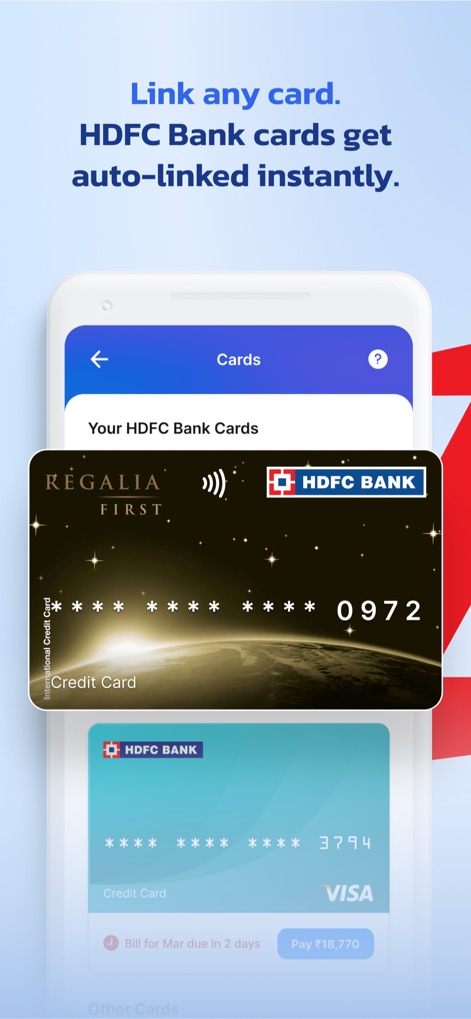
Users can effortlessly link various bank cards and observe how HDFC Bank cards are automatically fetched and displayed within the app.
Card Linking Simplified

Discover the Pixel Credit Card's personalized rewards, offering up to 5% cashback on chosen merchants, and the flexibility to select unique card designs.
Pixel Card Perks

This interface provides users with complete control, featuring quick access to statements and rewards, alongside options to manage EMIs and card settings.
Card Management Hub
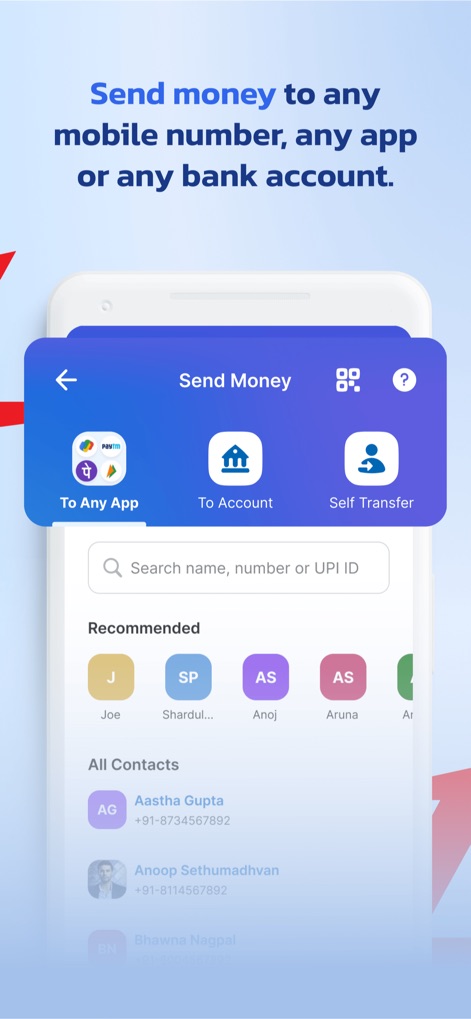
The app facilitates instant money transfers to any contact or bank account, allowing users to send funds via various apps or directly to an account.
Seamless Money Transfers

Users can quickly scan any QR code to make instant payments at shops, simplifying transactions with a tap of the app's scanner.
Instant QR Payments

This feature enables convenient bill payments and recharges, showing upcoming dues for services like mobile and DTH from various billers.
Effortless Bill Pay
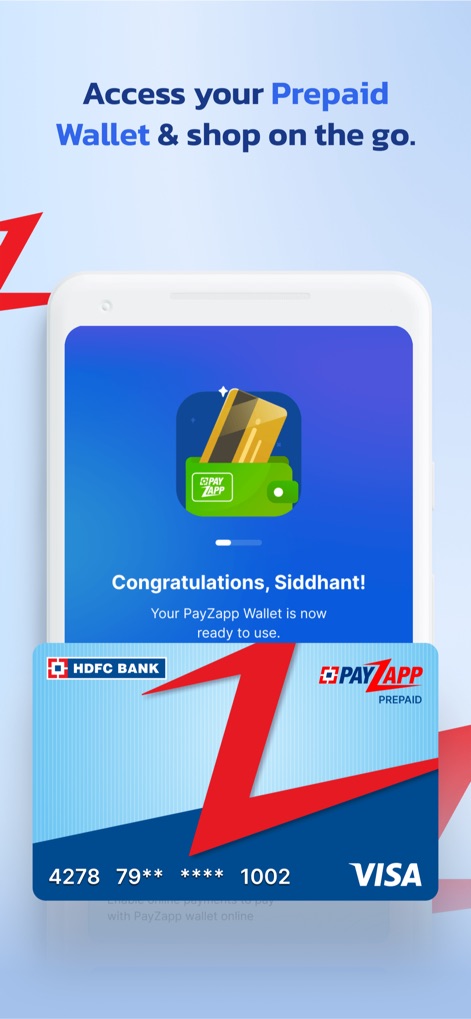
The app allows users to create and activate their PayZapp Prepaid Wallet, making it ready for in-app payments and online shopping.
Ready Prepaid Wallet

Users can maximize benefits through various reward points and cashback offers, with simplified shopping categories and partner merchants for diverse needs.
Rewards & Shopping
Description
Download
More Like This
Apps with similar features and user experience

PayPal - Pay, Send, Save
PayPal, Inc.

中国农业银行
AGRICULTURAL BANK OF CHINA LIMITED

Mercado Pago: cuenta digital
MercadoLibre S.A.

中国工商银行
Industrial and Commercial Bank of China

Revolut: Send, spend and save
Revolut Ltd

HDFC Bank App (Early Access)
HDFC Bank Ltd

Zalopay - Quét Mọi QR
ZION JOINT STOCK COMPANY

Cash App
Block, Inc.

招商银行
CHINA MERCHANTS BANK CO.,LTD.
This page is not an official page of the app or its developer, but an independent editorial publication created for informational and commentary purposes. Unless expressly stated otherwise, neither the app nor its developer is affiliated with, endorsed by, sponsored by, authorized by, or otherwise officially connected with MWM, Apple, Google Play, the app publisher, or the app's developer, and nothing on this page implies that the app was developed using MWM's services. Any trademarks, logos, screenshots, and other content remain the property of their respective owners.